tencent cloud

Tencent Real-Time Communication

소식 및 공지 사항
제품 업데이트
Tencent Cloud 오디오/비디오 단말 SDK 재생 업그레이드 및 권한 부여 인증 추가
TRTC 월간 구독 패키지 출시 관련 안내
제품 소개
제품 개요
기본 개념
제품 기능
제품 장점
응용 시나리오
성능 데이터
구매 가이드
Billing Overview
무료 시간 안내
Monthly subscription
Pay-as-you-go
TRTC Overdue and Suspension Policy
과금 FAQ
Refund Instructions
신규 사용자 가이드
Demo 체험
Call
개요(TUICallKit)
Activate the Service
Run Demo
빠른 통합(TUICallKit)
오프라인 푸시
Conversational Chat
온클라우드 녹화(TUICallKit)
AI Noise Reduction
UI 사용자 정의
Calls integration to Chat
Additional Features
No UI Integration
Server APIs
Client APIs
Solution
ErrorCode
릴리스 노트
FAQs
라이브 스트리밍
Billing of Video Live Component
Overview
Activating the Service (TUILiveKit)
Demo 실행
No UI Integration
UI Customization
Live Broadcast Monitoring
Video Live Streaming
Voice Chat Room
Advanced Features
Client APIs
Server APIs
Error Codes
Release Notes
FAQs
RTC Engine
Activate Service
SDK 다운로드
API 코드 예시
Usage Guidelines
API 클라이언트 API
고급 기능
RTC RESTFUL API
History
Introduction
API Category
Room Management APIs
Stream mixing and relay APIs
On-cloud recording APIs
Data Monitoring APIs
Pull stream Relay Related interface
Web Record APIs
AI Service APIs
Cloud Slicing APIs
Cloud Moderation APIs
Making API Requests
Call Quality Monitoring APIs
Usage Statistics APIs
Data Types
Appendix
Error Codes
콘솔 가이드
애플리케이션 관리
사용량 통계
모니터링 대시보드
개발 보조
Solution
Real-Time Chorus
FAQs
과금 개요
기능 관련
UserSig 관련
방화벽 제한 처리
설치 패키지 용량 축소 관련 질문
Andriod 및 iOS 관련
Web 관련
Flutter 관련
Electron 관련
TRTCCalling Web 관련
멀티미디어 품질 관련
기타 질문
Protocols and Policies
컴플라이언스 인증
보안 백서
정보 보안에 관한 참고 사항
Service Level Agreement
Apple Privacy Policy: PrivacyInfo.xcprivacy
TRTC 정책
개인 정보 보호 정책
데이터 처리 및 보안 계약
용어집

Audience Viewing(iOS)

PDF
포커스 모드
폰트 크기
마지막 업데이트 시간: 2025-12-25 11:53:26
TUILiveKit Voice Chat Room provides a comprehensive, ready-to-use interface for pure audio live streaming scenarios. It allows you to quickly implement essential features such as audience listening and mic interaction, eliminating the need to manage complex UI or seat management logic yourself.

Feature Overview

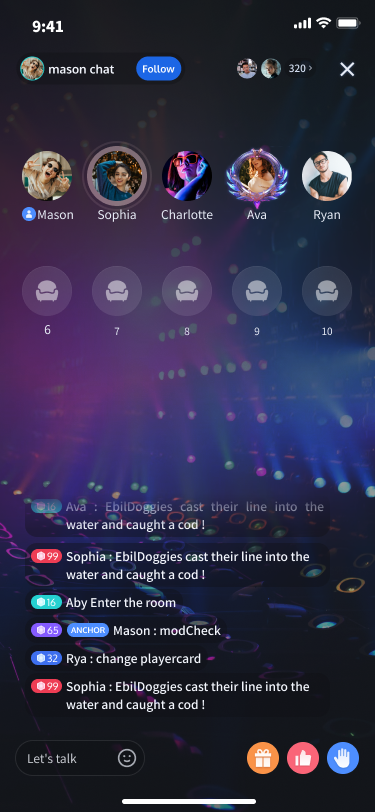
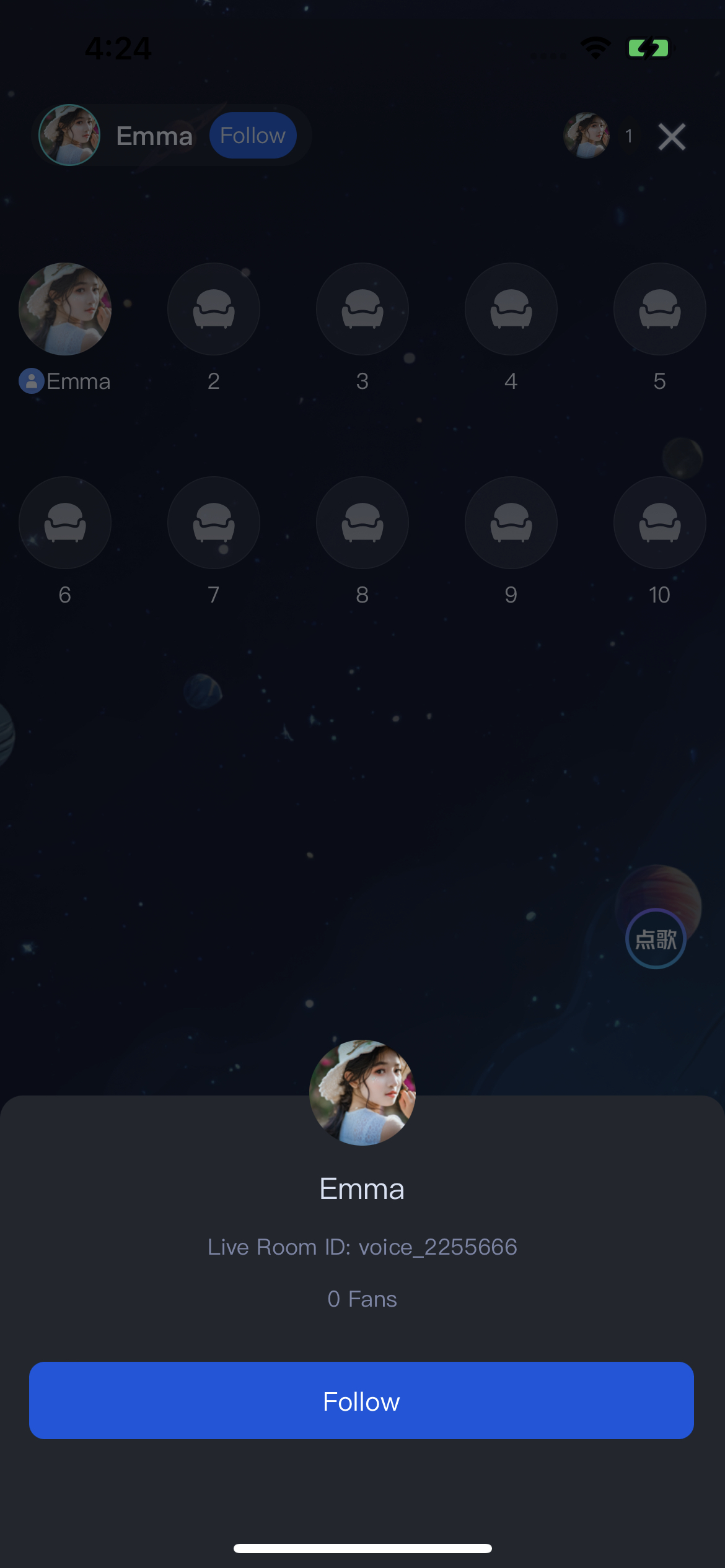
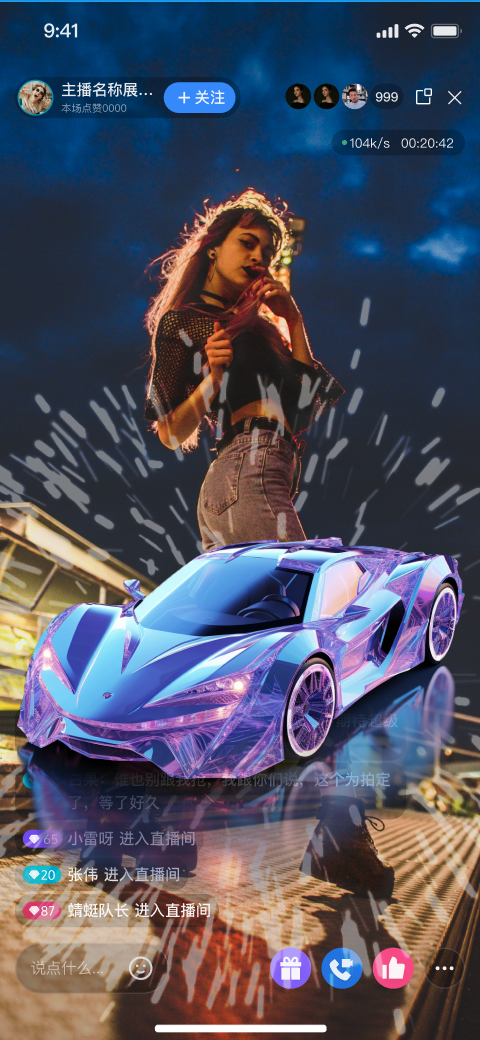
Listen to Live Streams: Hear the host’s real-time audio stream with clarity and low latency.
Co-guest: Request to join the mic and interact with the host via audio.
Live Information: View room announcements and see the list of online audience members.
Live Interaction: Engage with features such as bullet comments, gifts, and likes.
Listen to Live Streams
Co-guest
Live Information
Live Interaction


Quick Integration

Integrate the Component

Follow the Preparation guide to integrate TUILiveKit into your project.

Create and Present the Voice Room View Controller

The TUIVoiceRoomViewController provides a complete audience-side UI and business logic for the voice room scenario. Simply instantiate and present this view controller to allow users to enter a live room. Typically, when a user taps a room in the Live Stream List, navigate to the audience view page. See the example below:
import TUILiveKit
import UIKit

// YourLiveListViewController represents your live list view controller
class YourLiveListViewController: UIViewController {

// Handle "Join Voice Room" action
@objc func onJoinVoiceRoomClicked(roomId: String) {

// 1. Instantiate the voice room controller
// - roomId: The ID of the live room to join
// - behavior: .join indicates joining as an audience member
let voiceRoomVC = TUIVoiceRoomViewController(roomId: roomId, behavior: .join)
voiceRoomVC.modalPresentationStyle = .fullScreen

// 2. Present the voice room page
present(voiceRoomVC, animated: true)
}
}
TUIVoiceRoomViewController Parameters:
Parameter
Type
Description
roomId
string
Globally unique live room ID.
behavior
RoomBehavior
Room entry behavior:
- autoCreate: Automatically create and join the live room.
- prepareCreate: Enter a pre-live preview page. The room is created and joined after the user taps "Start Live".
-join: Join the room as an audience member.

Customize UI

TUILiveKit supports UI customization to meet a variety of business needs. You can easily modify interface text and icons.

Text Customization (Localization)

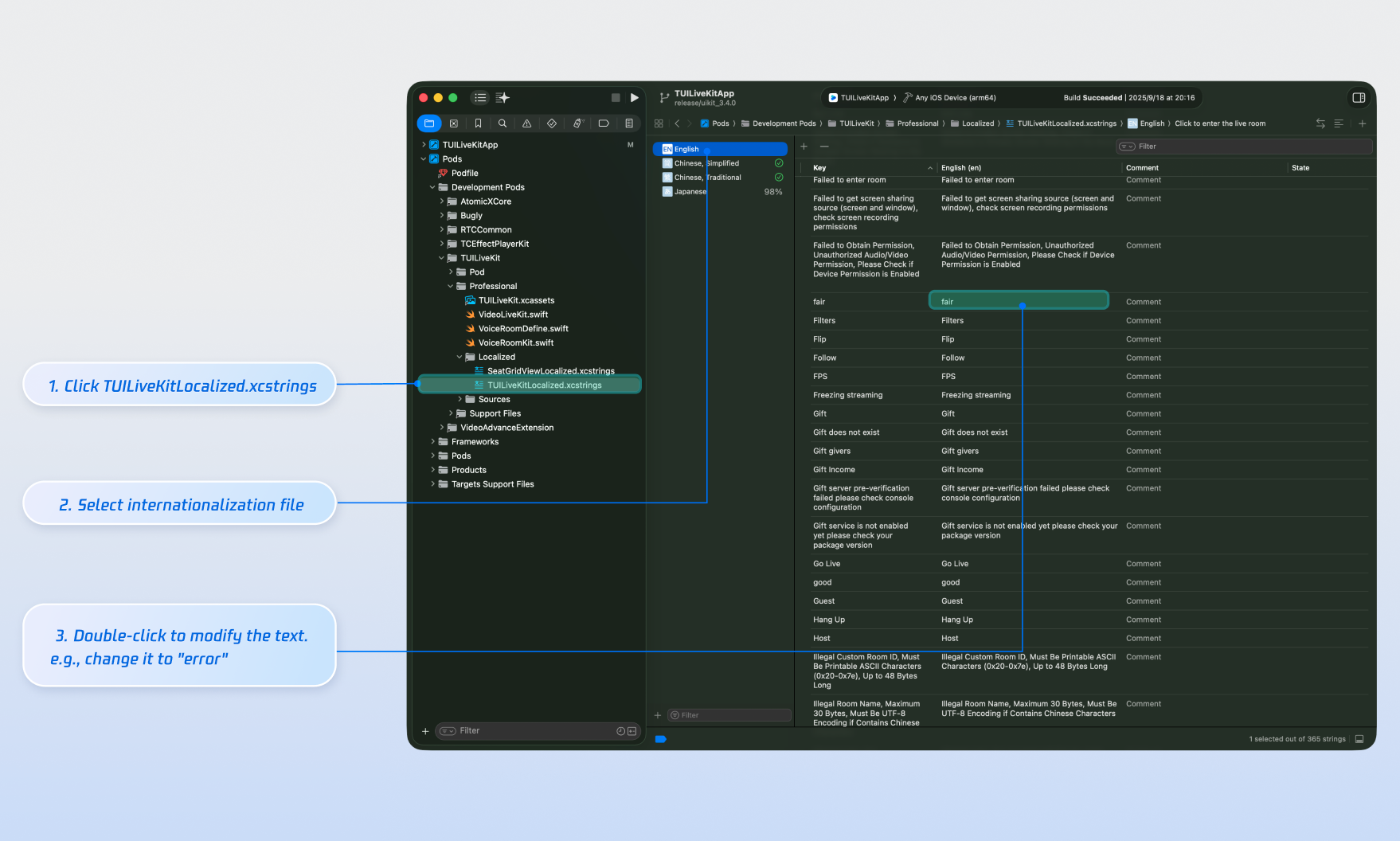
TUILiveKit uses the Apple Strings Catalog(.xcstrings) format, introduced in Xcode 15, to manage the text displayed in the UI. You can modify the string resources using Xcode's graphical interface:
Note:
Apple Strings Catalog (.xcstrings) is a localization format introduced in Xcode 15. It enhances how developers manage localized strings, supporting a structured format to handle plurals, device-specific variants, etc. This format is becoming the recommended way to manage localization for iOS and macOS applications.


Icon Customization (Image Assets)

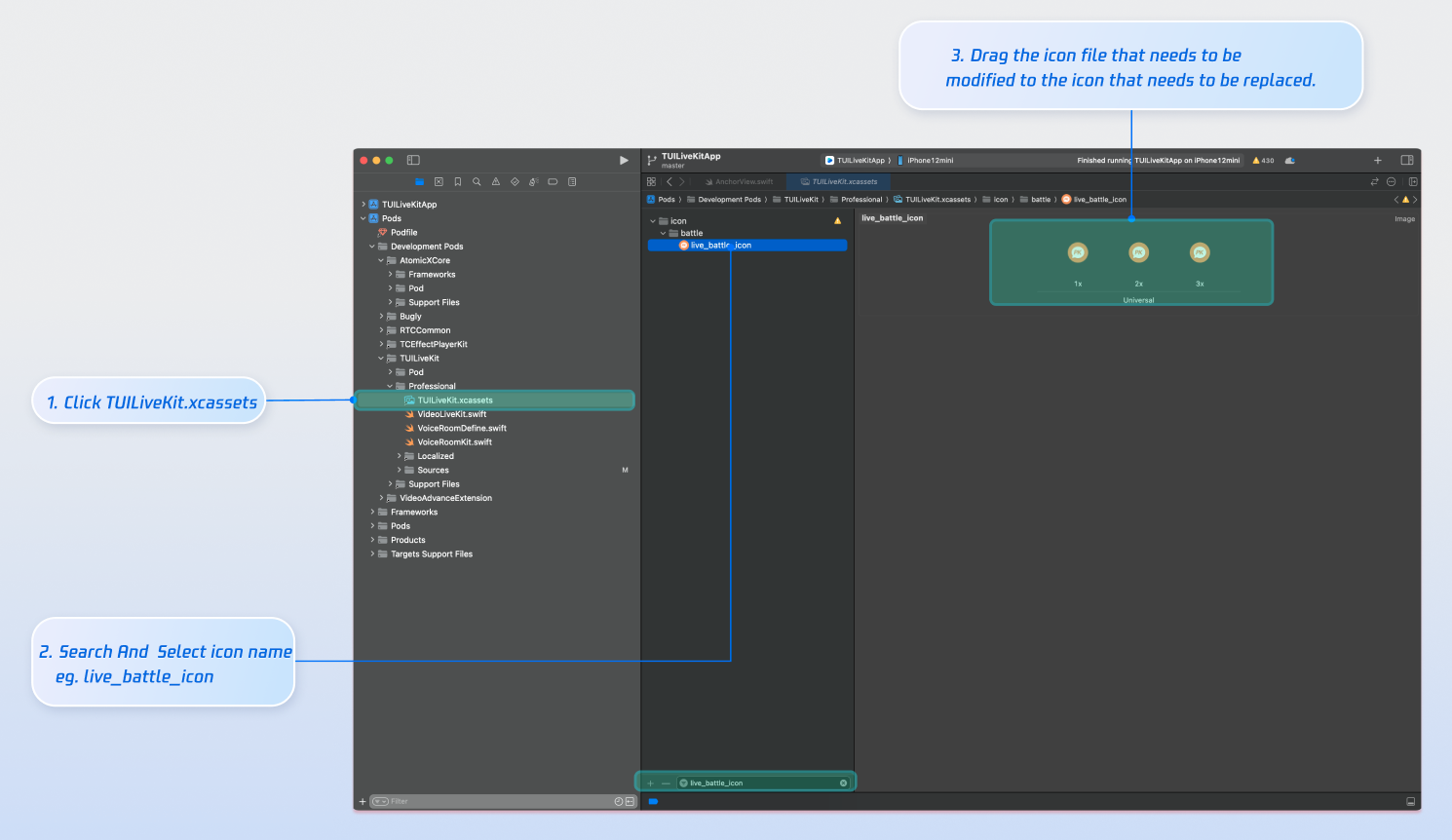
TUILiveKit uses TUILiveKit.xcassets to manage the image resources for the UI. You can quickly modify the custom icons using Xcode's graphical tools.

Next Steps

You have successfully integrated Audience Viewing. Next, implement additional features such as host broadcasting, live stream list and gift system. See the table below for details:
Feature
Description
Integration Guide
Host Broadcasting
Complete host live streaming workflow, including pre-live preparation and interactive features after going live.
Live Stream List
Display the live room list UI and features, including room list and room information display.
Gift System
Support custom gift asset configuration, billing system integration, and gift-sending in PK scenarios.

FAQs

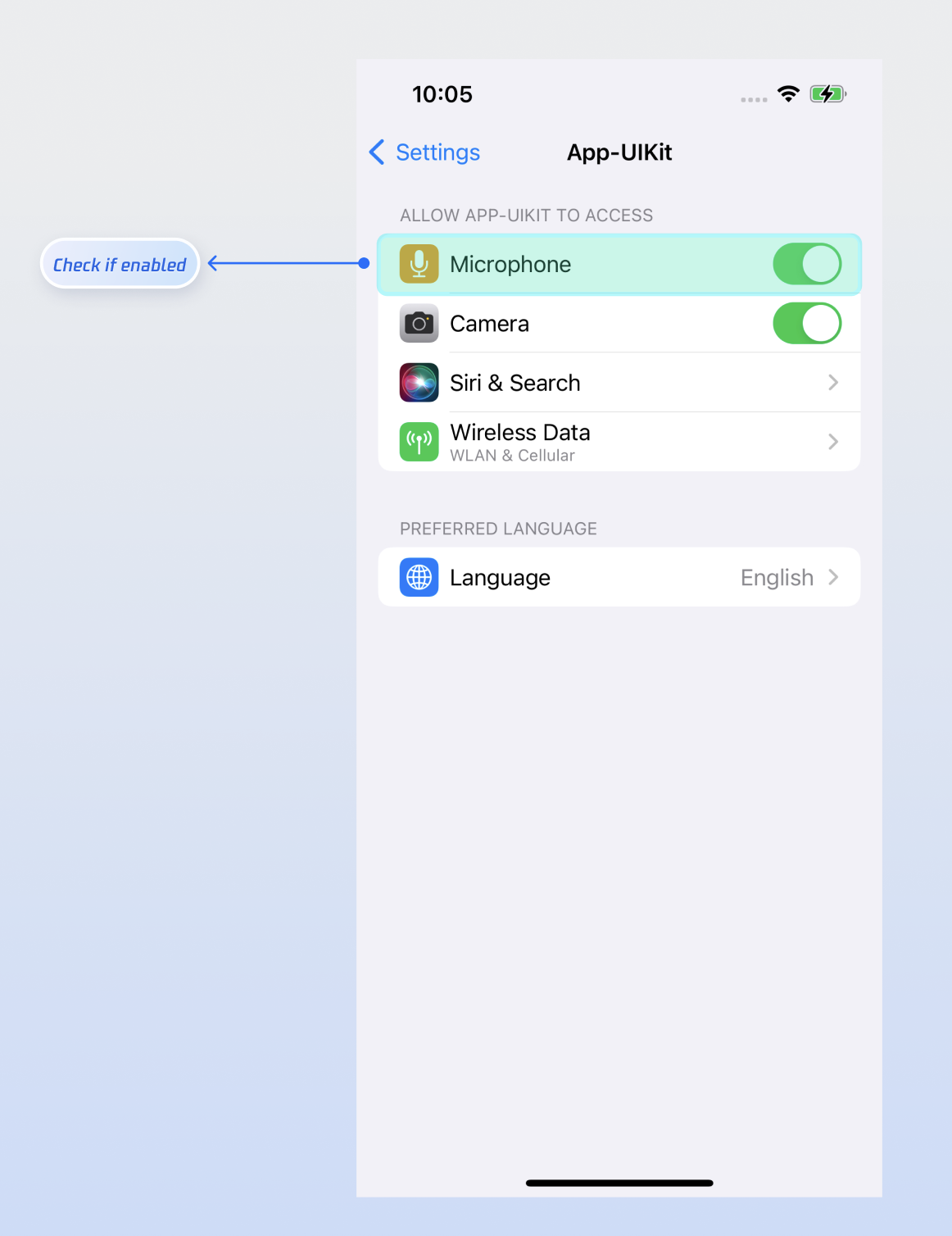
No sound when an audience member after co-guest?

Go to your device's Settings > App > Microphone and ensure that microphone permissions are enabled.

Bullet comments sent by an audience member are not visible to others in the room?

There are 3 reasons you can refer to:
Check the network connection to ensure the audience member’s device is online.
The audience member has been muted by the host and cannot send bullet comments.
The bullet comment contains blocked keywords. Confirm that the comment complies with room rules.

도움말 및 지원

문제 해결에 도움이 되었나요?

피드백