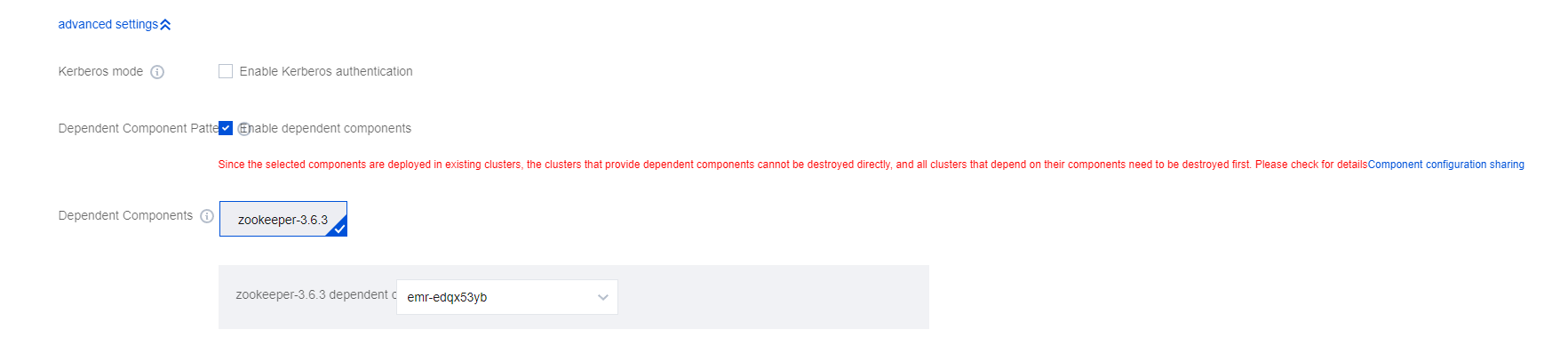
You can share the components of an existing cluster with other clusters without deploying such components again. This makes it easier to manage multiple clusters with the same component configurations.
Currently supported components include Ranger, ZooKeeper, and Kerberos.
Currently supported versions include all EMR versions containing the above components.
Dependent: The current cluster is using components of other existing clusters.
Shared: One or more components of the current cluster are added to other newly created clusters.
Caution
Shared components such as ZooKeeper, Kerberos, and Ranger are no longer deployed in dependent clusters separately, and dependencies cannot be canceled once set. When a cluster with shared components deployed is terminated, all its dependent clusters need to be terminated first. Note that if your account has any overdue payment, dependent clusters won't work properly.
Limits
1. Your account must have the management permissions of one existing cluster.
2. When Kerberos is enabled, other clusters under the current account must have Kerberos deployed before you can enable the dependency.
3. If a dependent component involves user identity management, you need to manually sync the users in the shared cluster to the new cluster after creating it or adding a user. Note that as the current cluster doesn't deploy Kerberos, krb5 users cannot be created.
Service Architecture
Directions
Purchasing a cluster
1. Go to the purchase page and select multiple components under Hadoop.
2. Click Enable and select the shared cluster.
3. After the new cluster is successfully purchased, relevant components will automatically depend on the selected cluster.
Adding a component
1. Select Cluster Service > Add Component on the cluster details page in the console
2. Select the components to be added.
3. Click Enable and select the dependent components and cluster.
4. Click OK and wait for the components to be successfully added to the cluster.
Cluster Information
If a cluster has dependent or shared components, the component information is displayed in Instance info.
Caution
The management features of dependent components can be used only on the Components page of the depended-on cluster.
Account Sync
User accounts need to be created in both the dependent and depended-on clusters.
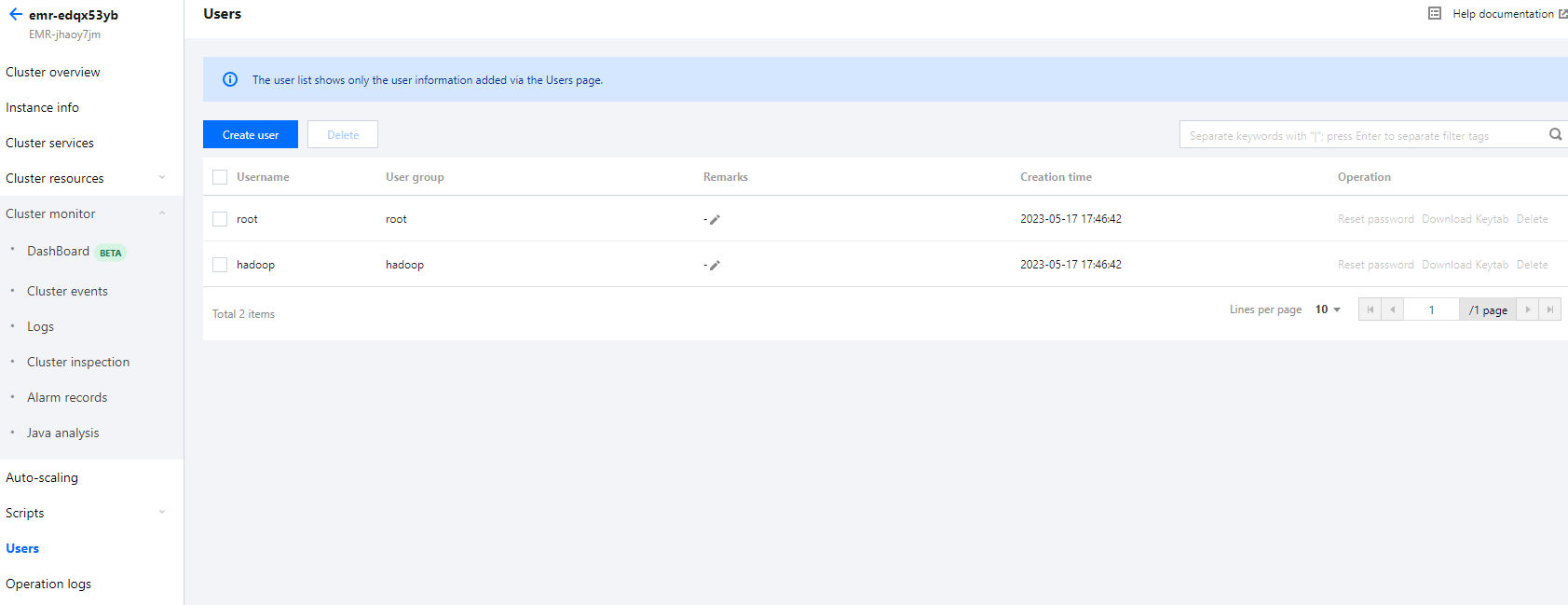
1. Log in to the depended-on cluster and click Create user to create an account.
2. Log in to the dependent cluster and click Create user to create an account with the same username, user group, and password.
3. The dependent cluster will automatically sync the permission and usage information of the account.