Rack awareness in a Hadoop cluster refers to the technique where Hadoop organizes nodes according to the network topology and prioritizes task scheduling and data storage between nodes within the same rack. This improves cluster performance and reliability.
It is supported by two components: HDFS and YARN. HDFS achieves high reliability and availability by distributing replicas of data blocks across different racks. YARN improves task execution efficiency and performance by assigning tasks to nodes or containers that are physically closer.
Since Hadoop cannot automatically detect the network topology of nodes, it provides the following methods to enable rack awareness:
Custom Java Class implements the DNSToSwitchMapping API method, and the class name is specified in the core-site.xml configuration file using the net.topology.node.switch.mapping.impl parameter.
Topology mapping is based on a script, and the net.topology.script.file.name parameter in the core-site.xml configuration file is used to specify the script file.
Below is an example of configuring rack awareness policies based on a script. The basic method involves mapping AZ subnets to rack information.
Note
The setup of rack awareness should be based on a cross-AZ deployment architecture for the cluster (for cluster creation, see Cross-AZ Cluster Deployment). It is not applicable to single-AZ clusters.
Configuring Rack Awareness Policy Based on Scripts
1. Prepare a cross-AZ EMR cluster. Log in to the EMR Console, click the cluster ID/Name to enter the cluster details page, and under Instance Information > Deployment Information, confirm the VPC network information of the cluster and the subnets corresponding to different AZs.
Then, in VPC > Subnet, obtain the CIDR and AZ mapping information for each subnet.
Note
Both the VPC name and subnet name may be duplicated, so you need to further verify the information in Instance Information under Cluster Resources.
2. Prepare the rack awareness script RackAware.py based on the subnet CIDR and AZ mapping information.
Note:
This script uses the /usr/bin/python path with the Python 2 version as an example. Replace #CIDR# with the actual subnet CIDR in the script.
#!/usr/bin/python
import sys
import IPy
import re
DEFAULT_RACK="/default-rack"
cidrToRack ={
' #CIDR#':'rack-1',
' #CIDR#':'rack-2',
' #CIDR#':'rack-3'
}
fornamein sys.argv[1:]:
rack = DEFAULT_RACK
ips = re.findall(r'[0-9]+(?:\\.[0-9]+){3}', name)
if len(name)>0 and len(ips)>0:
ip= ips[0]
forcidrin cidrToRack.keys():
ifipin IPy.IP(cidr):
rack = cidrToRack[cidr]
break
print "/{0}".format(rack)
3. In the Cluster Service > HDFS > Configuration Management, add the RackAware.py file and update the NameNode node’s core-site.xml file with the configuration item net.topology.script.file.name=/usr/local/service/hadoop/etc/hadoop/RackAware.py.
4. In the console, restart NameNode and ResourceManager.
Viewing Cluster Rack Information
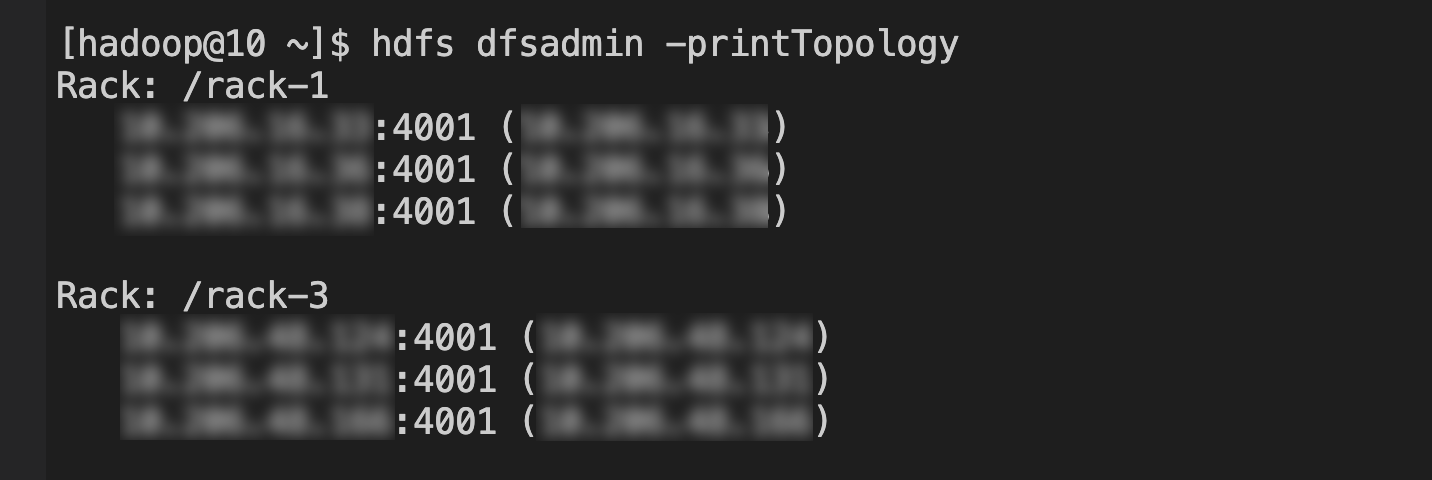
HDFS service: Log in to the NameNode, and execute the command hdfs dfsadmin -printTopology as the hadoop user, as shown below:
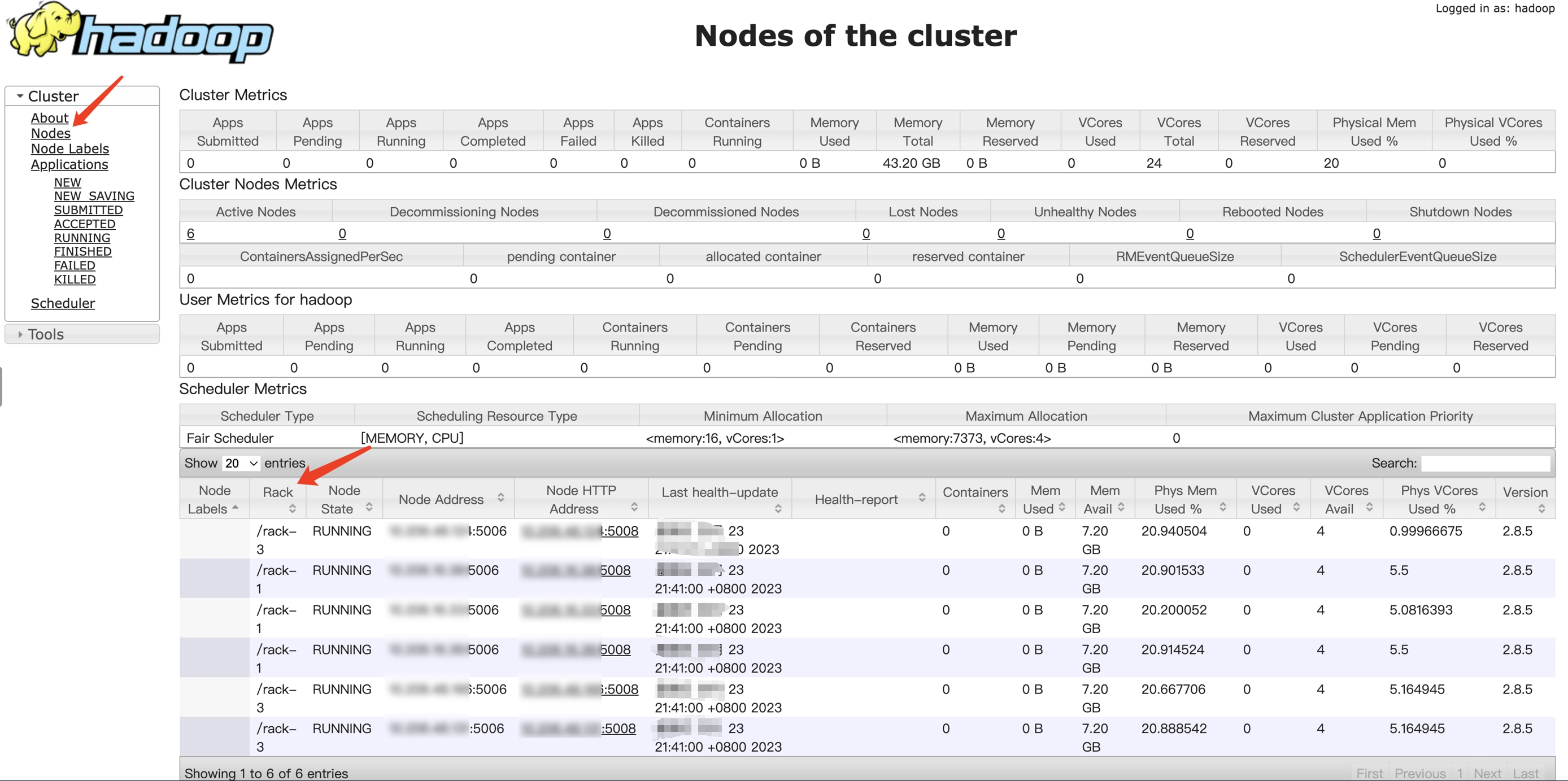
YARN service: You can log in to the WebUI to view the information: