This document describes how to create a TencentDB for MySQL account in the console to manage and connect to the database instance.
Directions
1. Log in to the TDSQL console. In the instance list, click an instance ID or Manage in the Operation column to enter the instance management page.
2. On the instance management page, select Account Management and click Create Account.
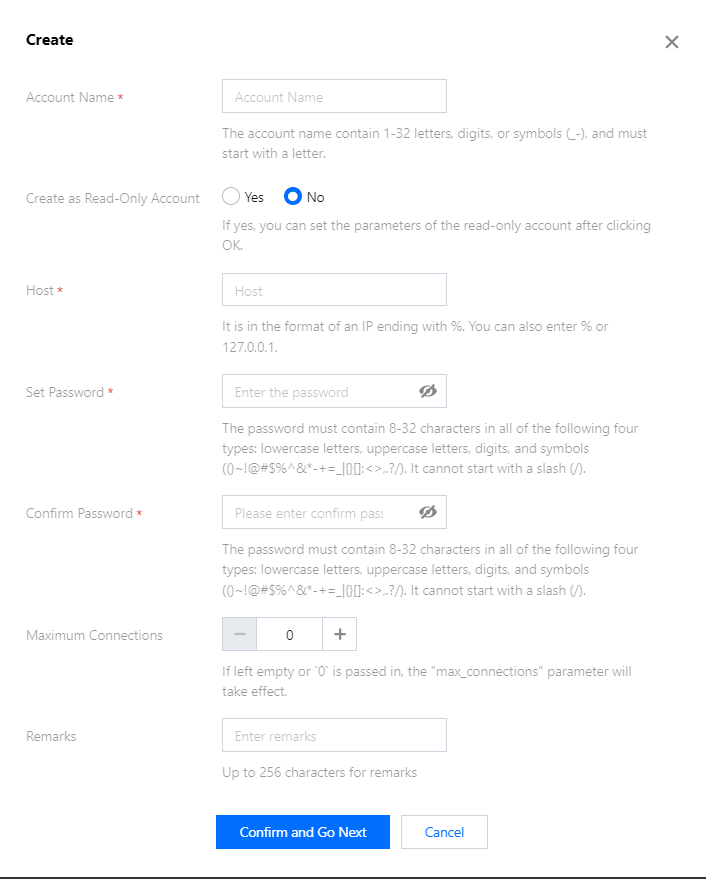
3. In the pop-up dialog box, enter the account name, host, and password. After confirming that everything is correct, click Next.
Account ID: It must contain 1-32 letters, digits, or symbols, and start with a letter.
Host: It can be an IP and contain %.
Password: It must contain 8-32 lowercase letters, uppercase letters, digits, and symbols (()~!@#$%^&*-+=_|{}[]:<>,.?/), and cannot start with a slash (/).
Maximum connections: If left empty or 0 is passed in, the "max_connections" parameter will take effect.
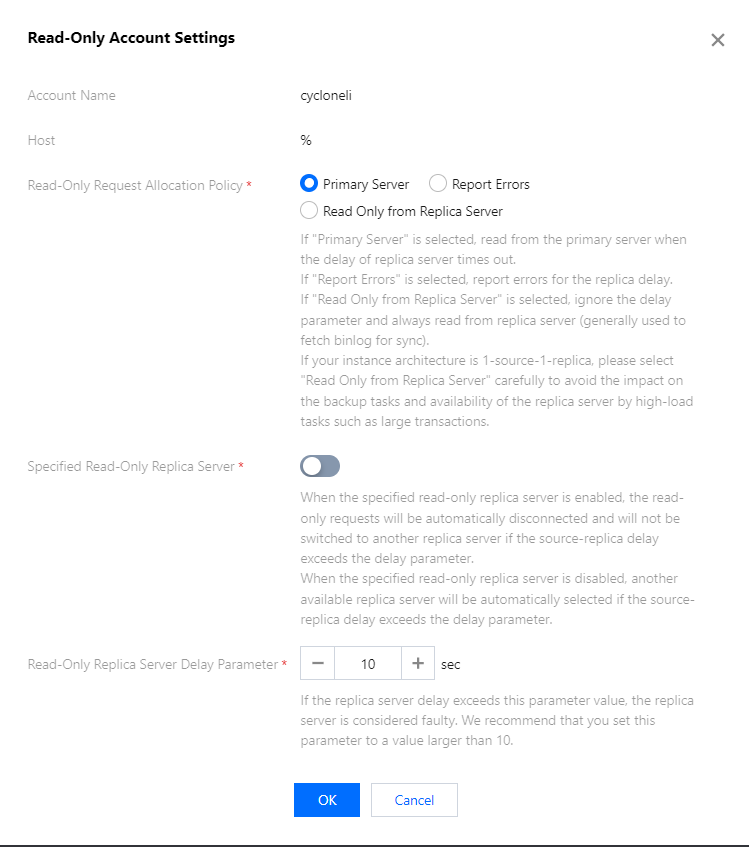
4. To create an RO account, you need to configure read/write separation for it. Confirm the information you enter, click OK.
-If Source Server is selected, read from the source server when the delay of replica server times out.
If Report Errors is selected, an error will be reported when all replica servers are delayed.
If Read Only from Replica Server is selected, ignore the replica delay and always read from replica server (generally used to fetch binlog for sync).
If your instance architecture is 1-source-1-replica, select Read Only from Replica Server carefully to prevent high-load tasks like large transactions from affecting backup tasks and replica server availability.
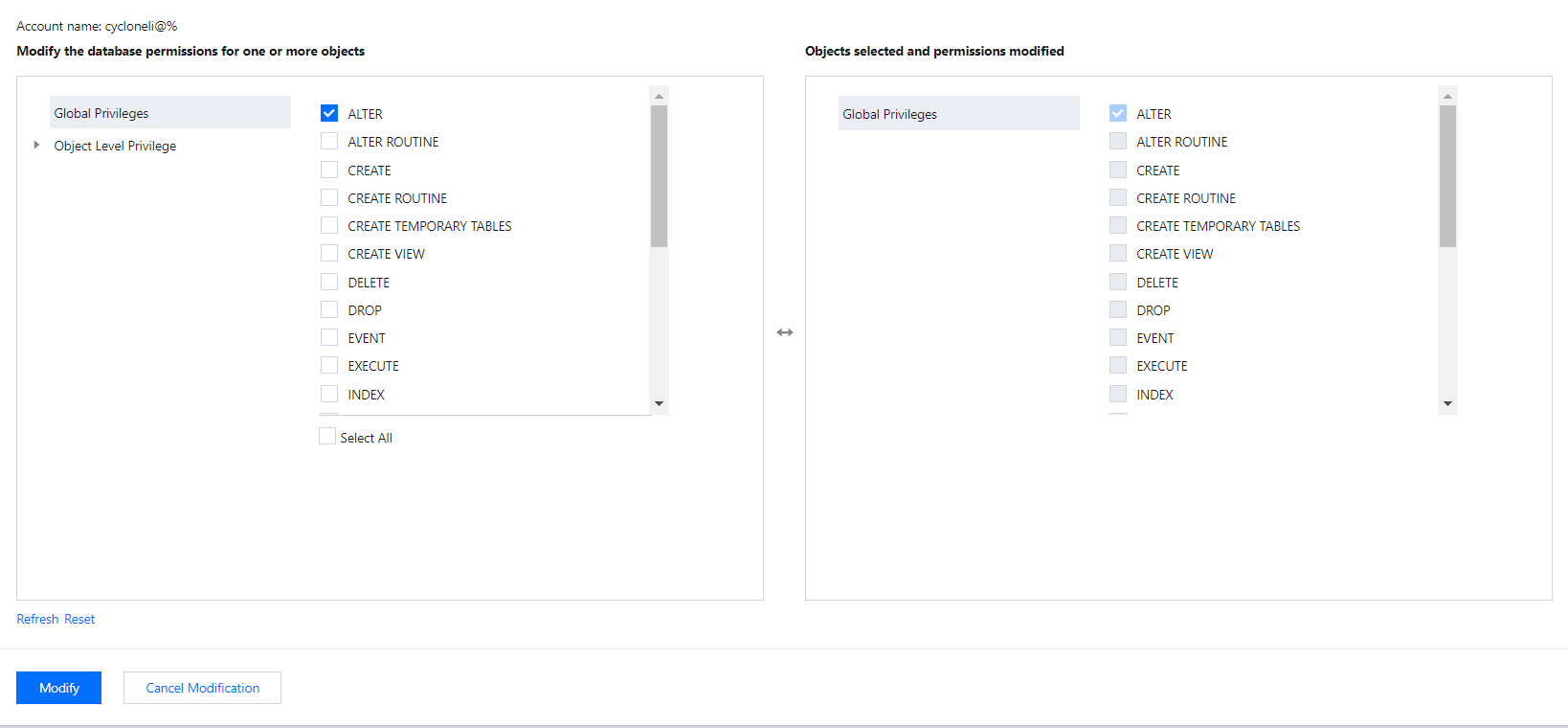
5. In the Modify Permissions pop-up window, grant permissions as needed and click Modify. To discard the changes, click Cancel Modification.