tencent cloud

TDSQL for MySQL

Announcements
Alarm Upgrade
Product Introduction
Overview
Strengths
Use Cases
Regions and AZs
InnoDB engine
Purchase Guide
Billing Overview (InnoDB)
Product Pricing (InnoDB)
Purchase and Upgrade
Refund
Payment Overdue
Backup Space Billing
Getting Started
InnoDB Engine
Operation Guide(InnoDB)
Instance Management
Disaster Recovery Read-Only Instance
Changing Networks
Account Management
Security Management
Slow Query Analysis
Backup and Rollback
Data Migration
Database Audit
Practical Tutorial
Import from Standalone Instance to TDSQL Instance
Import Between TDSQL Instances
Selection of TDSQL Instance and Shard Configuration
Security White Paper
Platform Security Design
Tenant Security Features
Development Guide
InnoDB
API Documentation
History
Introduction
API Category
Security Group APIs
Other APIs
Making API Requests
TDSQL APIs
Data Types
Error Codes
FAQs
InnoDB
General References
Performance Comparison Data for Strong Sync
Glossary
Contact Us

Renaming Database Instance

PDF
Mode fokus
Ukuran font
Terakhir diperbarui: 2024-01-06 17:33:30
This document describes how to rename a database instance in the TDSQL console.
Note:
Renaming an instance does not change the private IP of the database or affect database connections.
After the instance is renamed, its project and network remain unchanged.
If an instance is in another task flow (such as upgrade or initialization), it cannot be renamed.

Directions

1. Log in to the TDSQL console, locate an instance in the instance list, and click the

icon next to its name. You can also click an instance name/ID in the instance list to access the instance details page, and click the

icon next to the instance name in the Basic Info section.
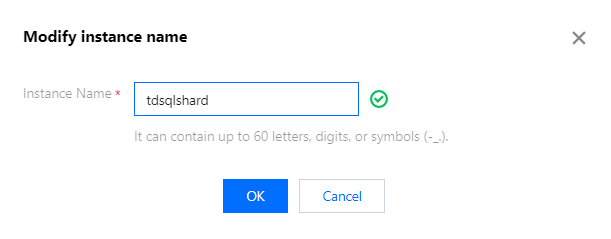
2. In the pop-up window, modify the instance name and click OK.
Note:
An instance cannot be renamed to an existing database instance name.


Bantuan dan Dukungan

Apakah halaman ini membantu?

masukan