Partner Information Management
Unduh
Mode fokus
Ukuran font
This document describes how to check and edit company information in the Partner Center console.
Applicable Objects
This document is suitable for first-level resellers and resellers to read.
Prerequisites
Partners must meet the following conditions to log in to Partner Center:
1. Completed the partner admission process. Please refer to register as a distributor or reseller, register as a second-level reseller.
2. Signed the distribution contract. See contract management.
Checking and Editing Information
1. Use your partner account to enter the Partner Center console > Company Information page.
2. Basic info, bank information, and contact information are viewable on the page.
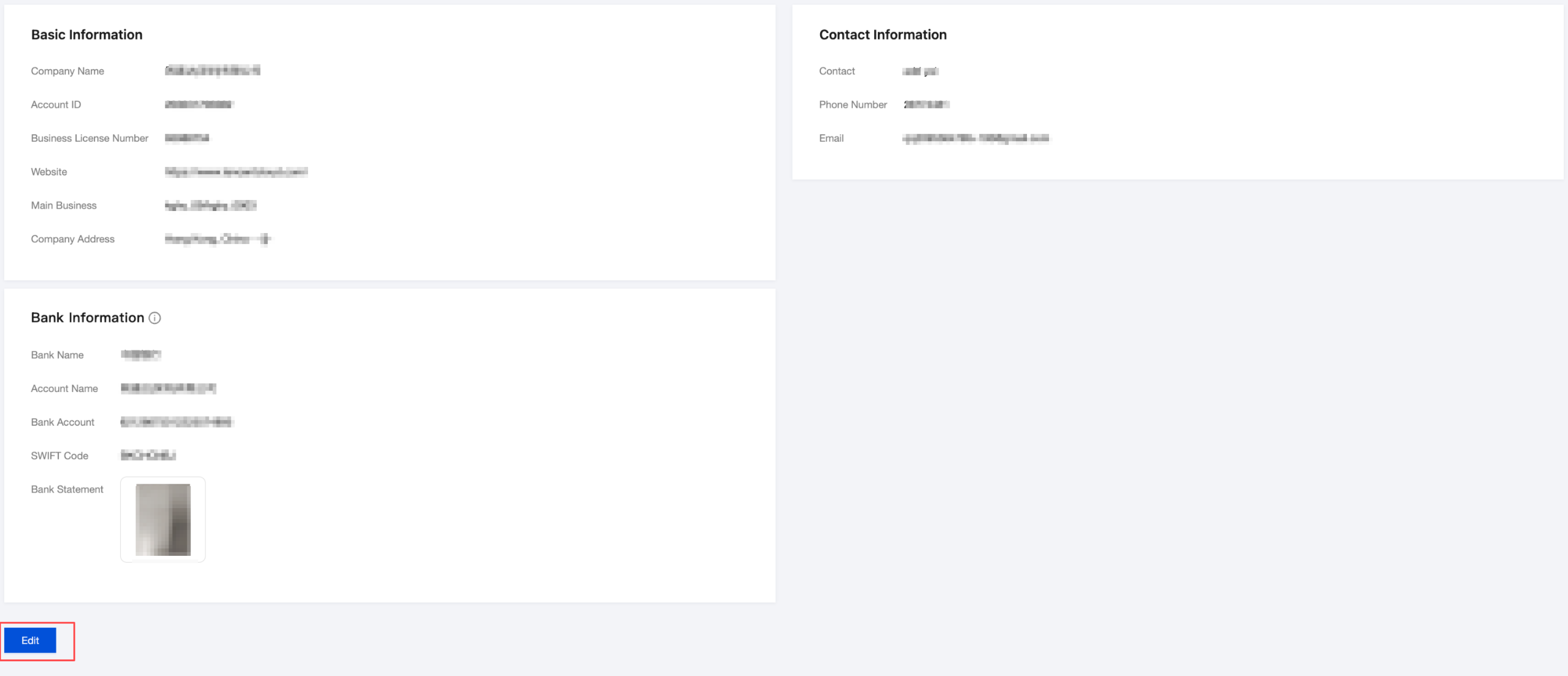
3. Click Edit at the bottom to edit the relevant information.
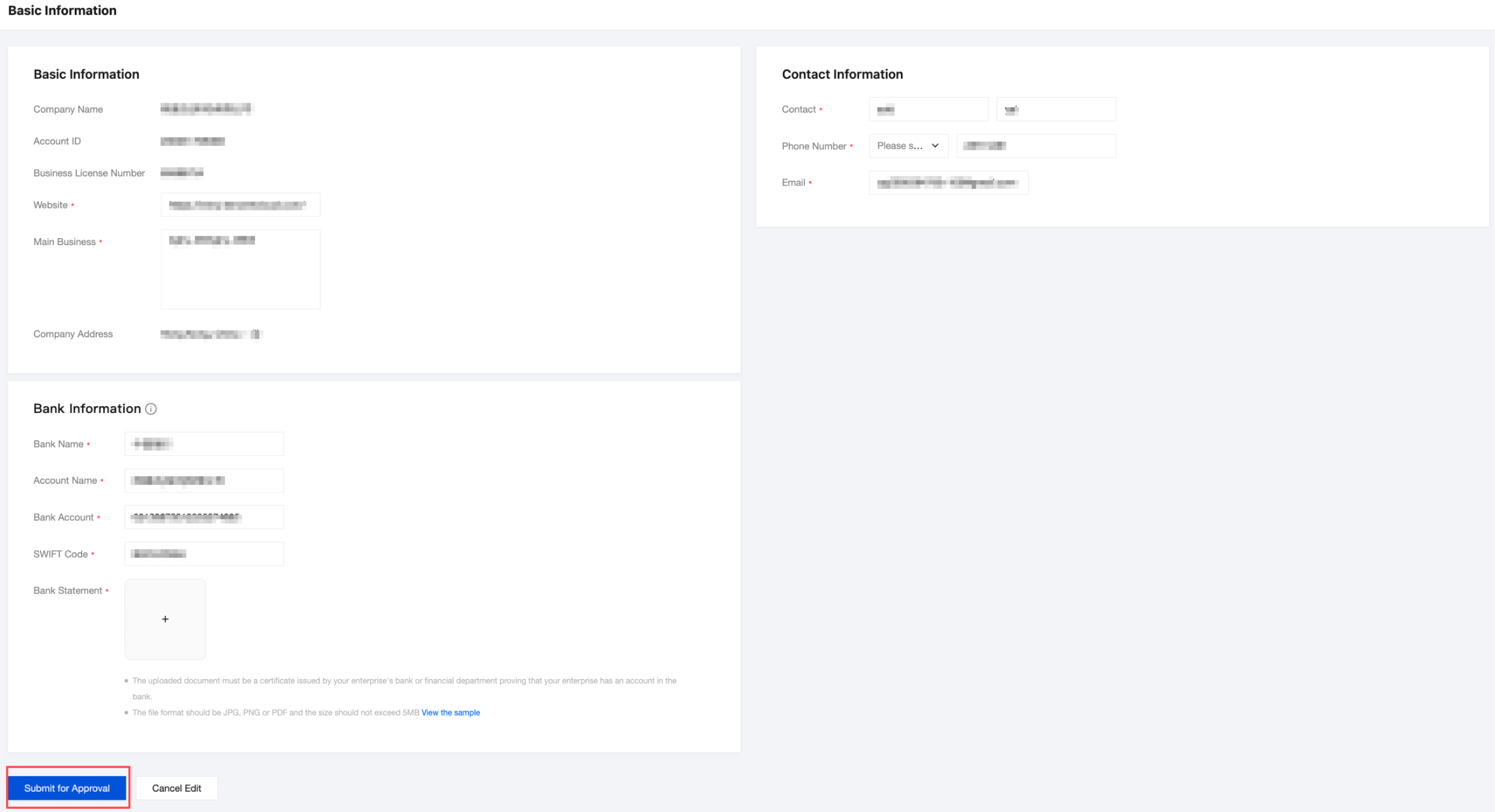
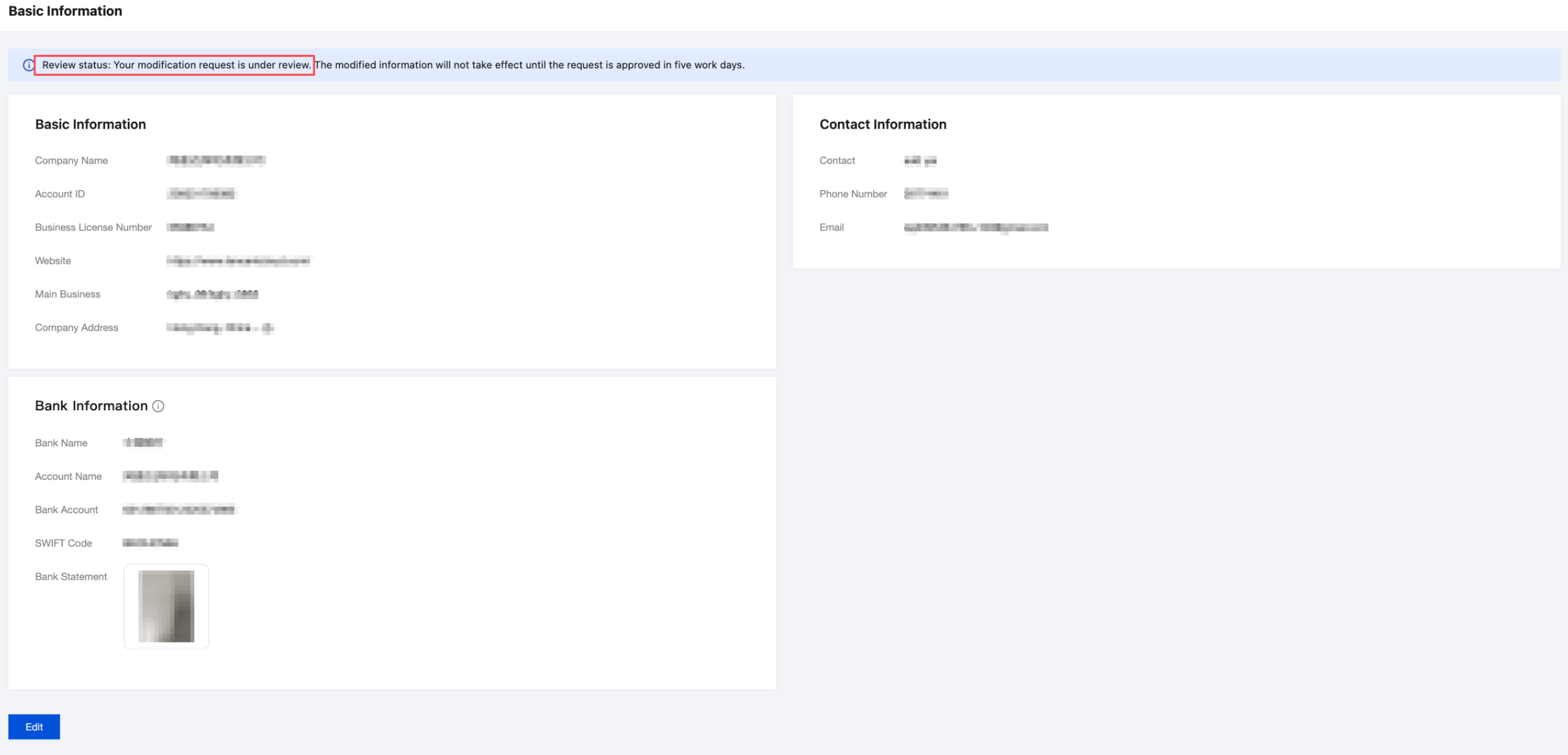
4. Click to submit for approval and wait for review completion. The review typically takes five business days.
Bantuan dan Dukungan
Apakah halaman ini membantu?
Anda juga dapat Menghubungi Penjualan atau Mengirimkan Tiket untuk meminta bantuan.
masukan