Deleting Private Domain
Mode fokus
Ukuran font
Overview
This document describes how to delete a private domain.
Directions
1. Log in to the Private DNS console and click Private Domain List on the left sidebar to enter the private domain list.
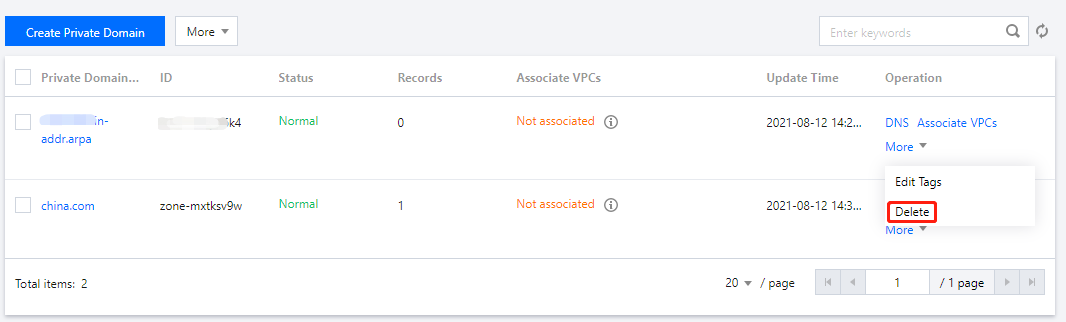
2. In the Private Domain List, select the private domain to be deleted and click More > Delete as shown below:
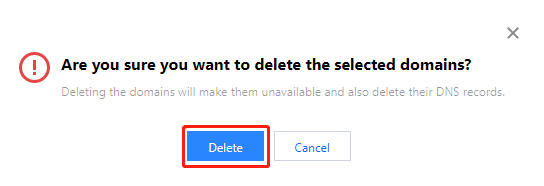
3. In the pop-up window, click Delete as shown below:
Note:
Note that deleting a private domain will also delete all its DNS records.
When you delete a private domain that is associated with a VPC, you need to disassociate it from the VPC first before you can delete it.
Bantuan dan Dukungan
Apakah halaman ini membantu?
Anda juga dapat Menghubungi Penjualan atau Mengirimkan Tiket untuk meminta bantuan.
masukan