A subscription represents a specific consumer and the subscription relationship to a particular topic. Once a topic is subscribed to by a consumer, the consumer can consume all messages published to that topic. A subscription can span multiple topics. For example, when a user creates a subscription under a topic, both the current topic and the retry queue topic automatically created by the system are subscribed to.
Prerequisites
The corresponding topic has been created. For specific steps, see Creating a Topic.
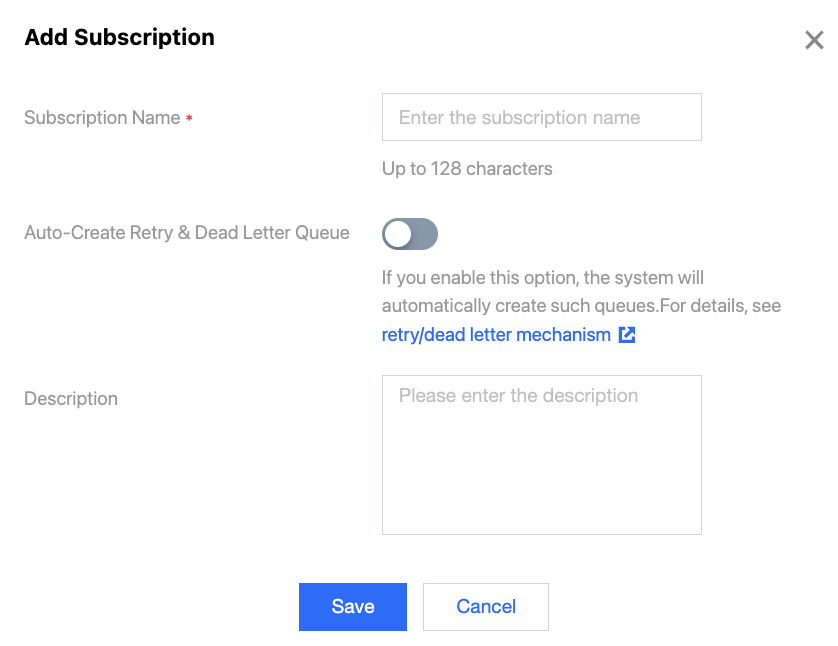
2. In the left sidebar, choose Topic, locate the topic for which you want to create a subscription, and click Add Subscription in the operation column.
3. Enter the subscription name and description in the pop-up dialog box.
Subscription Name: Required. The length cannot exceed 128 characters.
Auto-Create Retry & Dead Letter Queue: You can choose whether to automatically create retry and dead letter topics.
Note:
If you choose to automatically create retry and dead letter topics, TDMQ for Apache Pulsar will automatically create a retry queue and a dead letter queue for you. They are presented as two new topics in the topic list. The topics are named as follows:
2.9.2 version cluster: [Topic name]-[Subscription name]-RETRY
5. After creation, you can click View Subscription/Consumer in the operation column to view the subscriptions to this topic, and then view the newly created subscription in the list.