Access Your First Site via the EdgeOne Skill Dialog
Unduh
Mode fokus
Ukuran font
This document describes how to connect sites and domains and enable acceleration through the EdgeOne Skill. The following example demonstrates how to achieve the connection objectives:
Skill installation method: Install the tencent-edgeone skill from the SkillHub store.
Site: Connect a site with the domain example.com, set the acceleration region to outside the Chinese mainland, use DNSPod hosting for the connection method, and bind a Personal plan.
Domain: Connect a site with the domain www.example.com, set the origin server to 1.1.1.1, and configure an EdgeOne free certificate.
The complete process consists of two major steps:
1. Environment Preparation: Install the EdgeOne Skill plugin and complete account authorization.
2. Connect a site with a single command.
Preparations
A domain name that you have registered and can use to connect a site (for example: example.com). This domain name must be hosted on DNSPod, and your account must have read and write permissions for DNSPod operations.
An accessible origin server (for example: 1.1.1.1).
You have registered a Tencent Cloud account and completed identity verification. For details about identity verification, see Identity Verification Basics.
We recommend purchasing a plan in the EdgeOne console in advance. If you have not purchased a plan beforehand, the AI will present plan options for you to select during the site creation step. However, you must ensure your account has sufficient balance; otherwise, the process will be interrupted due to payment failure.
Step 1: Installing EdgeOne Skill
1. Installing the EdgeOne Skill Plugin
The EdgeOne Skill can be installed in various AI tools. Through natural language conversation, you can have the AI install this Skill automatically. Say to the AI:
First, check whether the SkillHub Store is already installed. If it is not installed, install the SkillHub Store by following the instructions at https://skillhub.cn/install/skillhub.md.However, install only the CLI, and then install the tencent-edgeone skill.If it is already installed, proceed to install the tencent-edgeone skill directly.
Note:
The EdgeOne Skill is available on ClawHub, SkillHub, and GitHub. You can click the following addresses to learn about the installation method and specific content:
After the installation is complete, the AI will output a clear success summary, for example:
Completed:- The check revealed that the skillhub CLI was not previously installed.- The "CLI-only installation" has been performed according to https://skillhub.cn/install/skillhub.md:- CLI path: /Users/sowawu/.local/bin/skillhub- The tencent-edgeone skill has been installed:- Installation location: /Users/sowawu/.codebuddy/plugins/marketplaces/git_github_com_Tencent_tencent_edgeone_agent_plugins_git/skills/tencent-edgeone- The file existence has been verified:- skills/tencent-edgeone/SKILL.md
The installation is complete when you see "The
tencent-edgeone skill has been installed" + "The file skills/tencent-edgeone/SKILL.md existence has been verified".Step 2: Accessing a Site with a Single Sentence
To the AI:
Onboard example.com to EdgeOne, accelerate the domain www.example.com with the origin server 1.1.1.1, and automatically configure the certificate and CNAME.
This document uses a site with the domain example.com, connected via DNSPod hosting and accelerated in regions outside the Chinese mainland, as an example. In the AI's response, you can configure information such as the origin server type, origin protocol and port, IPv6 access policy, origin server address, and origin HOST for this accelerated domain based on your actual business needs. After all steps are completed, the AI returns the following example:
🎉 All configurations have been successfully completed!1. Create a siteSite name: example.com- ZoneId:zone-3qdqkolmc0cc- Connection method: DNSPod hosting- Acceleration region: overseas- Bound plan: edgeone-3qdqkdo6csdk (Personal Edition)- Ownership verification: Automatically completed2. Configure the acceleration domainAcceleration domain: www.example.comCNAME:www.example.com.eo.dnse5.comOrigin server: It was initially configured as 1.1.1.1.Origin protocol: FOLLOWIPv6:follow3. HTTPS certificate (deployed)- Certificate mode: eofreecert_manual- Certificate ID: teo-3qds1nzp3i9q- Signature algorithm: RSA 2048- Expiration time: 2026-08-18T23:59:59Z- Deployment status: deployed- Deployment time: 2026-05-21T04:15:15Z4. DNS configuration (completed)- Record type: eofreecert_manual- Hostname: www.example.com- Record value: www.example.com.eo.dnse0.com
🎉 Congratulations! www.example.com has been successfully onboarded to EdgeOne and accelerated with HTTPS!
FAQs
How to Authorize an Account?
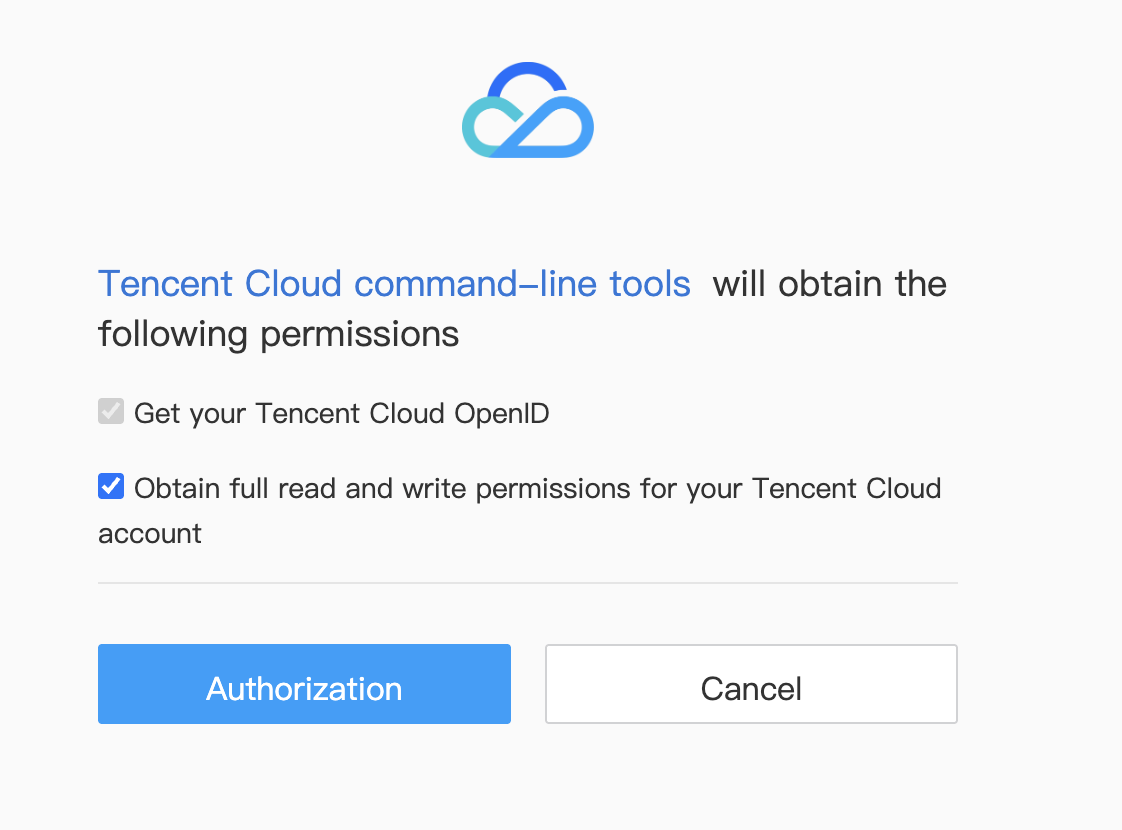
When the EdgeOne Skill calls TencentCloud APIs, it initiates the calls through TCCLI (Tencent Cloud CLI). On first use, a browser window will pop up to request authorization:
Note:
All subsequent EdgeOne Skill operations will use this set of credentials, and no further authorization is required. Do not directly provide SecretId/SecretKey to the AI to avoid key leakage.
For AI tools that cannot automatically launch a browser (for example, openclaw), follow the AI's instructions to copy the corresponding Captcha to the AI dialog box to proceed with authorization login:
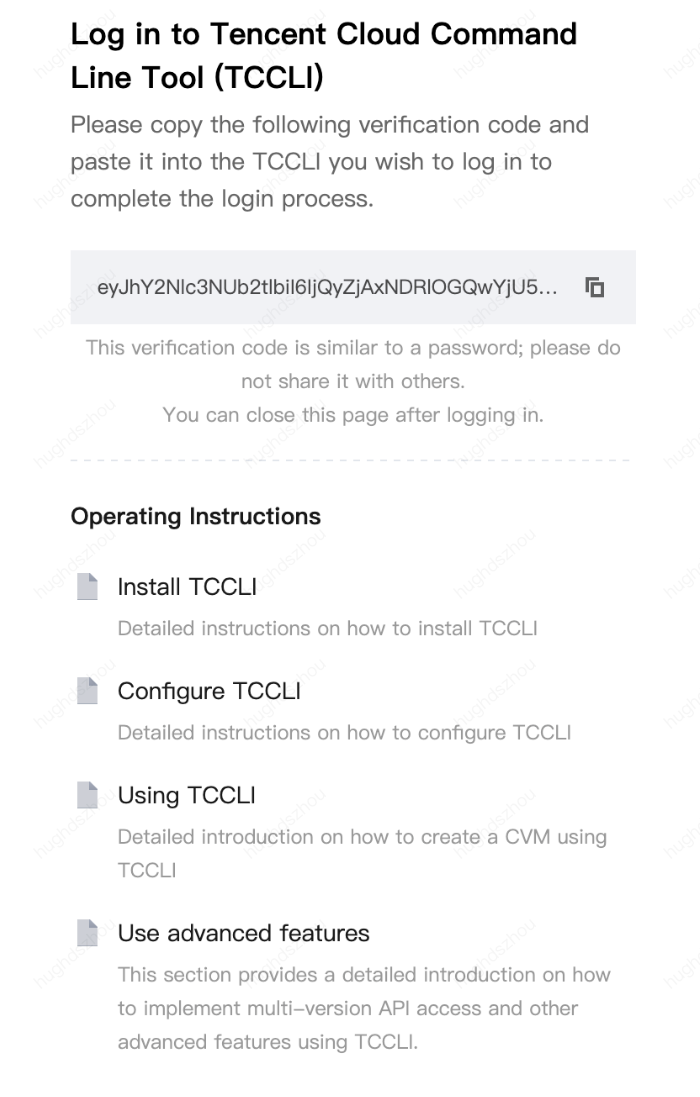
After completing authorization, return to the AI dialog to continue. The authorization status will be synchronized automatically.
How to Determine Whether a Domain Name Website Is Accessible?
How to Register a Domain Name?
Why Can't a Domain Name Be Configured to Use the Chinese Mainland AZ or Global AZ for Acceleration?
If the service region for the site you need to connect is the Chinese mainland AZ or the global AZ, the domain must have completed ICP filing with the MIIT. For information about ICP filing, see ICP Filing Process.
Free Certificate Application Failed?
Based on the failure reason, you can refer to Common Reasons for Free Certificate Application Failures to view the solution.
What Are the Differences Between Different Access Methods?
Other Issues
For most issues encountered during the connection process, it is recommended to consult the AI assistant directly for corresponding solutions.
Bantuan dan Dukungan
Apakah halaman ini membantu?
Anda juga dapat Menghubungi Penjualan atau Mengirimkan Tiket untuk meminta bantuan.
masukan