iTerm Client Displaying Unrecognizable Characters to Mac Users During Ops
Mode fokus
Ukuran font
Phenomenon Description
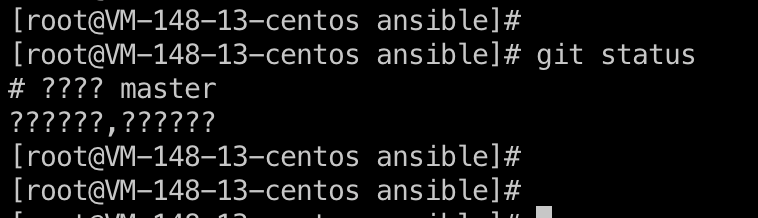
When a Mac system uses the iTerm client to access a Linux server, Chinese characters appear garbled, as shown below:
Possible Causes
An issue with the SSH configuration file on the Mac system.
Solutions
Modify the ssh_config file on the Mac system.
Directions
1. Open the terminal on the Mac system and enter the command:
vi /etc/ssh/ssh_config.2. Modify the configuration at SendEnv LANG to
SendEnv LANG LC_* .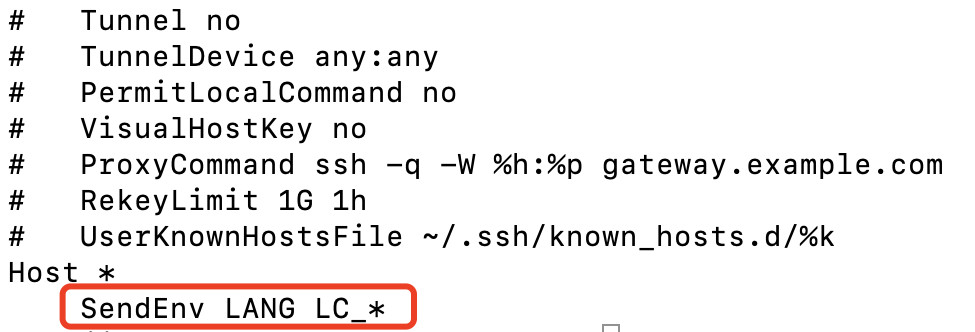
3. Close the iTerm client, use the BH to access the target device again, and check whether the garbled text issue has been resolved.
Bantuan dan Dukungan
Apakah halaman ini membantu?
Anda juga dapat Menghubungi Penjualan atau Mengirimkan Tiket untuk meminta bantuan.
masukan