tencent cloud
Penawaran terbaru
Produk
Solutions
Harga
Mitra
Marketplace
Pelajari lebih lanjut
Prev
Next
Cloud Automated Testing
Product Introduction
Overview
Strengths
Use Cases
Purchase Guide
Billing Overview
Purchase Methods
Payment Overdue
Operation Guide
Creating Test Task
Pausing Task
Resuming Task
Instant Test
Testing Statistics
Task Comparison
Access Management
References
FAQs
General
Kebijakan CAT
Kebijakan Privasi
Perjanjian Pemrosesan dan Keamanan Data
문서
Cloud Automated Testing
Operation Guide
Testing Statistics
Viewing Log Details
Viewing Log Details
다운로드
포커스 모드
폰트 크기
마지막 업데이트 시간: 2023-12-22 11:32:49
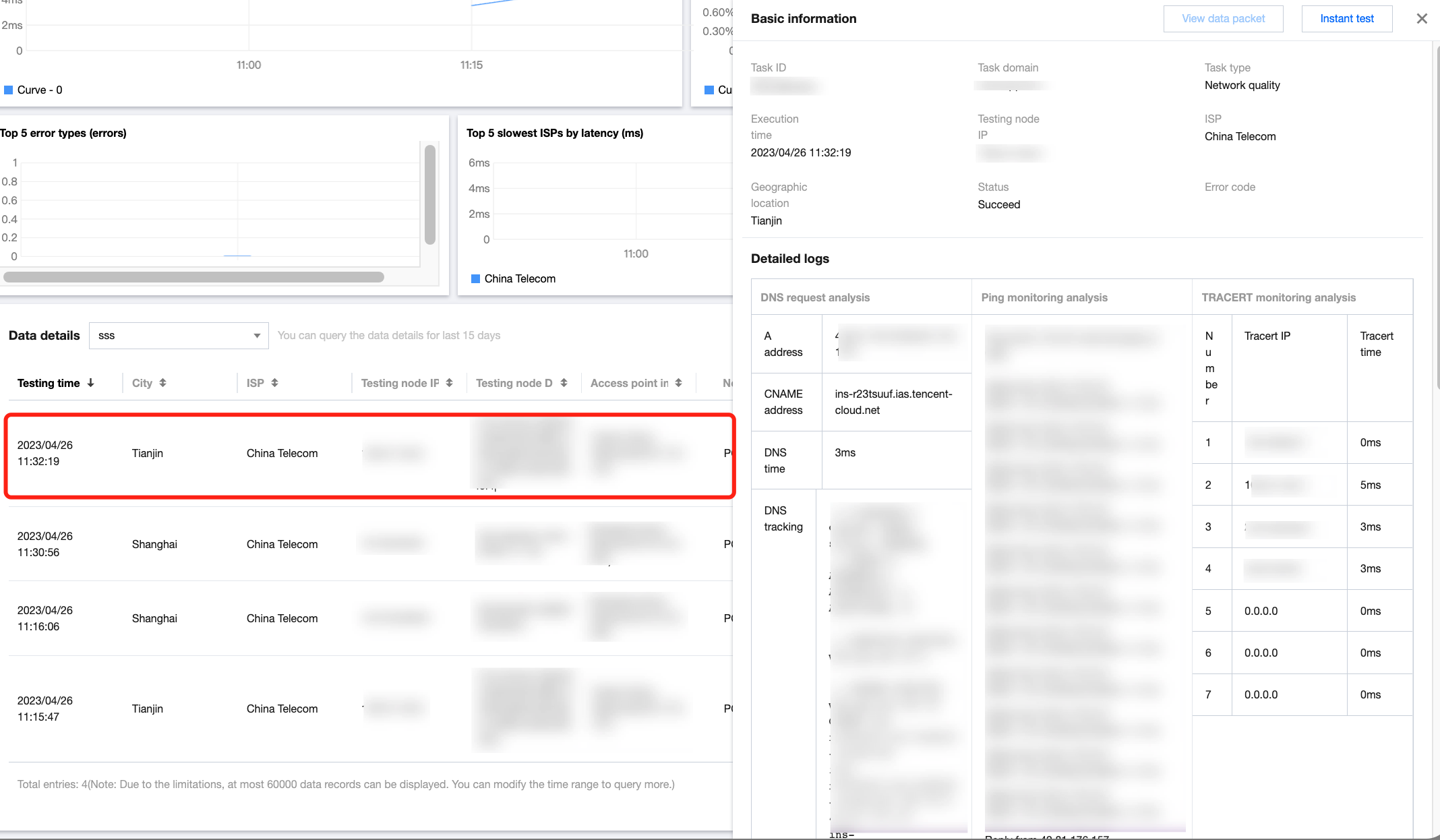
This document describes how to view the detailed log data of a test task.
Directions
1.
Log in to the
CAT console
.
2.
Click
Test Statistics
on the left sidebar and select a test task.
3.
Scroll down to the detailed data list and click any column to view the log data of the test task.
이전 주제: Audio/Video Experience
다음 주제: Task Comparison
도움말 및 지원
문제 해결에 도움이 되었나요?
예
아니오
더 자세한 내용은
문의하기
또는
티겟 제출
을 통해 문의할 수 있습니다.
피드백