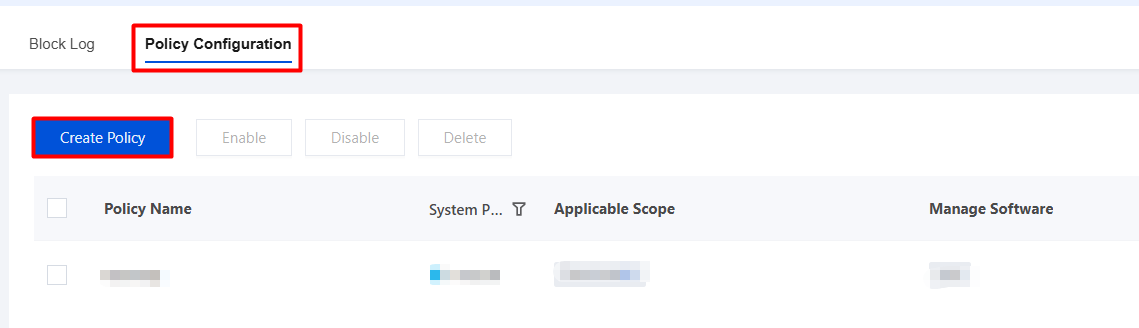
Administrators can create a software restriction policy to limit the execution of specific software, regulate software installation and usage, and achieve unified management and control of software on employee terminals.
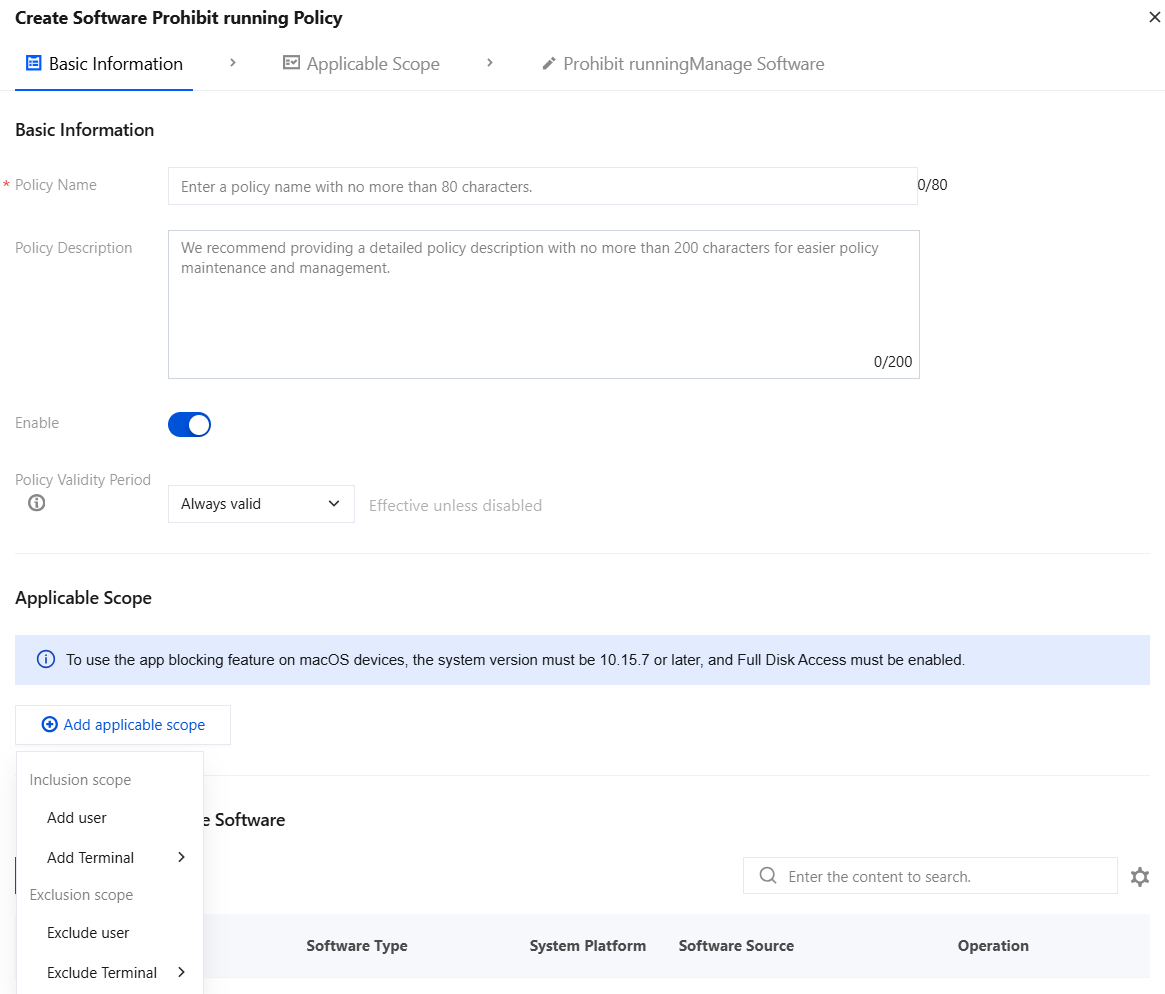
3. Configure the basic information for the software restriction policy.
3.1 Enter the policy name and other parameters such as the policy description.
3.2 Click Add Applicable Scope, select the users/terminals to be controlled or excluded, and click OK.
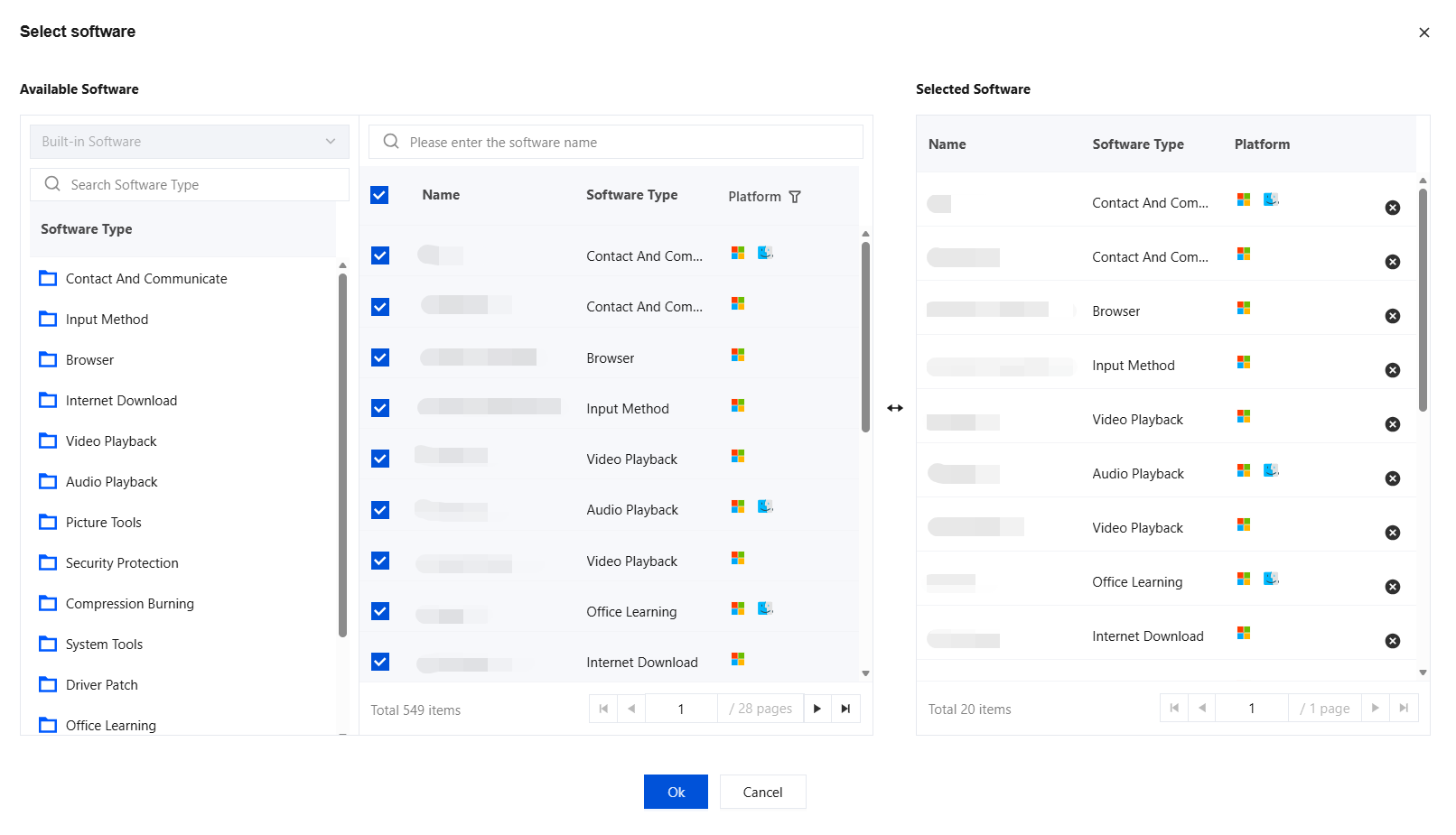
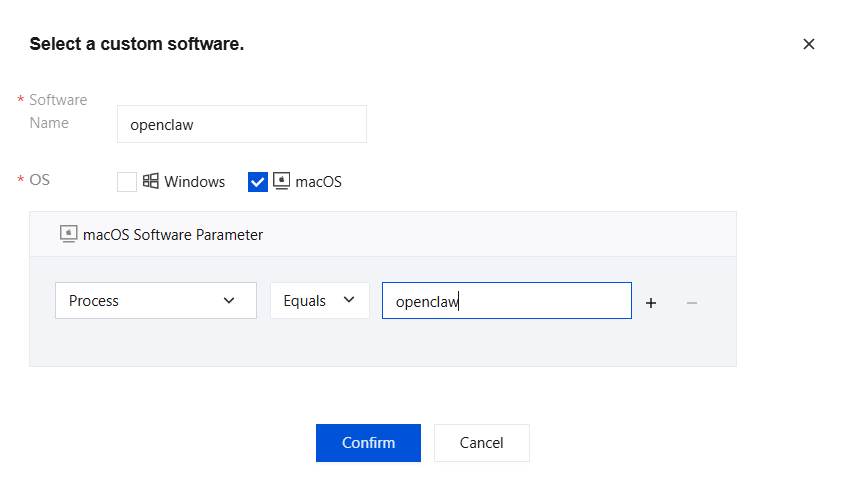
4. Prohibit running controlled software: You can select built-in software or custom software.
Built-in software: Some system built-in software. You can directly select the software to be controlled and click OK.
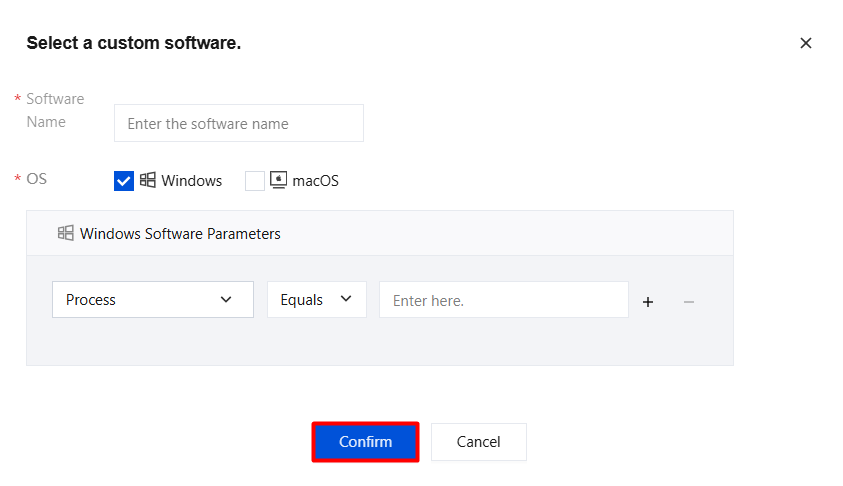
Custom software: Configure the relevant parameters and click OK.
Parameter Name
Description
Software
User-defined.
Operating System
Select Windows or macOS. After selection, custom software is prohibited from running on the selected system.
Process
Enter the process name of the software.
Process signature
The signature information generates a unique signature value through a specific encryption algorithm. The operating system or other security tools can verify this signature value to confirm whether the process is released by *** Co., Ltd. and whether it has been tampered with, thereby determining its trustworthiness.
Process description.
Process description of the software.
Process Version
After the process is entered, the process version field is displayed.
Process command line
Windows and macOS support run interception for AI agents such as OpenClaw and Qclaw. After policy settings are configured, running OpenClaw and others will be intercepted.
5. After terminal verification, when the controlled software is opened, a message appears indicating that it is prohibited from running.
Audit Log
Help enterprise IT administrators detect unauthorized software execution in a timely manner, and provide data support for software asset management.
Go to Software Management > Operation Management > Block Logs.
Auditing covers interception behaviors on all Windows and macOS terminals.
Icon
Icon description
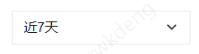
Supports quickly selecting preset time ranges (last 7 days/last 10 days/last 30 days) and custom exact time ranges.
Data statistics charts are displayed as bar charts.
Supports exporting audit data to files for offline analysis.
Supports custom display of report fields.
Supports quickly searching for and displaying identical content in reports.