If you use a CCN-based direct connect gateway in the Direct Connect network architecture, you can view the IDC routes and CCN routes to the direct connect gateway on the console.
Limits
The route table feature of the direct connect gateway is currently in canary release. To try it out, please submit a ticket.
This feature is unavailable in Taiwan (China) regions.
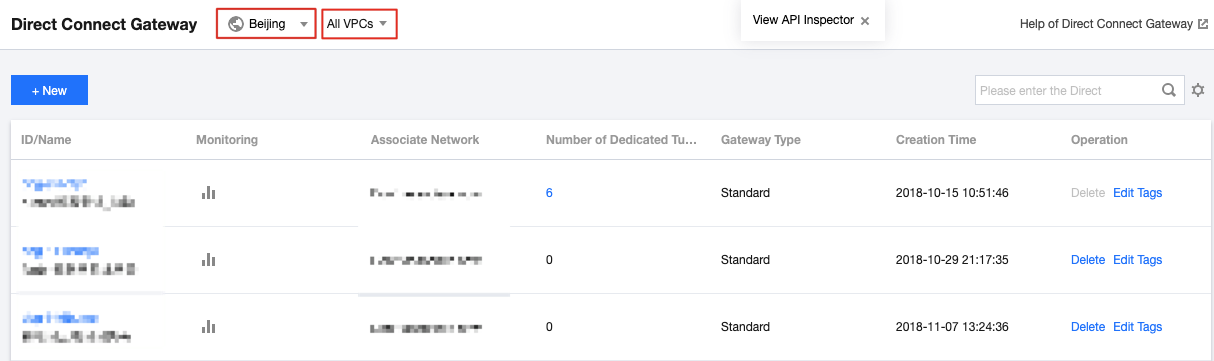
2. Select a region and VPC at the top of the Direct Connect Gateway page. Click the ID/Name of the target direct connect gateway to enter its details page.
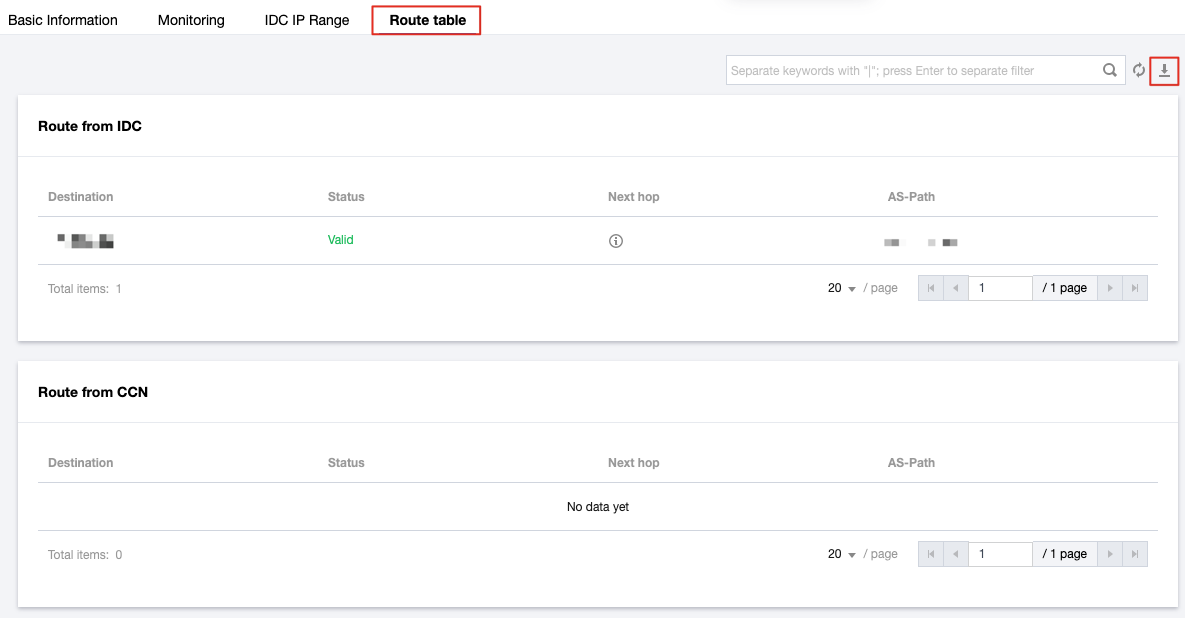
3. Select the Route Table tab and view the IDC routes and CCN routes to the direct connect gateway. Click