Restarting a Node
Unduh
Mode fokus
Ukuran font
Operation scenarios
Node restart is a key Ops feature provided by TencentDB for MongoDB, supporting one-click restart operations on primary or secondary nodes. This feature is primarily used to quickly restore service status and completely release the memory and computing resources occupied by the node. It effectively resolves resource fragmentation issues caused by long-term operation and restores database performance.
Operation Impact
Secondary node restart: It only affects the read service of the current node and typically recovers within 1-2 minutes.
Primary node restart: This triggers the high availability switchover mechanism, which may cause a momentary service disconnection and result in the loss of data not yet synchronized to secondary nodes. Ensure that your application has an automatic reconnection mechanism.
Prerequisites
Instance status: Running.
Restart Mongod node
1. Sign in to the MongoDB Console.
2. In the drop-down list of the left sidebar MongoDB, select Replica Set Instance or Shard Instance.
3. Above the Instance List on the right, select the region.
4. On the instance list, find the target instance whose node you need to view.
5. Click its Instance ID to go to the Instance Details page, and then click the Node Management tab.
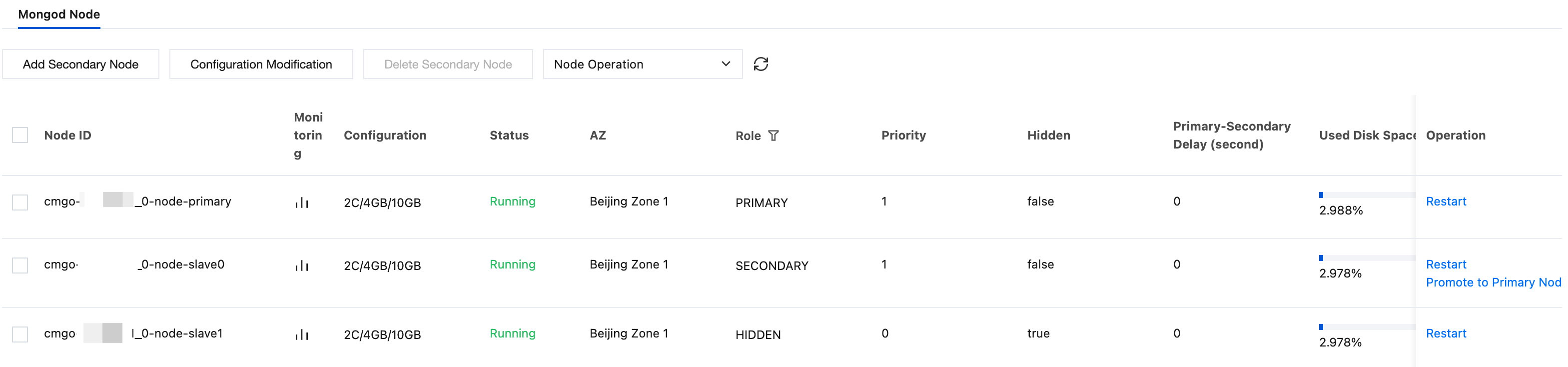
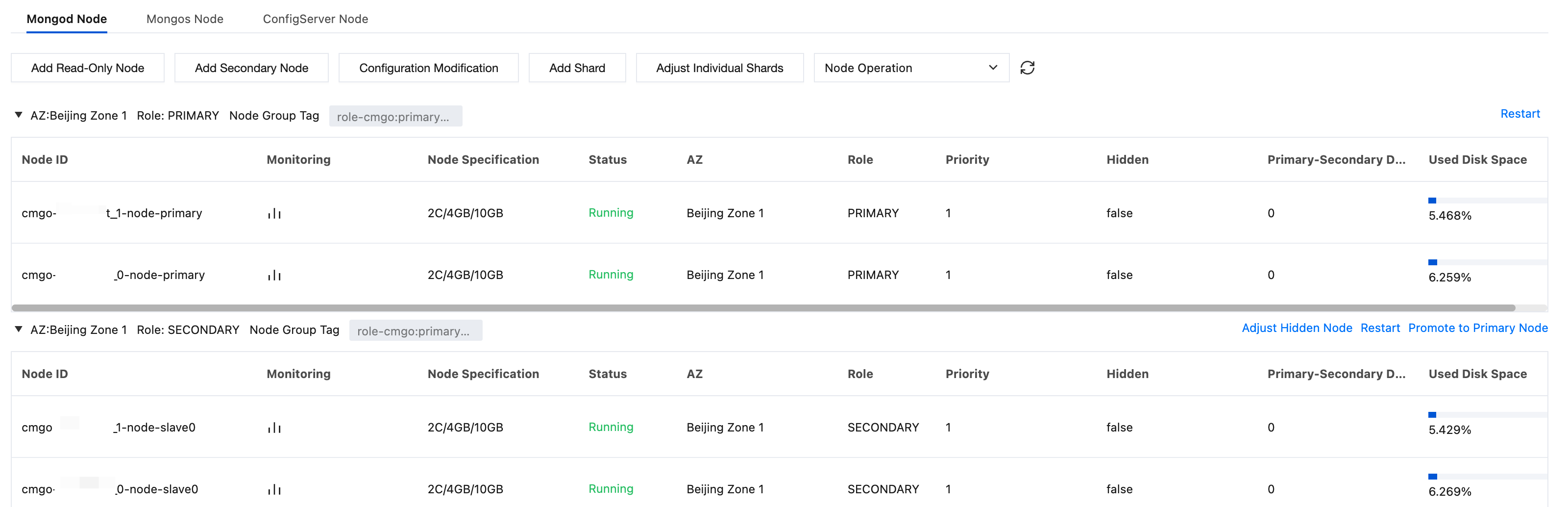
6. On the Node Management page's Mongod Node tab, in the node list, find the node to be restarted.
7. In the Operation column, click Restart.
Replica Set
Sharded instance
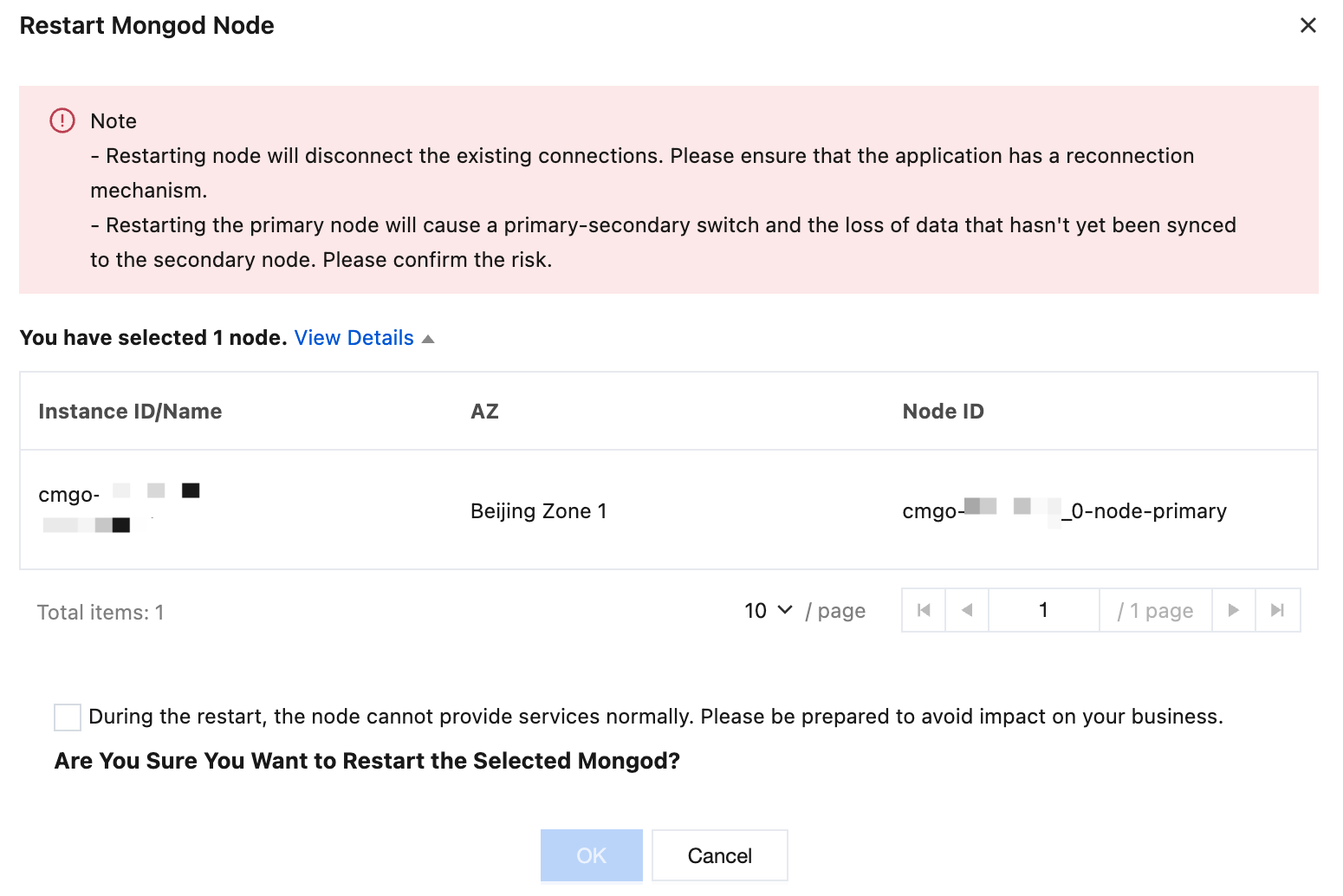
8. In the Restart Mongod Node dialog box, confirm the node information to be restarted. Select the During the restart, the node cannot provide services normally. Please be prepared to avoid impact on your business. checkbox to confirm the node restart. Click OK and wait for the task to complete.
Related APIs
API | Description |
Adjusts the cloud database instance configurations | |
Queries the sales specifications of cloud databases | |
Queries node properties, including the AZ, name, address, role, status, master-slave delay, priority, voting rights, and tags of the node. |
Bantuan dan Dukungan
Apakah halaman ini membantu?
Anda juga dapat Menghubungi Penjualan atau Mengirimkan Tiket untuk meminta bantuan.
masukan