Enterprise Identity Verification
Unduh
Mode fokus
Ukuran font
Enterprise identity verification is required if your Tencent Cloud account and cloud resources are owned by an enterprise, you want to participate in enterprise-oriented promotional activities on the Tencent Cloud website, you wish to apply to become a Tencent Cloud partner, or you need to apply for credit authorization.
Note:
If you have completed identity verification, you do not need to verify again. You can check your verification status on the Identity Verification page.
If you have not passed identity verification, your account is in an unverified state. You can proceed with identity verification. For details, see Identity Verification Overview.
Identity Verification Restrictions
A single enterprise identity can be used to verify up to 10 Tencent Cloud accounts by default. If the number of verified accounts is insufficient for your business needs, contact your account manager for assistance.
Tencent Cloud International supports enterprise users in applying for identity verification using a valid business registration document issued by a government authority in the jurisdiction where the account is registered. If you only hold a business license from the Chinese mainland, please go to Tencent Cloud China to register and use the service.
For more restrictions, see Tencent Cloud Account Restrictions.
Prerequisites
1. You need to have a Tencent Cloud account. If you don't have an account, you can sign up for one as instructed in Signing up for Tencent Cloud Account.
2. You need to prepare a valid business registration document issued by a government authority in the jurisdiction where your account is registered. The identity verification submission page will display your account registration location. This location is the country/region you selected when registering the account. Once the account is registered, it cannot be changed.
Directions
Step 1. Select enterprise identity verification
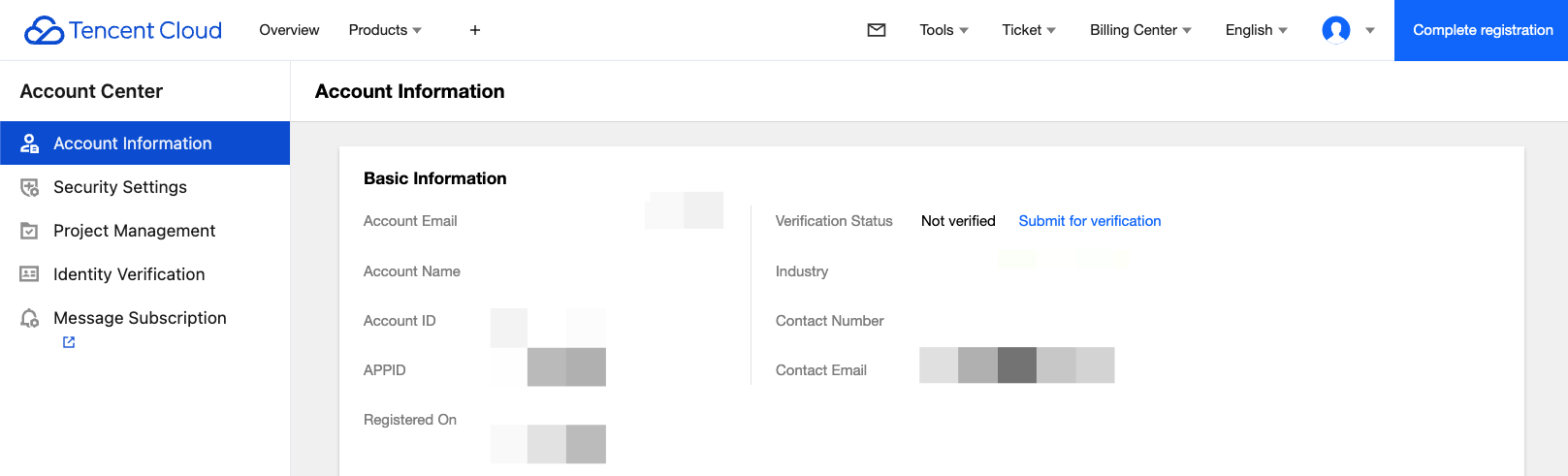
1. Log in to the Tencent Cloud Console and go to Account Information, navigate to Basic Information > Verification Status, and click Submit for Verification.
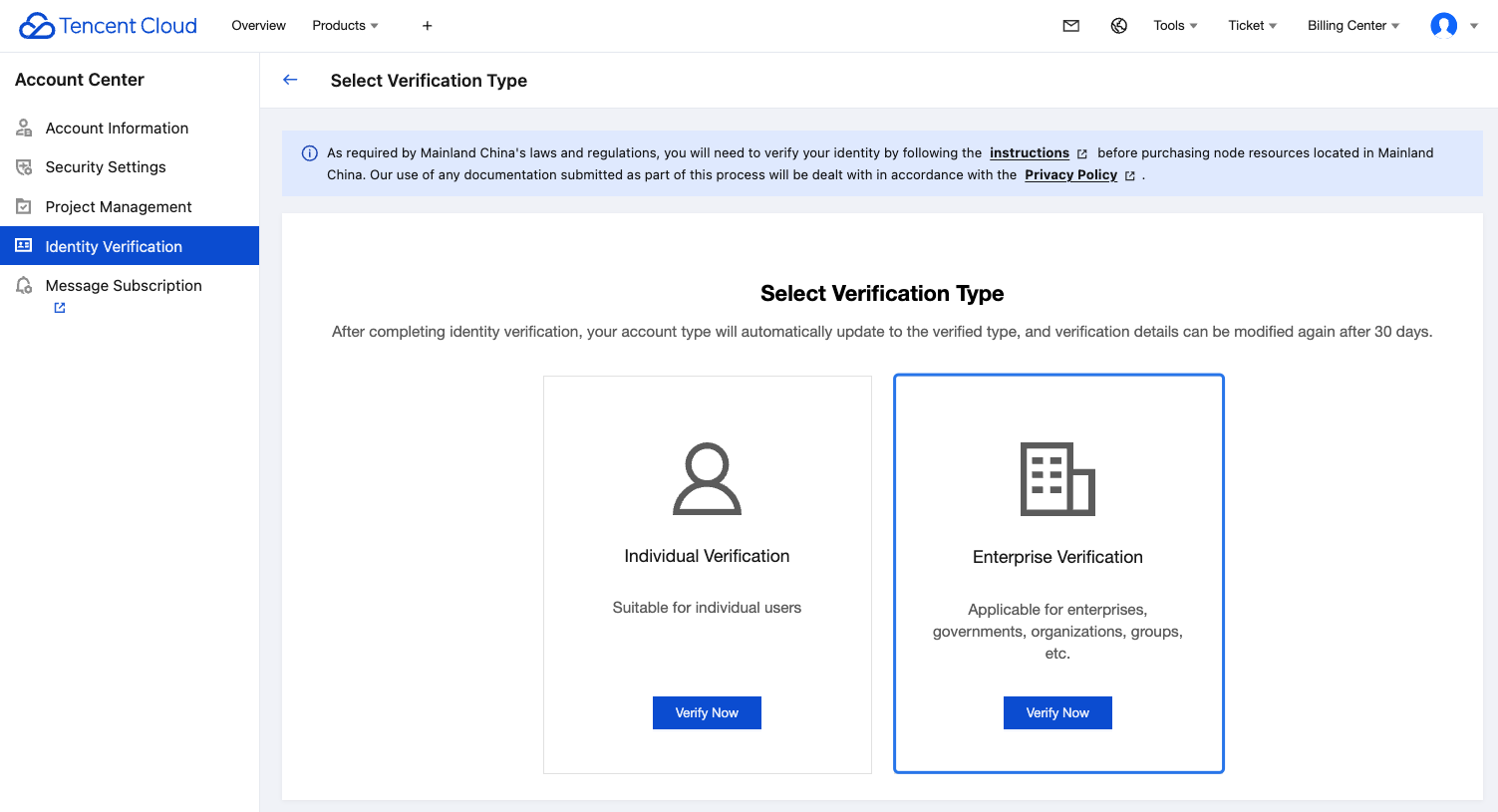
2. Select Enterprise Verification.
Step 2. Enter basic enterprise information
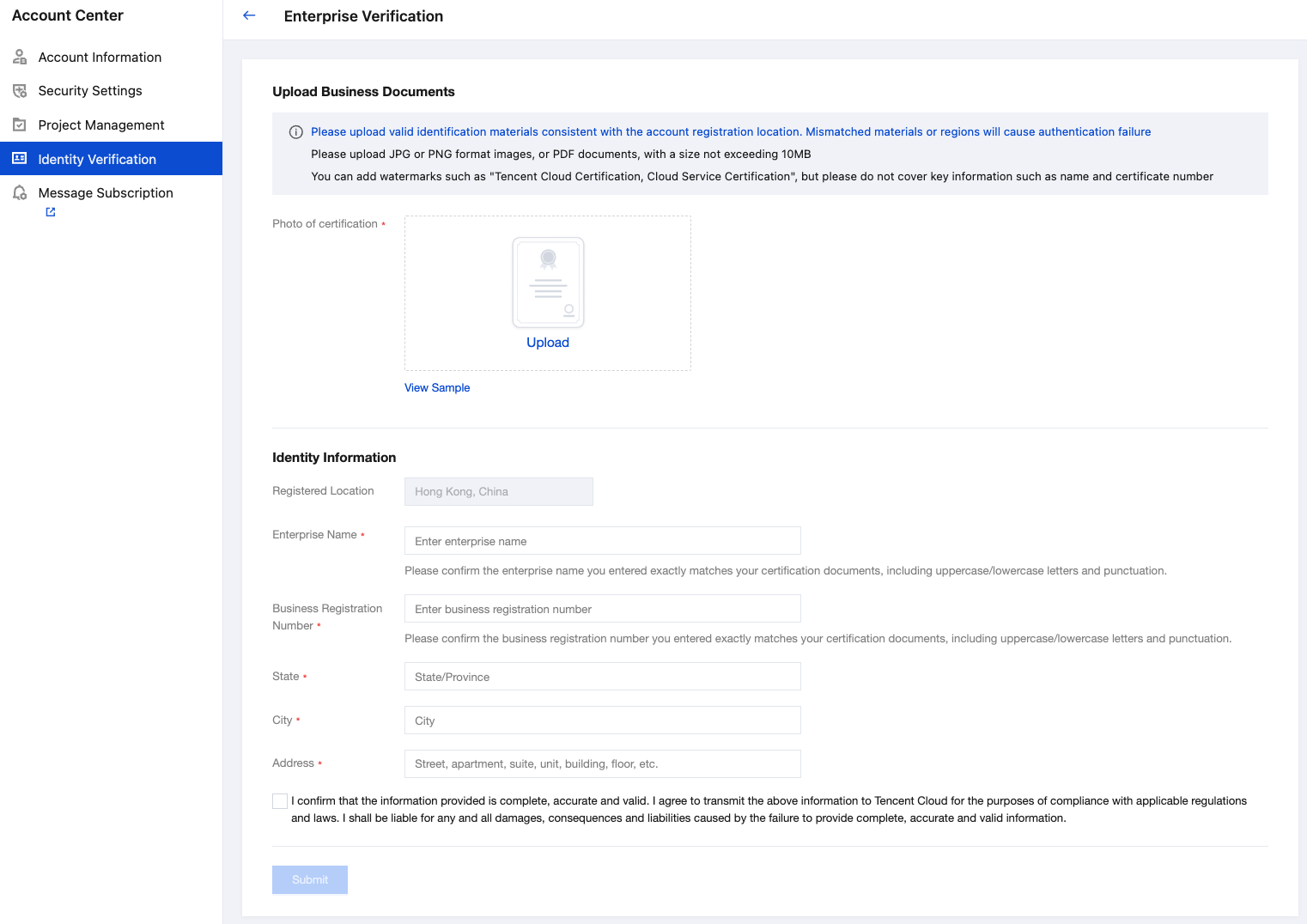
1. On the enterprise identity verification page, enter the following enterprise information:
Photo of certification: Upload the enterprise identity verification photo.
Enterprise Name: Enter the complete business name exactly as it appears on the registration document. If a multilingual version is available, use the English name.
Business Registration Number: Enter the business registration number exactly as it appears on the registration document.
State & city & address: enter the business registered address according to the actual situation.
Note:
You can upload files in JPG/PNG/PDF format, with a maximum size of 10 MB.
Upload business documents from the same country/region as your account registration location. Ensure the document content is complete, clearly visible, and has not been altered or forged.
Ensure the business information you entered matches the information on your documents exactly.
2. After completing the information above, select I confirm that the information provided is complete, accurate and valid. I agree to transmit the above information to Tencent Cloud for the purposes of compliance with applicable regulations and laws. I shall be liable for any and all damages, consequences and liabilities caused by the failure to provide complete, accurate and valid information and click Submit to initiate the identity verification process.
3. The Tencent Cloud team will review the application within 2-4 business days and notify you of the result through the console Message Center, email, and SMS.
Problem appear?
Bantuan dan Dukungan
Apakah halaman ini membantu?
Anda juga dapat Menghubungi Penjualan atau Mengirimkan Tiket untuk meminta bantuan.
masukan