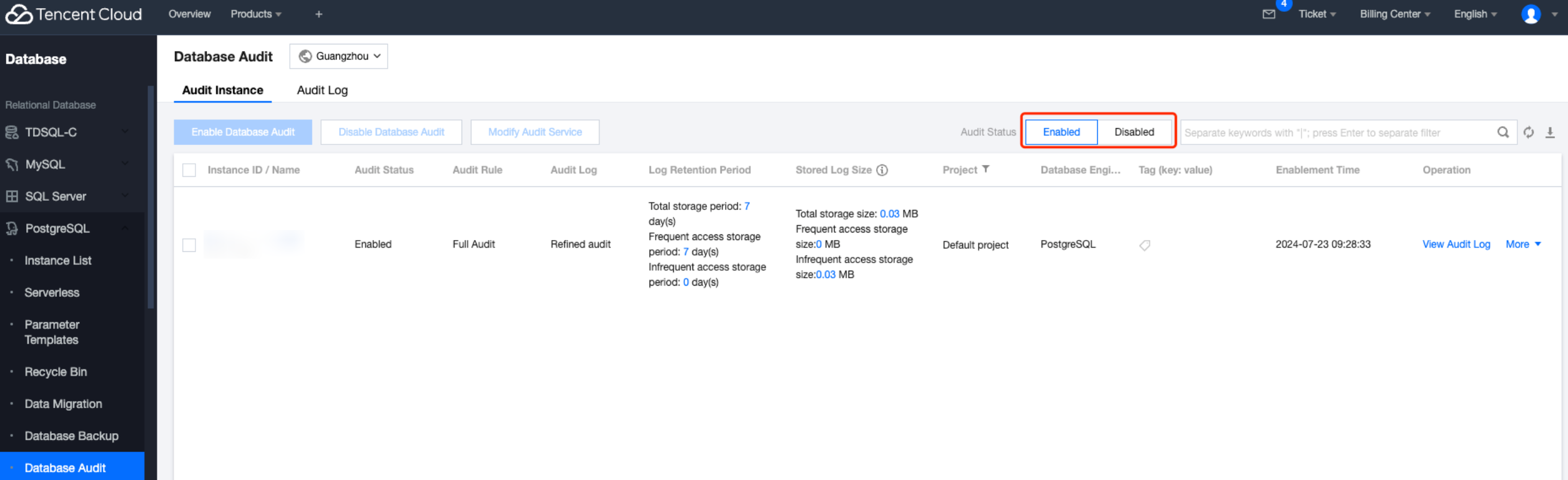
3. Select region at the top, then on the Audit Instance page, click Audit Status and select the Enabled option to filter instances with audit enabled.
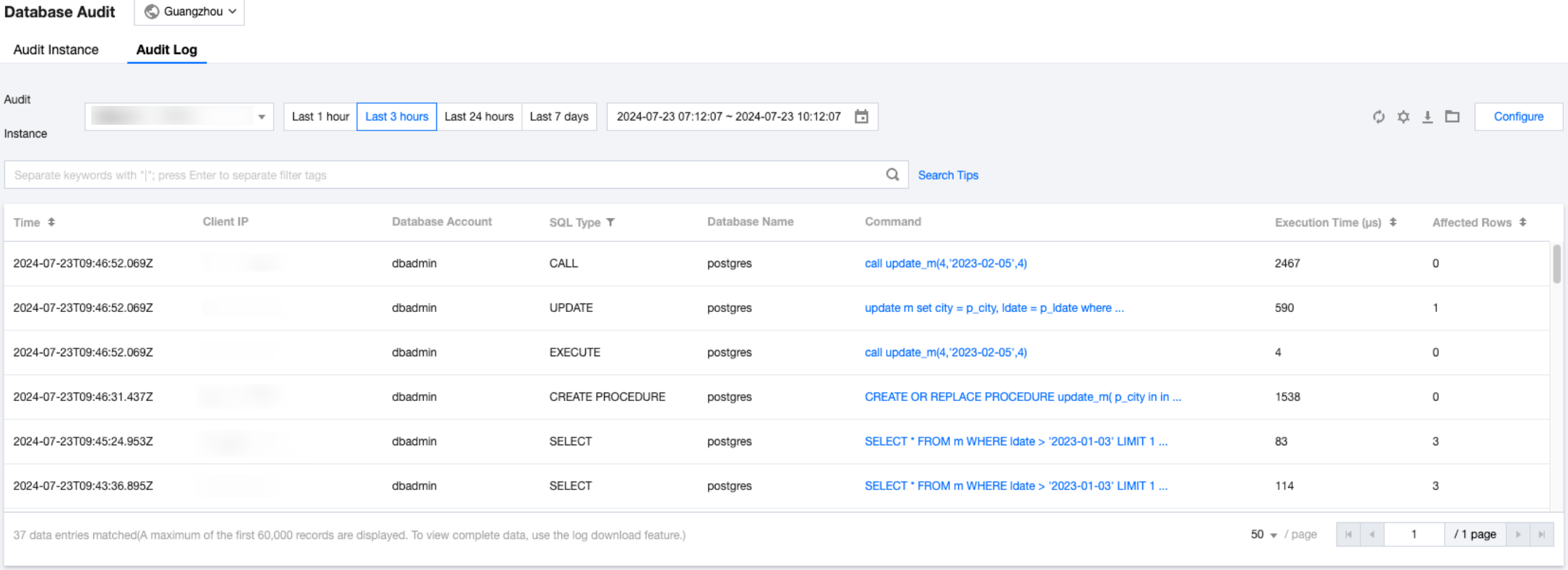
4. In the Audit Instance list, find the Target Instance (you can also quickly search by resource attributes in the search box), click View Audit Log in its action column to jump to the Audit Log page to view the corresponding log. For the difference between Rapid Audit and Detailed Audit logs, please see Audit service description.
Search Tool Description
In the Audit Instance Filter, you can select to switch between other audit instances with the audit service enabled.
In the time box, select a time period (log retention period) to peek at the relevant audit logs within the selected period.
Note:
You can select any time period with data for search. Up to the first 60,000 eligible records can be displayed.
In the search box, select search items (SQL Details, Client IP, User Account, Database Name, SQL Type, Execution Time (ms), Affected Rows) to look up relevant audit results. Multiple search items are separated by carriage return keys .
All search items are in "include" search mode.
Search Item
Description
Command
Enter SQL Details. Multiple keywords are separated by line breaks.
SQL command details search is case-insensitive.
When the match type is either "include" or "exclude", it only supports fuzzy search at the token level, instead of wildcard fuzzy search.
Client IP
Enter Client IP. Multiple keywords are separated by line breaks. IP addresses can be filtered using * as a condition.
Database Account
Enter user account name. Multiple keywords are separated by line breaks.
Database Name
Enter the database name. Multiple keywords are separated by line breaks.
SQL Type
Select one or more SQL types from the drop-down list (ALTER, ANALYZE, BEGIN, CALL, CHECKPOINT, CLOSE, COMMENT, COMMIT, COPY, CREATE, DEALLOCATE, DECLARE, DISCARD, DO, DROP, EXECUTE, EXPLAIN, FETCH, GRANT, IMPORT, LISTEN, LOAD, LOCK, MOVE, NOTIFY, PREPARE, REASSIGN, REFRESH, REINDEX, RELEASE, RESET, REVOKE, ROLLBACK, SAVEPOINT, SECURITY, SELECT, SET, SHOW, START TRANSACTION, TRUNCATE, UNLISTEN, UPDATE, VACUUM). Multiple selections are supported.
Execution Time (us)
Enter execution time in the format of number N. Support filtering for matches above N milliseconds.
Affected Rows
Enter the number of affected rows in the format of number N. Support filtering for matches above N rows. The number of affected rows refers to the actual count of rows impacted when performing modification operations (such as INSERT, UPDATE, DELETE) on a data table. This figure can assist you in comprehending the extent of the operation's impact.
Downloading a Log
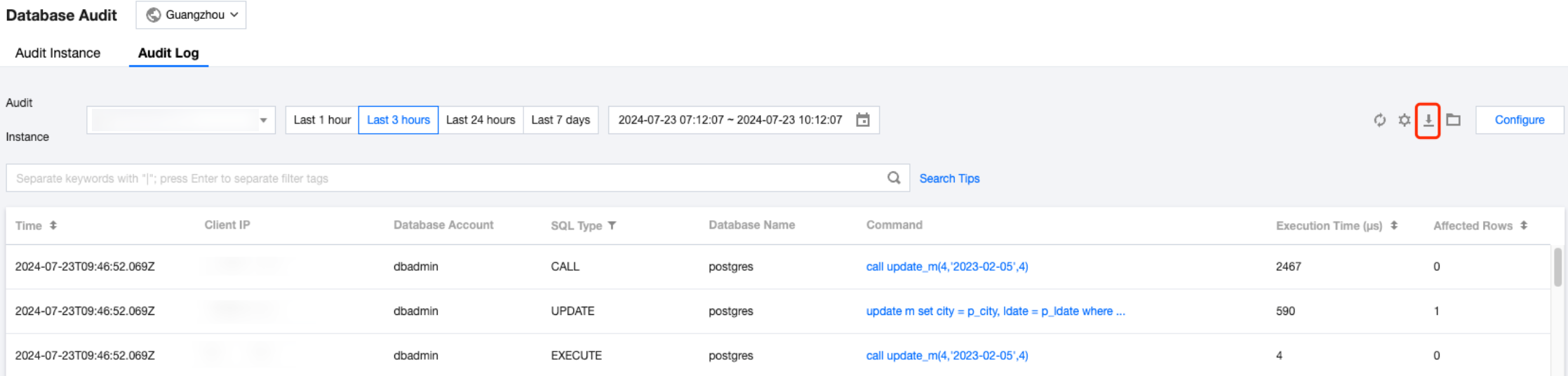
You can generate an audit log file first and then download it. The steps are as follows:
1. On the audit log page, click
on the right to generate an audit log file.
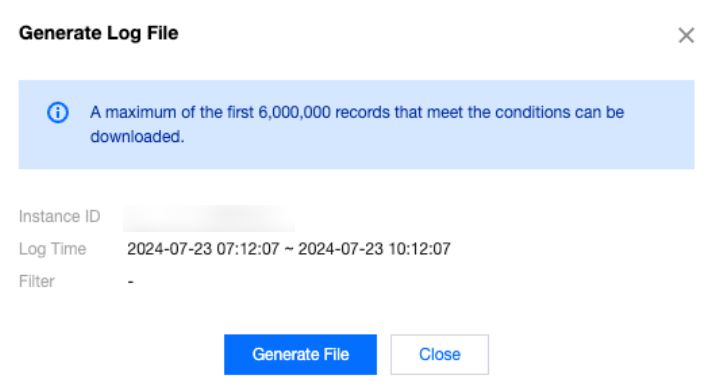
2. After the audit log file is generated, you can download it from the file list.
Note:
An audit log file can save up to the first 6,000,000 records of the search results.
Currently, you can download log files only at the Tencent Cloud private network addresses. Please download them through the Tencent cloud service servers in the same region (for example, to download the audit logs of TencentDB for PostgreSQL instances in the Beijing region, please download them with a CVM instance in the Beijing region).
Log files are valid for 24 hours, so please download them in a timely manner.
The wget command format is wget -c '<log file download URL>' -O <custom file name>.tar.gz.
Each database instance contains no more than 30 log files. Please download files and delete them promptly to clear space.