Step 2: Add Virtual Private Cloud (VPC) Network
Download
Mode fokus
Ukuran font
Scenarios
After the instance is created, you need to add a Virtual Private Cloud (VPC) network route for the instance. This document describes the procedures for adding a VPC network route to an existing instance through the CKafka console.
Prerequisites
Operation Steps
1. On the CKafka console's instance list page, click the "ID/Name" of the pre-created instance to go to the basic information page.
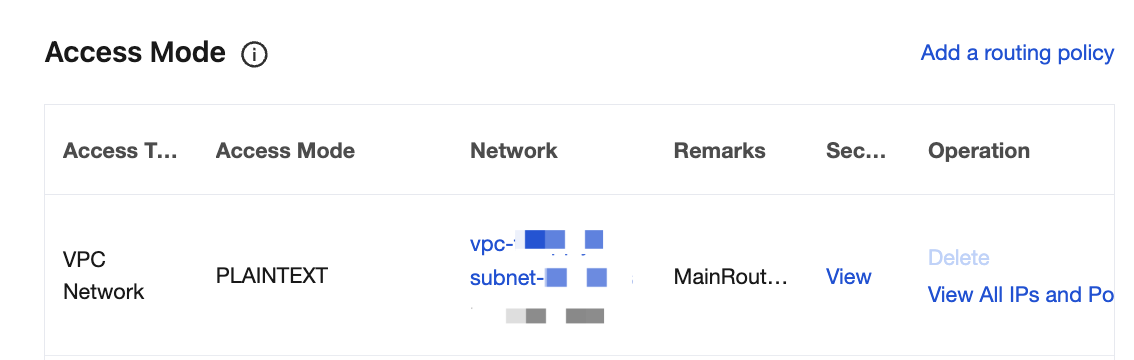
2. On the instance details page, select the Access Mode module and click Add a routing policy in the upper-right corner to add a new Virtual Private Cloud (VPC) network route.
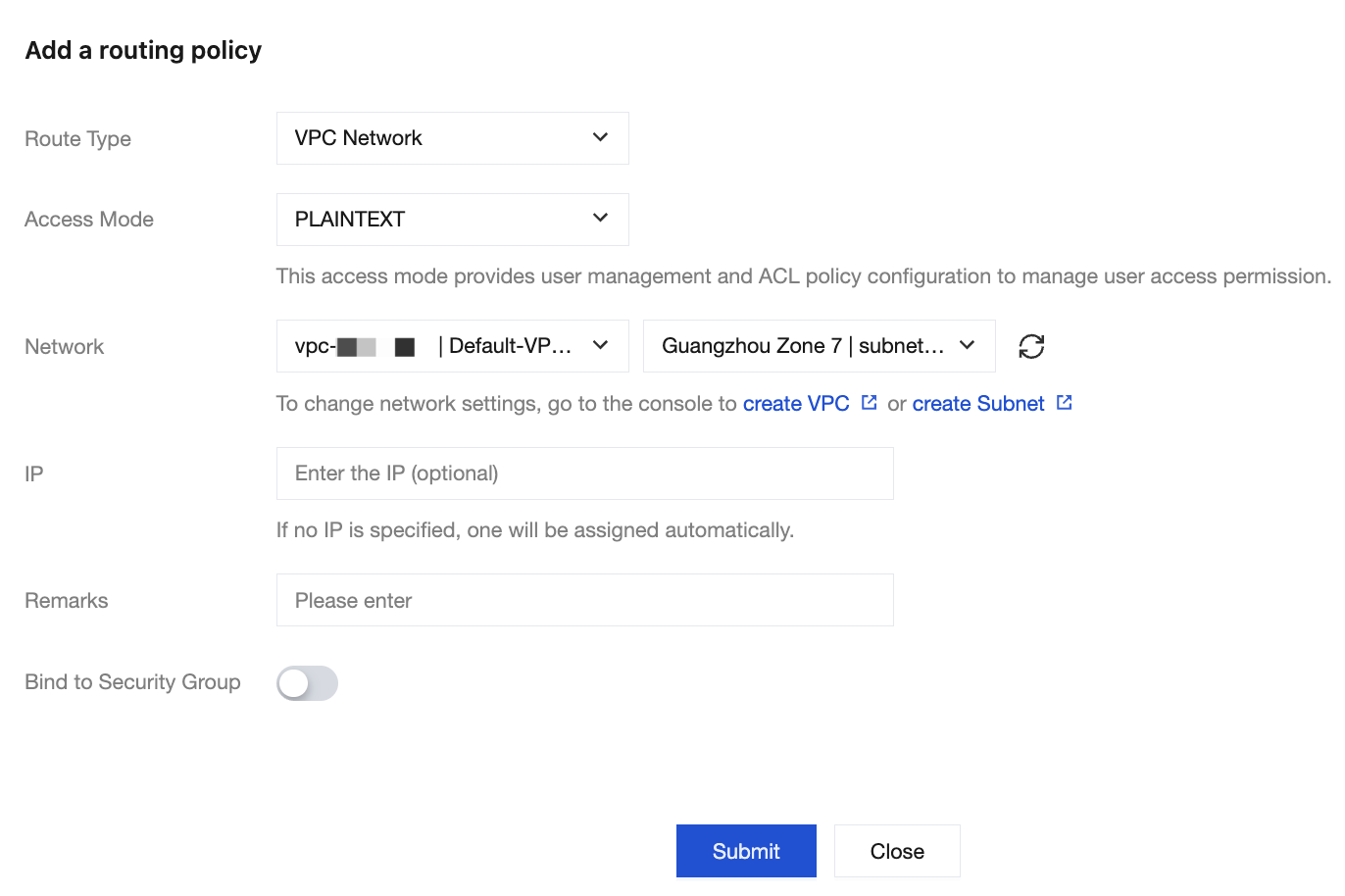
After adding, you will obtain the domain name and port for Virtual Private Cloud (VPC) network access.
Bantuan dan Dukungan
Apakah halaman ini membantu?
Anda juga dapat Menghubungi Penjualan atau Mengirimkan Tiket untuk meminta bantuan.
masukan