This document describes how to log into a collaborator’s account. After logging in, the collaborator can manage the resources under the root account within the scope of permissions.
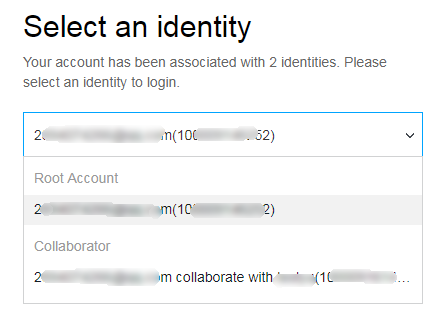
2. After entering the account information or scanning the code, go to the user identity selection page. See the following figure for reference:
3. In the user identity selection page, click ▼ on the right side of the account information. Select the root account identity that needs to be managed.
4. Click Log in to log in to the collaborator account.