This document describes how to create a flow log for an ENI in the private network. After a flow log is created for the ENI, you can store and analyze the network traffic in real time, making it fit for troubleshooting, compliance audit, security and other use cases.
Prerequisite
Ensure that the CVMs are included in the FL's Supported List.
As the flow log data needs to be delivered to CLS, ensure that the CLS authorization has been completed before viewing the log data.
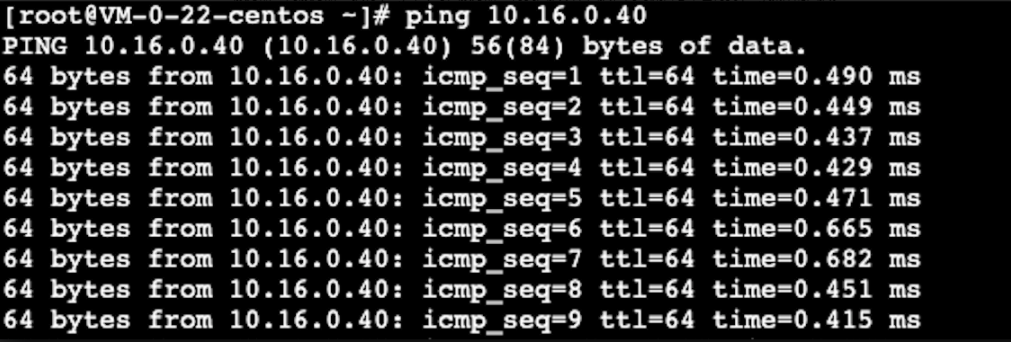
CVM A (10.16.0.22) and CVM B (10.16.0.40) reside in the same VPC. After you log in to the CVM A and run the ping command to connect to the CVM B, the ENI will be triggered to generate traffic. If a flow log is created for the ENI of the CVM A, the flow log also records the traffic data.
Directions
1. Log in to the VPC console and select Flow Logs > Log List on the left sidebar.
2. In the upper-left corner of the Flow Logs page, choose the target region. Click +Create and configure the following parameters in the pop-up dialog box.
Field
Configuration
Name
Enter a name for the flow log to be created.
Collection Range
Specify the flow log collection range. In this example, select ENI.
VPC
The VPC where the ENI is located. In this example, select the VPC of CVM A.
Subnet
The subnet where the ENI is located. In this example, select the subnet of CVM A.
Collection Type
Select the type of traffic to be collected by the flow log: all traffic, or the traffic rejected or accepted by security groups or ACL. In this example, select **Accepted**.
Logset
Select a logset that specifies the storage location in CLS for the flow log. You can also click Create to add a logset in the CLS console.
Log topic
Select a log topic that specifies the minimum dimension of log storage, which is used to distinguish log types, such as Accept log. You can go to the CLS console to add a log topic.
Tag key
Enter or select an optional tag key for the identification and management of the flow log.
Tag value
Enter or select an optional tag value. It can also be a null value.
3. Click Confirm.
Note:
You can view the record of a newly created flow log in CLS after 10 minutes upon the creation (5 minutes for the capture window and 5 minutes for data publishing).
FL is free of charge, but the data stored in CLS is charged at standard prices.
Result Validation
After 10 minutes, locate the flow log you’ve created on the Flow Logs page and click Check in the Operation column to access the Search and Analysis page. Select a time range and search for the IP of the CVM B.