Clearing Table
ダウンロード
フォーカスモード
フォントサイズ
Overview
This document describes how to clear table data in the TcaplusDB console.
Note:
If you clear a table, all of its data will be completely cleared and cannot be recovered.
Prerequisite
Directions
1. On the Table List page, either locate the desired table and select More > Clear in the Operation column or select multiple tables and select Batch Operation > Clear Table at the top.
2. In the pop-up window, click OK.
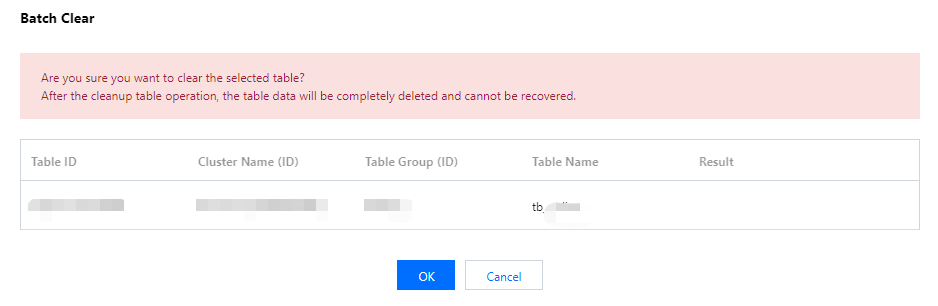
3. After the table is successfully cleared, the link to the task performed will be returned. Click the task ID in the Result Remarks column to view the task details.
フィードバック