VooV Meeting supports floating window, making it easy for you to switch between tasks.
Prerequisites
Logged-in user: Free or Enterprise Edition user
Logged-in device: Windows, macOS, iOS, or Android
Version: v3.0.0 or later
Enabling Floating Window
Windows/macOS
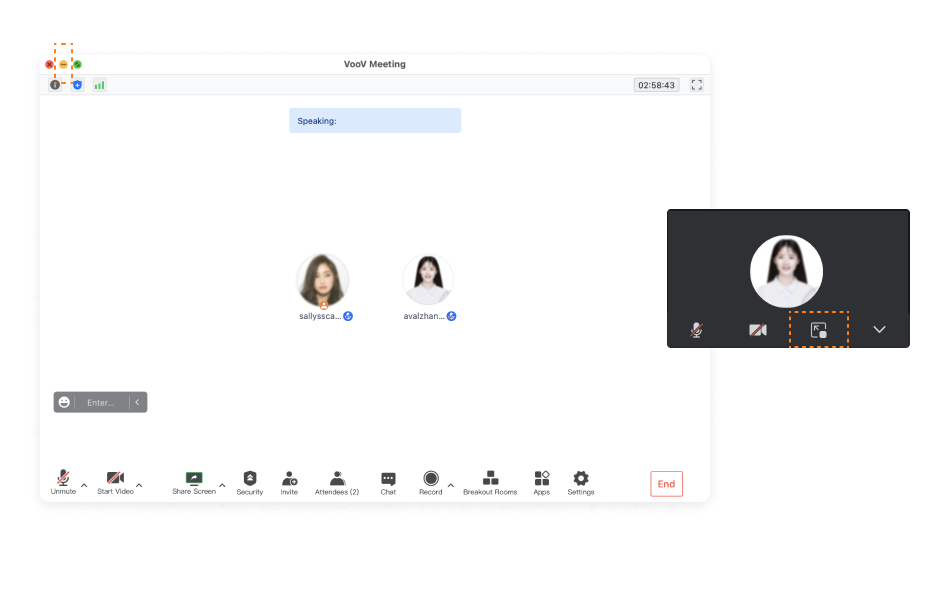
During a meeting, click the Minimize icon to display the floating window, where you can choose to return to the main panel or collapse the floating window.
Android/iOS
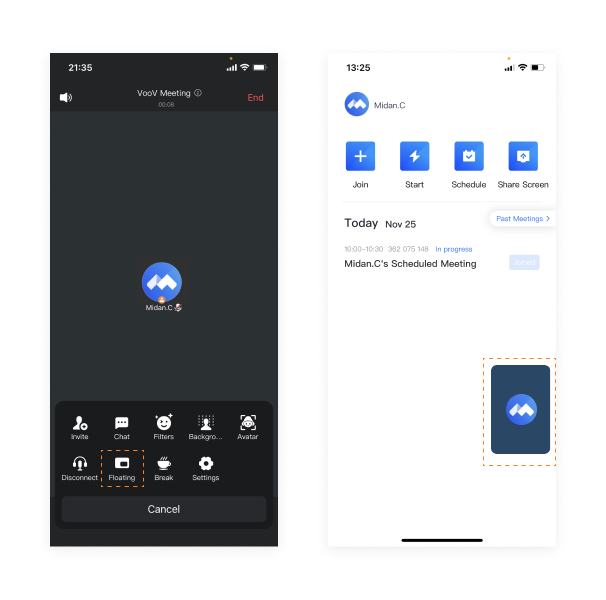
During a meeting, tap More > Floating to display the floating window. After getting the relevant system permissions, you can display the floating window both in and outside the app on Android, while iOS supports floating window display only in the app.