Android
Download
フォーカスモード
フォントサイズ
This guide provides instructions on how to run the Premium UGSV Demo, helping you integrate and use the SDK more efficiently.
Environment Requirements
Android Studio: Version 2022 and above.
Android SDK Tools: API Level 29 and above.
minSdkVersion: 21.
targetSdkVersion: 29.
Download the Demo
Download the TAVMagic_Professional_Android.zip archive and extract its contents. Subsequently, open the
Demo/TAVMagicApp project using Android Studio.Confirm SDK Dependencies
Please copy the
tavmagic_x.x.x.x.aar and tavmagicuikit_x.x.x.x.aar files from the SDK directory within the compressed package to the Demo/TAVMagicApp/app/libs directory.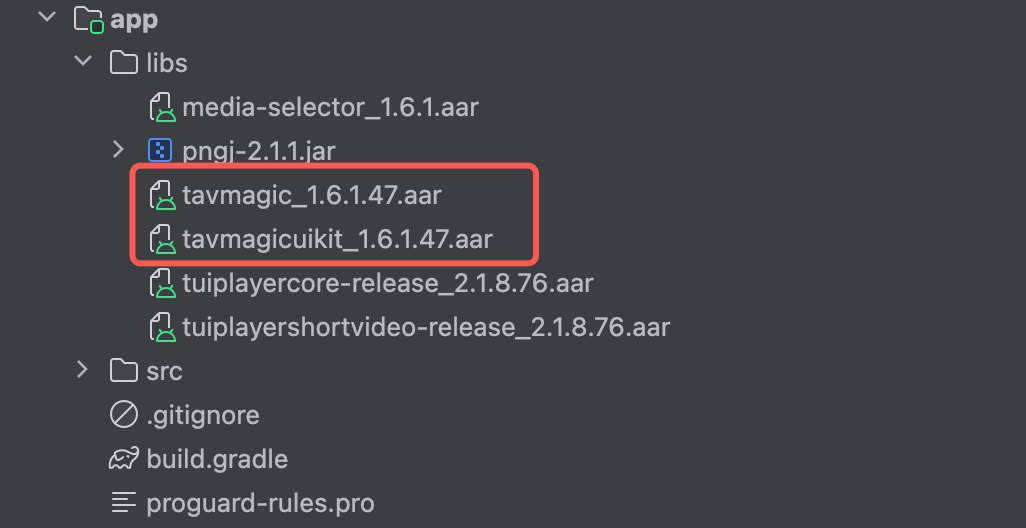
Replace License and Package Name
Replace the
TAV_MAGIC_KEY and TAV_MAGIC_LICENSE fields in the InitUtil class with the authentication Key and License strings obtained from the console.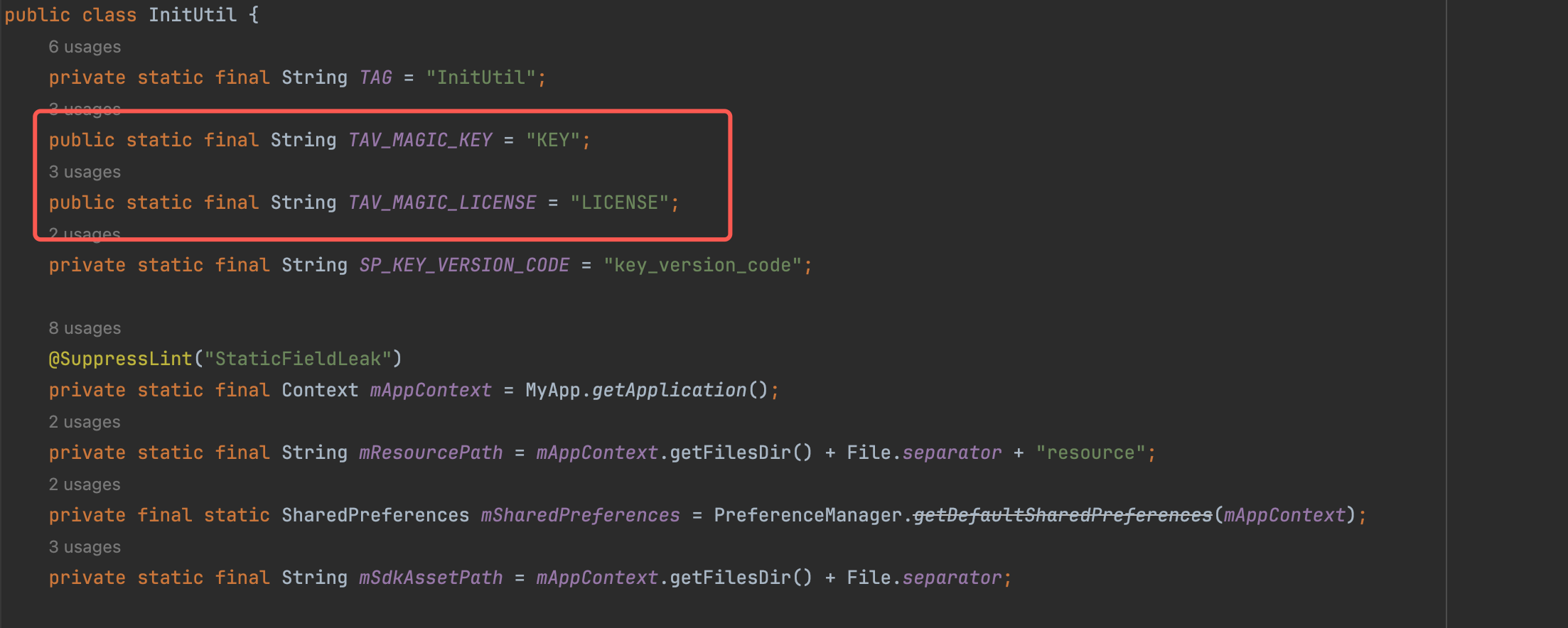
Replace the application package name in
app/build.gradle with the authorized package name granted in the console.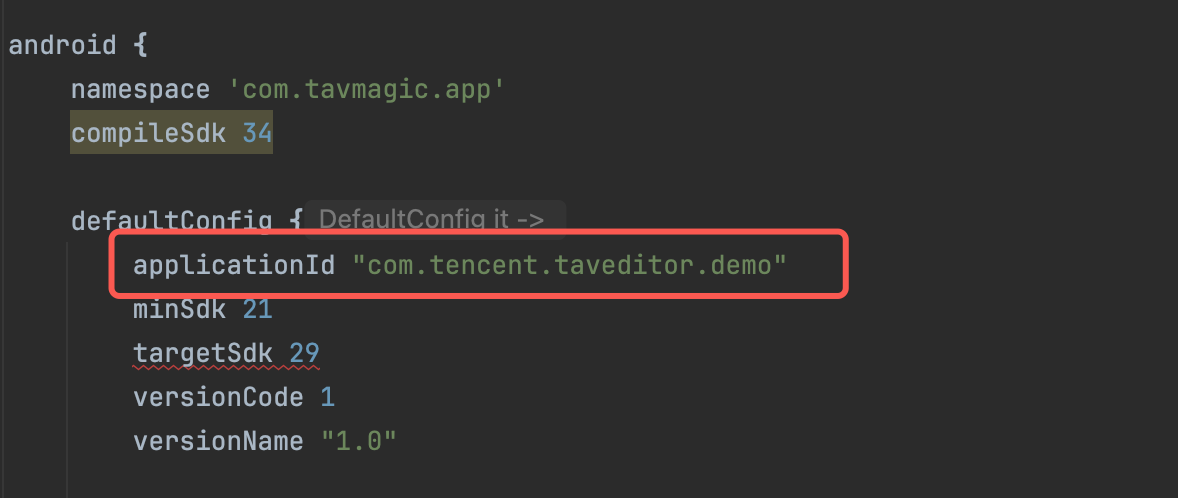
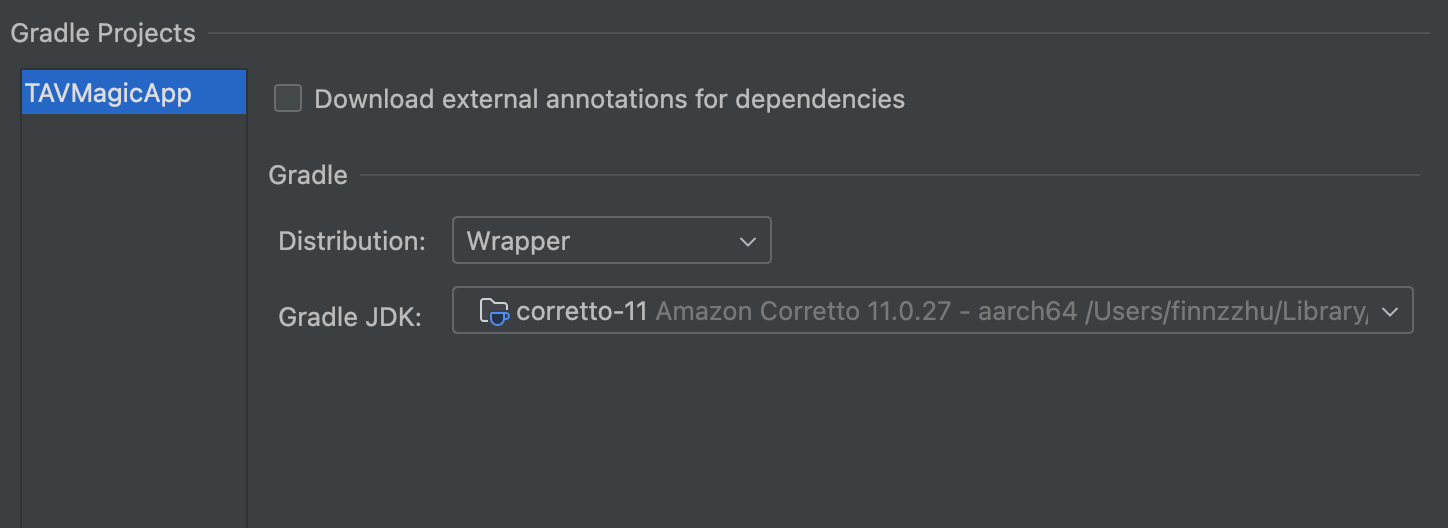
Set Gradle JDK Version
Configure the JDK version for Gradle in Android Studio to JDK 11.
Run
After completing the aforementioned configurations, click the Run button in Android Studio to launch and execute the Advanced Video Editing Demo.
フィードバック