Allocate and Reclaim Credit
Download
フォーカスモード
フォントサイズ
Scenarios
Partners allocate sufficient credit limits to customers, which can be used to enable or purchase cloud products. If a customer fails to make repayment for a long term and poses a large bad debt risk, their total credit limit can be recycled.
This document describes how to allocate and reclaim credit for customers.
Applicable Objects
This article is suitable for resellers, first-level distributors, and second-level resellers to read. The following copywriting uses "reseller" for description.
Prerequisites
Reseller identity already available.
Note:
Note: Resellers and first-level resellers can allocate unlimited credit limits to sub-customers, and resellers must manage them manually. The credit limits second-level resellers can assign to sub-customers are limited by the allocatable credit pools assigned by first-level resellers.
Allocating Credit
1. Log in to the Tencent Cloud official website with a partner account and enter the partner center console.
2. In the left sidebar, select Customer > Customer Management to go to the My Customers page.
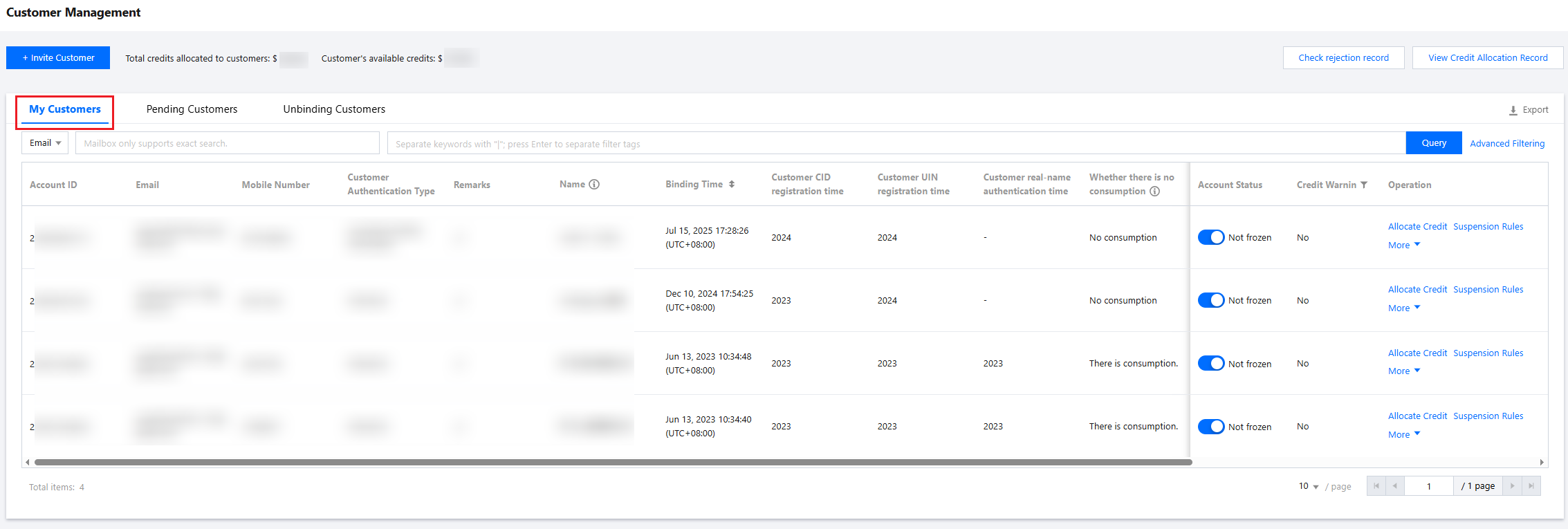
3. In the customer list, click Allocate Credit in the Operation column of the target customer to enter the credit allocation page.
4. Select "Automatic allocation", fill in the allocated amount, and click confirm. The system prompt indicates allocation successful, which means the assignment is completed.
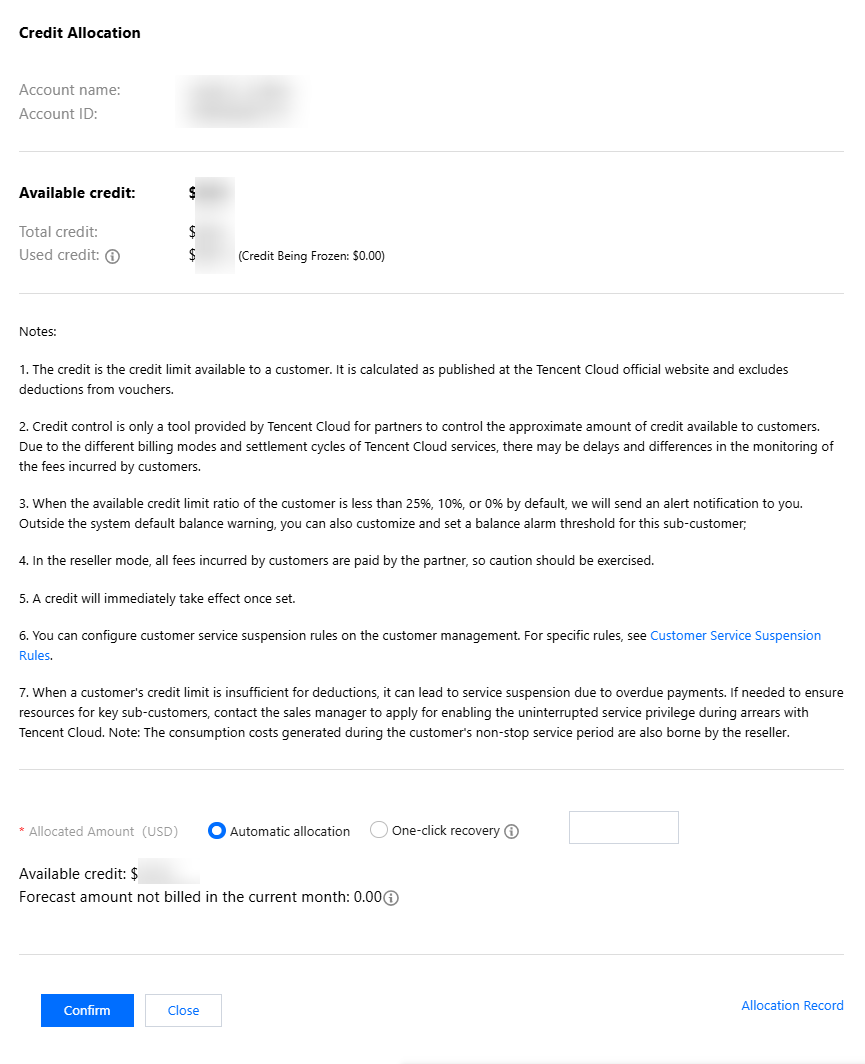
Note:
Credit limit, for customers to consume credit limit, calculated on the Tencent Cloud official website, excluding the deducted portion of vouchers.
Credit control is merely a tool provided by Tencent Cloud for partners to control sub-customer consumption limits approximately. Due to features like cloud service billing model and settlement cycle, consumption monitoring may have delay and error.
When the available credit limit ratio of a default customer falls below 25%, 10%, or 0%, we will send an alert notification to you. Outside the system default balance warning, you can also customize a balance alarm threshold for this sub-customer.
Under distribution mode, sub-customer consumption is finally responsible for repayment by the partner. Proceed with caution.
Credit limit setting takes effect immediately.
If the sub-customer's credit limit is insufficient during deduction, it can lead to service suspension due to overdue payments. To guarantee key sub-customer resources, contact the sales manager to apply for enabling the uninterrupted service privilege during arrears with Tencent Cloud. Note: The cloud consumption costs generated during the sub-customer's non-stop service period will also be sustained by the reseller.
Reclaiming Credit
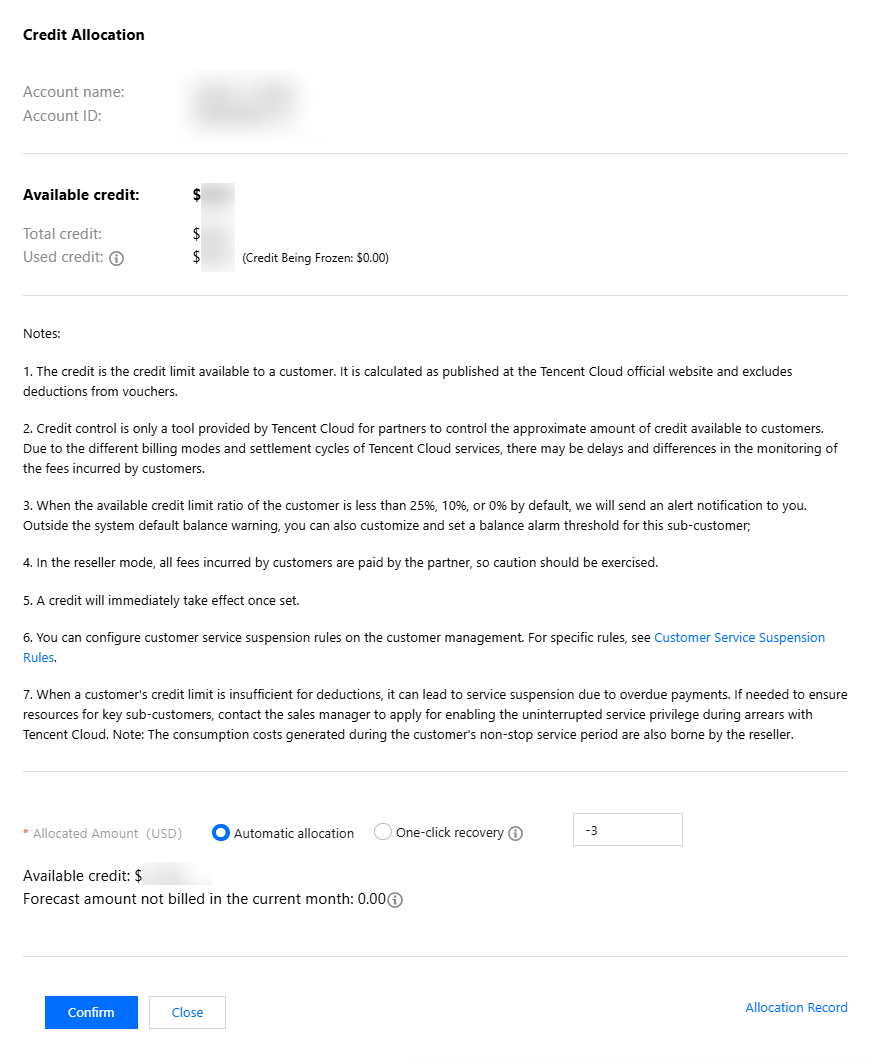
If the allocated credit limit for the sub-account is relatively high, you can enter a negative value to reclaim the sub-account's available credit. The maximum reclaimable amount cannot exceed the sub-account's available credit limit.
Operation Steps
1. On the Customer Management > My Customers page, click Allocate Credit in the Operation column of the customer list.
2. Enter the credit allocation page, fill in information and confirm.
To reclaim part of the sub-account's credit limit, you can choose "Automatic allocation", fill in the allocated amount (negative value), then click confirm.
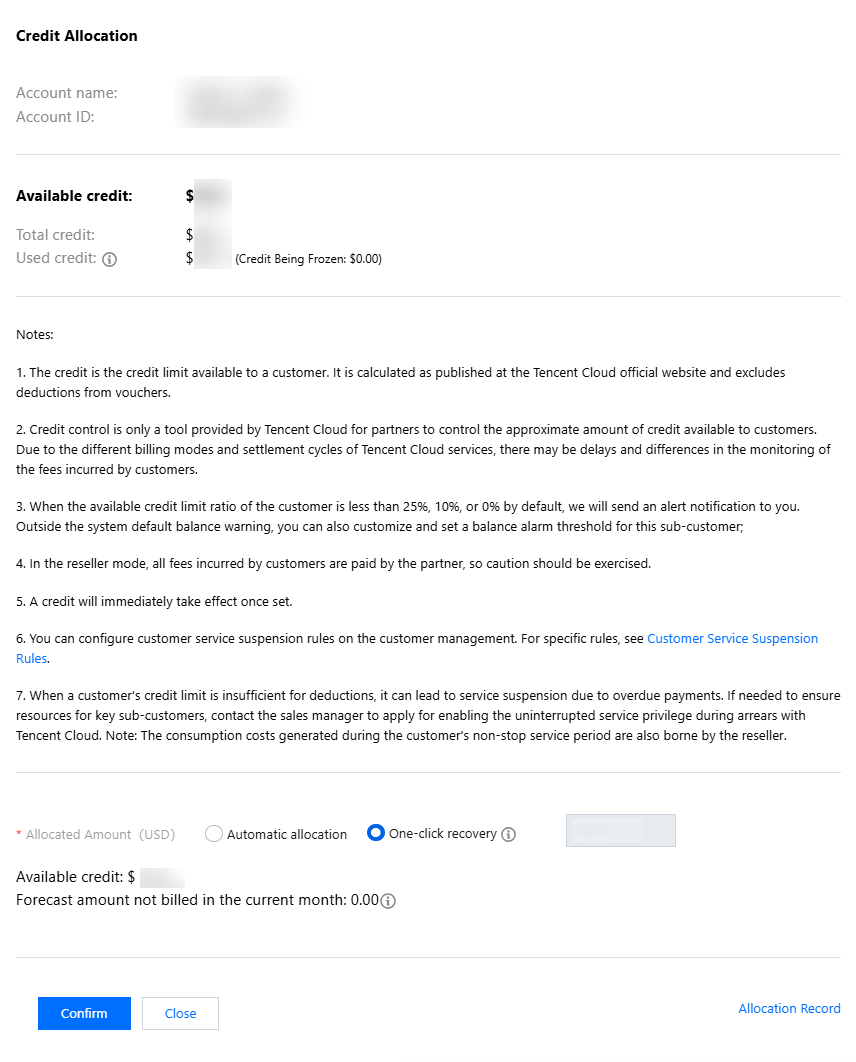
To reclaim all of the sub-account's credit limit, you can choose "one-click recovery". The system will automatically input the sub-account's current available credit. After clicking confirm, the sub-account's available credit limit will become 0.
Note:
When the customer's available credit is 0, it will not trigger service suspension or affect new purchases. For the impact of account assets (credit + voucher) on new purchases and service suspension, see Impact Description.
Contact the sales manager to apply for enabling the sub-customer overdue service suspension rule to shorten the suspension period. For specific rules, refer to Sub-customer Overdue Service Suspension Rule.
Viewing Allocation Records
In Customer Management > My Customers, click View Credit Allocation Record in the upper right corner, select the target date, and query all credit allocation records of resellers to end customers.

フィードバック