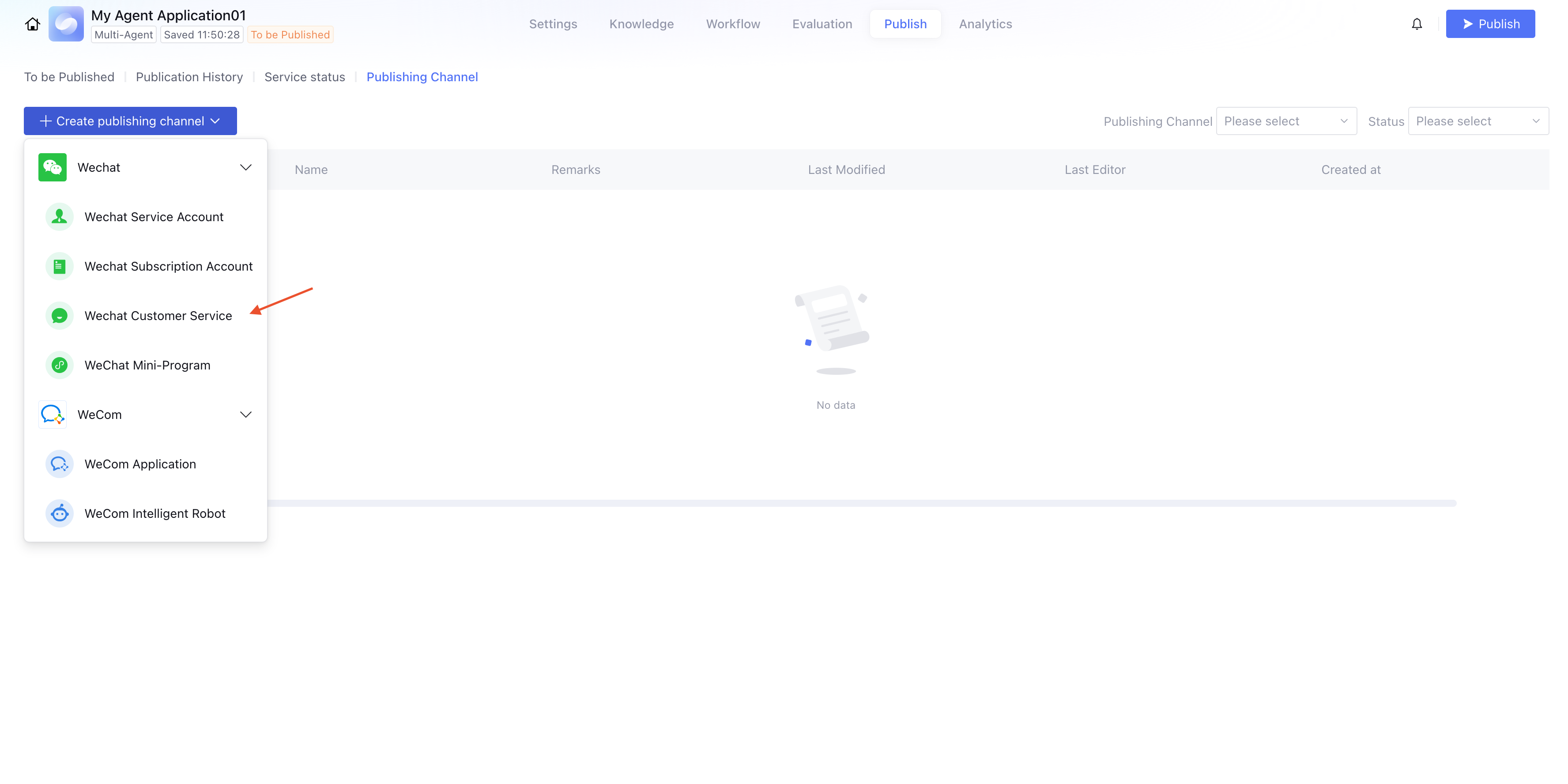
Publish the application to WeChat Customer Service
ダウンロード
フォーカスモード
フォントサイズ
最終更新日: 2026-04-09 17:50:13
You can publish the developed agent to WeChat Customer Service. After publishing, it can use the agent to reply to user messages, and can be applied to scenarios such as customer service.
Use Limits
Please confirm that the application has been published.
Only standard mode large model applications support uploading images when replying to WeChat Customer Service, but the image size cannot exceed 10 MB (WeChat restriction).
Preparation for Integration
WeCom certified enterprises need to have a domain name that has completed ICP filing under the name of the WeCom certified entity.
WeCom uncertified enterprises need to customize a domain name, but cannot directly use the domain name of the agent development platform.
Use the prepared domain name as a proxy server to forward WeCom requests to the agent platform; otherwise, the message sending and receiving feature cannot be completed. The following is an example of Nginx proxy forwarding configuration (requires pre-installation of Nginx, recommended version 1.18+, configuration steps see Nginx official documentation).
Whether for WeCom certified enterprises or uncertified enterprises, Nginx needs to be configured.
server {
listen 443; # For security purposes, your domain name must use the https protocol.
server_name www.example.com; # Please replace server_name with your registered full domain name
location ~ ^/cgi-bin/ { # For requesting WeCom proxy
proxy_pass https://qyapi.weixin.qq.com;
proxy_http_version 1.1;
proxy_set_header Connection "close";
proxy_buffering off;
proxy_read_timeout 600s;
proxy_send_timeout 600s;
}
location ~ ^/online/channel/callback/ {
proxy_pass https://adp.tencentcloud.com; # Proxy to the Tencent Cloud ADP callback API
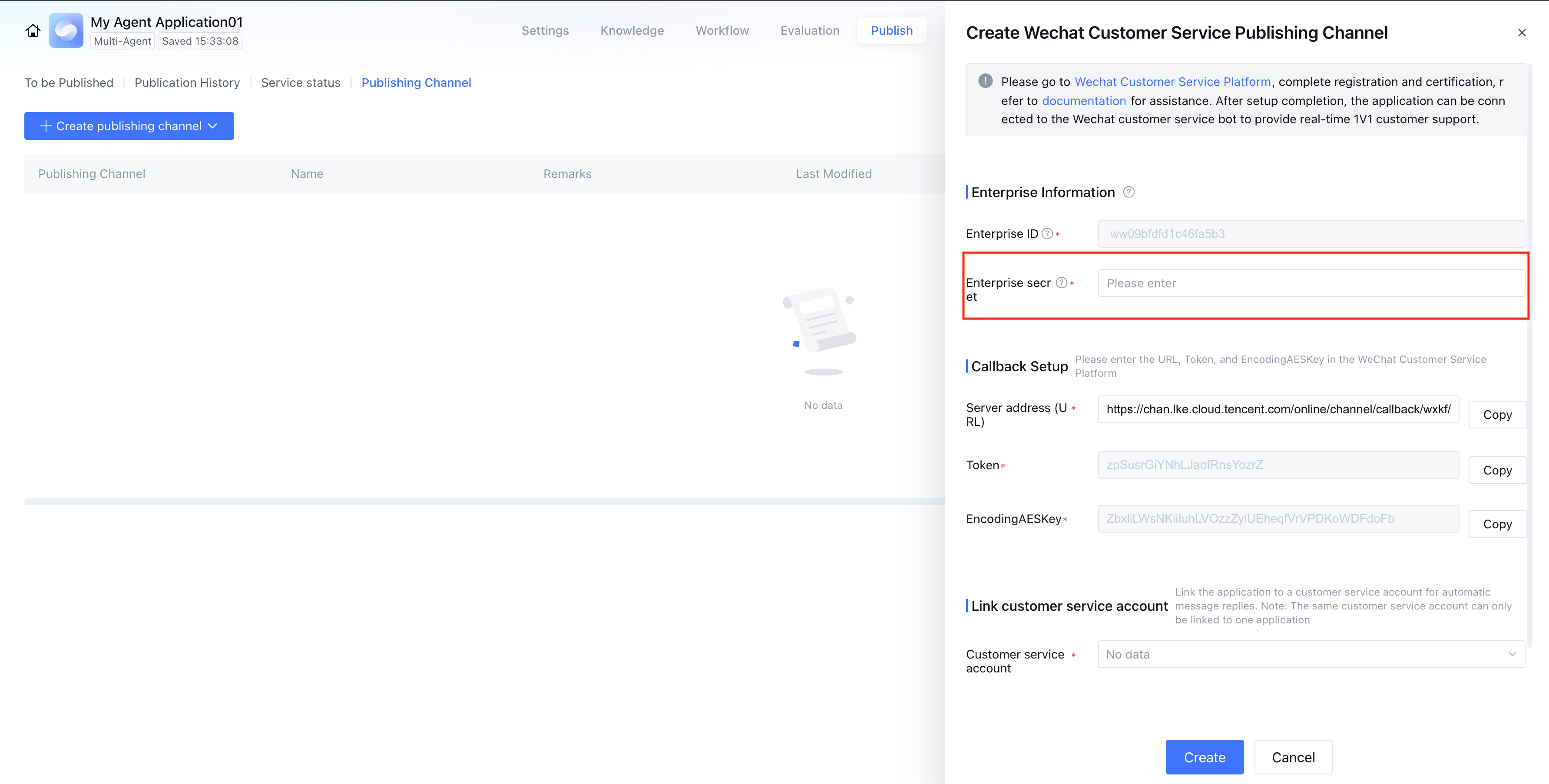
On the release page of the intelligent development platform, enter the corporate secret.
Note:
Creating a customer service account requires operation on the WeChat backend.
Note:
You only need to specify a customer service avatar and click Save to complete the setup.
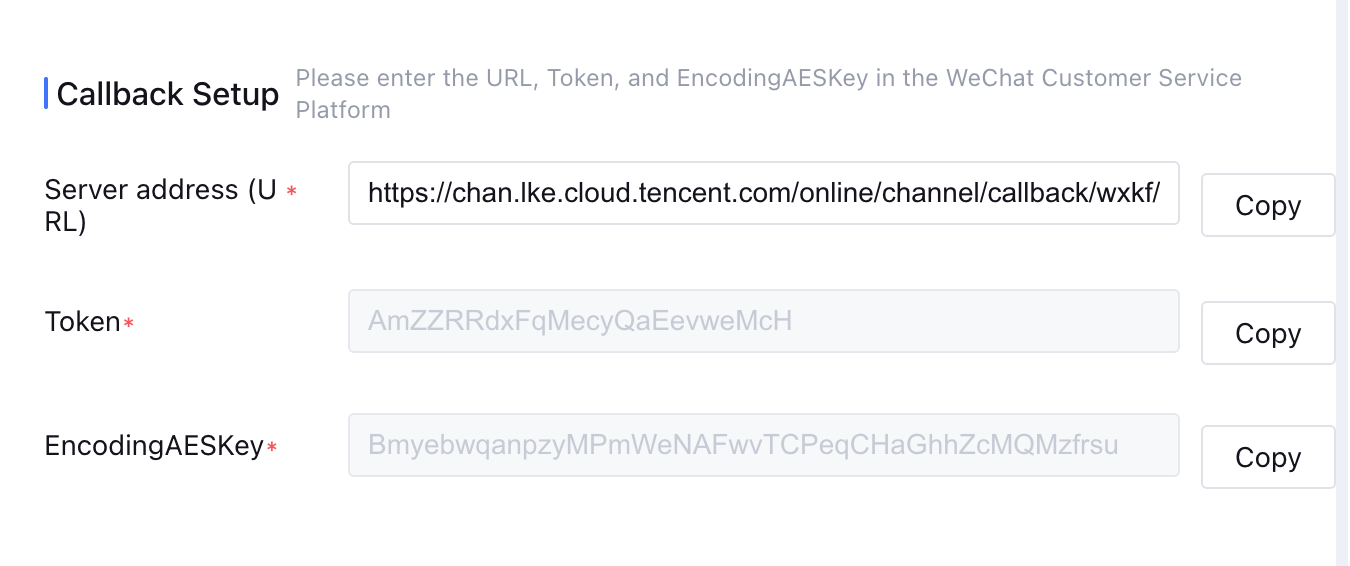
4. Enter the server URL, Token, and EncodingAESKey configured in the WeChat Customer Service channel details of the Agent Development Platform into the WeChat Customer Service backend.
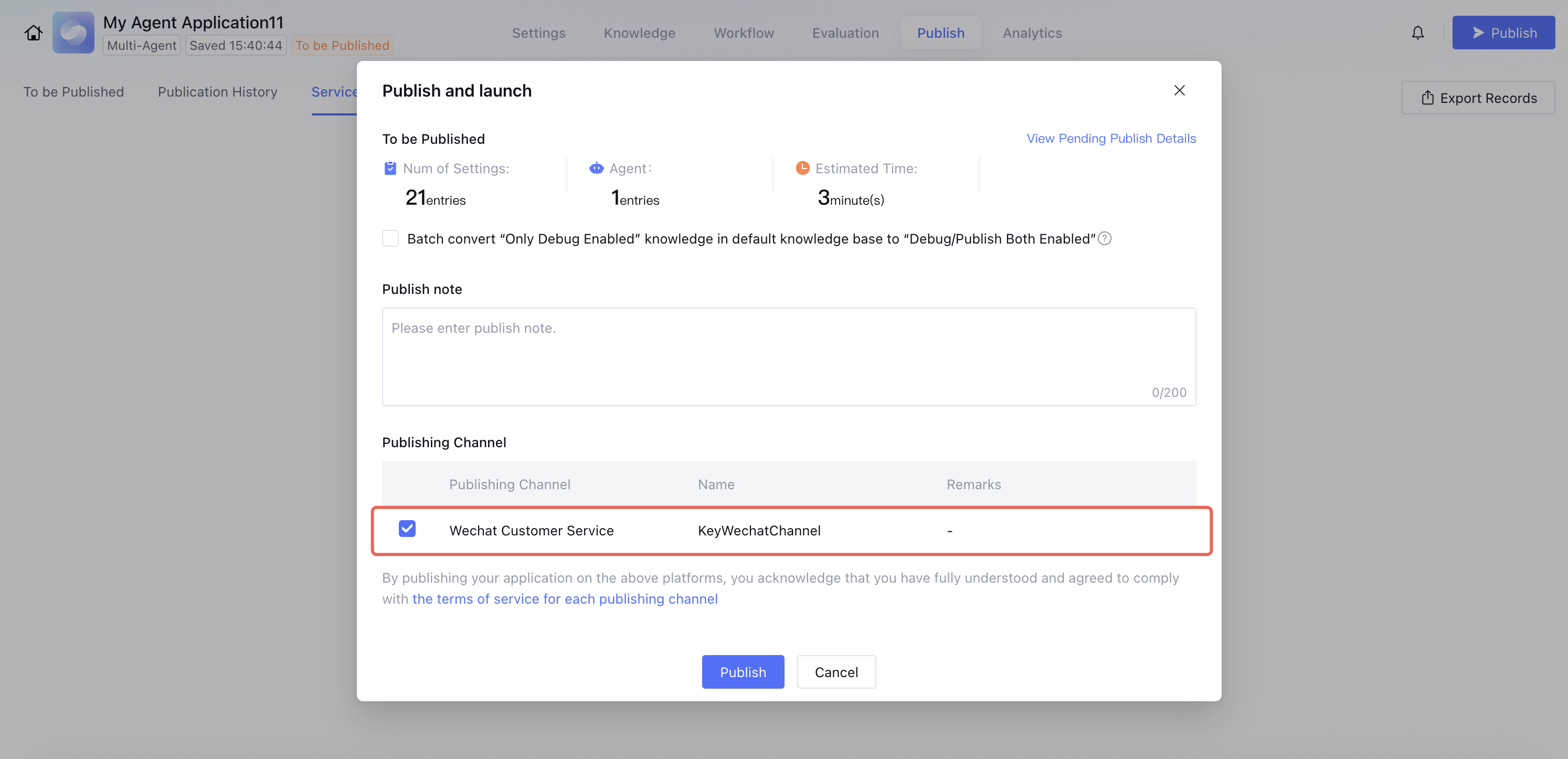
5. When you publish the application, select the WeChat Customer Service channel. After successful publication, you can access WeChat Customer Service to interact with the agent.
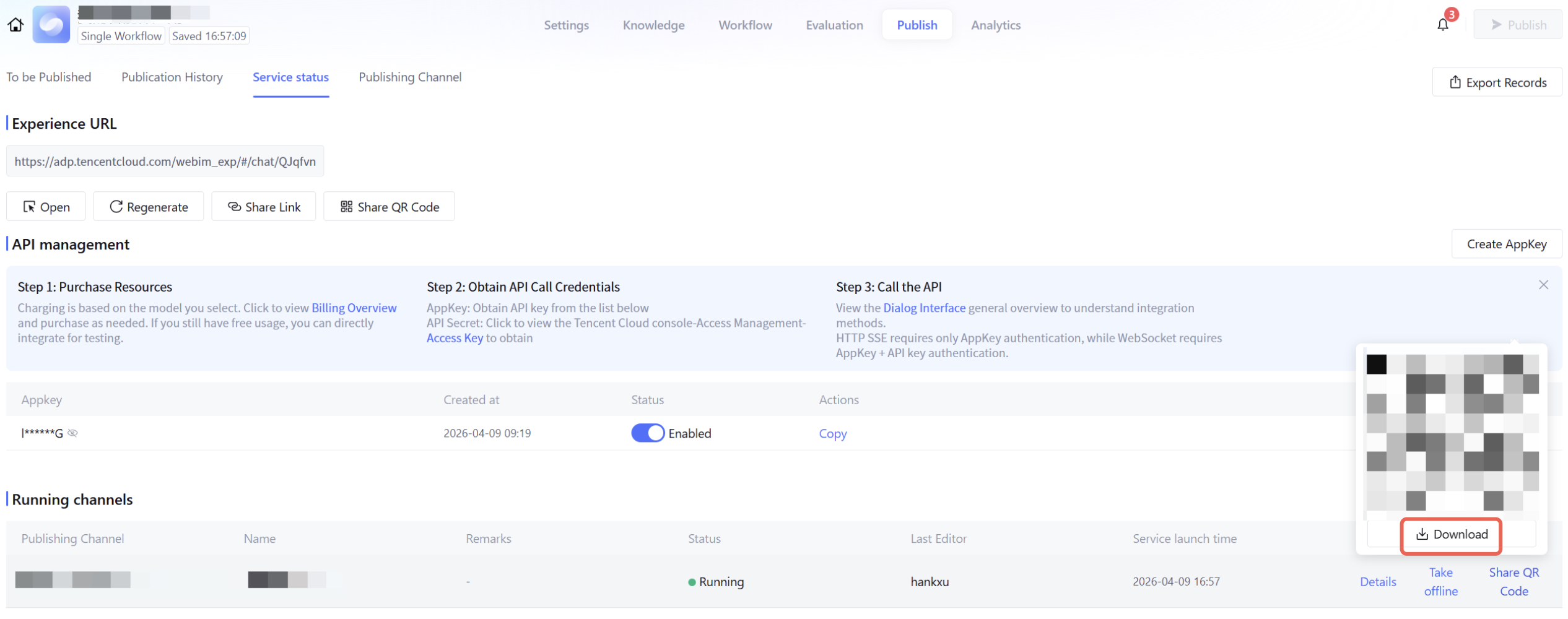
Share QR code
Click Service Status > Operation Channel > Share QR Code to obtain the corresponding WeChat customer service avatar QR code, enabling you to chat with the large model via WeChat scanning.
FAQs
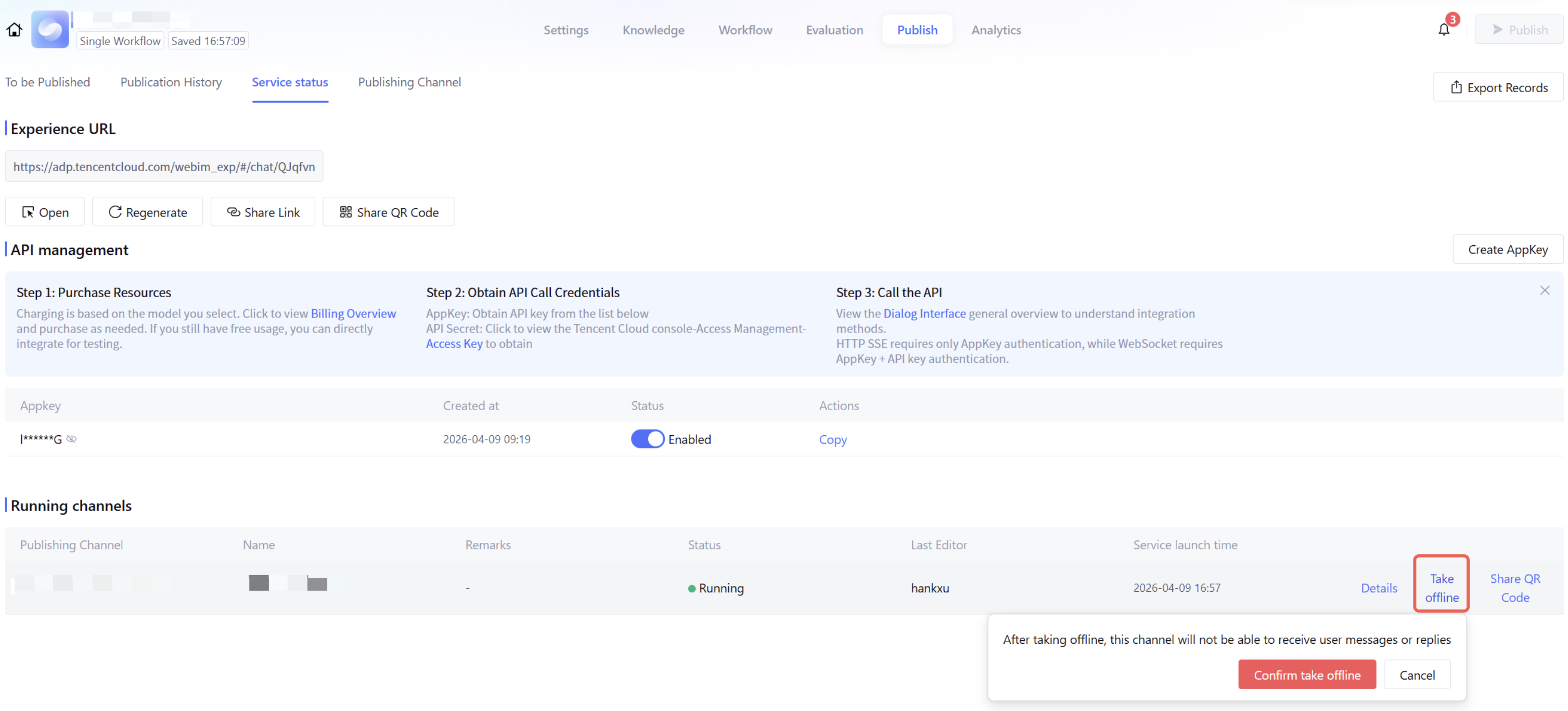
Can the agent be suspended after being published to WeChat Customer Service?
Yes. In the service status, select the corresponding publishing channel and click Deactivate to suspend WeChat Customer Service.
When a user sends an image message, does the model not reply?
Only applications in standard mode currently support image understanding.
In the WeChat Customer Service backend, when the callback configuration is bound, the system prompts: "Callback domain verification failed"
You need to complete enterprise certification on the WeCom platform before you can use it.