Feature Positioning
Agent Output Widget is used to present the final output of the Agent in a structured and visual way in conversation. Compared with plain text output, this Widget is better suited to handle result-oriented information, clarifying execution result, key data, and content that users can directly understand and use.
Applicable Scenarios
Agent Output Widget is suitable for the following scenarios:
Agent has completed reasoning and execution, and must present the final result to the user.
The output content structure is clear and suitable for presentation in card form (such as list, abstract, status).
The result needs to be quickly understood or directly used by the user.
Not suitable for interactive scenarios where users are advised to add information or require secondary confirmation.
Used Value
Clearer results: Structured display avoids long text output covering key information.
More stable expression: Fixed output structure reduces model fluctuation in description method.
Easy to reuse: Results are output in a standard format and can be directly used as input for subsequent process or display.
Note:
After enabling the Agent result output Widget, streaming output will not support. The generated results need to be rendered in one-time after the model is fully generated, so it is not suitable for displaying large consecutive text or process content. Recommend only used for output scenarios with clear results and concentrated content.
Steps
By configuring the Agent result output Widget for the Travel Tips application, show the configuration process and application effect.
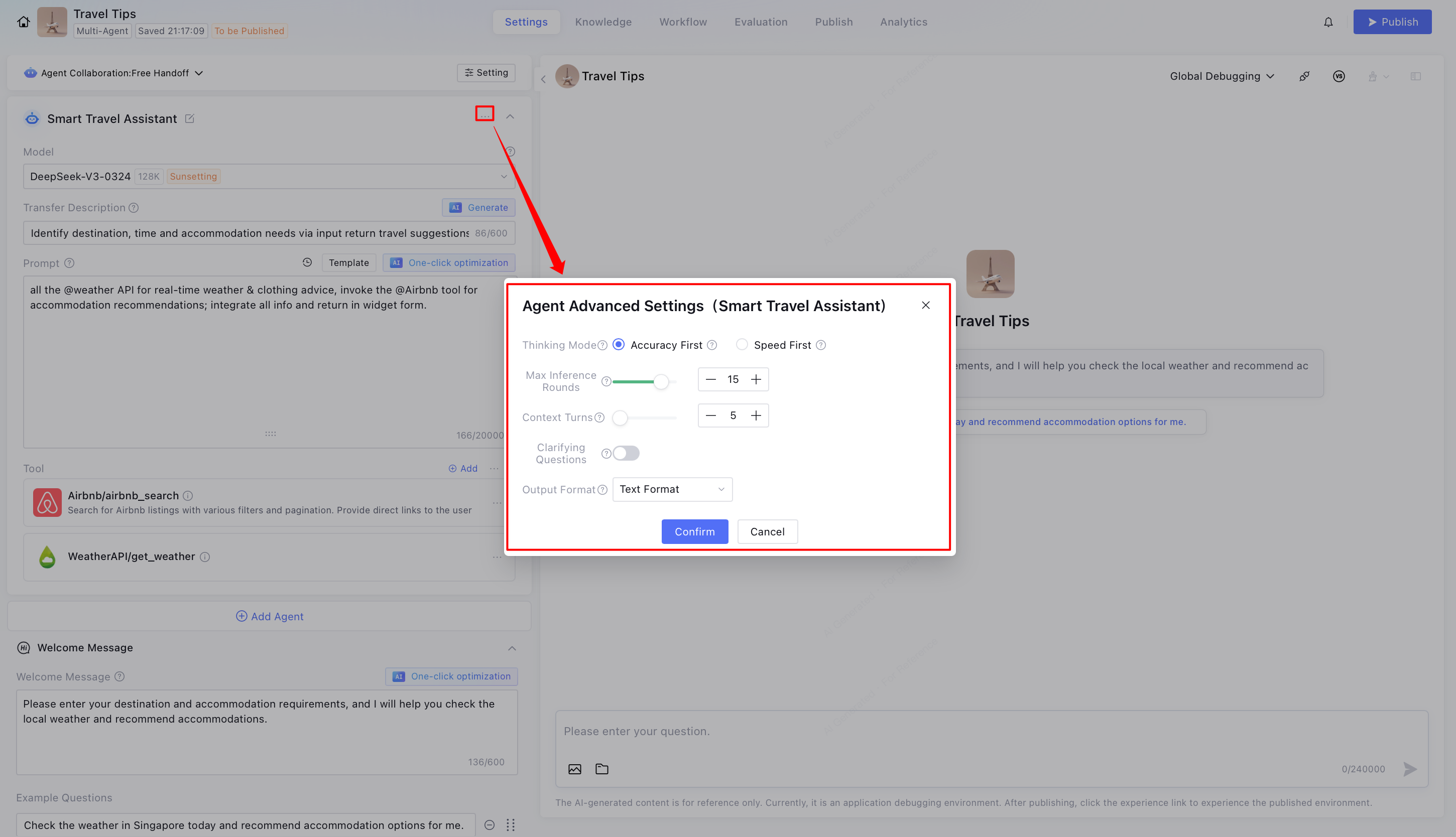
1. Click to enter Agent advanced setting.
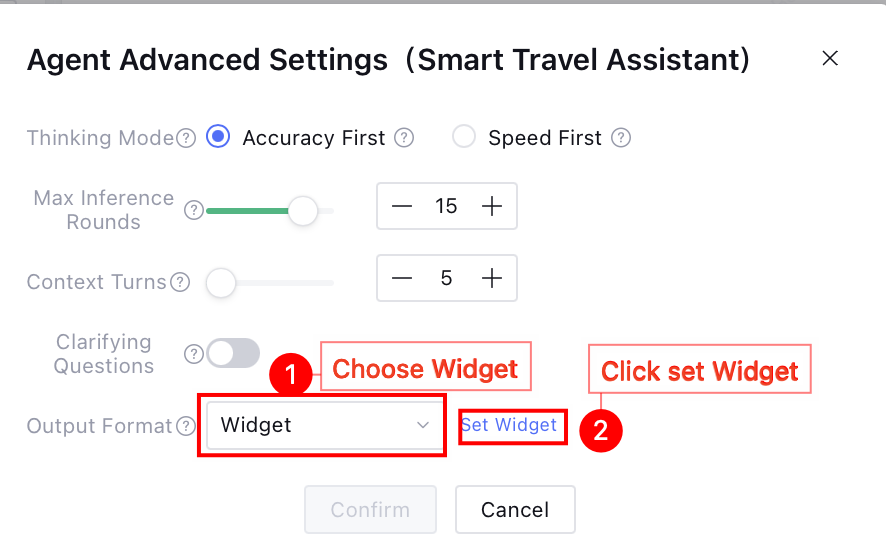
2. Select Widget from the output format options, click Set Widget, and enter the set Widget webpage.
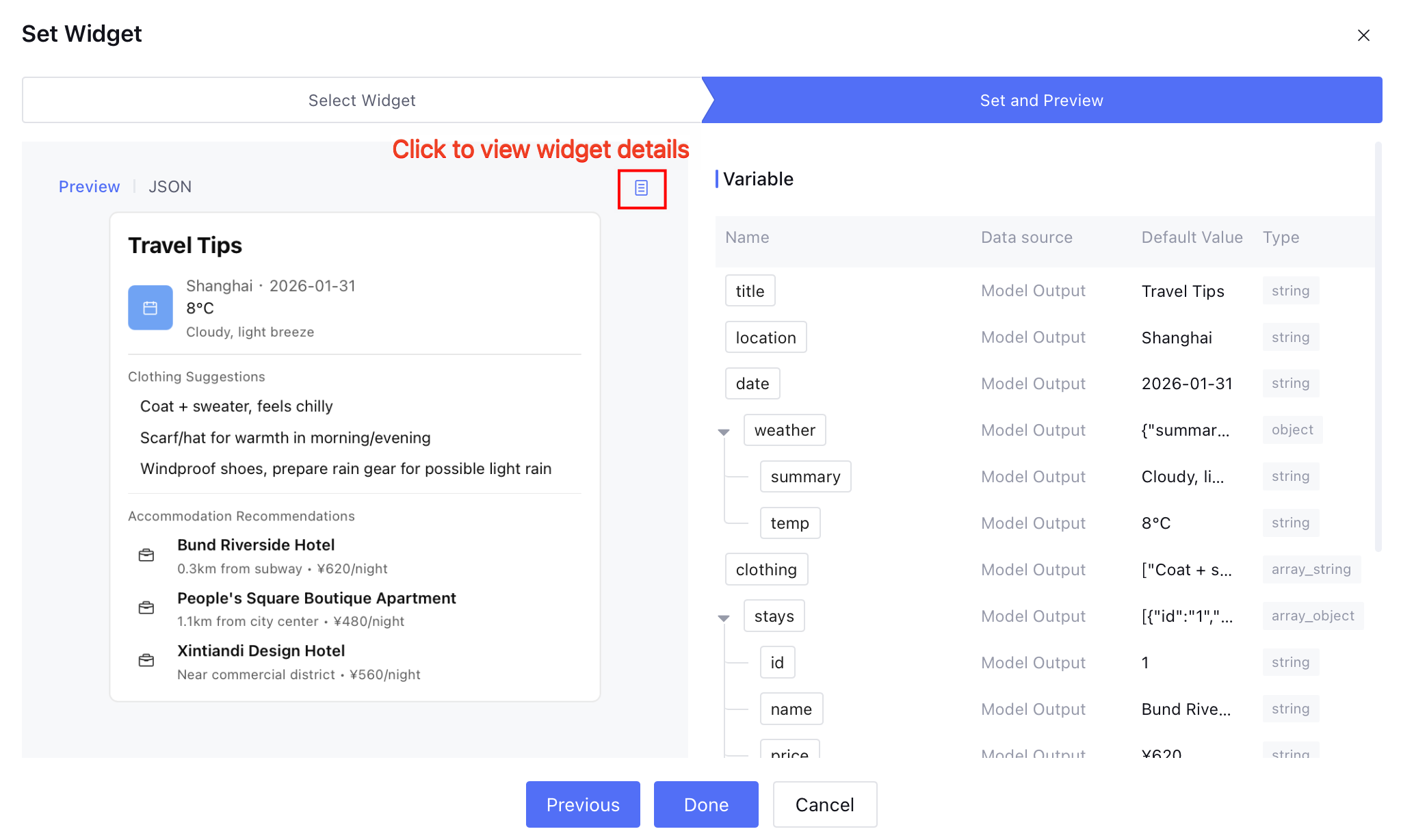
3. Within the scope of Widget development, choose appropriate Widget, click Next to continue configuration. At this point, available:
Click the preview icon to enter the Widget preview page and customize modifications.
Note:
If the current Widget is referred by other applications, configuring or modifying it may affect online display and interaction effect.
Click Done for direct use of the current Widget.
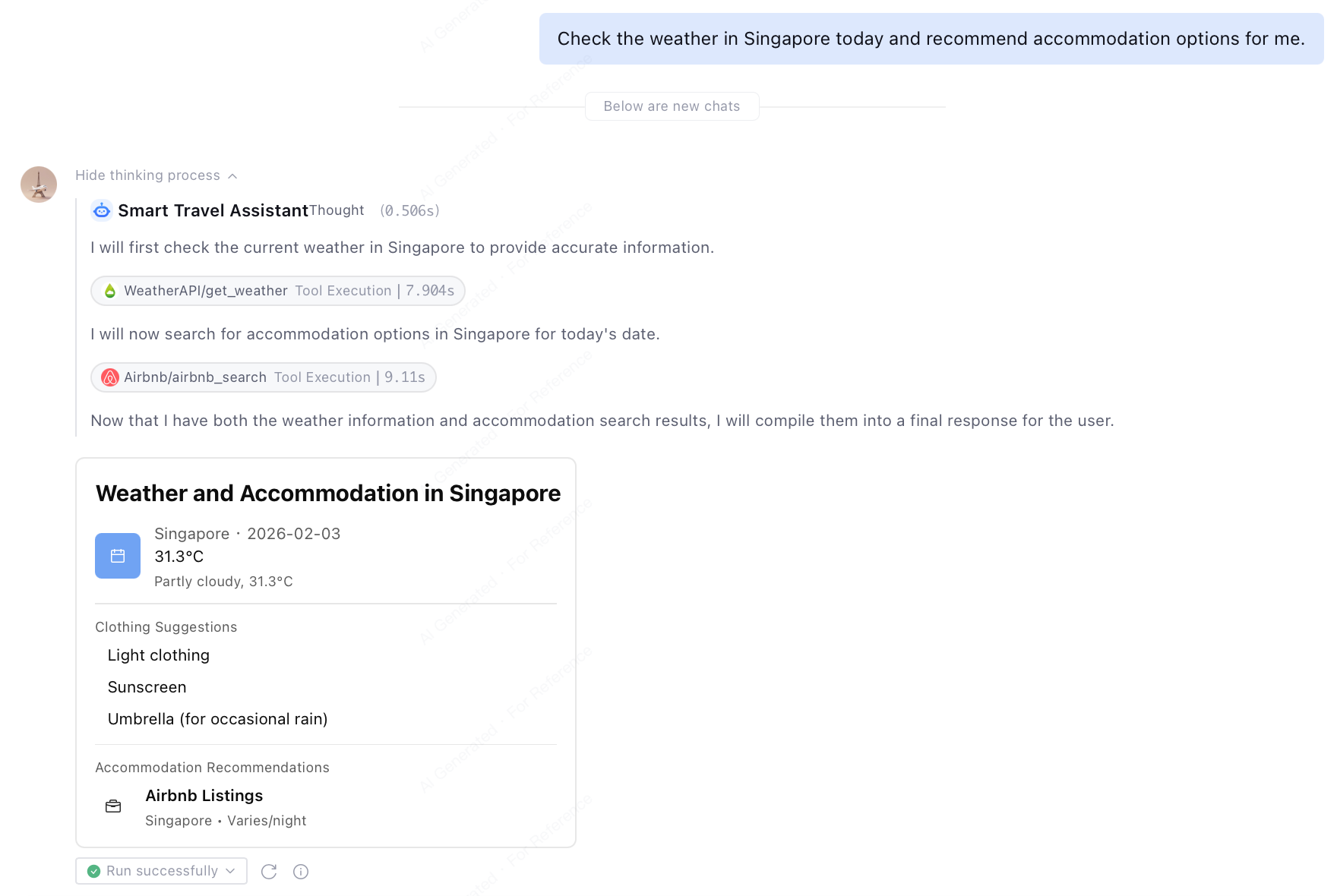
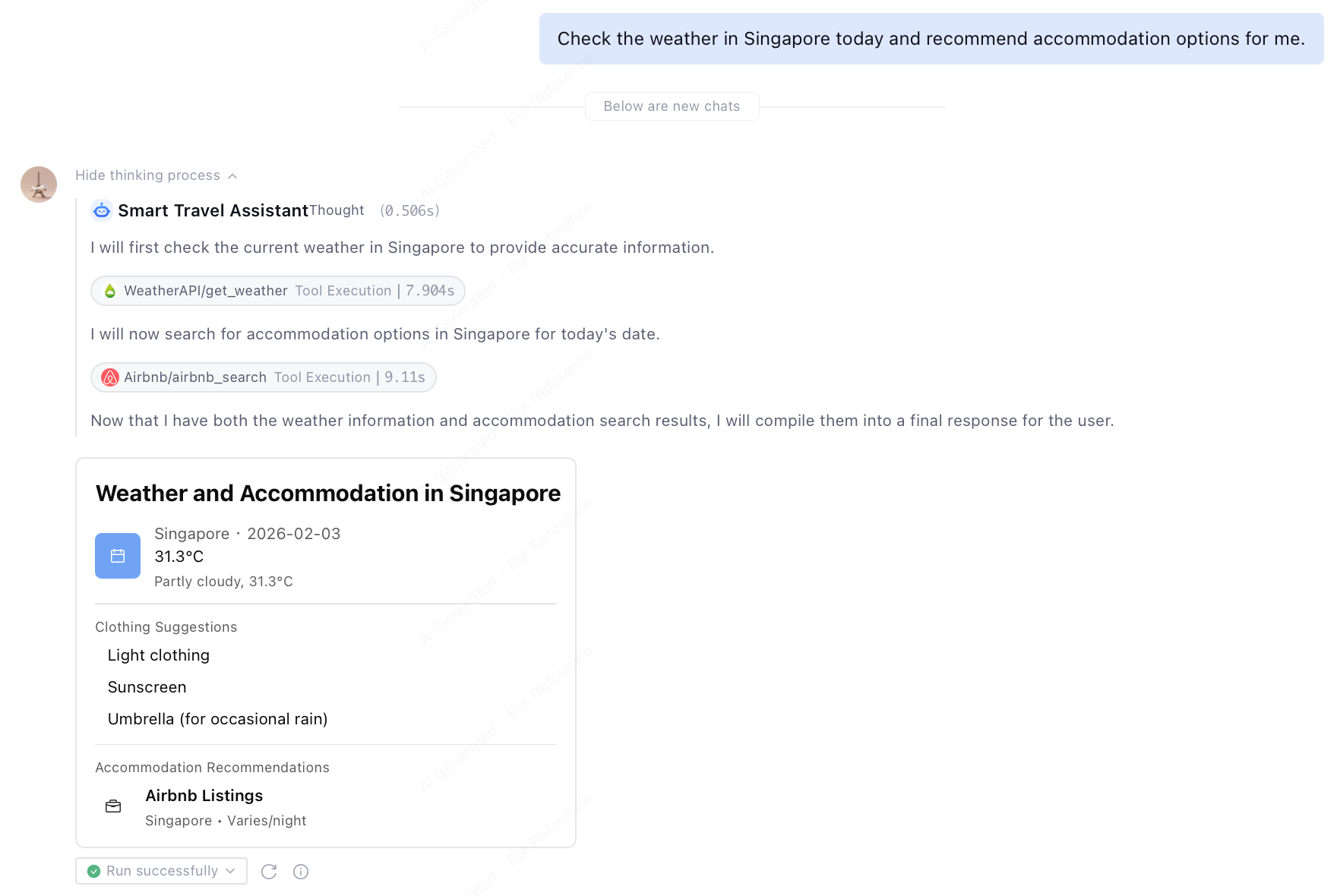
4. Agent Result Output Widget effect display.
User initiates request: Query today's weather in Singapore and recommend accommodation location.
The app displays results through the Widget, and users can view tourism recommendations more quickly and intuitively.