tencent cloud

Tencent Cloud Agent Development Platform

Release Notes and Announcements
Release Notes
Product Announcement
Product Introduction
Product Overview
Advantages
Use Cases
Model Introduction
Purchase Guide
Package Subscription
Previous Version
Getting Started
Agent Application and Its Three Modes
Creating a "Content Summary Assistant" in Standard Mode
Creating a “Webpage Scraping Assistant” in Single Workflow Mode
Creating a “Stand-up Comedy Content Creation Assistant” in Multi-Agent Mode
Operation Guide
Application Development
Workflow
Multi-Agent
Knowledge Base
Widget
Plugin Marketplace
Model List 
Prompt Templates
Application Templates
Platform Management
Business, Workspace and Permissions
API Documentation
History
API Category
Making API Requests
Atomic Capability APIs
Operation Optimization APIs
Document Library APIs
Q&A Database APIs
Knowledge Tag APIs
Application Management APIs
Enterprise Management APIs
Billing APIs
Release Management APIs
Dialogue Endpoint APIs
Data Statistics APIs
Data Types
Error Codes
Application API Documentation
Dialogue API Overview
Dialog API Documentation (WebSocket)
Dialog API Documentation (HTTP SSE)
Image Chat or File Chat (Real-time Document Parsing + Chat)
Offline Document Upload
Tencent Cloud Agent Development Platform Operation COS Guide
ADP Document Parsing Protocol
FAQs
Product FAQs
Technical FAQs
Related Agreements
Tencent Cloud Agent Development Platform Service Level Agreement
Tencent Cloud Agent Development Platform Service Specific Terms
Tencent Cloud Agent Development Platform Privacy Policy
Tencent Cloud Agent Development Platform Data Processing and Security Agreement
Open-Source License Statement
Lighthouse OpenClaw Connector Plugin Service Agreement
Contact Us
Glossary

Operation Logs

PDF
フォーカスモード
フォントサイズ
最終更新日: 2026-02-03 11:19:09
Operation logs are used to record and review all key system operations and user behavior, i.e., a user performed an operation at a certain time, to ensure compliance with security and regulatory requirements, supporting risk management and security analysis.

Feature Entries

Operation logs are divided into two entries: enterprise-level and space-level. Enterprise-level operation logs allow viewing all operation logs of the current enterprise, while space-level operation logs allow viewing operation logs under a certain space.
1. Enterprise-level operation log
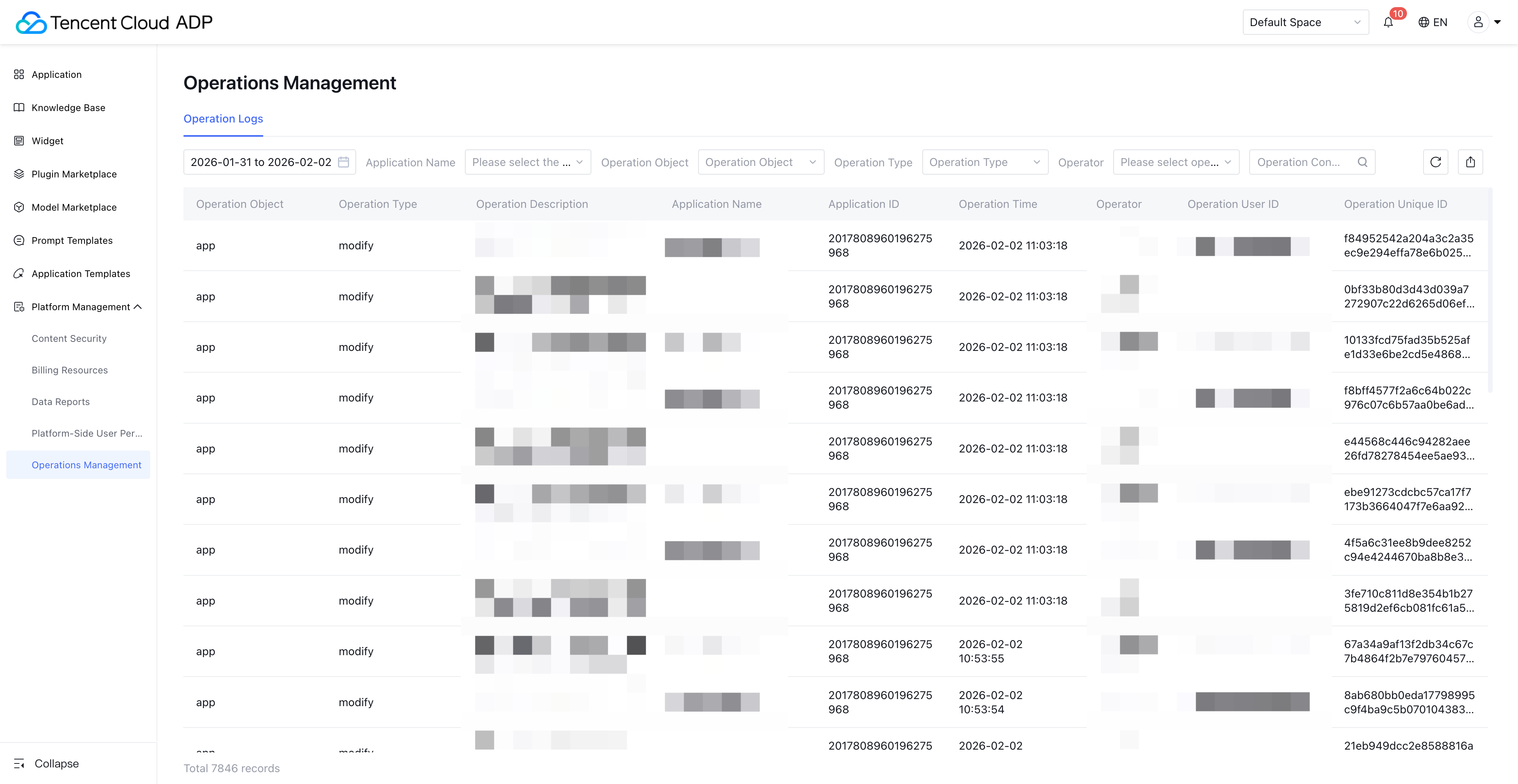
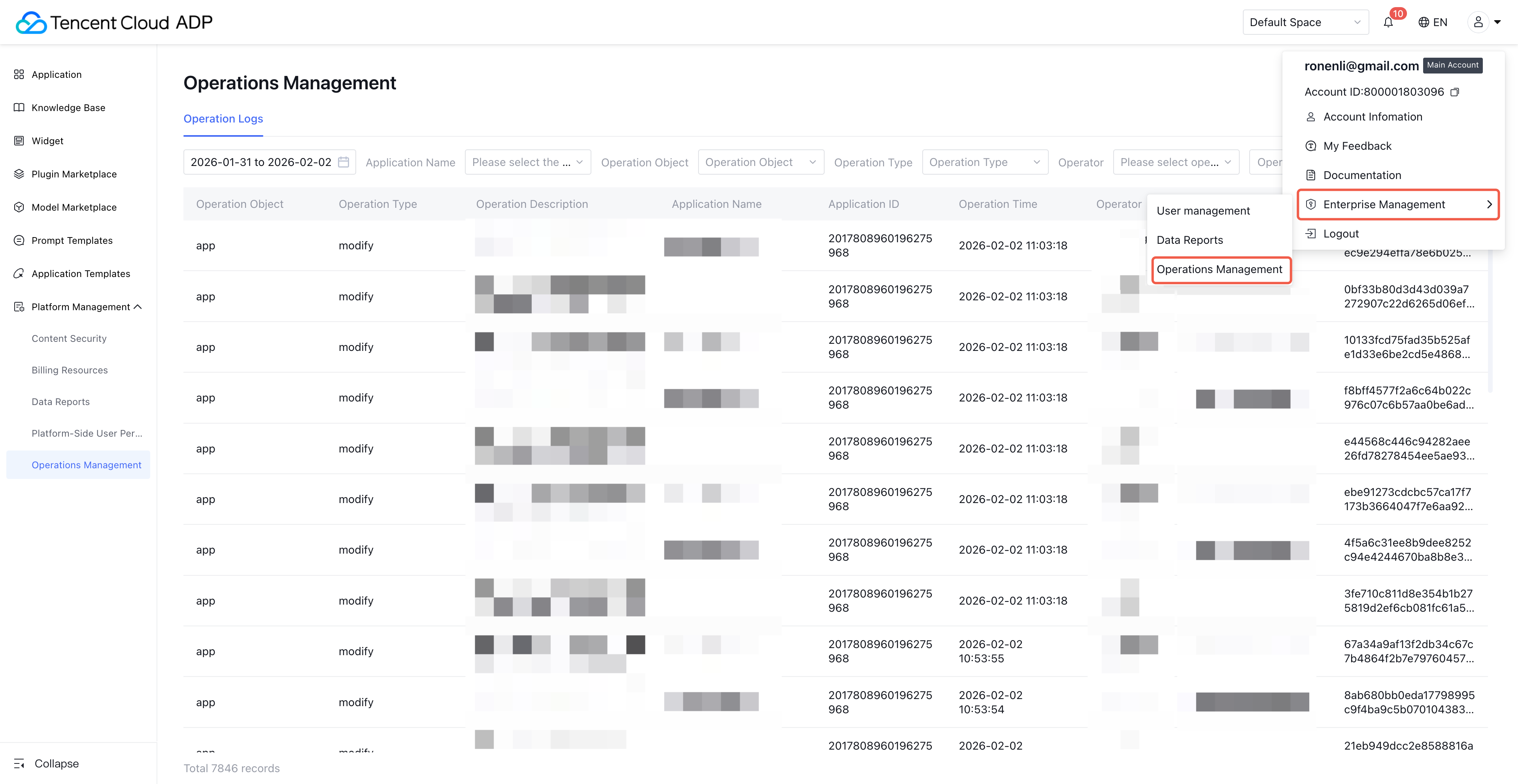
1.1 After logging in to the Tencent Cloud ADP platform, click Enterprise Management in the upper right corner to unfold the secondary menu.
1.2 Select Operations Management to enter the enterprise-level operation log page, which supports viewing operation records across spaces.
Note:
Only space admins support access to the Enterprise Management > Operations Management module.

2. Space-level operation log
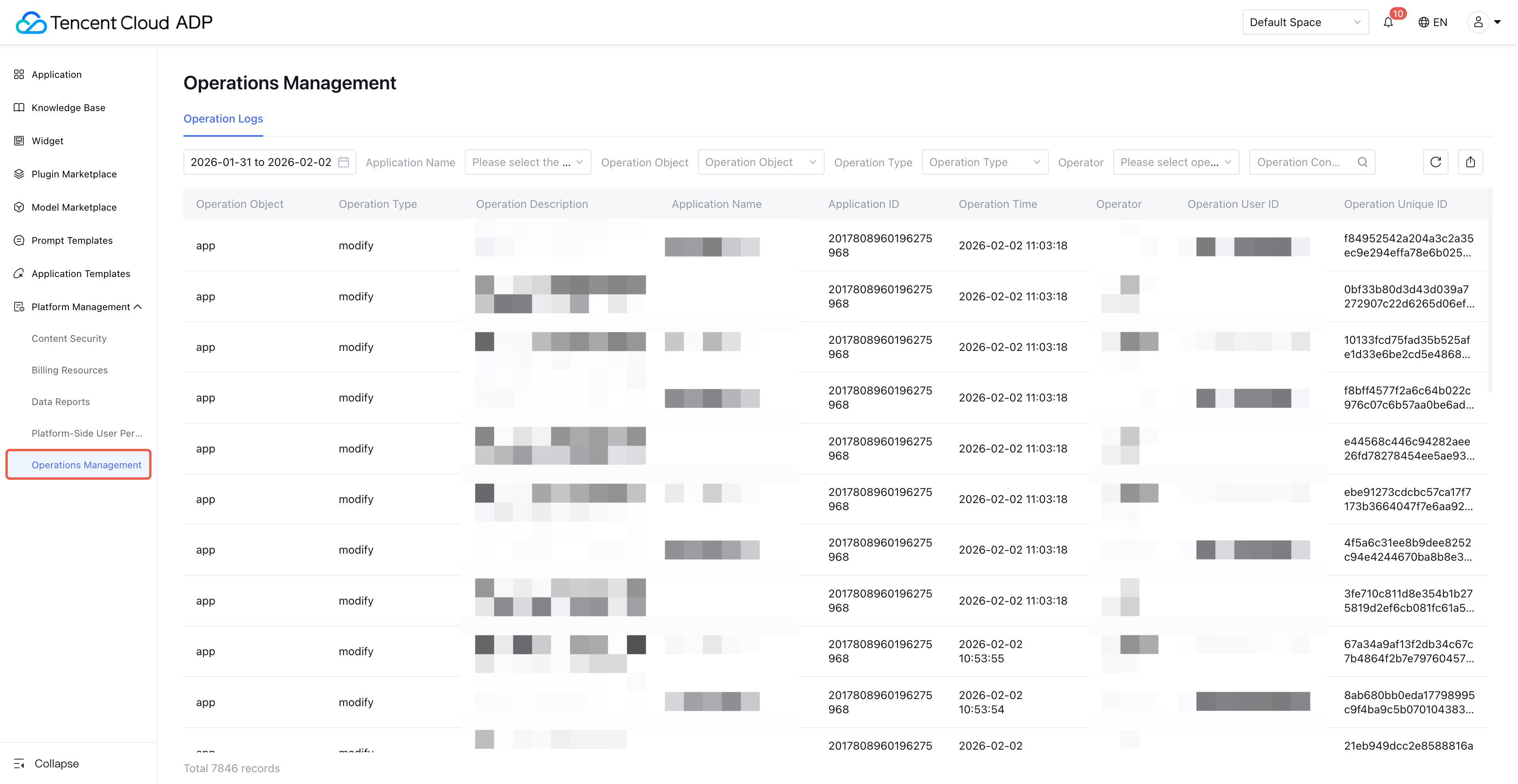
2.1 After entering the specific workspace, find Operations Management in the left navigation bar.
2.2 Click Operation Logs to enter the operation log page of the current workspace.
Note:
1. Only users with corresponding function permissions can view operation logs to ensure data security.
2. To configure the spatial-level operation log feature permission, please visit "Platform-Side User Permissions".


Operation Logs List

1. Record full-element operations: including operator, operation time, operation module, and key information such as specific operational action.
2. Support trace and audit: query and export historical logs by multiple dimensions (time, personnel, operation type) to meet compliance requirements and delimit responsibilities.
3. Aid troubleshooting: When an exception occurs in the system, restore the operation process before and after the event through the operation log to locate the root cause.

Note:
Logs are saved for 6 months by default. When customizing the query range, the maximum cannot exceed 180 days. Logs out of range cannot be queried.

Log Scope

Field Name
Field Name Definition/Enumerate
Filter Operation
Enterprise-Level Support Viewing
Space Support Viewing
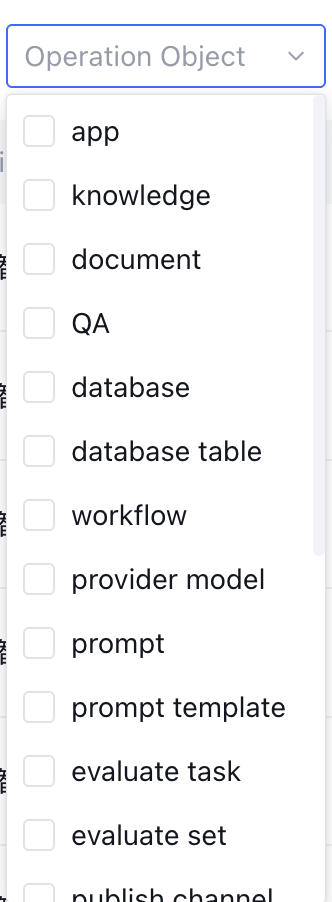
Object
Operation objects include:
app
knowledge
document
QA
database
database table
workflow
provider model
prompt
prompt template
evaluate task
evaluate set
publish channel
user
permission
plugin
data analysis
chat logs
reject question
unsatisfactory question
finance
operation
Support drop-down selection of operation object, multiple selection

Yes
Yes
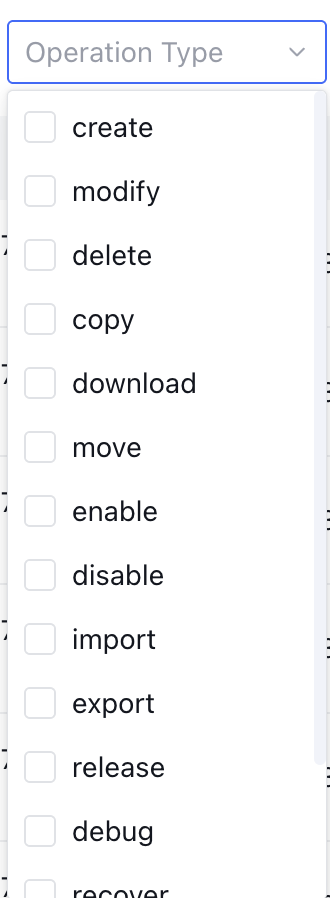
Operation Type
Support filtering, enumeration values contained as follows:
create: file inclusion import.
modify: Edit corresponding content, including batch edit operations such as batch adjust document validity time.
copy: for example, application development copy.
download: including batch download action.
move: move an asset to the corresponding category.
enable: enable assets such as documents and QA.
disable: disable assets such as documents and QA.
import: document import for the knowledge base.
export: export report data.
release: publish application.
debug: debug a specific node in the workflow or debug the entire workflow operation.
recover: restore assets such as documents and QA.
collect: prompt template collection.
uncollect: unfavorite prompt template.
Support drop-down selection of operation type, multiple selection
Yes
Yes
Operation content
Description of the operation
Perform keyword search for operations
Yes
Yes
space name
Snapshot of the space name where this act occurred
Support drop-down selection of already created spaces
Yes
No
space ID
unique ID of the corresponding space
Yes
No
Application Name
Display snapshot name when operator manipulates this application
/
Yes
Yes
Application ID
unique ID of the corresponding application name
/
Yes
Yes
Time when the operation is performed.
Time when the operation is performed, accurate to the second
Available "Yesterday" "Recent 7 days" "Recent 30 days", or through "Custom" select time range (support up to 180 days).
Yes
Yes
Operator
Snapshot name of the operator performing this operation
Search by operator name
Yes
Yes
Operator ID
Unique ID of the operator
Search by operator ID
Yes
Yes
Operate unique ID
Unique ID of this operation
/
Yes
Yes
Note:
Service release and decommission by O&M personnel outside the Intelligent Agent development platform are not reflected in the operation log of this platform.


ヘルプとサポート

この記事はお役に立ちましたか?

フィードバック