Slow Log Shipping
Download
Mode fokus
Ukuran font
TDSQL Boundless provides the log delivery feature. Through log delivery, slow logs from TDSQL Boundless instances can be collected and delivered to CLS (Cloud Log Service) for analysis, to quickly monitor and locate business issues. This article describes how to enable or disable the log delivery feature via the console.
Prerequisites
Definition of Slow Logs
Field Value | Type | Description |
TIMESTAMP | - | The reserved field of CLS represents the log generation time. |
InstanceId | String | Database Instance ID, for example tdsql3-xxx. |
SqlText | String | The executed SQL statement, example: DROP DATABASE IF EXISTS db1. |
UserHost | String | The client address from which the operation is executed, example: 172...10. |
UserName | String | The username that performed the operation, example: root. |
Database | String | Database name, example: mysql. |
QueryTime | Double | SQL execution time, unit: seconds. |
LockTime | Double | The total time spent from the start of lock waiting to the actual acquisition of the lock and completion of the operation, unit: seconds. |
NodeId | String | Database node name, example: hybrid-2. |
RowsExamined | Long | The number of rows successfully parsed and processed during query or operation execution. |
RowsSent | Long | The number of rows actually returned to the client after query or operation execution. |
RpcTime | Double | The total duration of RPC calls for executing SQL statements, unit: seconds. |
StorageRpcTime | Double | The total time spent on all RPC communications between compute and storage during SQL statement execution, unit: seconds. |
RpcRetryDelayTime | Double | The total time spent waiting for RPC retry intervals during SQL statement execution, unit: seconds. |
TransactionId | String | The transaction ID of the SQL statement. All SQL statements within a transaction share the same transaction ID. |
Enabling Slow Log Shipping
1. Log in to the TDSQL Boundless console. In the Instance List, click the Instance ID to go to the Instance Details page. Choose the Log Center > Slow Logs Shipping tab.
2. On the Slow Logs Shipping tab, click Enable Now.
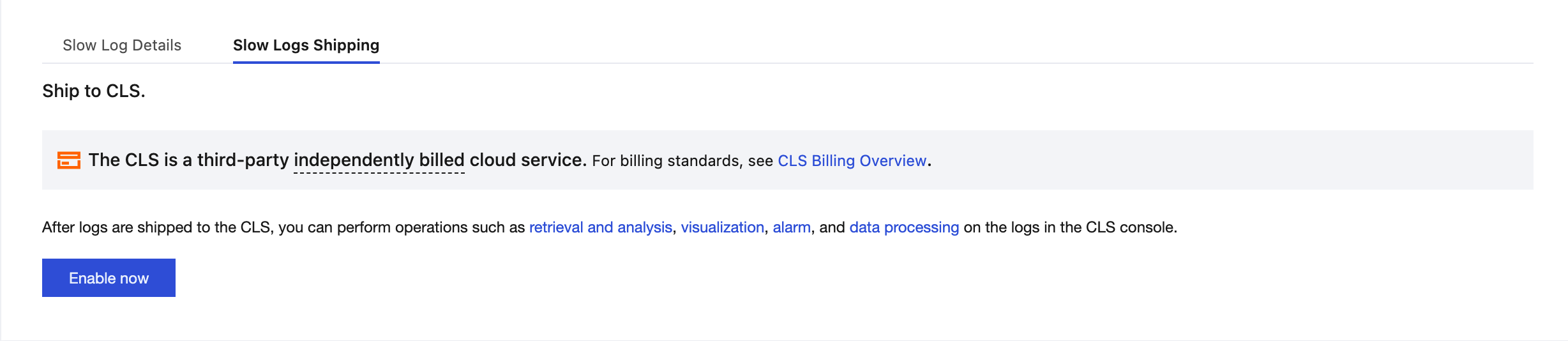
3. In the pop-up window, complete the following configurations and click Enable now.
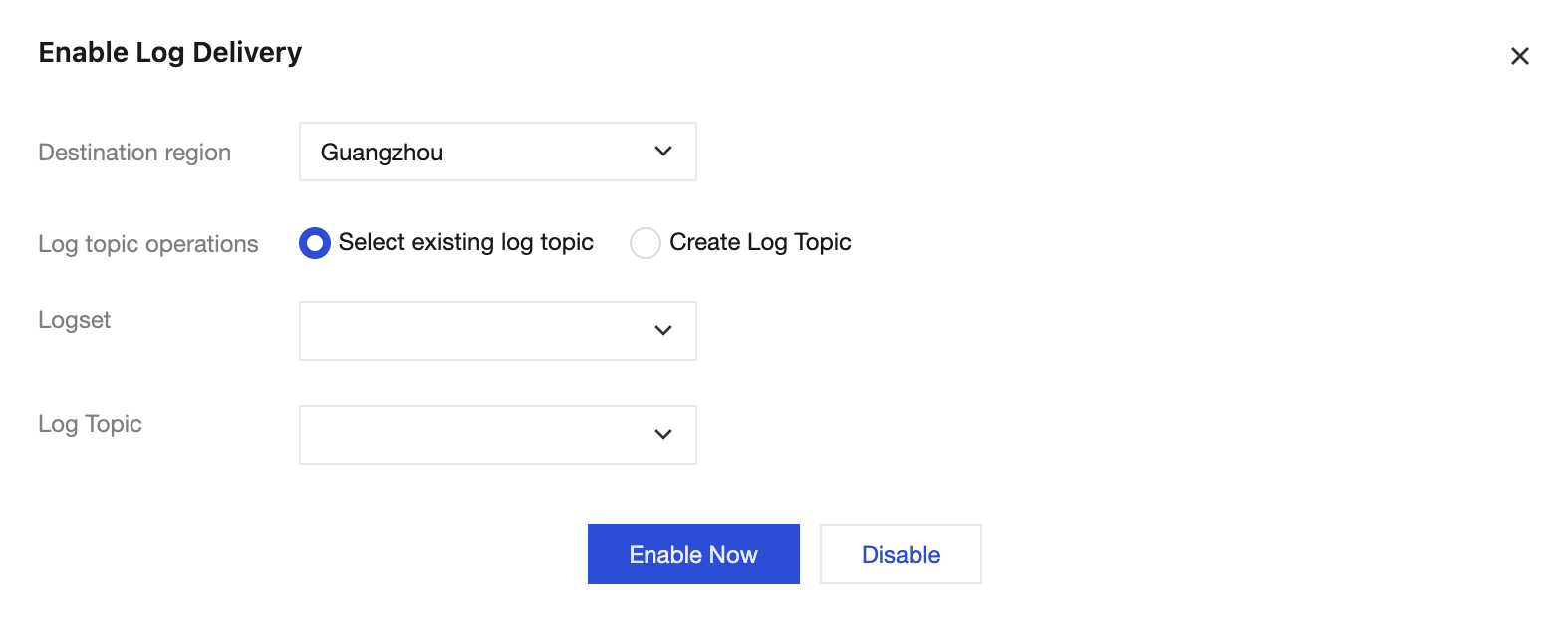
Parameter | Description |
Destination region | Select the region for log shipping. |
Log topic operations | A log topic is the basic unit for log data collection, storage, retrieval, and analysis. You can select an existing log topic or create a log topic. |
Logset Operation | A logset is a classification of log topics to help you manage log topics. You can select an existing logset or create a logset. |
Logset | Select an existing logset: You can filter existing logsets in the search box to categorize slow log shipping. Create a logset: You can create a new logset to categorize slow log shipping. It is recommended to use the naming format "tdstore_logset_custom" for the logset. |
Log Topic | Select an existing log topic: This option is available only when the log topic operation selects an existing logset. You can filter log topics under the selected logset in the search box. Create a log topic: Create a new log topic under the selected logset. The naming format for the log topic should be tdstore_topic_custom. |
4. After slow log shipping is successfully enabled, you can see that slow log shipping is enabled under Log Shipping. Click the log topic name to jump to the CLS console for subsequent analysis and management.

Disabling Slow Log Shipping
1. Log in to the TDSQL Boundless console. In the Instance List, click the Instance ID to go to the Instance Management page. Choose the Log Center > Slow Logs Shipping tab.
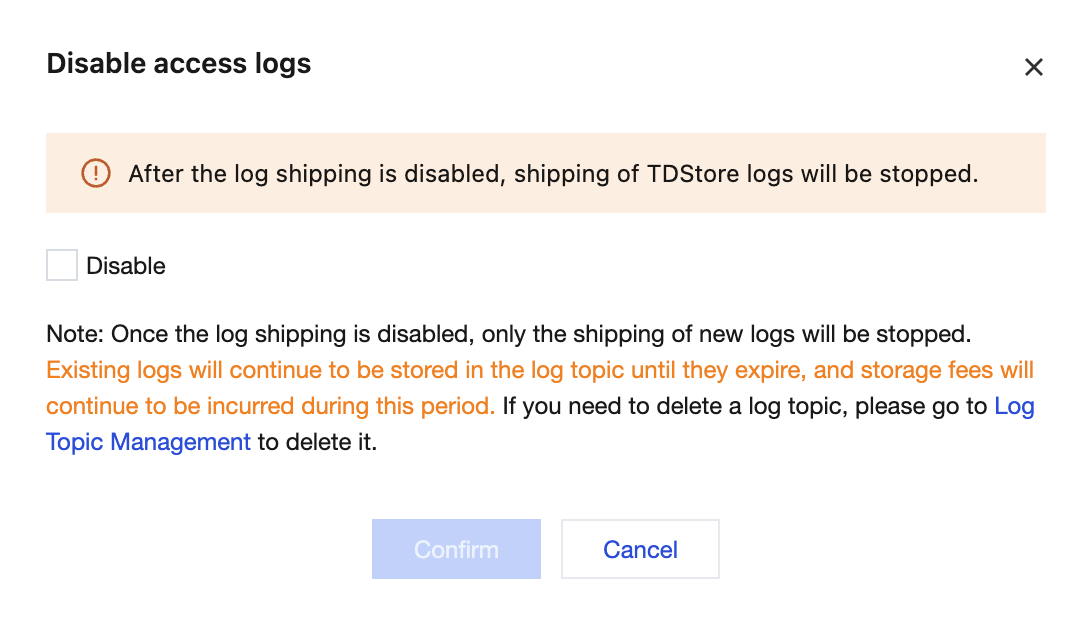
2. On the Slow Logs Shipping tab, click Disable Shipping.
3. In the pop-up box, select Disable and click Confirm.
Bantuan dan Dukungan
Apakah halaman ini membantu?
Anda juga dapat Menghubungi Penjualan atau Mengirimkan Tiket untuk meminta bantuan.
masukan