Network Configuration
ダウンロード
フォーカスモード
フォントサイズ
Through network configuration, you can create a private network connection channel that connects your VPC to TokenHub, enabling private access to the TokenHub API domain and improving network security.
Prerequisites
The large language model service platform TokenHub has been activated.
Steps
1. Log in to the large language model service platform TokenHub console and go to the Network Config page.
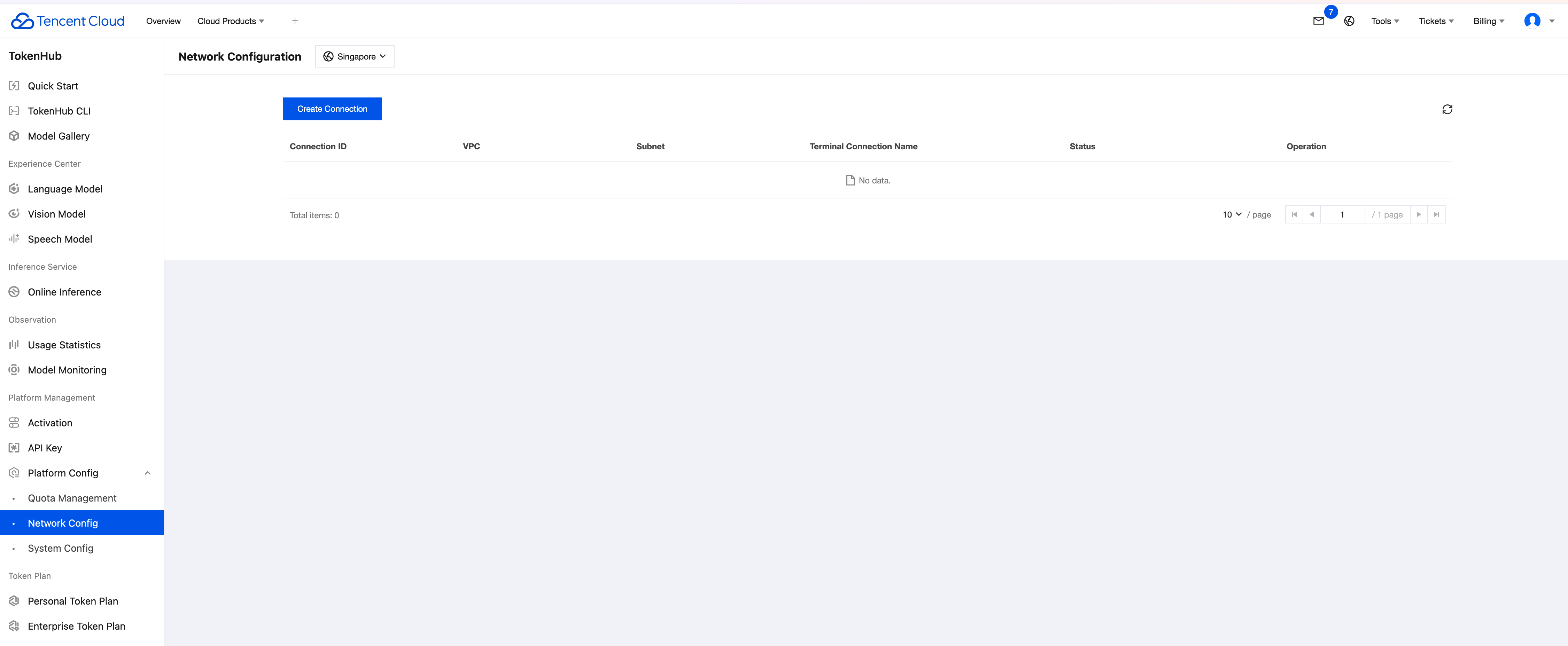
2. Click Create Connection and enable VPC private network access.
2.1 Private network access relies on endpoint node services and PrivateDNS. When you create a connection for the first time, the system checks whether these services are activated. You can click Activate PrivateLink in the console to activate both services with one click.
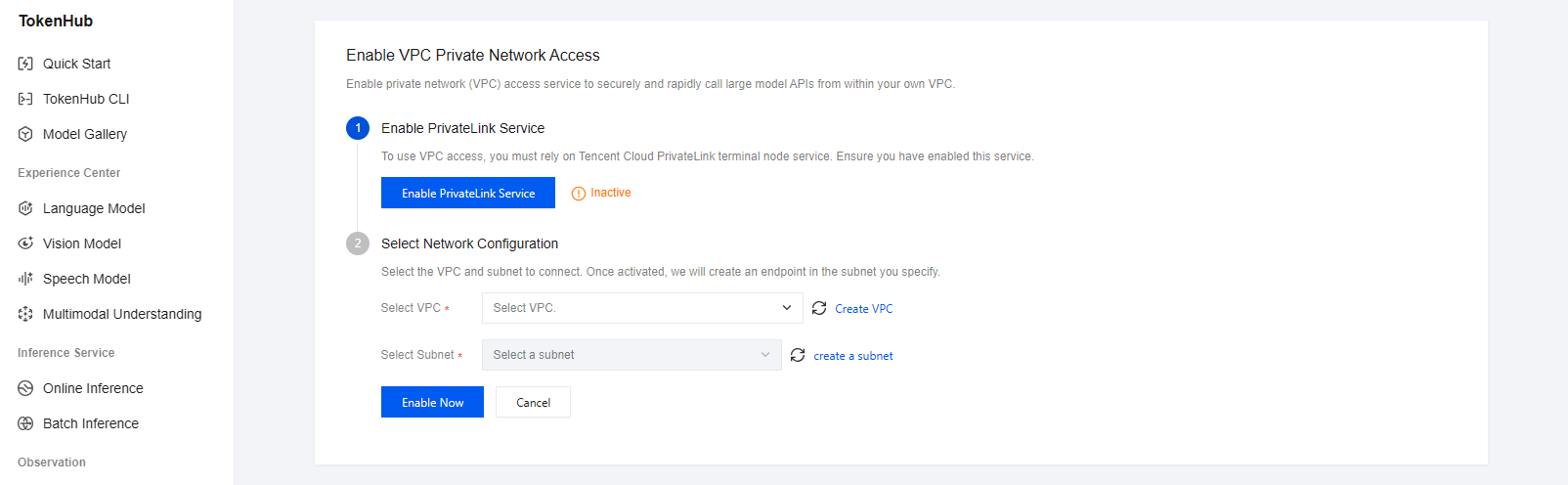
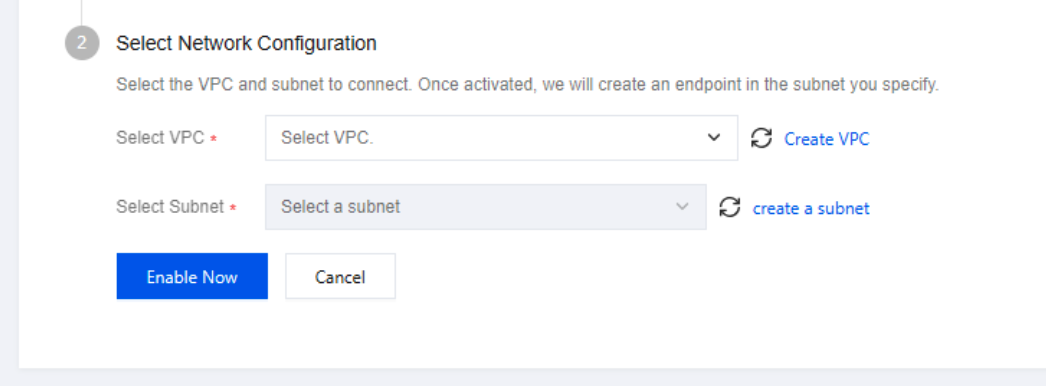
2.2 After activating PrivateLink, select the VPC for private network access and the subnet to which the endpoint node service belongs, and then click Activate Now:
Select VPC: The VPC for which a private network connection is required. After the connection is established, all subnets in this VPC can access TokenHub services over the private network.
Select Subnet: The subnet where the endpoint node service resides determines the network segment to which the private network access IP address belongs.
3. To use the service for the first time, you must complete service authorization and authorize TokenHub to create network connections:
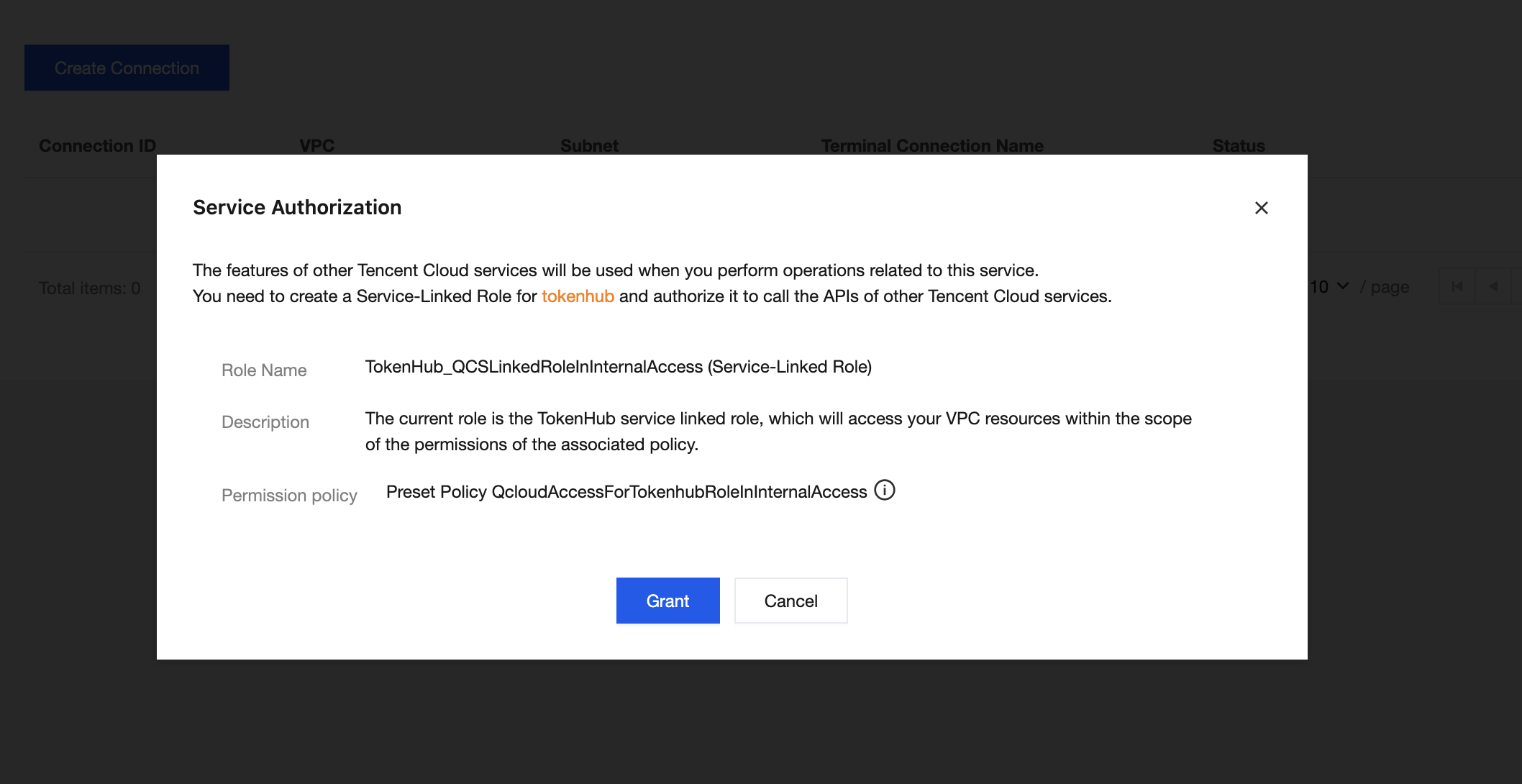
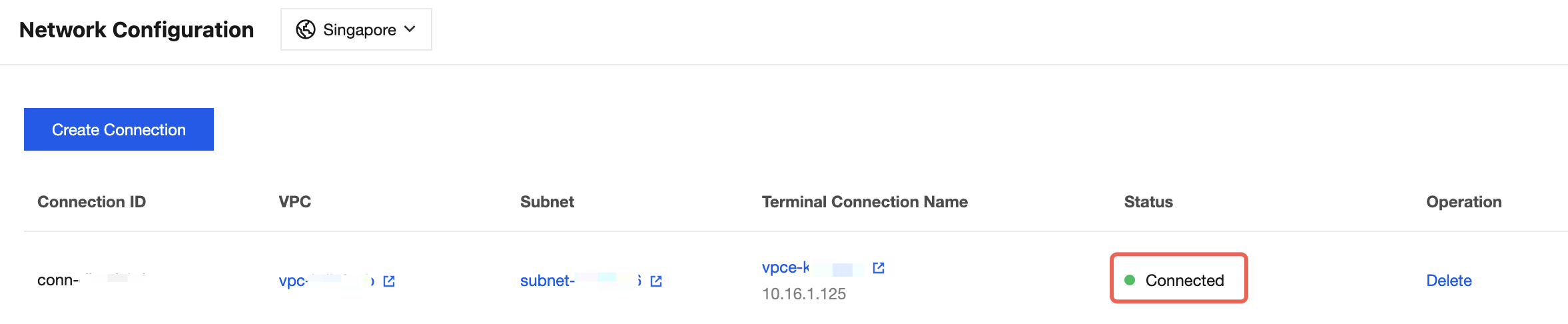
Click Agree to Authorize and wait for the connection to be created. When the status shows Connected, the connection is created successfully. Users do not need to modify the call configuration in this VPC. Access to the TokenHub API domain will automatically switch to the private network. For more information about API domains, see API Usage Instructions.
Other Operations
1. Creating Private Network Connections for Multiple VPCs
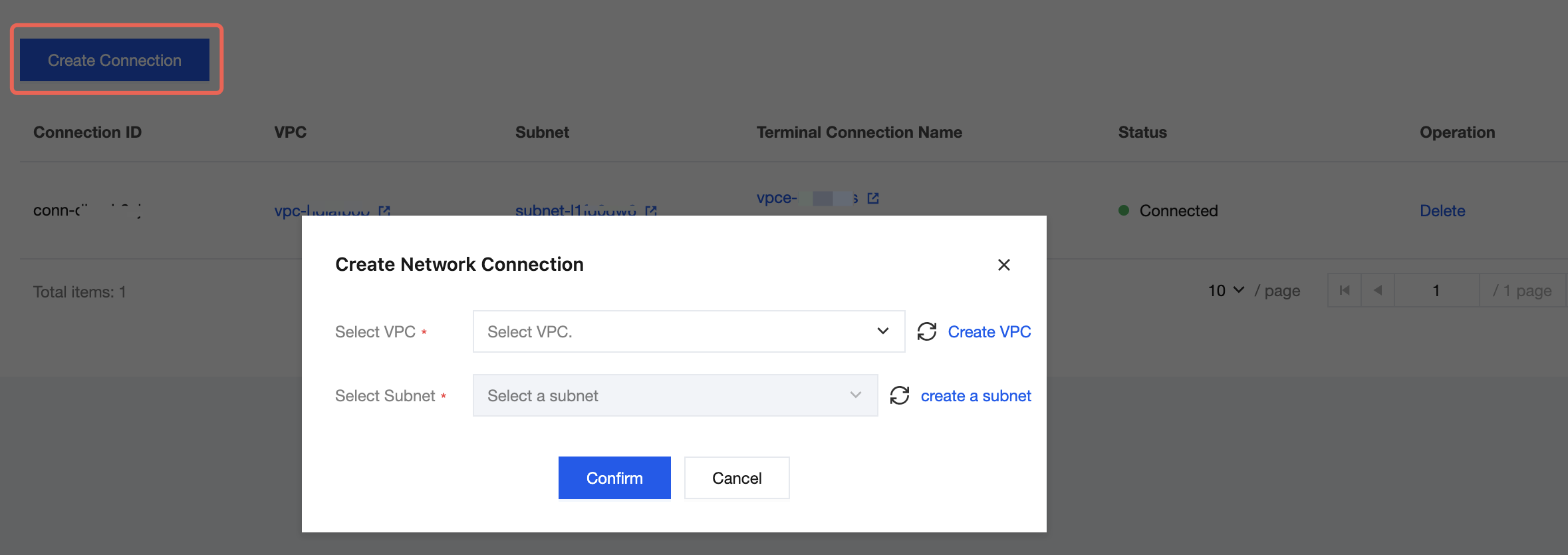
On the Network Configuration page, click Create Connection to create multiple network connections and enable private network access for multiple VPCs.
2. Private Network Access Across VPCs
By default, after a network connection is established, only the VPC for which the connection was created can access the TokenHub API domain over the private network. If other networks also require private network access, such as cross-region VPCs, cross-cloud networks, or hybrid cloud networks, you must ensure that these networks can communicate with the connected VPC over the private network. For more information about creating VPC connections, see CCN. If private network connectivity is in place but the network cannot automatically resolve the DNS of the connected VPC, you can manually add domain name resolution to resolve the TokenHub API domain to the endpoint node IP address of the corresponding network connection, thereby enabling private network domain access.
3. Using HTTP or a Custom Domain
After a network connection is created, the platform automatically configures resolution rules for you through PrivateDNS in the VPC where the connection is created by default, resolving the TokenHub public domain name to the endpoint node IP address. You can access model services over the private network without modifying any call configurations. Private network connections support HTTP protocol access. If your access node is not in this VPC but can communicate with the VPC over the private network, you can access model services by using the HTTP protocol to access the endpoint node IP address. For example, in the environment shown in the following figure, replace
https://tokenhub-intl.tencentcloudmaas.com/v1/chat/completions with http://10.16.1.125/v1/chat/completions to access model services normally. You can also add custom domain name resolution for the endpoint node IP address to access model services through a custom domain name.
フィードバック