Image Overview
ダウンロード
フォーカスモード
フォントサイズ
The TencentOS AI enhanced image is an AI-Ready public image built by Tencent Cloud based on TencentOS Server 4 for AI agents and similar workloads. It targets two core scenarios: AI Agent deployment and AI-assisted Ops.
Based on standard TencentOS Server 4, this image comes with the following preinstalled components:
Tencent's self-developed CodeBuddy CLI provides a "natural language conversation entry" through the shell and serves as the core interactive interface for invoking Ops skills.
Core components required for AI Agent development and deployment (Node.js, Docker, pip3, and so on)
Expert Ops Skills: TencentOS Expert Ops Assistant and Kernel Crash Analysis Assistant, which enable natural language-driven intelligent Ops through Shell conversations.
Image acceleration configuration for the network environment
TencentOS MCP Server: Through the MCP protocol, AI clients can directly invoke system Ops tools to perform server Ops operations using natural language.
Why Is This Image Needed?
AI Agent Deployment: Time-Consuming Environment Setup
Deploying AI applications on a CVM (such as OpenClaw, Hermes Agent, Dify, and Ollama) typically requires manually installing components such as Docker, Node.js, Python, and Git, as well as configuring image acceleration. This process is cumbersome and error-prone. The AI enhanced image comes with these components preinstalled and tuned, allowing you to start development and deployment right out of the box.
AI-Assisted Ops: Addressing Four Major Pain Points in Traditional Ops
Challenges | Current Status | TencentOS AI Enhanced Edition Solution |
High Ops barrier | Tasks such as performance analysis, network troubleshooting, and kernel tuning require years of accumulated professional experience, making them difficult for junior and mid-level Ops personnel to complete independently. | Describe issues in natural language, and AI automatically selects diagnostic tools and performs analysis. |
Difficult outage analysis | Kernel crash (vmcore) analysis requires a kernel development background. Most teams rely on a few experts, resulting in long response cycles. | The kernel crash analysis expert automatically completes vmcore analysis and generates reports. |
Scattered tools | Dozens of tools such as perf, bpftrace, tcpdump, smartctl, and crash each have their own usage, resulting in high learning and memorization costs. | 24 capabilities are uniformly encapsulated, AI invokes them on demand, and users do not need to memorize commands. |
Fragmented knowledge | Troubleshooting experience is scattered across wikis, chat records, and personal notes, making it difficult to reuse and pass on. | Ops experience is consolidated into Skills, which are shared and continuously iterated by the team. |
By preinstalling CodeBuddy CLI + expert Ops Skills + standard MCP tools, the TencentOS AI enhanced image encapsulates these scattered tools and expertise into capabilities that can be invoked through natural language, allowing Ops personnel to initiate professional diagnostic processes with a single command.
Image Advantages
Capability | Description |
Natural language Ops entry | Preinstalled with Tencent's self-developed CodeBuddy CLI, allowing users to complete Ops operations directly in the terminal through natural language conversations with zero learning curve. |
AI Agent deployment ready | Components such as Node.js, Docker, pip3, Git, and UV are ready to use out of the box, and the environment supports one-click deployment of agents such as OpenClaw and Hermes Agent. |
Intelligent Ops diagnosis | Preinstalled with a full-stack Ops diagnostic expert that covers 24 capabilities across 9 domains, enabling server troubleshooting through natural language. |
Kernel crash analysis | Preinstalled with a kernel crash analysis expert, AI automatically completes vmcore crash analysis and generates reports, requiring no kernel expert Ops experience. |
Network acceleration | Docker Hub is accelerated through Tencent Cloud's private network, significantly improving AI image pull speed. |
Preinstalled Components
Basic Component
Component | Version | Description |
Node.js | 24 | Installed from the official NodeSource repository and ready to use out of the box. |
Python 3 | 3.11 | Provided with the TencentOS Server 4 base system. |
Docker CE & Compose | 28 | Includes Docker Compose Plugin and is configured to start on boot. |
Git | 2.43 | Supports source code retrieval operations such as git clone. |
CodeBuddy CLI | 2.88 | Provides a Shell-based natural language conversation entry point and enables AI capability invocation. |
TencentOS MCP Server | 1.0.0 | Provides standard MCP protocol interfaces, allowing AI clients to directly invoke system Ops tools. |
AI Ops Skills
The image comes with the following two AI Ops skills preinstalled, which are automatically loaded and invoked through CodeBuddy CLI:
Skill | Description |
TencentOS Ops Assistant (tencentos-expert) | Covers 9 Ops domains and 24 diagnostic capabilities, with progressive disclosure and on-demand loading. |
TencentOS Crash Analysis Assistant (AiCrasher) | Automated analysis of Linux kernel vmcore crashes |
TencentOS MCP Server
TencentOS AI enhanced edition comes preinstalled with TencentOS MCP Server, a Linux intelligent Ops tool service based on the MCP protocol (Model Context Protocol). Through the MCP protocol, AI clients can directly invoke system Ops tools to perform server Ops operations using natural language, transforming traditional command line operations into standardized tool calls that AI can understand and execute.
Why Are MCP Capabilities Needed?
In traditional Ops scenarios, engineers need to memorize numerous commands, switch between multiple hosts, and manually analyze logs and performance data. By integrating MCP Server, the AI enhanced edition enables AI clients (such as WorkBuddy, Cursor, Claude code, OpenClaw, and CodeBuddy) to directly obtain system running status, analyze performance bottlenecks, and troubleshoot failure causes, significantly reducing the Ops threshold and response time.
Core Capabilities
Scenario | Capability Description | Typical Use |
System Information | Obtain OS, kernel, host name, uptime, CPU, memory, and disk information. | Quickly understand basic host status. |
Service management | View system service status and details. | Troubleshoot service exceptions. |
Process Analysis | View processes sorted by resource consumption. | Locate high CPU/memory usage. |
Log viewing | Filter journal logs by multiple dimensions such as time, priority, service, and keyword. | OOM troubleshooting and error locating |
Network Diagnostics | View listening ports and firewall rules. | Network connectivity troubleshooting |
Performance Analysis | Comprehensive overview of CPU, memory, I/O, and network. | Quickly locate performance bottlenecks. |
Software package query | Query the version and details of installed packages. | Version verification and dependency confirmation |
Security audit | SELinux status, login history, and security advisory query. | Security compliance check |
Kernel management | Kernel parameter query and loaded module view. | Kernel tuning and module troubleshooting |
eBPF Deep Tracing | eBPF-based network packet tracing (nettrace) and performance analysis (perf-prof) | Kernel-level network packet loss locating, and in-depth analysis of CPU/IO/scheduling latency |
Network Acceleration Configuration
The image is preconfigured with a Tencent Cloud acceleration channel, which significantly improves dependency download speeds. Docker's registry-mirrors has been configured to point to the Tencent Cloud private network image acceleration endpoint.
Benefits:
When images are pulled with docker pull, the Tencent Cloud private network acceleration endpoint is used by default, providing fast and stable download speeds.
The speed of pulling mainstream AI framework images (such as Ollama, Open WebUI, and Dify) is significantly improved.
Bandwidth is unlimited within a Tencent Cloud VPC private network environment.
Use Cases
AI Agent Development and Deployment
Scenario | Typical Tool | Dependent Component |
AI Agent framework | OpenClaw,Hermes Agent,LangChain,CrewAI,AutoGen,Mastra | Python + pip / Node.js |
AI application platform | Dify,Open WebUI,MaxKB,RAGFlow | Docker + Docker Compose |
Local large model inference | Ollama | Docker or direct installation |
AI coding assistant | CodeBuddy CLI (preinstalled), Claude Code, OpenHands, Cline | Node.js + Git |
MCP service | Various MCP servers | Node.js / Python |
AI-Assisted Ops
Scenario | Skill Used | Typical Usage |
Server fault diagnosis | TencentOS Ops Assistant | "Check why the disk is full" and "Troubleshoot network packet loss". |
Locate performance issues | TencentOS Ops Assistant | "Where is the CPU hotspot" and "Is the continuous memory increase caused by a leak" |
Security compliance check | TencentOS Ops Assistant | Run a Level 3 Multi-Level Protection Scheme check for me. |
Kernel crash analysis | TencentOS Crash Analysis Assistant | Analyze this vmcore and locate the crash cause. |
Security vulnerability query | TencentOS Ops Assistant | Does this CVE affect TencentOS 4? |
Fee Instructions
The image itself: It is free to use and identical to the standard TencentOS Server 4 image.
Instance resources: Billed normally based on the selected instance specifications (vCPU, memory, storage, bandwidth, and so on).
AI Ops Skill: The skill itself is free and is invoked through the preinstalled CodeBuddy CLI. Tokens are billed according to the independent billing rules. Currently, Tencent Cloud offers a certain free quota to ordinary users.
TencentOS MCP Server: This tool is free to use.
Usage Instructions
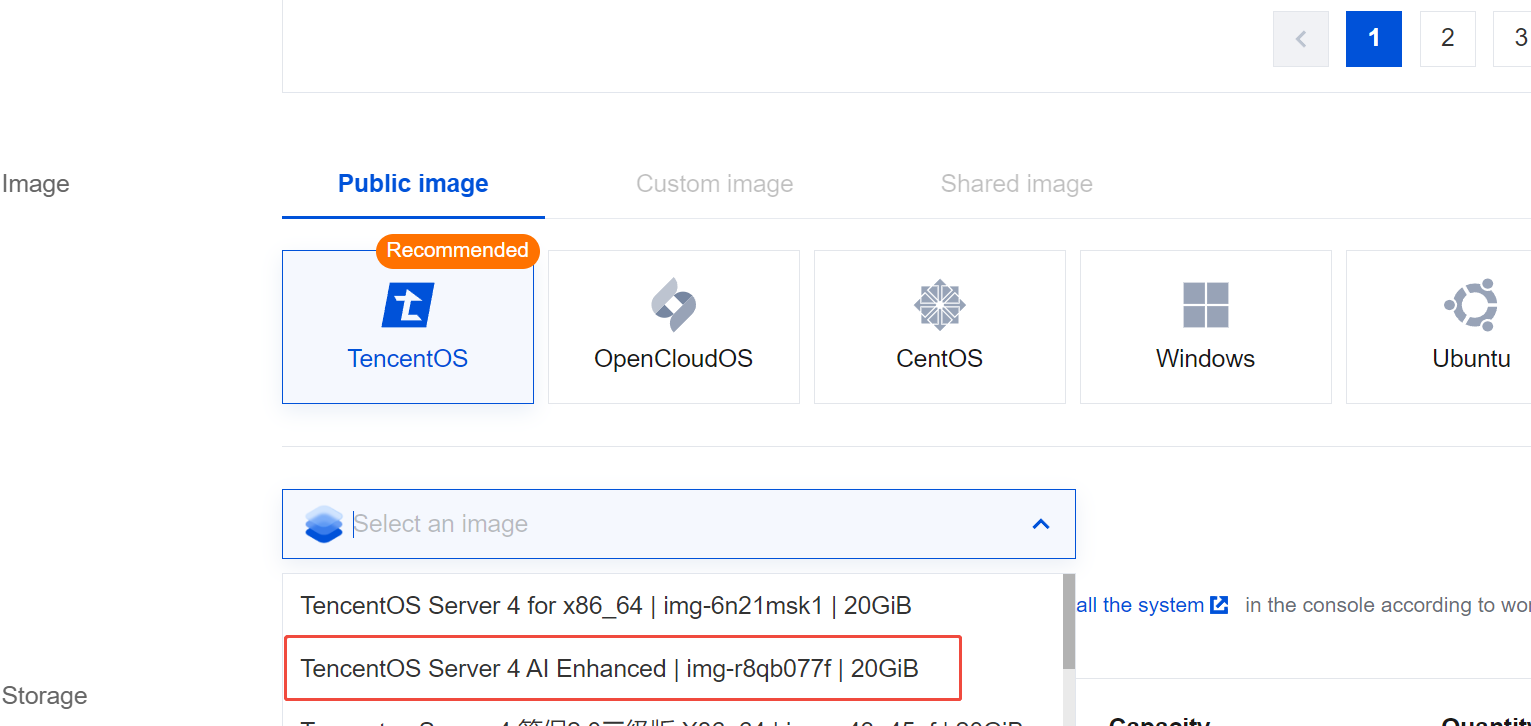
On the CVM instance purchase page, choose TencentOS > TencentOS Server 4 AI enhanced image as the public image. For other configuration parameters, see Creating an Instance via the Purchase Page.
Starting CodeBuddy
1. After logging in to the instance as the root user, run the following command to switch to the agentuser user and start CodeBuddy. To log in to the instance, see Logging in to a Linux Instance Using OrcaTerm (Recommended).
Note: Some scripts can only be executed with root privileges. Switch user permissions as needed.
# Switch usersu agentuser
# Go to the agentuser directory and start codebuddy.cd /home/agentusercodebuddy
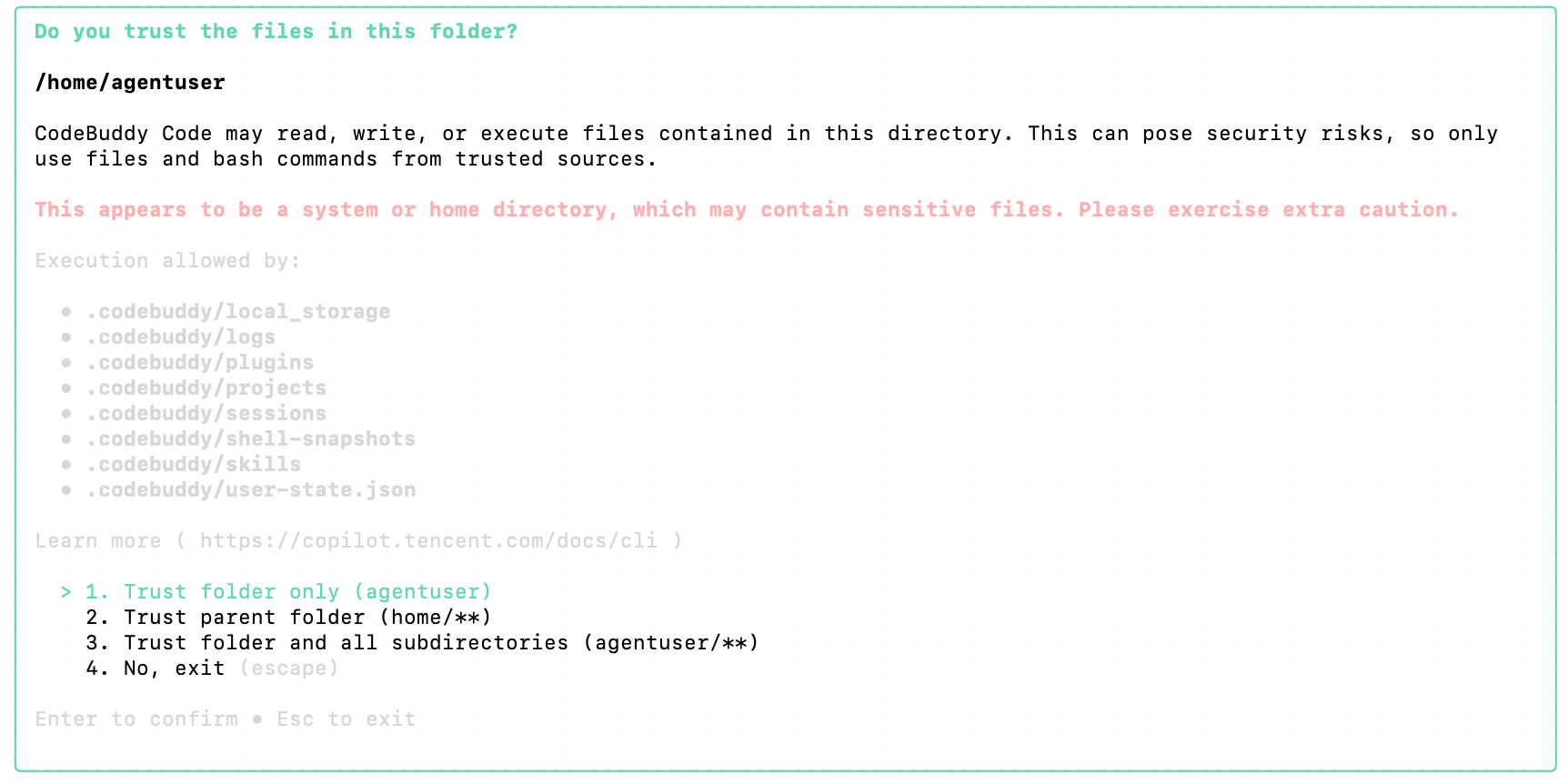
2. Configure CodeBuddy according to the on-screen instructions. The following describes only some parameters. For detailed information, see the CodeBuddy community documentation.
Permission selection: Select based on the permissions you grant to CodeBuddy. In this example, select 1.
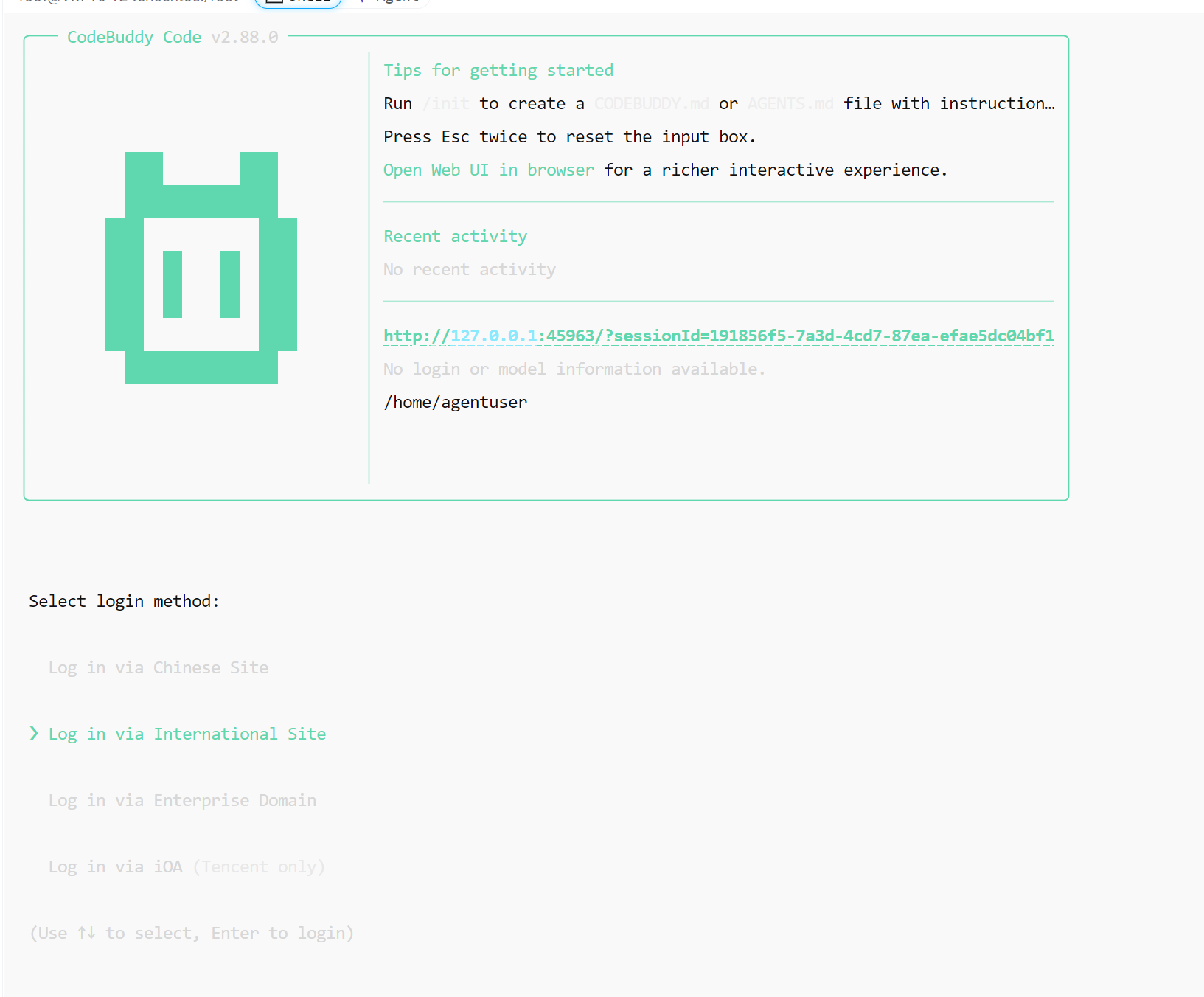
Determine the account region: Select the account region based on the region where your purchased CVM resides.
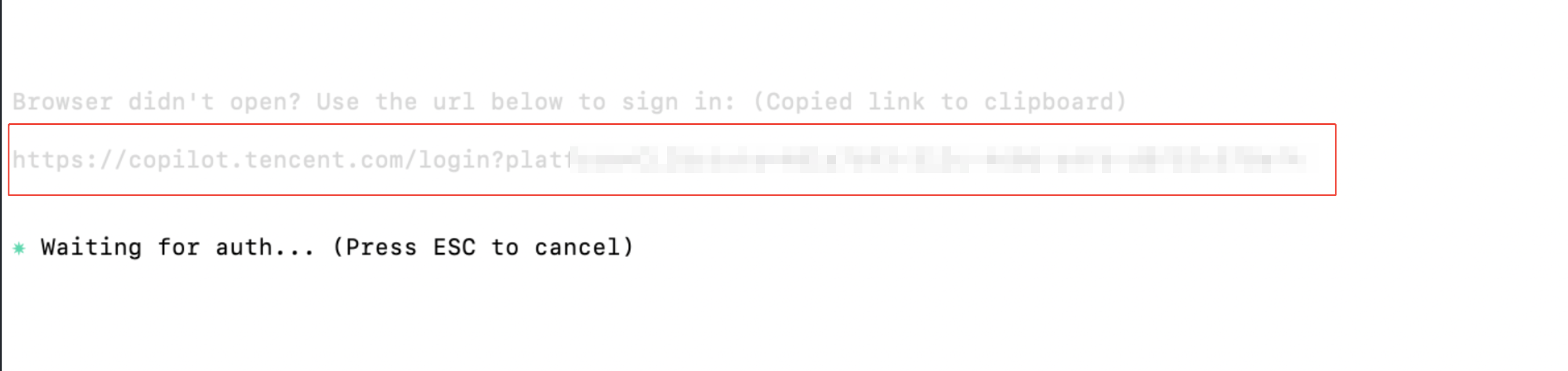
Browser authentication: Copy the authentication URL and open it in a browser.
Account login: You can choose WeChat login/mobile number or other methods. After successful login, the browser returns a success message. This example uses personal WeChat login.
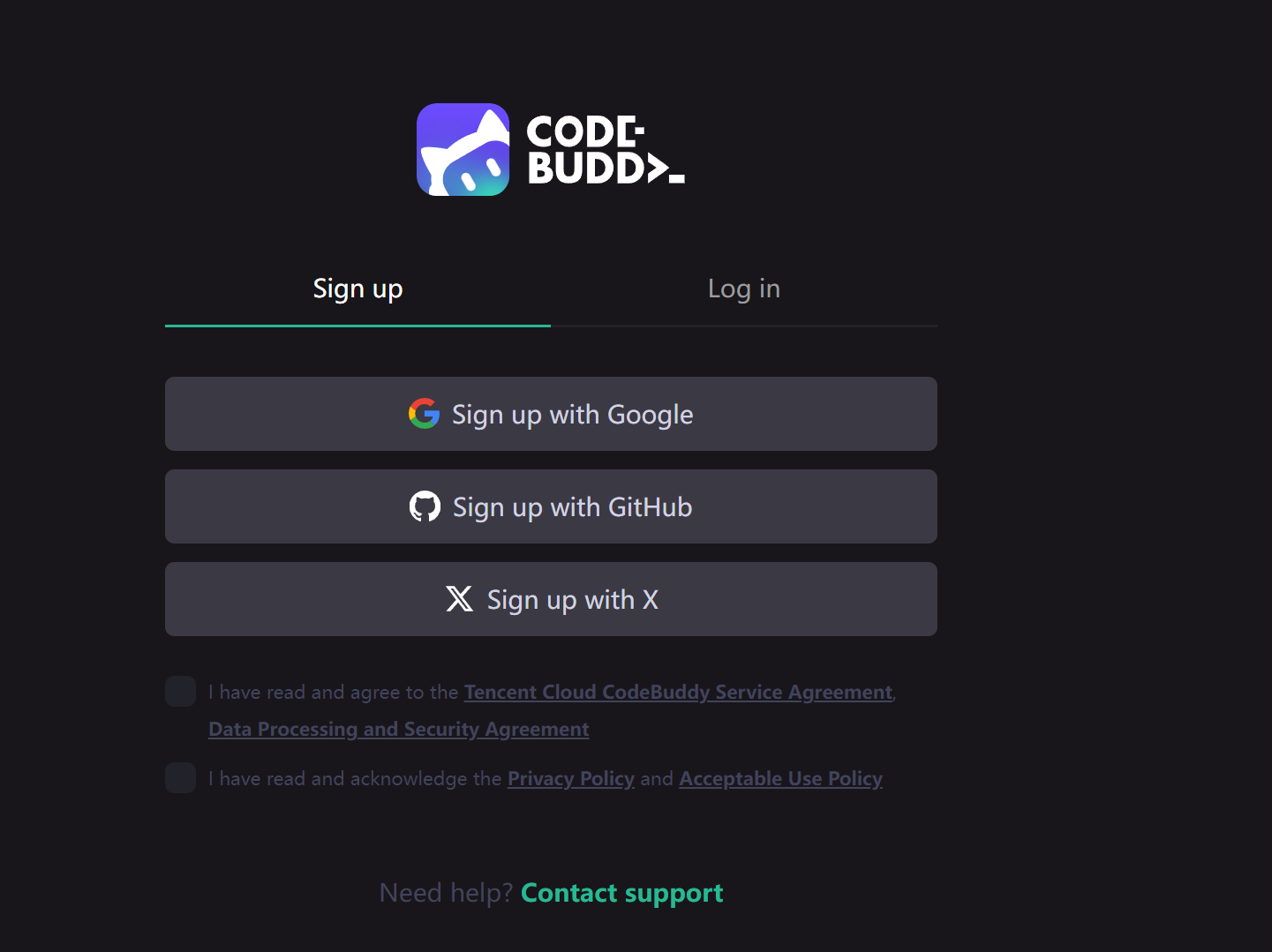
3. Normal use: The instance command line is returned at this point. Enter your question to start using it.
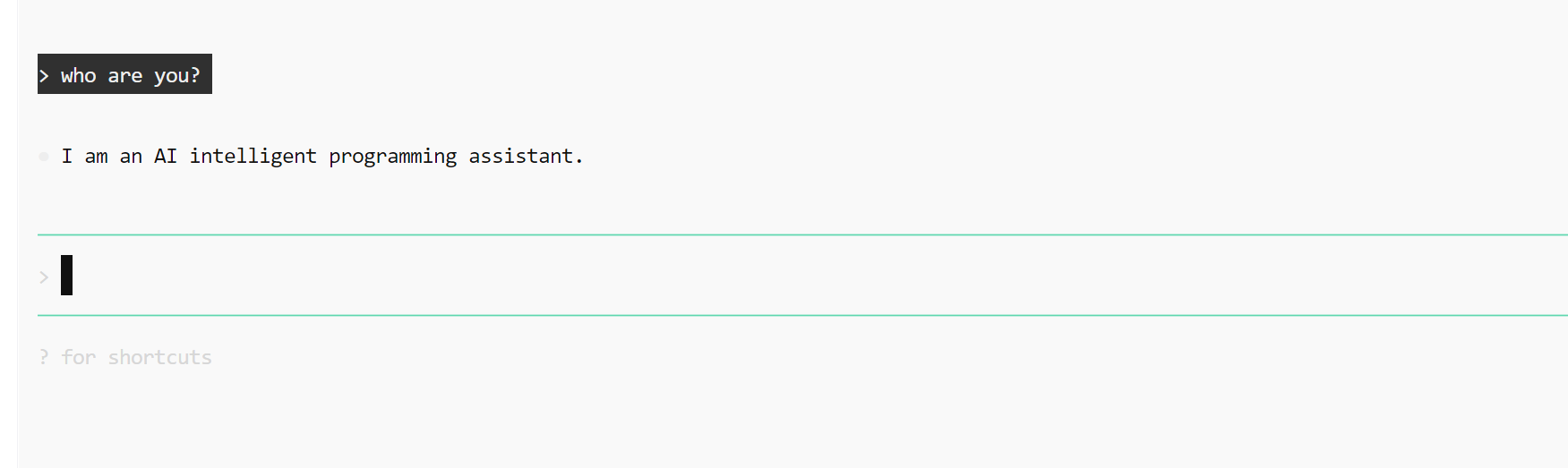
Quick Verification Example
Basic Environment Verification
After the image starts, run the following command to verify the basic environment:
# Check the versions of preinstalled componentsnode --version # v24.x.xpython3 --version # Python 3.x.xpip3 --version # pip 24.x.xdocker --version # Docker 28.x.xgit --version # git 2.x.x# Quickly launch an AI application (using OpenHands as an example)pip install openhands
AI Ops Skill Verification
Start CodeBuddy CLI directly in the terminal and initiate Ops diagnostics using natural language:
# Start CodeBuddy CLIcodebuddy# Ops diagnostics example (enter in a CodeBuddy conversation)> Check the disk space usage and identify which directories are taking up the most space.> The server network latency is high. Please help me troubleshoot it.> Generate a CPU flame graph to identify hotspots.> Please help me perform a Level 3 Multi-Level Protection Scheme (MLPS) security check.# Outage analysis example> Analyze the vmcore at /path/to/vmcore with the vmlinux file at /path/to/vmlinux
Note: AI Ops skills (TencentOS Ops Assistant and TencentOS Crash Analysis Assistant) are currently Technology Preview versions and have not been validated in large-scale production environments. AI-generated diagnostic conclusions and operation suggestions are for reference only. You should verify their correctness and applicability before performing any operations and assume full responsibility for the results. Tencent Cloud shall not be liable for any direct or indirect losses arising from the use of AI Ops skills.
AI Ops Skills in Detail
Skill 1: TencentOS Ops Assistant (tencentos-expert)
The full-stack Ops diagnostic expert is composed of 24 capabilities, covering 9 major Ops domains. It uses an on-demand loading mechanism, where AI automatically matches the most relevant modules for diagnosis based on the user's natural language descriptions. It adopts a progressive disclosure approach and does not load all capabilities at once, ensuring response speed and context accuracy.
Disk and Storage (5 items)
Capability | Description | Typical Scenario |
Disk Space Analysis and Cleanup | Locate large files, inode exhaustion, and log accumulation | How to clean up a full disk |
Disk Partitioning Management | Create and adjust GPT/MBR partitions | How to Partition a New Disk |
File System Management | Formatting, mounting, fstab configuration, and fsck repair | Mount point lost and unrecoverable. |
LVM Logical Volume Management | PV/VG/LV management, online expansion, and snapshots | Expanding root partition when space is insufficient |
Disk Health Check | SMART check, NVMe health, and bad block scan | The disk has I/O errors. |
Network Diagnostics (3 items)
Capability | Description | Typical Scenario |
Network connectivity diagnosis | Troubleshoot DNS, routes, firewall, and ports layer by layer. | Server unreachable by ping. |
Packet loss troubleshooting | Ring Buffer overflow, conntrack table full, and kernel packet drop point locating | Packet loss rate is 5%, and the location of packet loss is unknown. |
Network latency analysis | mtr hop-by-hop, TCP congestion, bufferbloat, and protocol stack latency | ping normal but slow application response. |
Performance Analysis (7 items)
Capability | Description | Typical Scenario |
CPU flame graph | perf-prof/perf sampling generates flame graphs and supports Java/D status analysis. | CPU is maxed out and the hotspot is unknown. |
System call hotspots | Analyze system call latency and frequency with strace/perf trace. | The P99 latency of an interface is abnormally high. |
Process scheduling latency | rundelay analysis and cgroup CPU throttling detection | The container becomes slow, but CPU usage is not high. |
Interrupt balance troubleshooting | RSS/RPS hash distribution and softirq balance | Soft interrupts are concentrated on a single core. |
File system I/O latency | ext4/xfs I/O latency analysis and page cache efficiency | fsync is extremely slow. |
Process file I/O tracing | Trace process I/O behavior with iotop/bpftrace. | iowait is high and the cause cannot be identified. |
OOM event diagnosis | OOM killer log parsing and cgroup memory limit analysis | The process was killed suddenly. |
Memory Diagnostics (1 item)
Capability | Description | Typical Scenario |
Memory leak diagnosis | VmRSS tracking, slab leak, Java heap analysis | Memory keeps increasing without being released. |
System Management (5 items)
Capability | Description | Typical Scenario |
System log analysis | Analyze and filter journalctl/dmesg logs | The system reported an error. Please help me check it. |
Service status management | Troubleshoot systemctl services and analyze startup failures | nginx fails to start. |
Time synchronization management | Configure and troubleshoot NTP/chrony | The server time is incorrect. |
Software package version management | RPM/dnf package management and security updates | How do I upgrade a software package? |
Software repository configuration | Switch and configure yum/dnf/pip/npm repositories | The yum repository is unavailable. |
Security and Compliance (2 items)
Capability | Description | Typical Scenario |
Level 3 classified protection security hardening | Based on the GB/T 22239 standard, 37 checks, supporting check/hardening dual modes | Run a check for me before the Level 3 Multi-Level Protection Scheme evaluation. |
CVE vulnerability query | Query TencentOS/OpenCloudOS security advisories and perform batch CVE matching. | Does this CVE affect us? |
Fault Recovery (1 item)
Capability | Description | Typical Scenario |
kdump Configuration and Troubleshooting | Configuring crashkernel Parameters and Troubleshooting kdump Service | kdump did not generate a vmcore. |
Technical Information Query (1 item)
Capability | Description | Typical Scenario |
TencentOS Technical Documentation Query | TencentOS version information, maintenance lifecycle, and CentOS migration guide | How long is TencentOS 4 supported? |
Working Principles
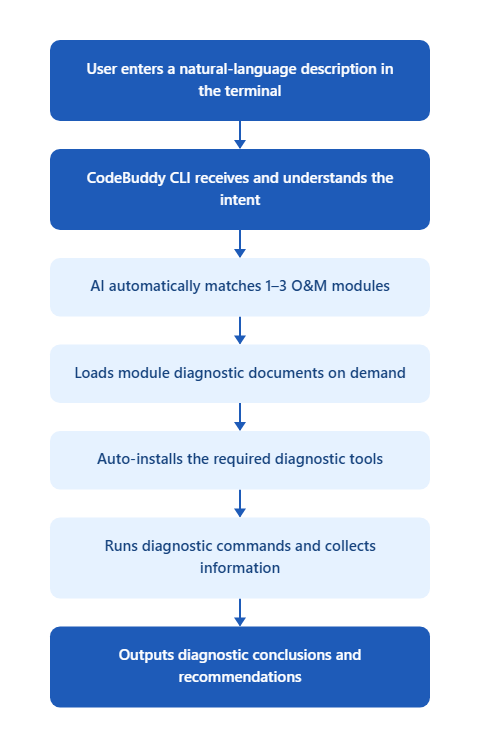
Security Mechanism
Execute diagnostic commands only (view and analyze). Any write operations require user confirmation.
Operations involving data changes (format, deletion, service restart, and so on) are provided as suggestions only and must be performed manually by the user.
Diagnostic tool dependencies (perf, bpftrace, tcpdump, smartmontools, and so on) are automatically installed on first run.
Skill 2: Kernel Crash Analysis Expert
Kernel Crash Analysis Expert (AiCrasher) is an automated kernel crash analysis system that combines AI with Linux crash tools. Traditional vmcore crash analysis typically requires kernel development experience, making it extremely difficult to master. By analyzing vmcore files, this skill enables AI to automatically complete the entire analysis workflow, from information collection and crash type identification to root cause localization and report generation.
Core Capabilities
Capability | Description |
Fully Automated Analysis Process | A complete 7-stage workflow from environment preparation to report output, requiring no manual step-by-step operation. |
Comprehensive Crash Type Coverage | Support for common kernel crash types such as Hung Task, Soft/Hard Lockup, BUG_ON, NULL pointer, OOM, and SysRq-triggered crashes. |
Community Patch Association | Automatically search for fix commits from the upstream Linux kernel community and check whether the distribution has been fixed. |
Structured Analysis Report | Automatically generate analysis reports in Markdown + HTML formats, including complete evidence chains and remediation suggestions. |
FAQs
Do AI Ops Skills Require Additional Payment?
No. The skill is preinstalled for free as part of the image and can be used directly through the preinstalled CodeBuddy CLI. Tokens are billed according to the independent billing rules.
Do AI Ops Skills Automatically Perform Dangerous Operations?
No. The full-stack Ops diagnostic expert strictly follows security principles. AI executes diagnostic commands only (view and analyze). Operations involving data changes (format, deletion, service restart, and so on) are provided as suggestions only and must be manually confirmed and performed by the user.
What Are the Prerequisites for Crash Analysis?
A vmcore file and the corresponding vmlinux (kernel debug symbol file) are required. It is recommended to enable the kdump service in advance to ensure that a vmcore file is automatically generated when a system crash occurs.
Can I Use Only Basic Components Without AI Ops Skills?
Absolutely. AI Ops skills work only when invoked through CodeBuddy CLI. When not in use, they do not consume system resources or affect other workloads.
What Is the Difference Between This Image and Standard TencentOS Server 4?
The AI image comes with commonly used AI development components such as Node.js, Docker-ce, and pip3, as well as CodeBuddy, preinstalled on top of the standard image. Image acceleration is also configured. The kernel and underlying system remain completely identical.
Can I Install Other Software on This Image?
Absolutely. The AI image only adds preinstalled software on top of the standard system and does not affect normal package management operations such as dnf install.
Does Docker Hub Acceleration Only Take Effect on Tencent Cloud's Private Network?
mirror.ccs.tencentyun.com is a Tencent Cloud private network acceleration address that delivers optimal speed within a Tencent Cloud VPC. If public network access is required, replace it with another public network acceleration address as appropriate.Why Is Node.js Version 24.x Selected?
Node.js 24.x is the latest LTS version. Mainstream AI Agent frameworks (such as OpenClaw, Mastra, CopilotKit, and Vercel AI SDK) all require Node.js 18+. Choosing 24.x ensures maximum compatibility.
フィードバック