Managing Classiclink
ダウンロード
フォーカスモード
フォントサイズ
Creating a Classiclink
A Classiclink associates classic network-based CVMs with a VPC to enable interconnection between the VPC and the classic network. This allows classic network-based CVMs to communicate with VPC resources.
Note:
The private IPs of the associated classic network-based CVMs will be automatically added to the local policy of the VPC's route table. This allows interconnection, without the need to manually modify the routing policy of the VPC.
After the classic network-based CVM is associated with a VPC, their firewall and network ACL settings will remain effective.
Directions
1. Log in to the VPC console.
2. Select the region, and click the ID of the VPC which needs Classiclink to access the details page.
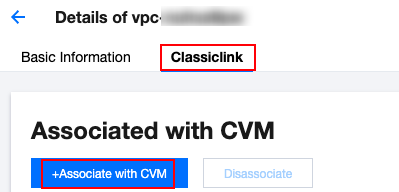
3. Click the Classiclink tab and then click +Associate with CVM.
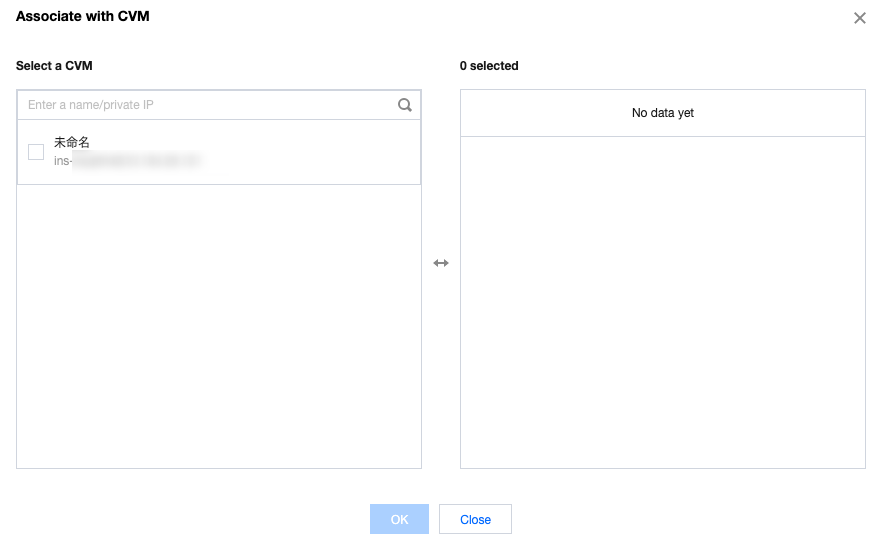
4. In the pop-up window, select the CVM in the classic network to be associated with the VPC and click OK.
Viewing Classiclink
You can view the list of classic network-based CVMs that interconnect with the VPC.
Directions
1. Log in to the VPC console.
2. Select the region, and click the ID of the VPC which needs Classiclink to access the details page.
3. Click the Classiclink tab to view the list of classic network-based CVMs associated with the VPC.
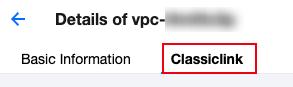
4. Enter a private IP in the top-right corner search box to quickly locate the CVM.
Deleting a Classiclink
This action disassociates classic network-based CVMs from the VPC and terminates their interconnection.
Directions
1. Log in to the VPC console.
2. Click the ID of the VPC which needs Classiclink to access the details page.
3. Click the Classiclink tab, select the CVM to be disassociated from the list of classic network-based CVMs, and click Disassociate in the Operation column.
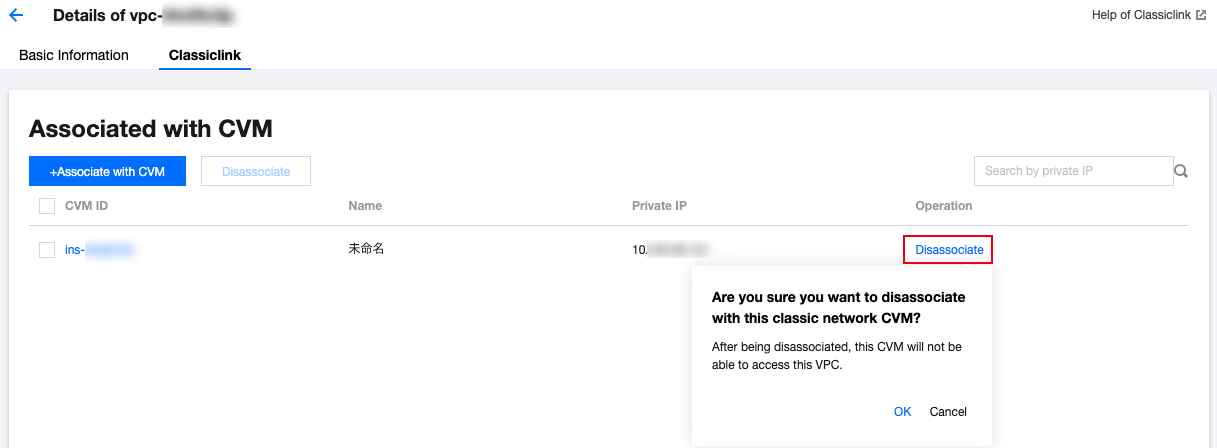
4. Double check the notes and click OK.
5. To disassociate multiple CVMs, you can select these CVMs to be disassociated and click Disassociate above the list.
フィードバック