Developing JAR Jobs
다운로드
포커스 모드
폰트 크기
Prerequisites
A Stream Compute Service (SCS) job needs to run on a dedicated SCS cluster. If you do not have a cluster, see Creating a Private Cluster.
Creating a Job
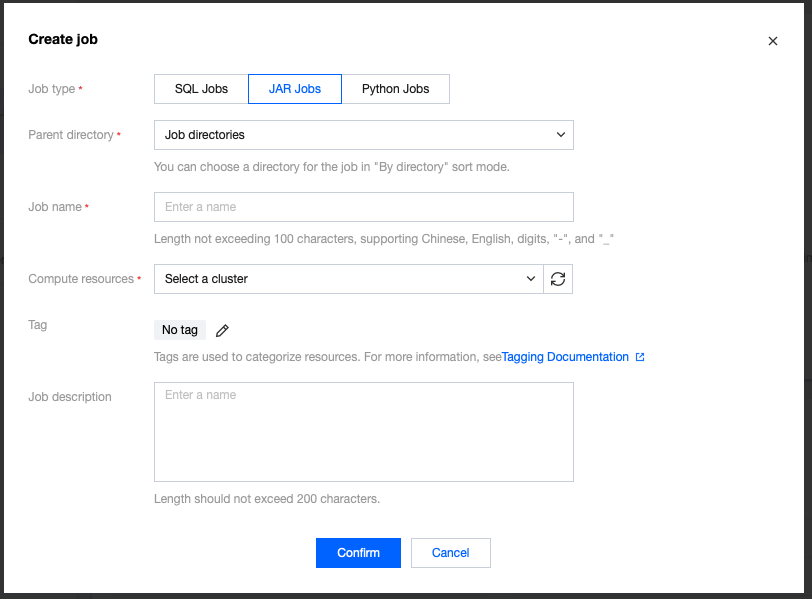
In the SCS console, select Job Management > Create > Create Jobs, select the job type, job name, and running cluster in the pop-up window, then click Confirm. The newly created job will appear in the job list.
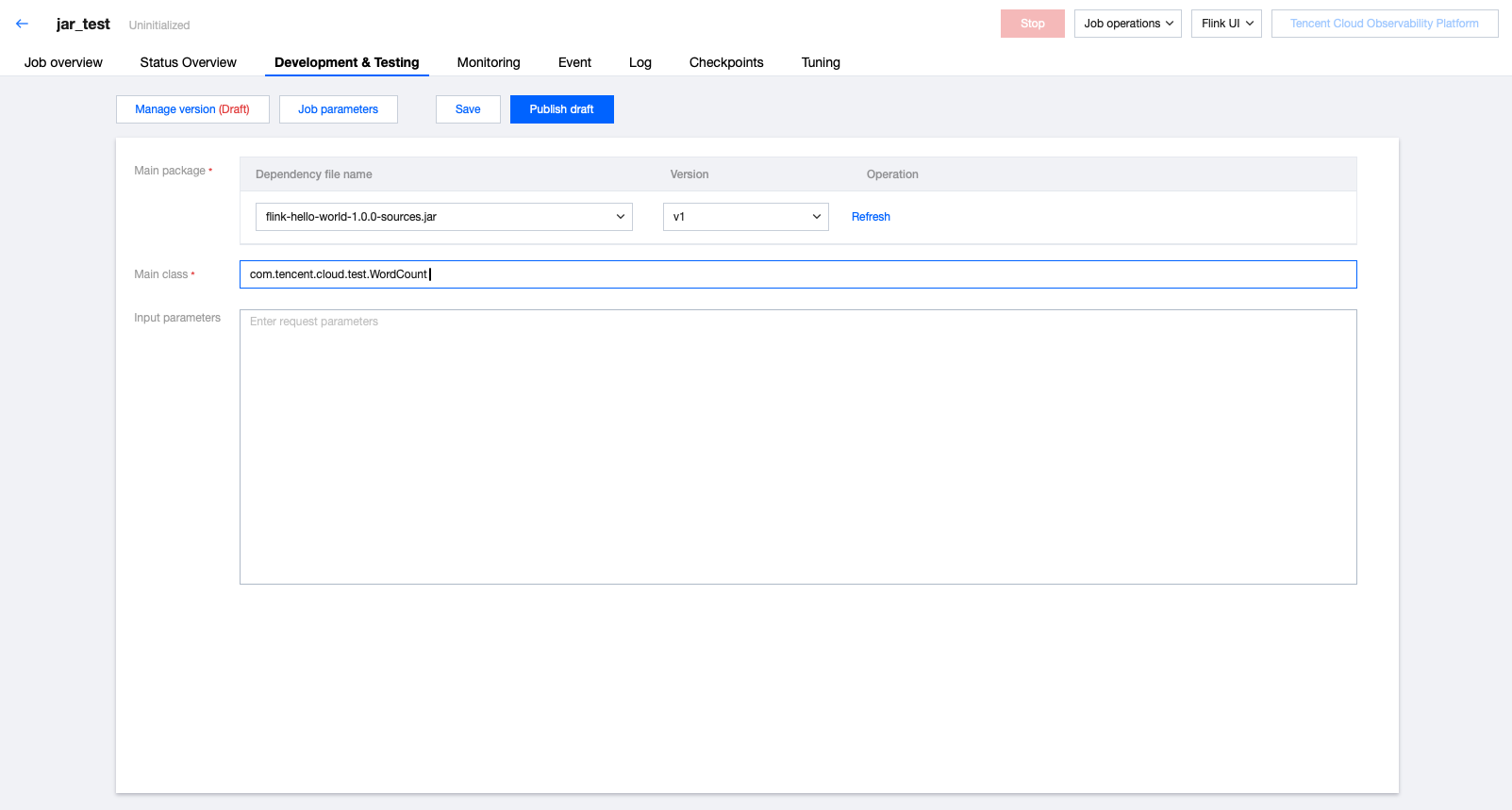
After creating a JAR job, click the name of the job to develop in Job Management, then click Development and Debugging to develop the job in draft status. The "(Draft)" after Version Management (Draft) indicates that the job is currently in an editable draft status.
Developing and Using JAR Packages
To develop a JAR job, you need to develop and compile the JAR package locally, then upload it as a program package before configuring the JAR job in the console (for JAR package upload, see Managing Dependencies). On the Development and Debugging page, select the main program package and its version, enter the main class and its input parameters, click Job Parameters, set the parameter value in the pop-up parameter interface on the side, then click Save to save the job configurations and parameter information.
SCS currently supports running JAR packages developed based on open-source Flink 1.13, Flink 1.14, Flink 1.16, and Flink 1.18. For business code development guidance, see the Flink community official documentation: Flink DataStream API Development Guide and Flink Table API & SQL Development Guide.
Job Parameters
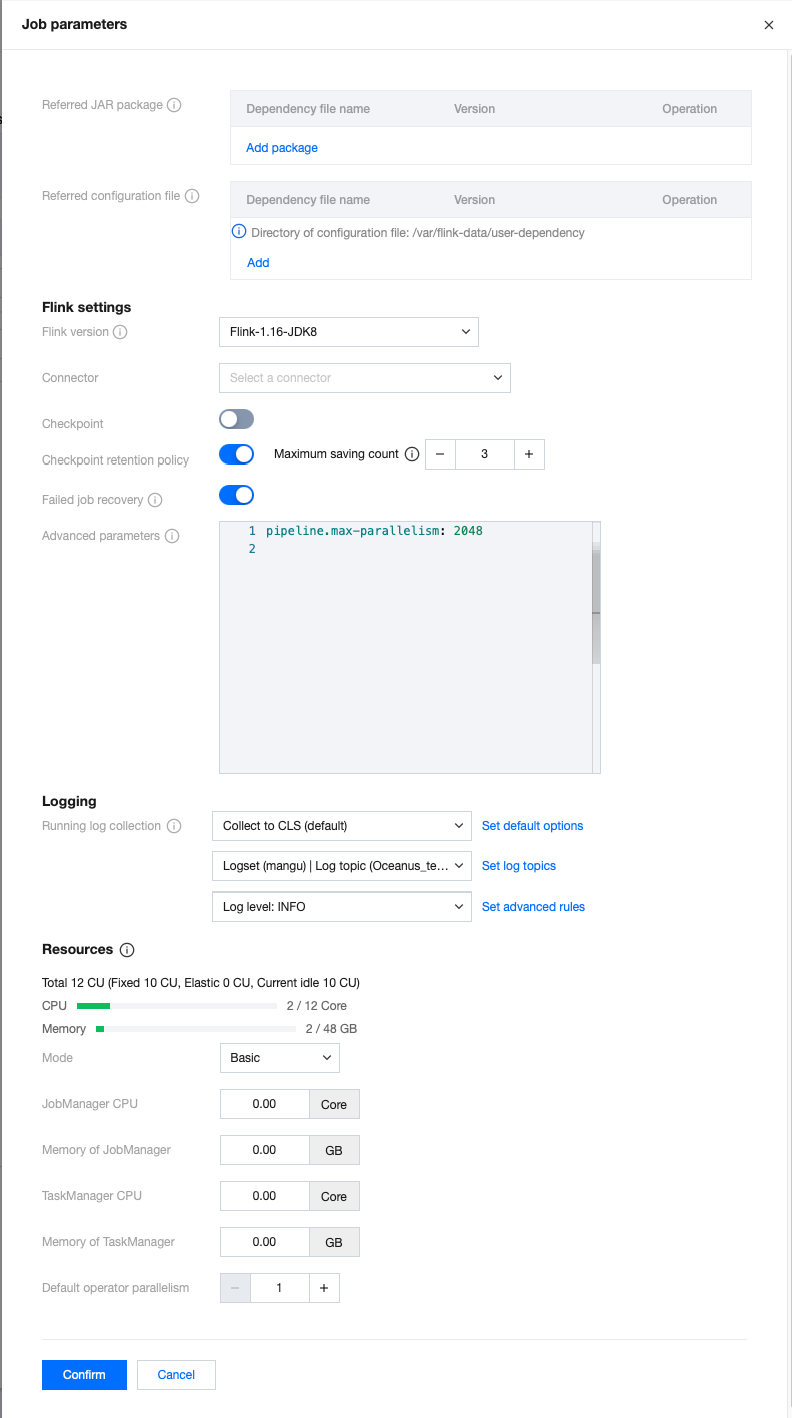
You can set job parameters by clicking Job Parameters on the Development and Debugging page, entering the parameter value in the pop-up parameter interface on the side, and then clicking OK to save the job parameter information. The following context provides more details on each parameter to help you better configure job parameters.
Referencing Packages
To use user-defined functions (UDFs), you can develop your own JAR package and upload it to Dependency Management, in order to add the referenced package here and select a version.
If the built-in Connector cannot meet the requirements, you can develop your own custom Connector, upload it in the same way, and add a reference here. For custom Connector development, see Custom Connectors.
Referencing Configuration Files
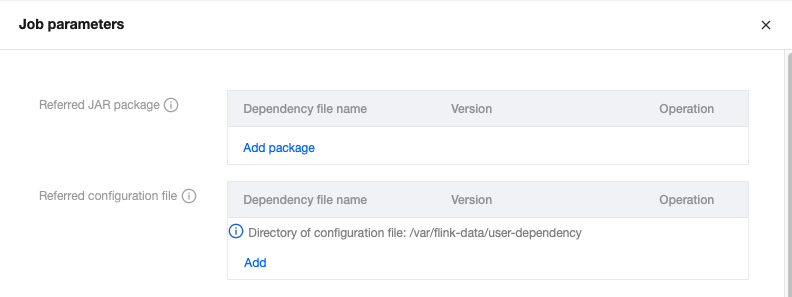
If the program requires a configuration file, you can upload an external dependency in Dependency Management, then add the external dependency in Job Parameters and select a version. For external dependency upload and version management, see Managing Dependencies.
The external dependency file specified in Job Parameters will be placed in the specified directory of the Flink container (the current default path is
/var/flink-data/user-dependency/), and also in the root directory of the classpath. You can obtain the external dependency files by manually specifying the path or by reading the classpath.The following uses the properties configuration file as an example to show how to reference and obtain configuration content.
1. Specify the configuration file path manually to obtain the configuration content.
First, reference the configuration file in Job Parameters.
Then, specify the absolute path of the dependency file in the main class parameters (the current default path is
/var/flink-data/user-dependency/ + dependency file name).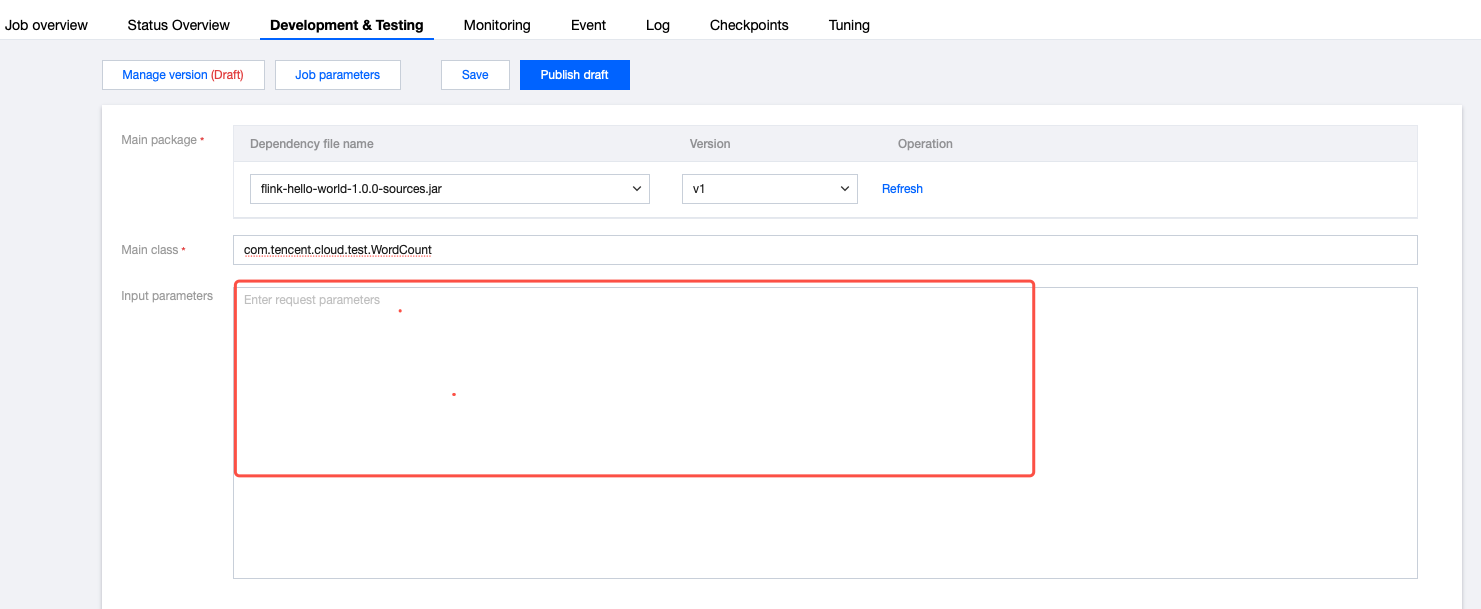
You can then obtain the configuration content from the external dependency in the Flink main class using the following way.
ParameterTool parameterTool = ParameterTool.fromPropertiesFile(args[0]);Properties properties = parameterTool.getProperties();
2. Read the configuration file in the classpath and obtain the configuration content.
First, reference the configuration file in Job Parameters.
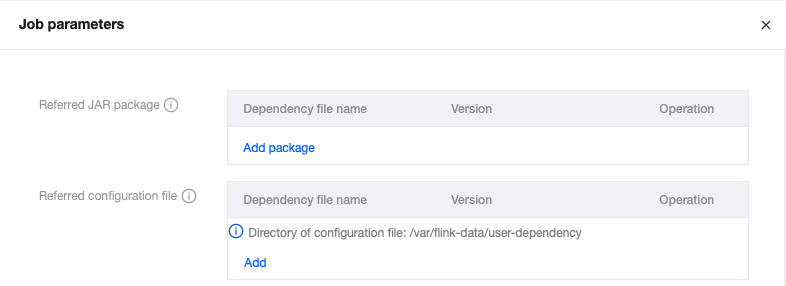
Then, add dependencies in the Project Object Model (POM) for the program.
<dependency><groupId>commons-configuration</groupId><artifactId>commons-configuration</artifactId><version>1.6</version></dependency>
You can then use the following code to obtain the configuration content.
PropertiesConfiguration pc = new PropertiesConfiguration();pc.setEncoding("utf8");pc.load("flink-config-1.properties");
Built-in Connectors
The system provides connectors for selection. For example, if a JAR package uses a data flow from CKafka, you must select the appropriate CKafka connector here. For instructions on how to use built-in connectors, see Connectors.
Running Log Collection
Display the running log collection configuration for the current job, collecting to the default cluster-bound log service by default. The running logs of the job will be automatically collected into the logset and log topic bound to the cluster for the job, and can be viewed on the Logs page.
Advanced Parameters
Some Flink advanced parameters can be customized. You can configure in YML syntax using "key: value" format. For details, see Advanced Job Parameters.
Specifications Configuration
You can configure the specifiation size of JobManager and TaskManager as needed to utilize resources flexibly. For details, see Configuring Job Resources.
Default Operator Parallelism
When the operator parallelism is not explicitly defined in code in the JAR package, the job will use the user-specified default operator parallelism. The parallelism and TaskManager specification size together determine the computing resources occupied by the job. A parallelism of 1 consumes computing resources measured in CUs, where the amount of the CU is defined based on one TaskManager's specification size. (When the TaskManager specification size is 1, a parallelism of 1 consumes 1 CU of computing resources. When the TaskManager specification size is 0.5, a parallelism of 1 consumes 0.5 CU of computing resource).
Restoring Jobs from Snapshots
During job running, restoring from historical snapshots is supported. When running a job, the prompt is as follows:
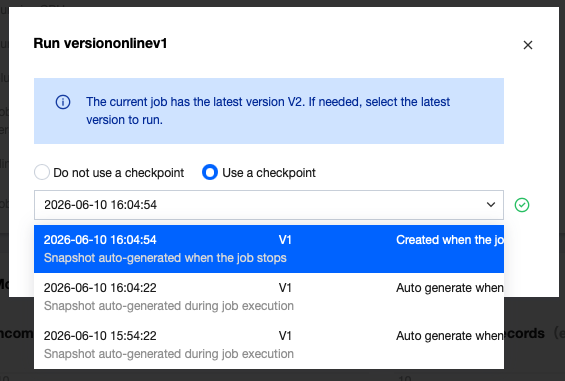
Jobs with no historical snapshots cannot run with historical snapshots.
피드백