Cloud Log Service (CLS) can serve as a data source (Source) for Stream Compute Service (SCS). You can export logs to SCS by CLS Log topics via the CLS Kafka protocol consumption feature for further stream computing.
Version Description
Flink Version
Description
1.11
Supported
1.13
Supported
1.14
Not supported
1.16
Supported
Applicable Scope
CLS can be used as a data source table (Source).
CLS Log Topics
Before creating a CLS source table, you need to create a CLS log topic by following these steps:
1. On the CLS Log Topic page, select Log Topic > Create Log Topic to create a log topic.
2. After the log topic is created successfully, click the log topic name/ID for the new log topic on the list page to go to the details page.
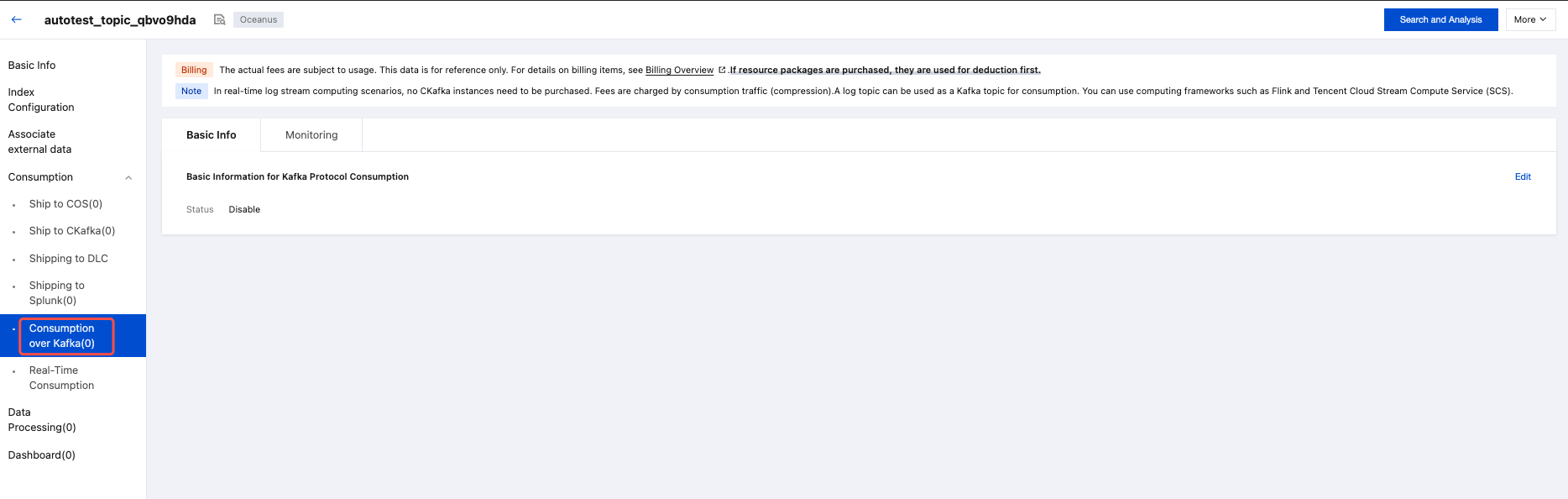
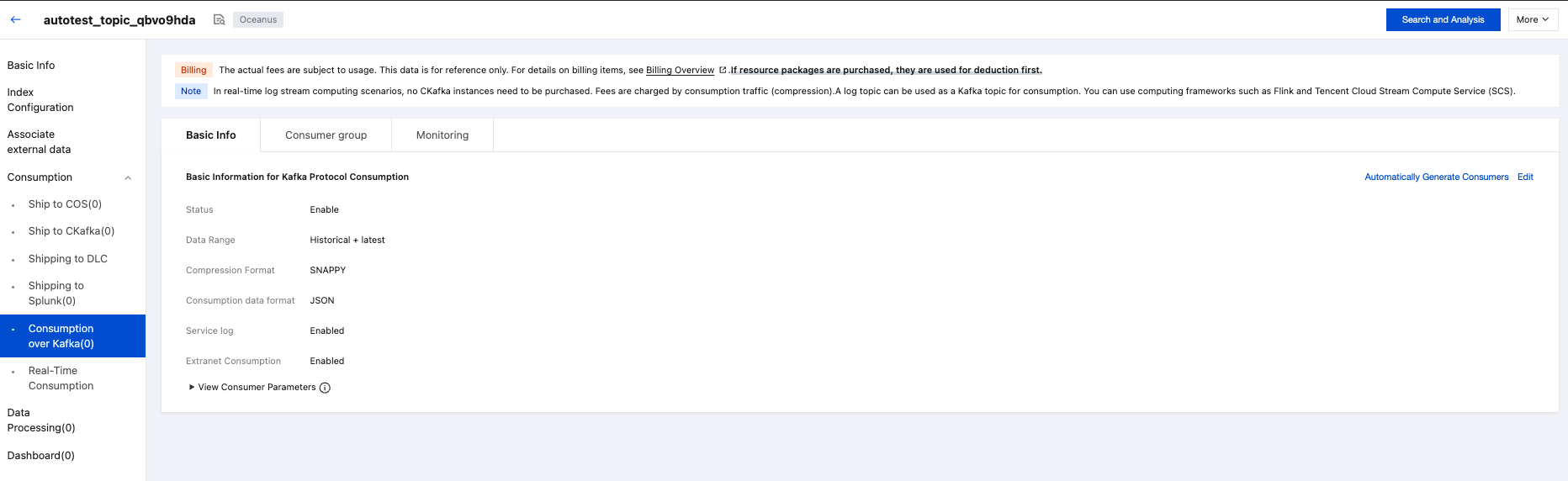
3. On the details page, switch to the Consumption Over Kafka tab and enable the feature.
4. Status after enabling the feature is as follows:
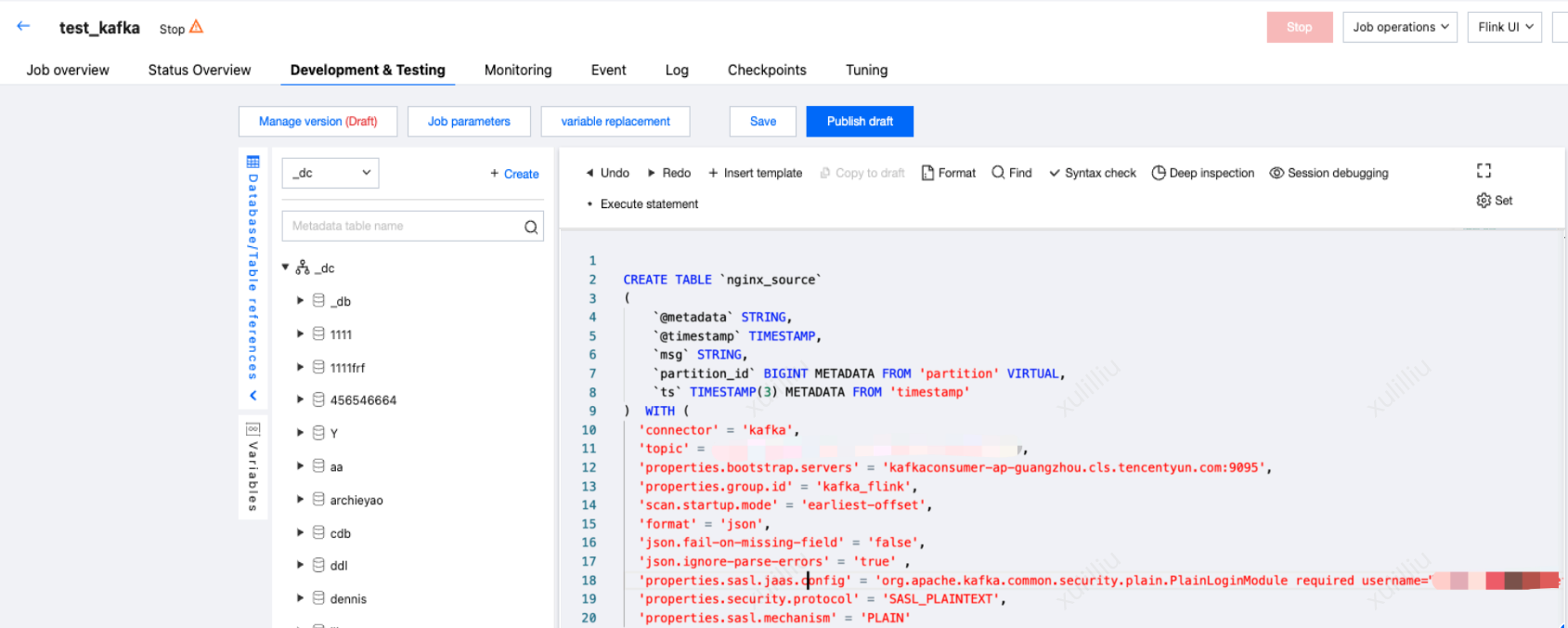
-- The topic name provided by the CLS Kafka protocol consumption console, for example, XXXXXX-633a268c-XXXX-4a4c-XXXX-7a9a1a7baXXXX, can be copied from the console.
'topic'='Your consumption topics',
-- Service address + port, for example, public network port 9096 and private network port 9095, for private network consumption. Please enter according to your actual situation.
-- The username is the logset ID, for example, ca5cXXXXdd2e-4ac0af12-92d4b677d2c6.
-- The password is a string combining the user's SecretId#SecretKey, for example, AKIDWrwkHYYHjvqhz1mHVS8YhXXXX#XXXXuXtymIXT0Lac. Be careful not to lose the #. We recommend that you use the sub-account keys. When authorizing a sub-account, follow the principle of least privilege, configuring the action and resource in the sub-account access policy to the minimum range to fulfill the operations. Note that jaas.config ends with a semicolon. An error will be reported if not filled in.