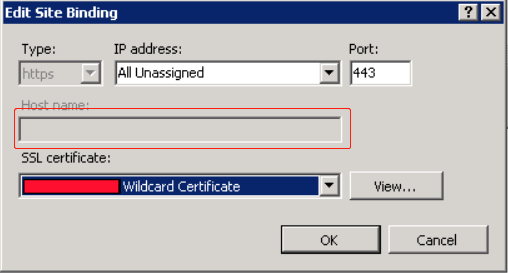
What should I do if the host name field is uneditable in IIS Manager?
When installing a certificate in IIS Manager, after you import a PFX certificate file and set Type to https during website binding, the Host name field becomes uneditable. You can use the following method to address this problem.
Scenario
If Type is set to https during certificate installation in IIS Manager, the Host name field becomes uneditable after the SSL certificate is selected, as shown in the following example.
Solution
1. Open the applicationHost.config file in C:\\Windows\\system32\\inetsrv\\config\\applicationHost.config.
2. Make the following modifications:
Note:
tencent.com is used as the domain name in the following example.
Replace <binding protocol="https" bindingInformation="*:443:" /> in the following sample code with
<binding protocol="https" bindingInformation="*:443:tencent.com" />.
If you cannot modify the file directly, try modifying it as an admin, or copy and paste it to your desktop, modify it, and then replace the original file with the modified one.