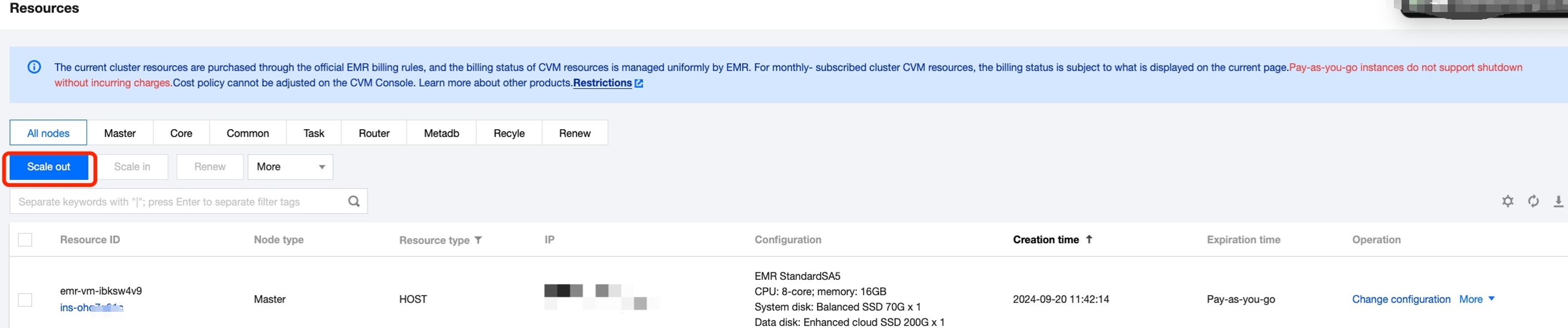
Log in to the EMR console, select the corresponding cluster in the cluster list, and click the ID/name to enter the cluster details page. On the cluster details page, select Cluster Resources > Resource Management to enter the resource management page, then click Expand to navigate to the cluster Expand page.
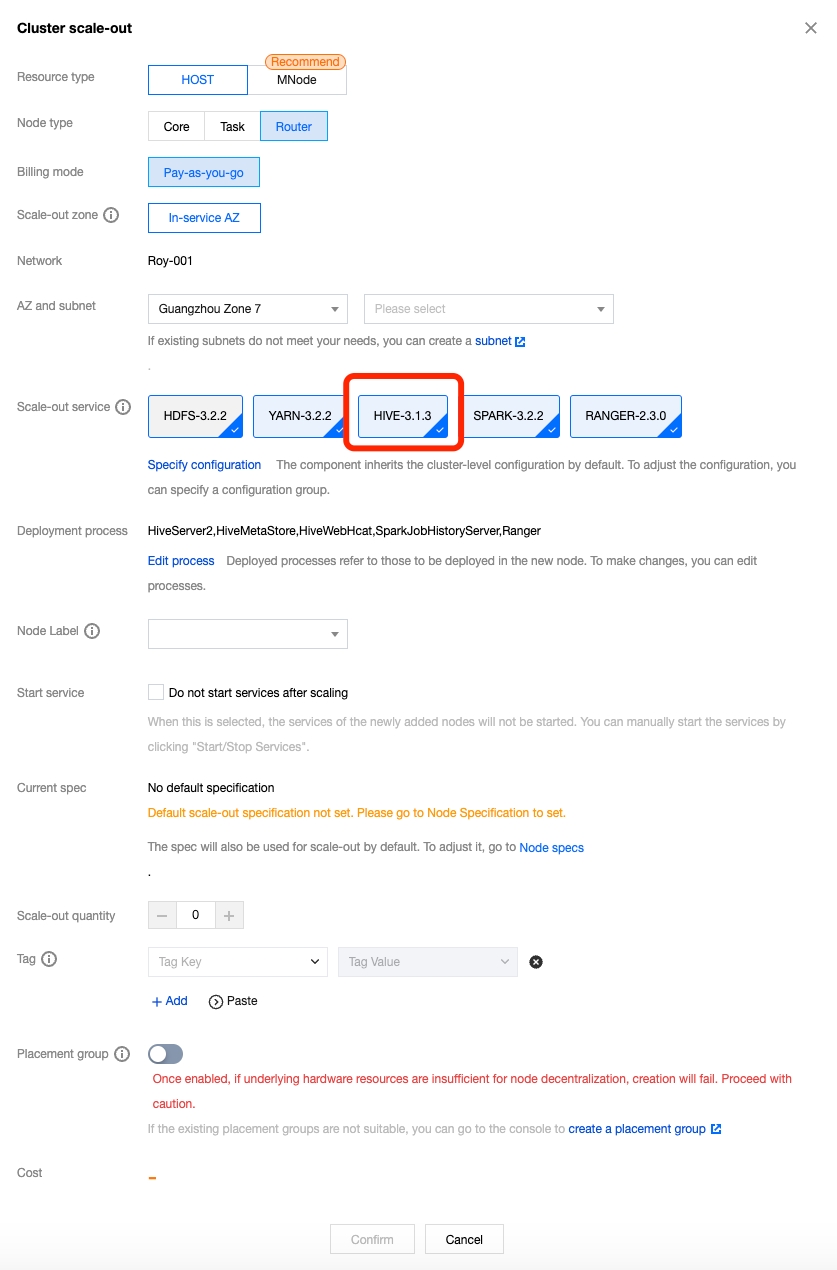
On the cluster expansion page, select the node type for scale-out as Router and the service to services to expand as Hive. You can adjust other options according to your needs.
Migrating HiveServer2 and MetaStore
Go to the EMR console, use the Cluster Services to access the configuration management feature of the Hive service, and modify the following parameters in the hive-site.xml configuration file of the Router node:
Parameter
Value
Description
hive.metastore.uris
thrift://${router-ip}:7004
Modify the Hive Metastore address information, directing the Hive metadata storage service address to the added Router node. ${router-ip} refers to the private IP address of the Router node where the MetaStore is located.
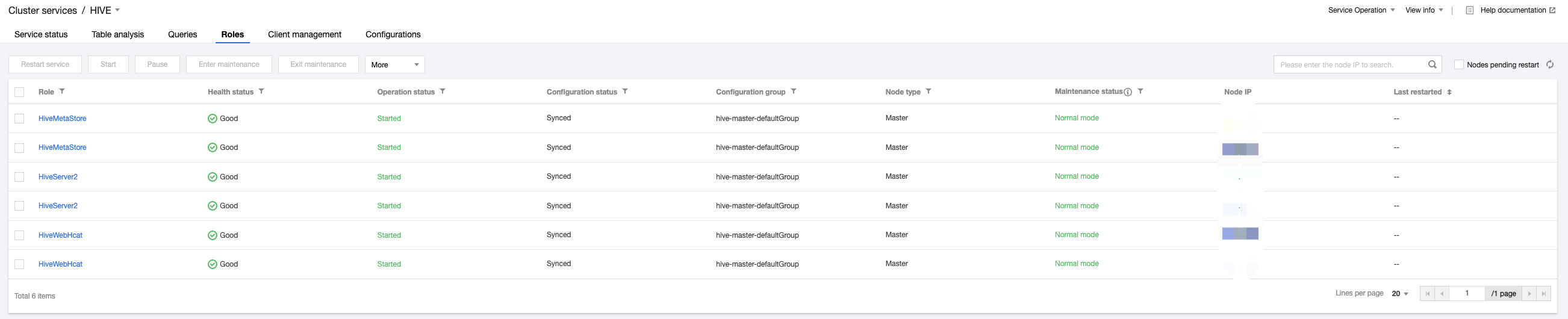
After issuing and saving the configuration, go to Cluster Services and select Operation > Role Management for the Hive component. Pause all Hive processes on the Master node and restart the Hive processes on the Router node.
Test HiveServer2 on the Router node. If you can successfully connect and query the existing tables, the migration is successful.
After the migration of HiveServer2, you need to log in to the Master node and modify the Knox configuration file to proxy Hive and HiveUI to the Router node’s Hive component.
vim /usr/local/service/knox/conf/topologies/emr.xml //Modify HIVE and HIVEUI.