Full-link analysis collects, parses, and analyzes audit logs generated in the database system. Once full-link analysis feature is enabled, it assists users in monitoring database activities, identifying potential security issues, and supporting compliance requirements.
Method I: Enabling Full-Link Analysis from the Instance Management Page
2.1. In the left sidebar, choose Instance Management, and select the database type.
2.2. Access the instance configuration page using either of the following methods.
The display may vary by page. The following steps use the MySQL database as an example; see the actual page display for details.
Method I: In the Status column of the instance to be enabled, click
.
Method II: In the Operation column of the instance to be enabled, click Configuration.
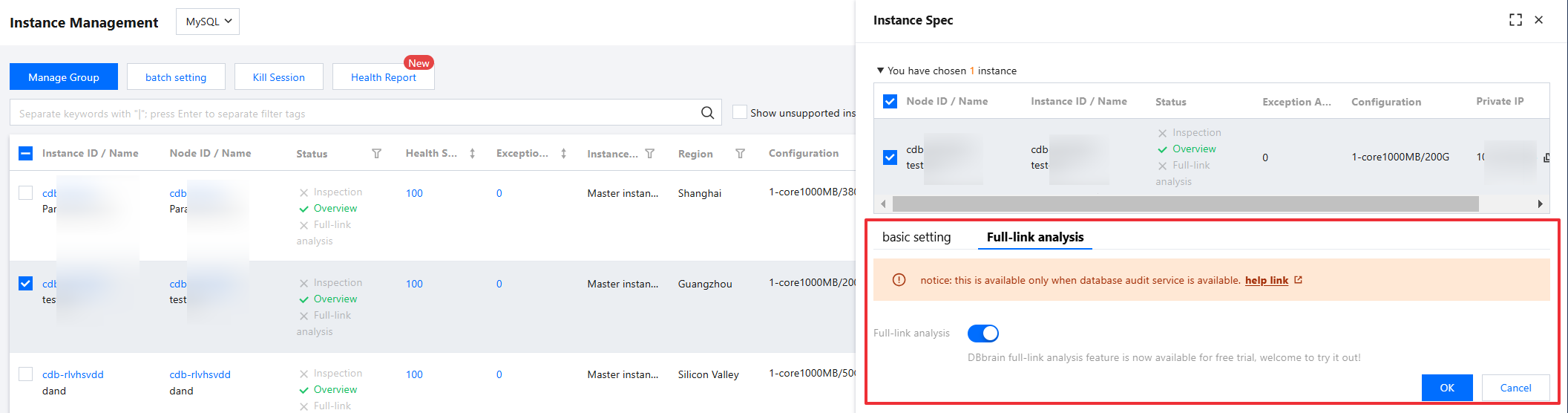
2.3. In the pop-up dialog box, review the selected instance information, select Full-link analysis, toggle the Full-Link Analysis button, and click OK.
Note:
After the full-link analysis feature is enabled, the Full-link analysis > Details Inquiry and Full-link analysis > SQL Analysis pages will display relevant statistical information. For detailed instructions on viewing SQL detail data and SQL analysis data, see Detail Query and SQL Analysis.
To disable the full-link analysis feature, follow the same steps as above. On the instance configuration page, toggle off the Full-Link Analysis button, and click OK .
Method II: Enabling Full-Link Analysis from the Detail Query or SQL Analysis Page
2.1. In the left sidebar, select Full-link analysis > Details Inquiry or Full-link analysis > SQL Analysis.
2.2. At the top of the page, select the database type, and then select node ID, instance ID, or cluster ID.
2.3. In the top right corner of the page, click Configuration.
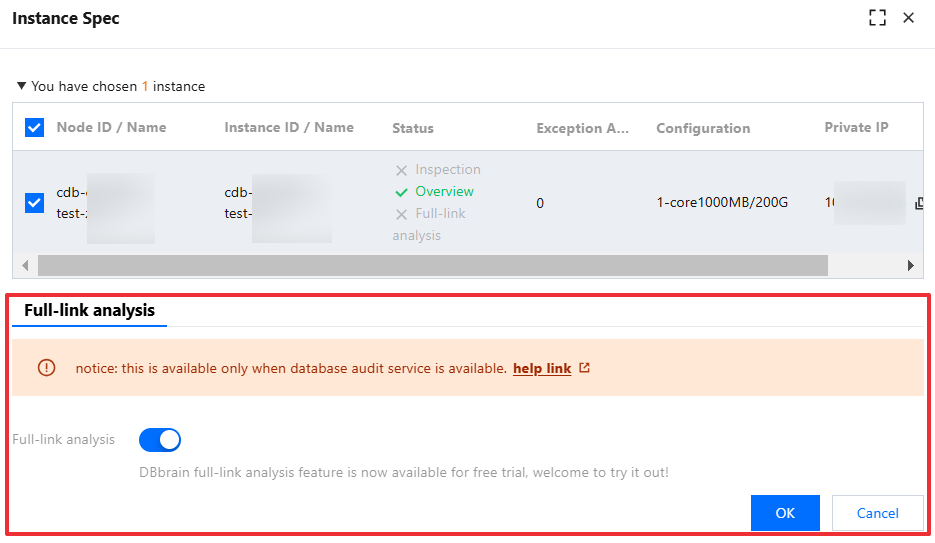
2.4. In the pop-up dialog box, confirm to toggle the Full-Link Analysis button, and click OK.