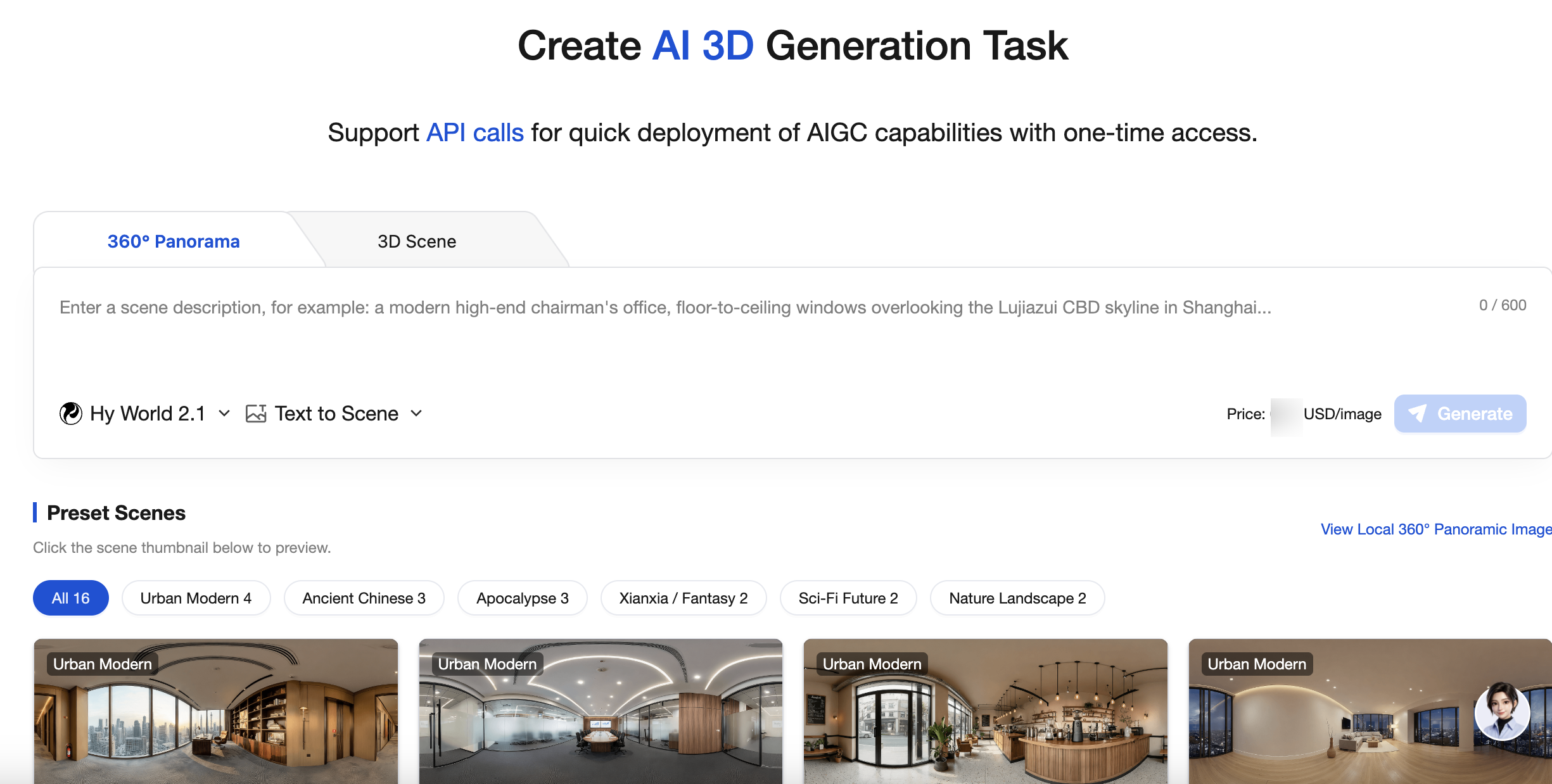
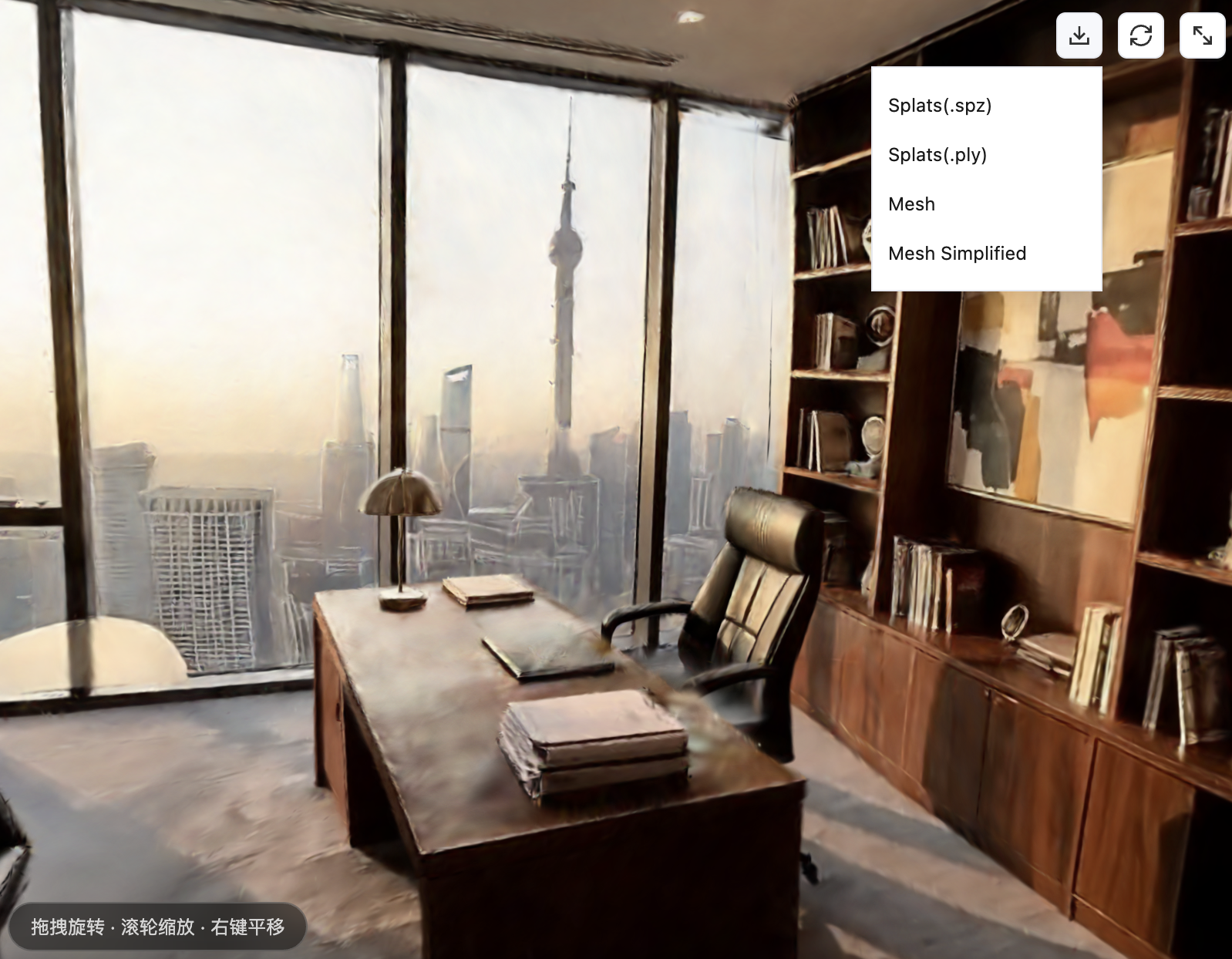
The MPS console offers different types of AIGC generation task experiences. Users can quickly experience AI 3D generation effects through the console.
Scenario Introduction
Text-to-Video Scenarios
Enter a prompt. A high-quality prompt helps improve the quality of your generated results. You can enter up to 600 characters. You can refer to the following structure to describe your prompt:
Scene category (desert, sea surface, room, and so on) + Scene features (visual descriptions of objects, sky, and so on) + Style (cartoon/realistic/oil painting, and so on).
You can refer to the prompt examples in the following table:
Generation Type
Prompt Example
360° panoramic image
A modern high-end executive office, with floor-to-ceiling windows overlooking the Shanghai Lujiazui CBD skyline, warm golden evening sunlight streaming in, a dark solid wood desk, a black leather executive chair, a metal desk lamp, laptop, and folders on the desk, a custom bookshelf behind displaying books and artworks, an abstract art painting on the wall, a gray wool carpet, and an overall calm, business-like, and premium atmosphere.
A modern large corporate meeting room featuring a long oval conference table that seats 20 people, neatly arranged black high-back office chairs, white coffee cups and notebooks placed at each seat, 100-inch large-screen projections mounted on both sides at the front displaying data charts, recessed LED downlights in the ceiling, a dark gray carpet, wooden wall panels alternating with glass curtain walls, and an overall bright and professional atmosphere.
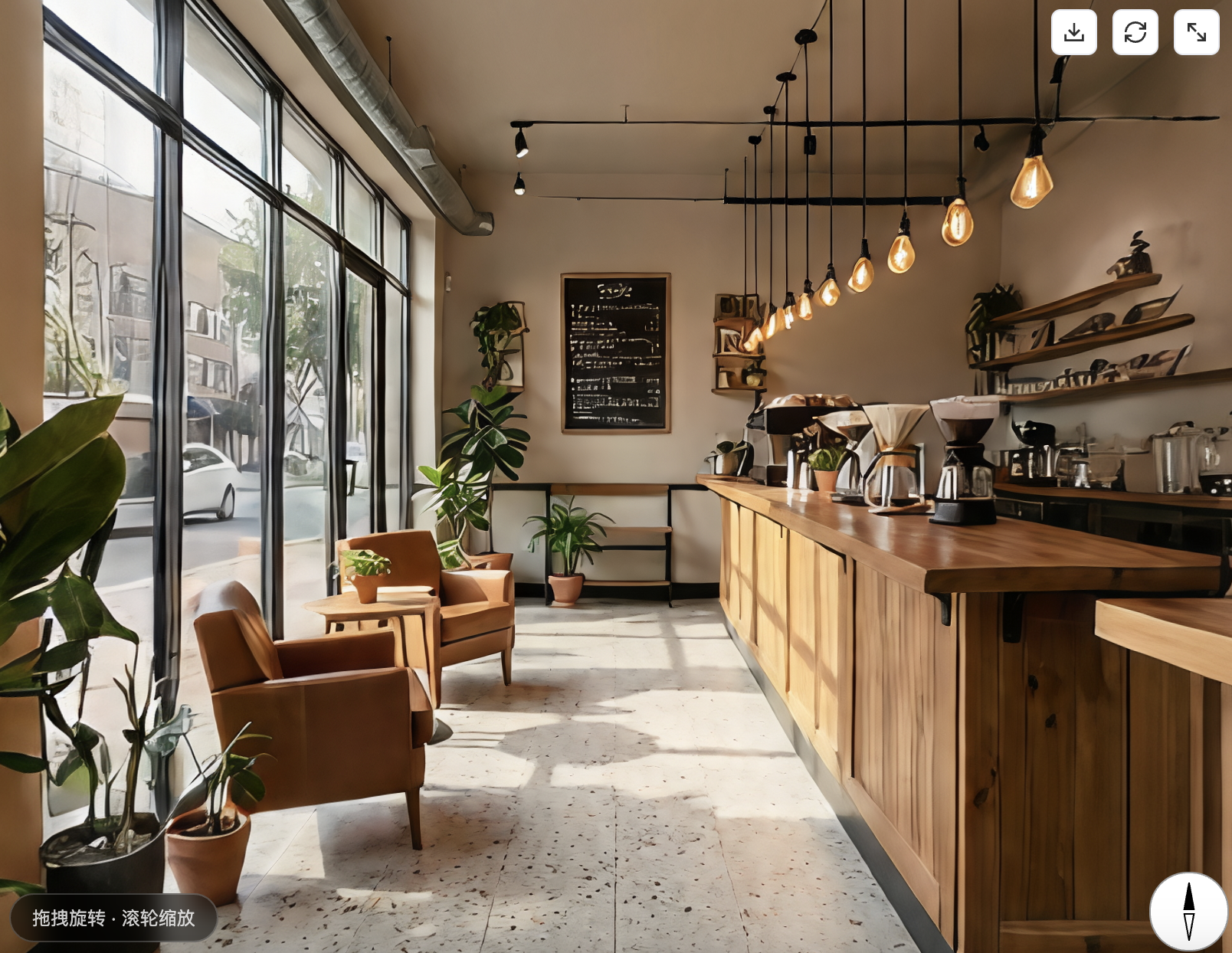
A refined independent coffee shop interior featuring an industrial+Nordic mix, hand-drip coffee equipment hanging behind a long wooden bar counter, warm light from vintage Edison bulbs, a single leather chair and a small round table by the window, green plants as accents, a blackboard menu written in cursive handwriting, terrazzo floor tiles, and afternoon sunlight streaming through large glass windows to create light and shadow.
3D scene
A modern fully furnished living room featuring a light gray fabric L-shaped sofa, magazines and a ceramic vase on a wooden coffee table, a 75-inch TV mounted on the wall, a city night view outside floor-to-ceiling windows, light wood flooring paired with a cream carpet, ceiling spotlights, a floor lamp in the corner, and an overall warm, modern, and homey atmosphere.
An ancient Chinese noble bedroom featuring a carved canopy bed with pale yellow silk curtains, a huanghuali wood dressing table and a bronze mirror beside it, a curio shelf along the wall displaying blue-and-white porcelain and jade items, a vermilion wooden door with openwork carvings, a floor of gray bricks paired with a silk rug, an ink wash landscape painting on the wall, warm candlelight glowing on the table, and an overall warm and elegant atmosphere.
An interior view of an abandoned large supermarket at the end of the world, with shelves toppled and scattered across the open floor, shopping carts overturned in the aisles, broken product packaging and glass shards strewn on the ground, a partially collapsed ceiling with exposed steel bars, dust filling the air, and the only light source being a cold-toned glimmer filtering through a broken window in the distance, creating an overall gray and oppressive atmosphere.
Image-to-Video Scenarios
Submit a reference image. A high-quality reference image can improve your generation results. Supported formats include JPG, JPEG, PNG, and WEBP. The minimum resolution is 512×512, and the file size must not exceed 10M. Recommended image requirements are as follows:
Do not include close-ups of people or animals. Avoid the presence of people in the image.
Do not use pure texture images or solid color images.
Avoid using images with large areas of sky, starry sky, or similar content.
Avoid inputting images with poor quality (blurry, overexposed, with watermarks, and so on).
You can refer to the image examples in the following table:
1. Go to MPS console > AIGC task creation > AI 3D page and select 360° panorama or 3D scene. You can choose text-to-scene or image-to-scene generation.
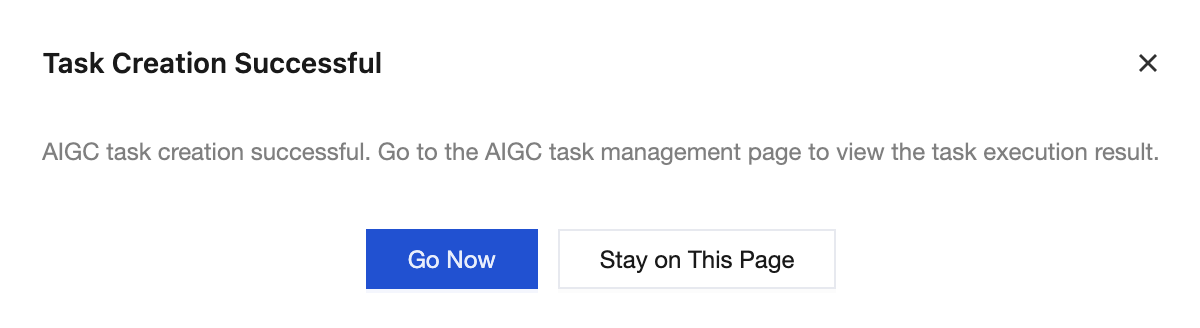
2. After reviewing the Scenario Introduction above and completing the configuration, click Generate. You can stay on the current page to generate other content or go to the AIGC task management page to view tasks.
View the result
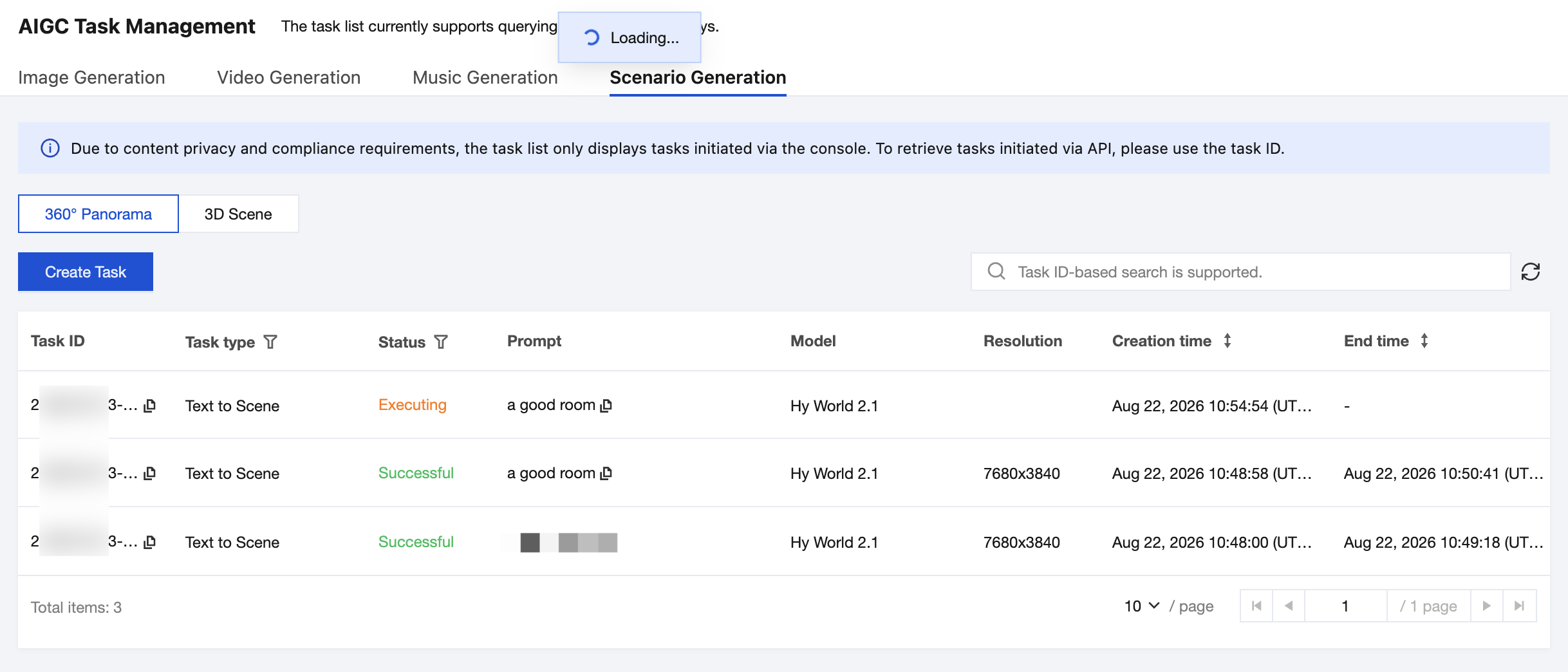
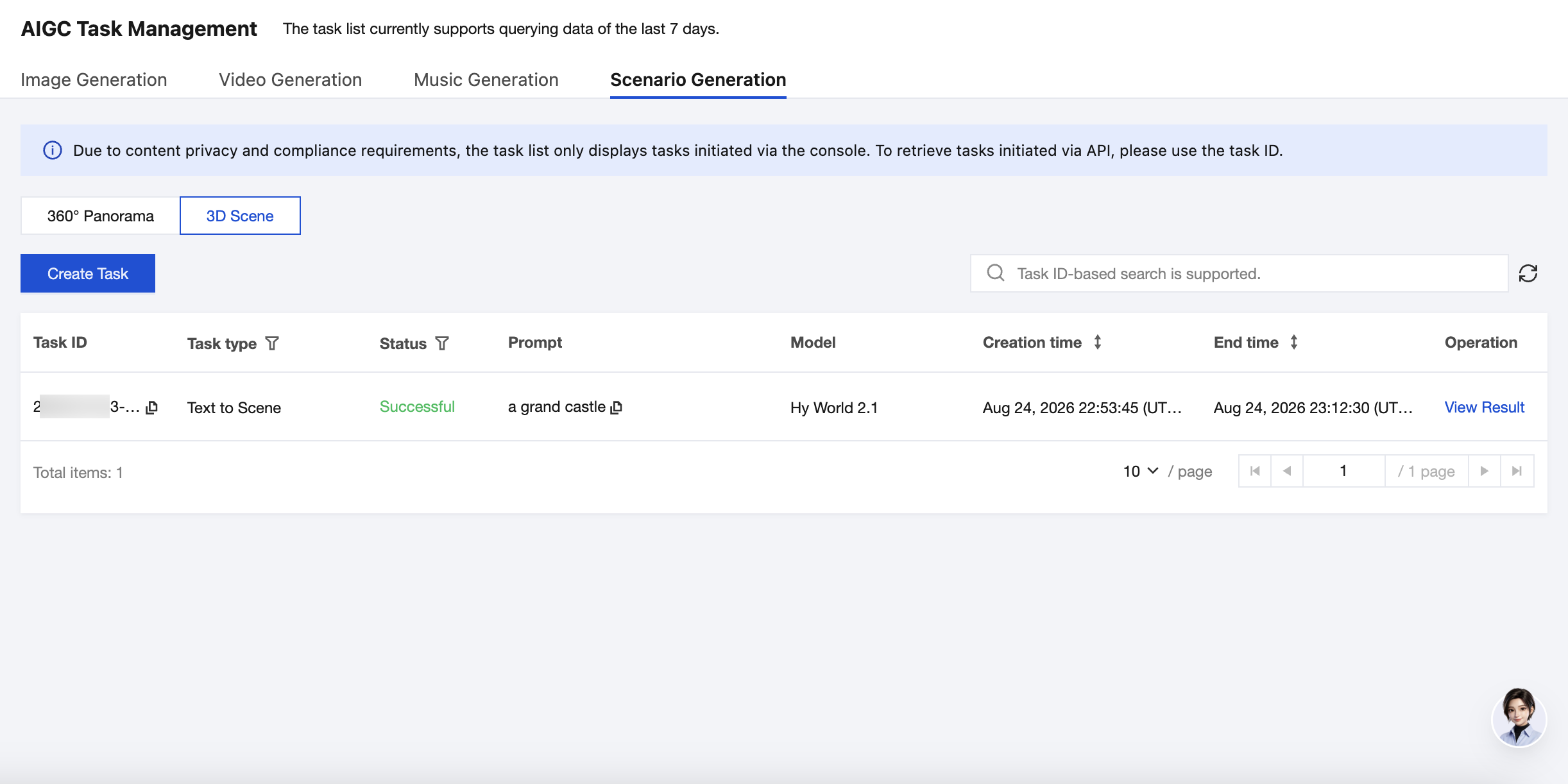
1. After you successfully initiate an AI 3D task through the console or call the API to initiate an AI 3D task, you can view and manage the task information in AIGC task management > Scenario Generation. You can view the generation results in two separate lists: 360° Panorama and 3D Scene.
See the following table for descriptions of the list fields:
Column Name
Description
Task ID
ID of the initiated task.
Task type
Task type corresponding to the task ID. Specifically,
Text-to-scene: A scene generated by using prompts.
Image-to-scene: A scene generated by using a reference image.
Task Status
Includes:
Waiting: The task is in the queue waiting to be processed.
Executing: The task has entered the execution phase.
Successful: The task execution has been completed. You can view the task result.
Failed: The task execution failed, and the possible cause is timeout.
Prompt
Prompt information passed in when the request is sent.
LLM
Requested model parameters.
Resolution
Actual resolution of the generated video.
Creation Time
Time point when the task is initiated.
End Time
Time point when the task ends.
Operation
Results of the successfully created tasks can be viewed or downloaded on the result viewing page.
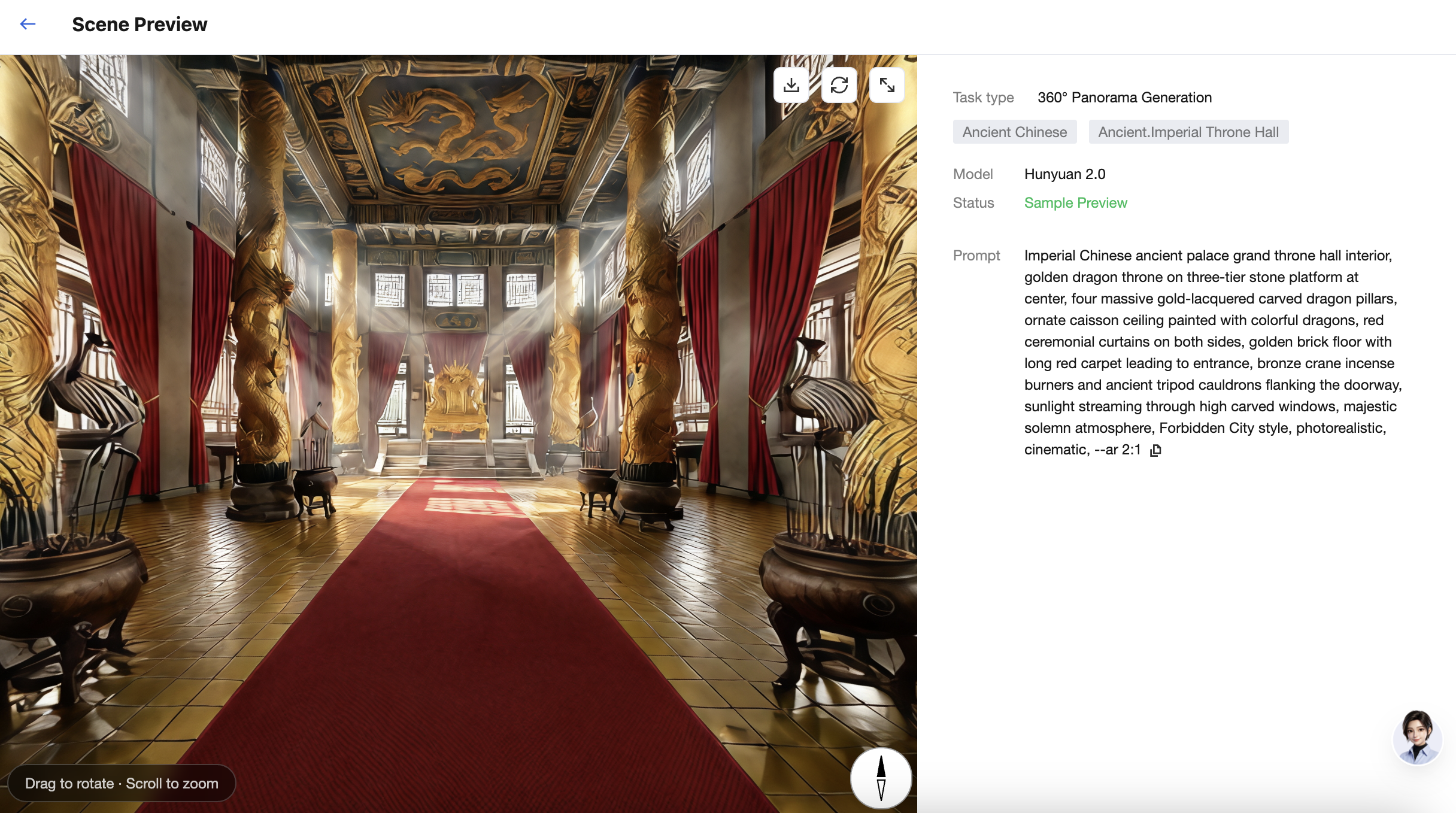
2. Click View Result in the Operation column to view more task information. You can also drag to rotate and scroll to zoom with the mouse to better preview the generated result.
3. Click
in the upper-right corner to download the scene file in multiple formats. The file formats are described as follows:
Generation Feature
File format
Usage Instructions
360° Panorama
PNG
An ultra-high-resolution 360° panoramic image that can be directly used for skyboxes and scene backdrops.
3D Scene
Splats(.spz)
A 3DGS scene file that supports high-quality neural radiance field rendering and is suitable for high-fidelity walkthrough experiences.
Splats(.ply)
A sparse/dense point cloud file that can be further reconstructed into a mesh or used for depth processing.
Mesh
A complete collision mesh used for physical simulation and collision detection, with relatively high precision.
Mesh Simplified
A simplified collision mesh optimized for frontend real-time collision detection, with relatively low precision.