Configuring the Firewall for Multiple Instances
다운로드
포커스 모드
폰트 크기
Application Scenario
This document describes how to use a firewall template to set firewall rules for multiple Lighthouse instances at the same time.
Prerequisites
A firewall template has been created in the Lighthouse console, and template rules have been configured.
Directions
1. Log in to the Lighthouse console and click Firewall Template in the left sidebar.
2. In the firewall template list, select a template and click Configure instance in the operation column.
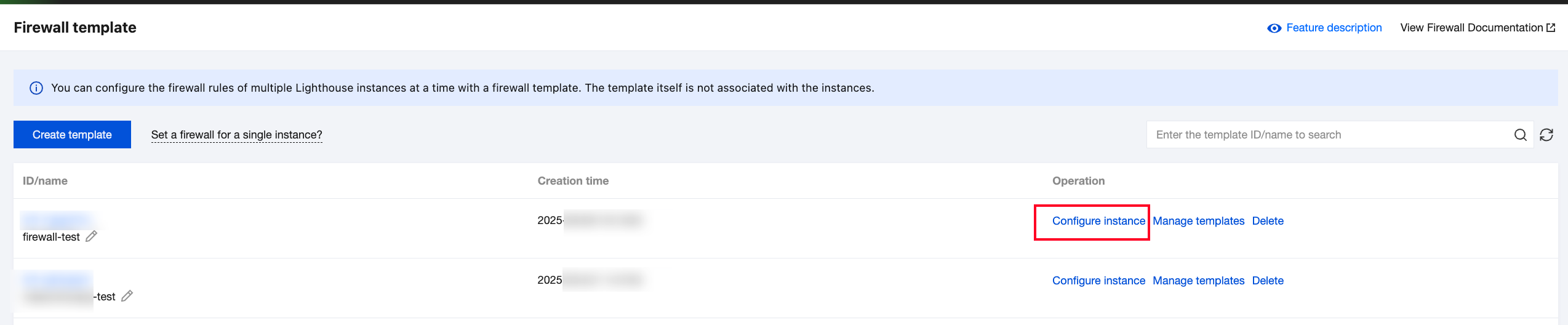
3. In the Configure instance pop-up window, select the Lighthouse instances for which you want to set firewall rules.
Note:
After firewall rules are successfully set for instances by using the firewall template, the original rules of these instances will be overwritten.
To prevent the business from being unavailable right after the rules are set, templates with no firewall rules cannot be used to set the instance firewall.
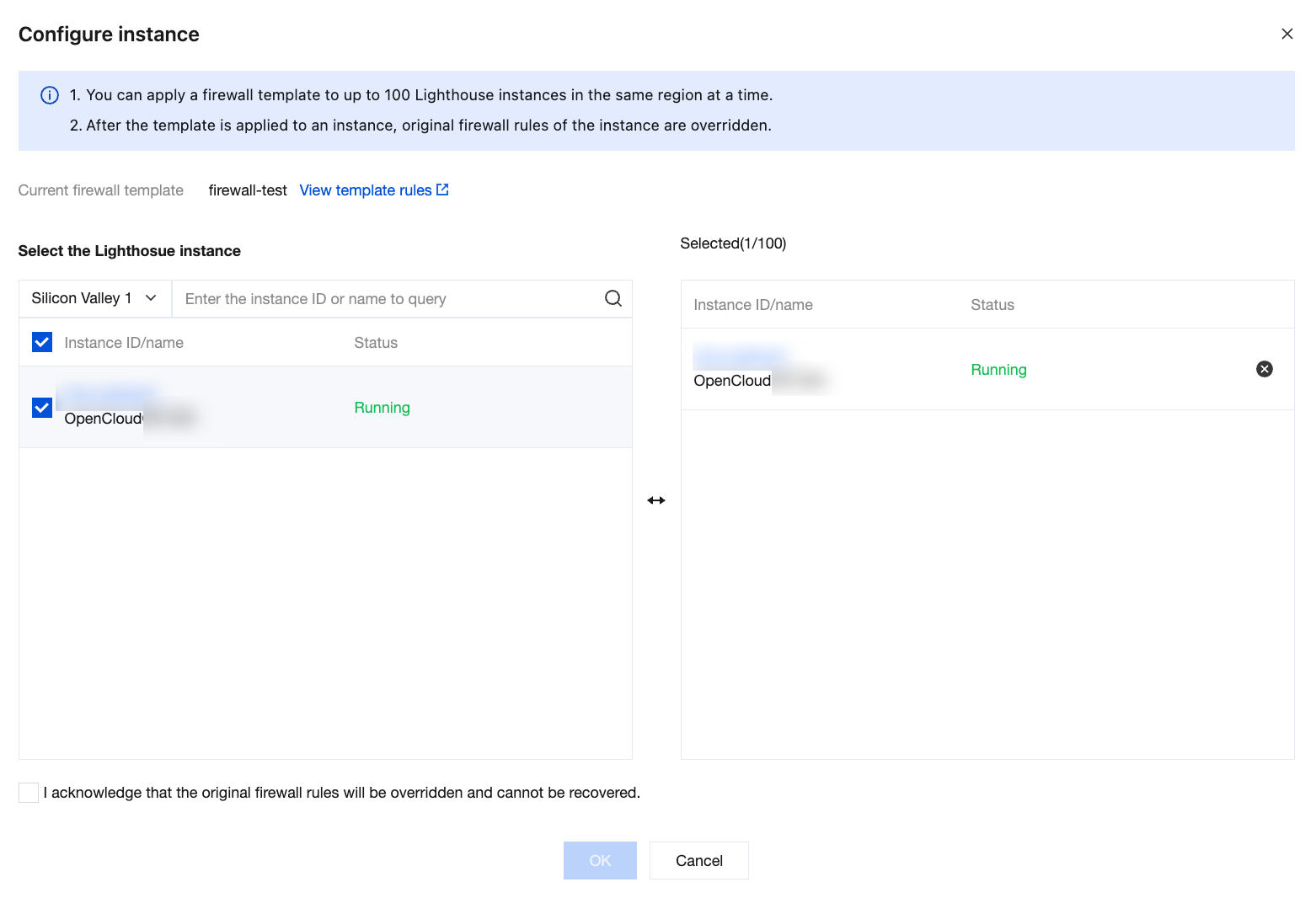
4. View the notes, select the checkbox, and click OK to start setting the firewall.
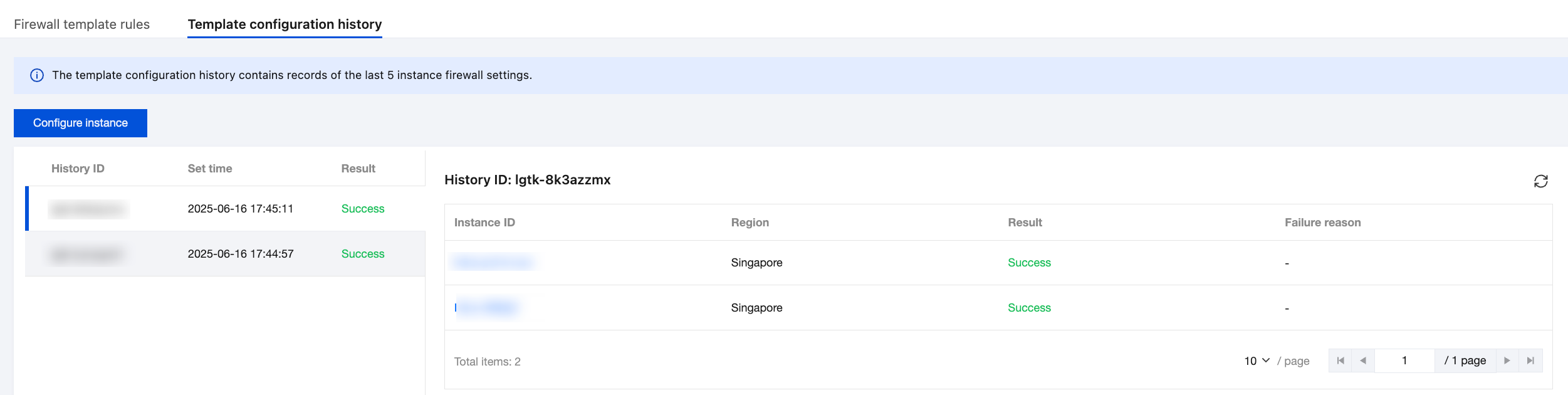
5. The result will be shown in the Template configuration history tab on the firewall template details page.
Note:
After the firewall is set for instances by using a firewall template, you can still modify and configure the firewall rules of instances on the firewall tab of the instance details page.
Firewall rules modified on the instance details page do not affect the rules in created firewall templates.
피드백