Enabling Public Network Access for TKE Serverless Cluster
다운로드
포커스 모드
폰트 크기
마지막 업데이트 시간: 2024-01-29 15:55:07
Overview
TMP is integrated with CM. When creating an integration, if you select COS, you need to enable public network access for the TKE Serverless cluster of the target CM exporter, as COS doesn't support private network access.
2. Click the target instance to enter the instance management page. Then, click Integration Center > Integration List.
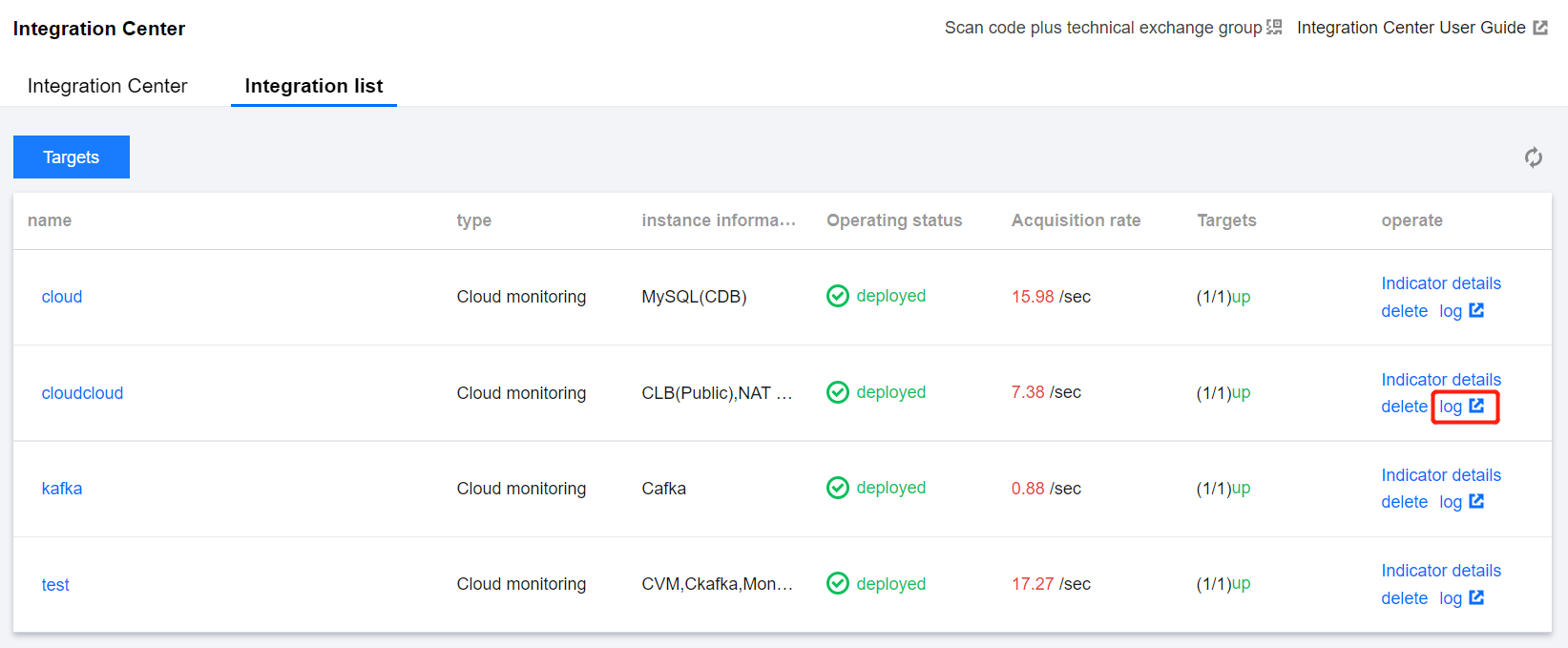
3. Click Log in the Operation column of the line where Type is CM.
4. On the topbar, switch to the Pod management page. Click the instance name to enter the cluster page.
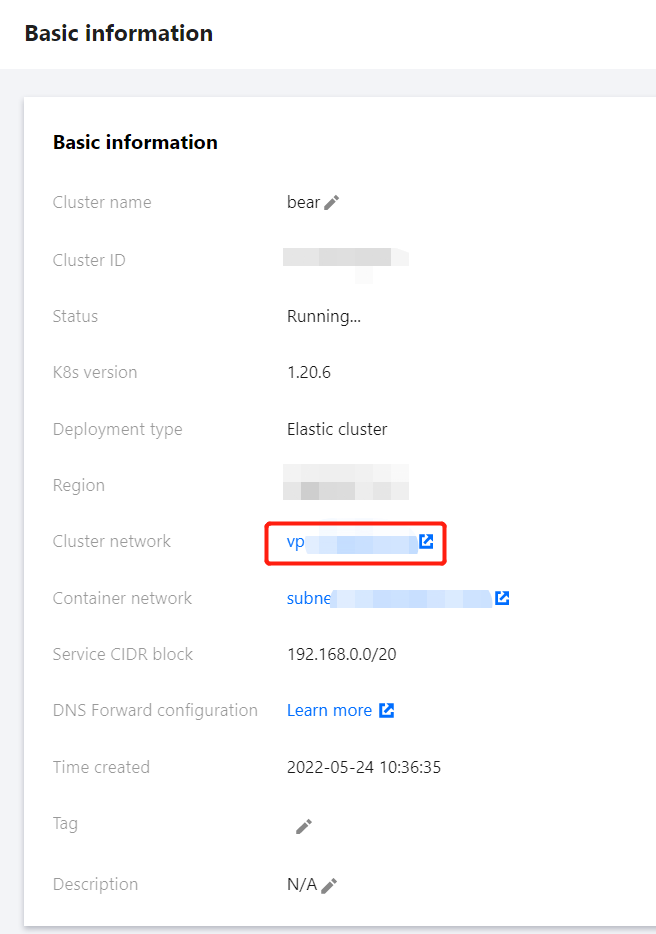
5. On the Basic Info page, click Container Network.
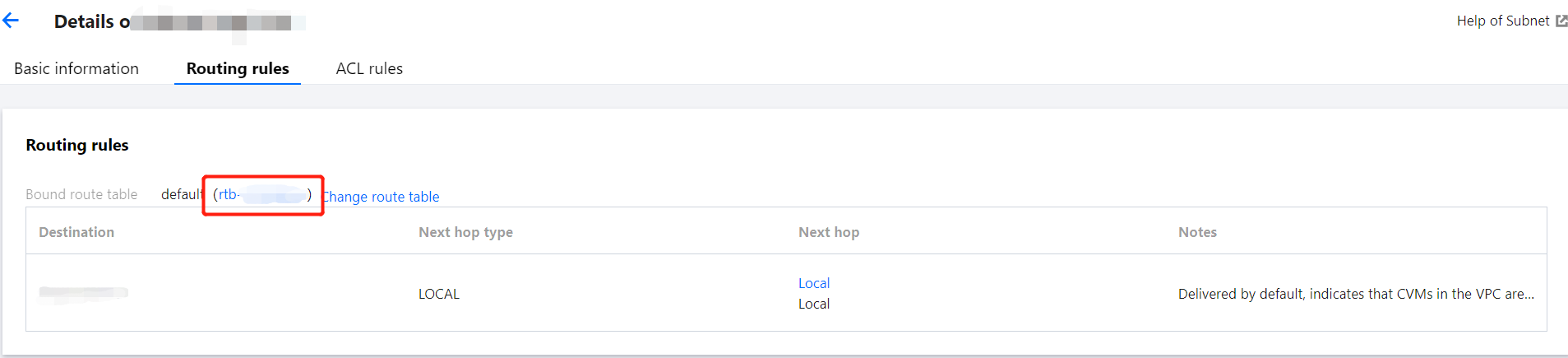
6. On the topbar of the container network page, switch to the Routing Policy tab. Click the route table link (rtb-xxx in the list) to enter the route table page.
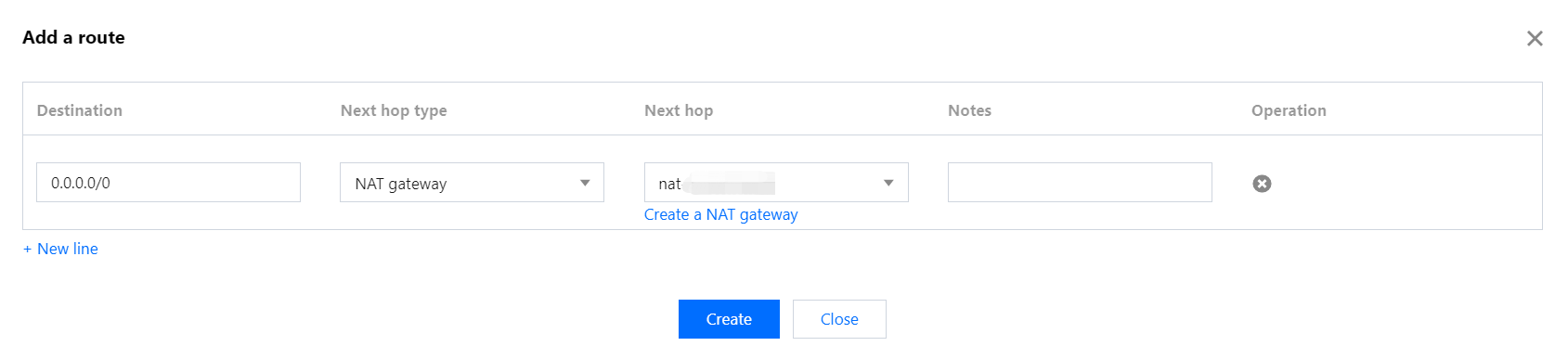
7. On the route table page, click Create Routing Policy.
Destination: Enter 0.0.0.0/0.
Next Hop Type: Select NAT Gateway.
Next Hop: Select the target gateway. If there is no gateway, create one as instructed in Getting Started.
8. Click Create. After the creation is successful, public network access is enabled for TKE Serverless.