Enabling Public Network Access for Prometheus Instances
다운로드
포커스 모드
폰트 크기
마지막 업데이트 시간: 2024-11-22 18:16:04
Operation Background
In some scenarios, you may need your Prometheus instance to have the ability to access the public network, for example:
When Prometheus is integrated to monitor COS products on the cloud, since COS products do not support private network access, the Prometheus instance needs to have the ability to access the public network.
The WebHook in the Prometheus alarm policy is used, and this WebHook URL is a public network address.
In such cases, you need to enable public network access for Prometheus (which essentially means enabling public network access for the TKE-managed cluster where the Prometheus instance components are located).
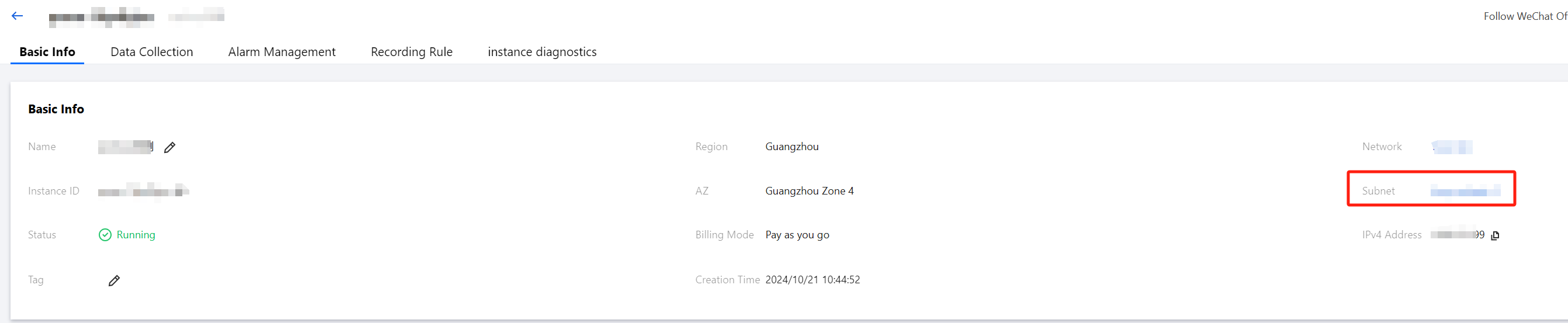
2. Click the corresponding instance to enter the Instance Management page. Then, click Subnet on the Basic info tab page.
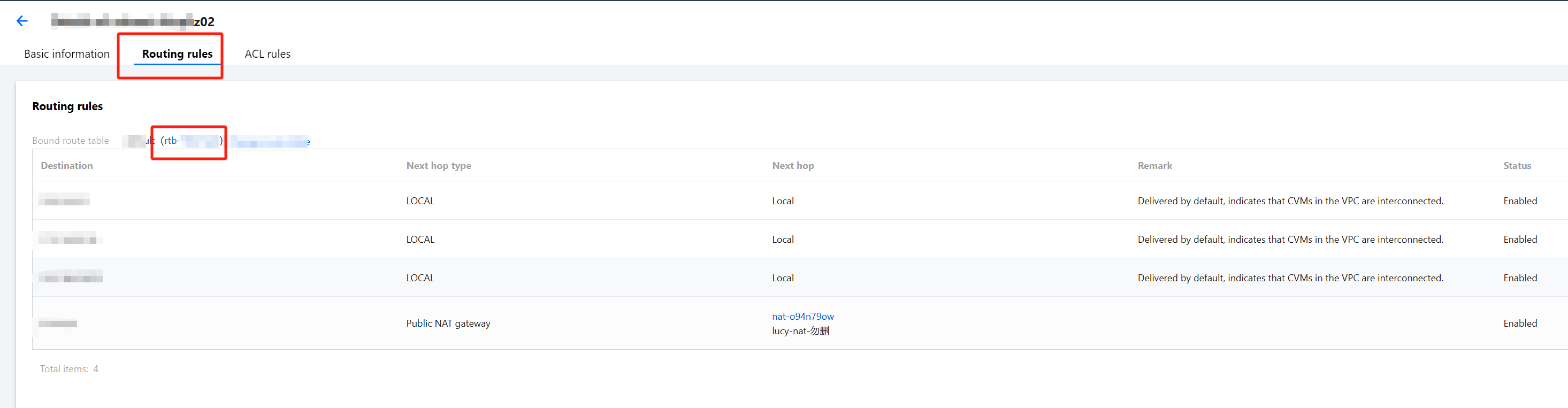
3. In the top menu of the subnet, switch to the Routing rules section. Click the route table link (rtb-xxx on the list) to enter the route table interface.
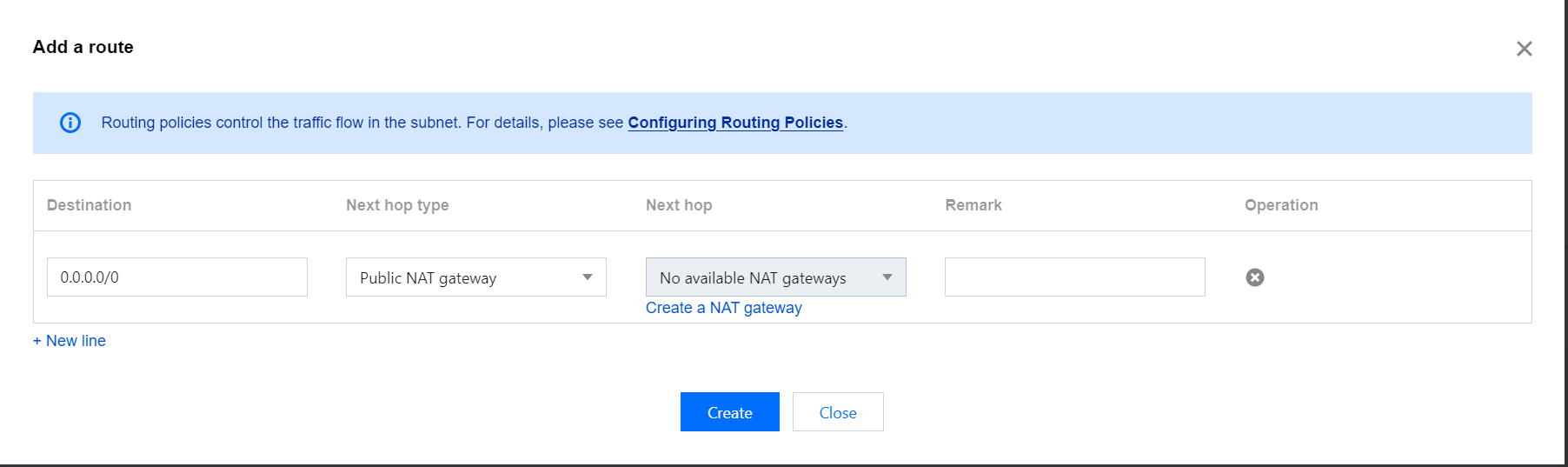
4. On the route table page, click Add routing policy.
Destination: Enter 0.0.0.0/0.
Next hop type: select NAT Gateway.
Next hop: select the target gateway. If there is no gateway, please refer to the NAT Gateway guide to create one.
5. After completing the settings, click Create. After the creation is successful, public network access is enabled for TKE Serverless.