Modifying an L4 Proxy Instance
다운로드
포커스 모드
폰트 크기
Use Cases
This document describes how to modify the configuration of an L4 proxy instance.
Note:
The L4 proxy is only available with the Enterprise plan.
You can disable and then delete a forwarding rule.
Directions
1. Log in to the Tencent Cloud EdgeOne console, enter Service Overview in the left menu bar, and click the site to be configured under Website Security Acceleration.
2. On the site details page, click L4 proxy > L4 proxy list.
3. On the page that appears, find the target L4 proxy instance and click Layer-4 proxy config in the Operation column.

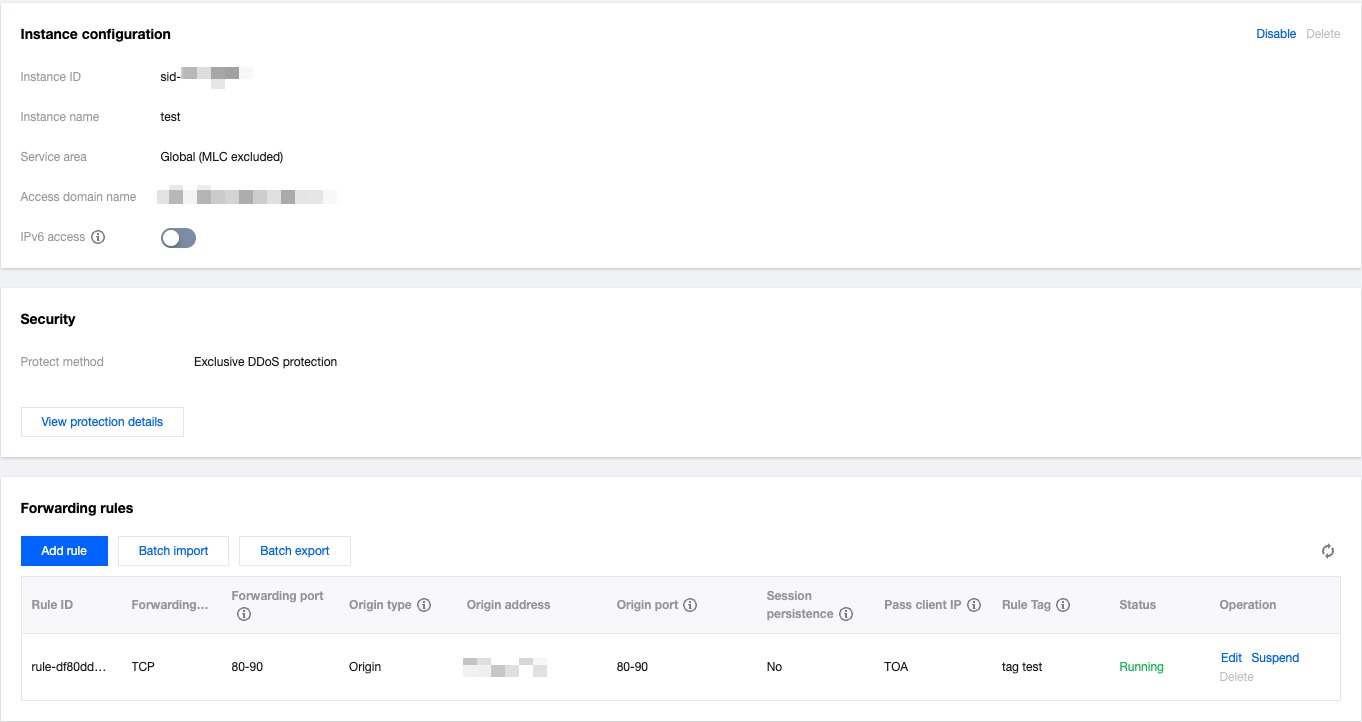
4. On the page that appears, you can enable or disable IPv6 access and modify Cross-MLC-border Acceleration. You can also add, edit, enable/disable, or delete a forwarding rules.
피드백