Quick Run-through
다운로드
포커스 모드
폰트 크기
Introduction
The quick run-through function can run through the application with zero code, and you can use this function to experience the low-code interactive classroom access process.
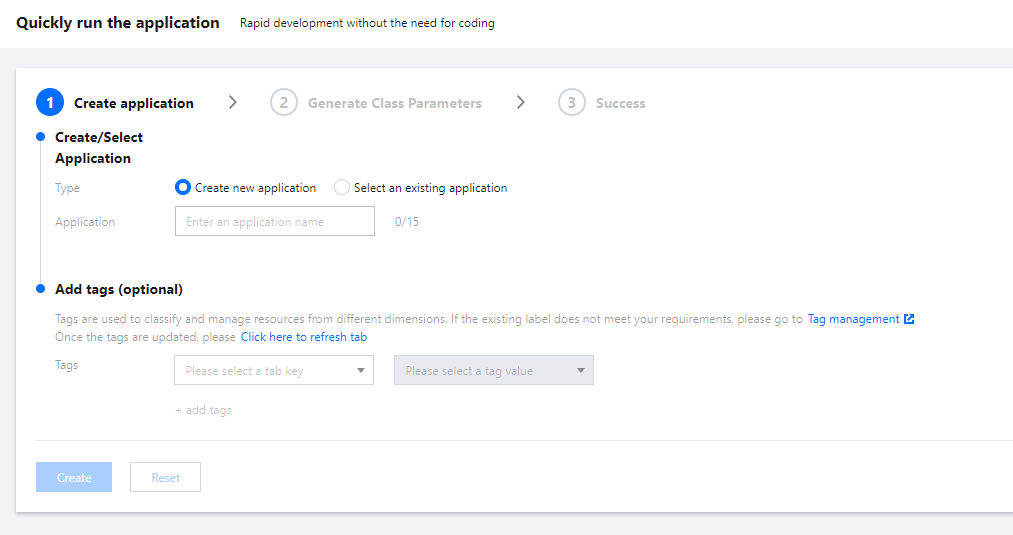
Step 1: Select an application
1. Log in to the LCIC console.
2. Select Quick Start in the left navigation bar.
3. Create new application or Select an existing application.
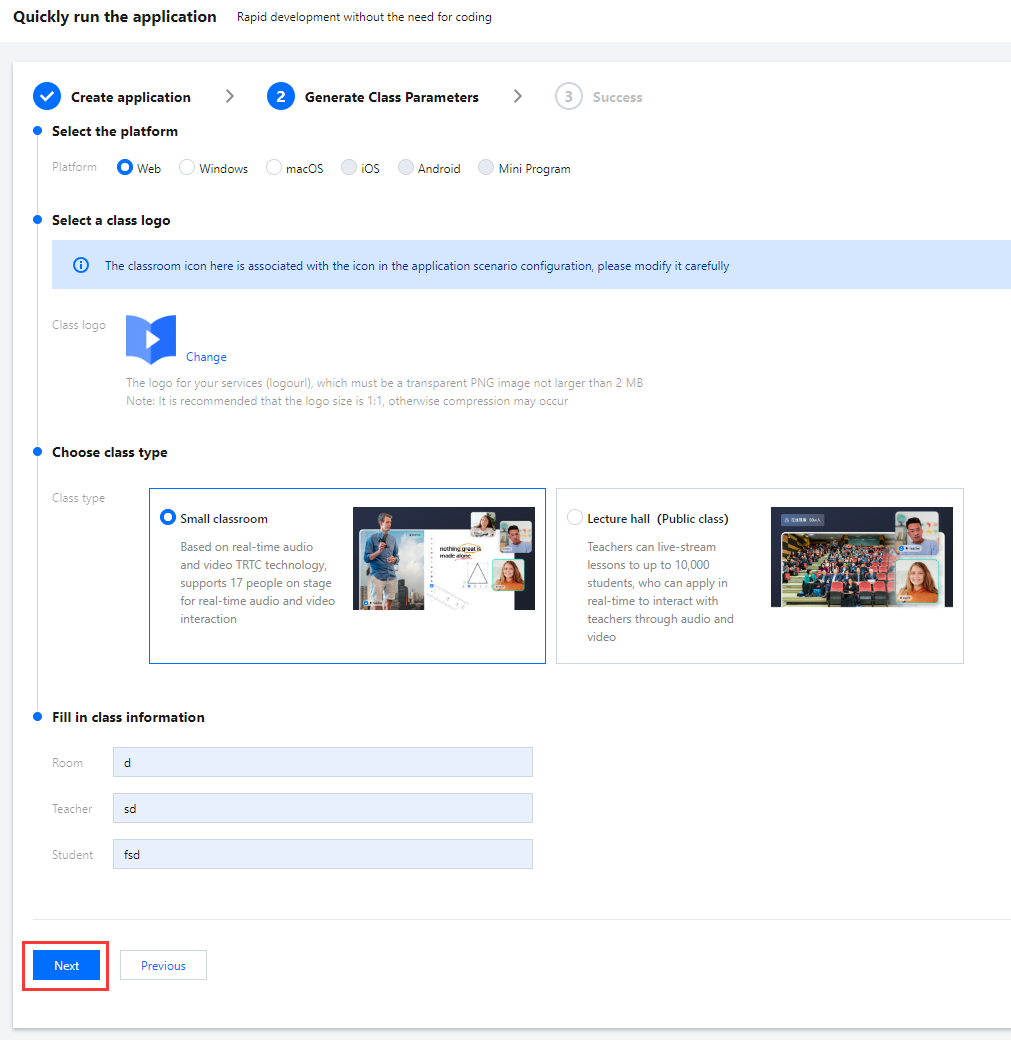
Step 2: Create Classroom
1. Select the classroom icon (if you need to customize the icon, please use the scene configuration function under application management).
2. Fill in the room name, teacher name and student name.
3. Click Next.
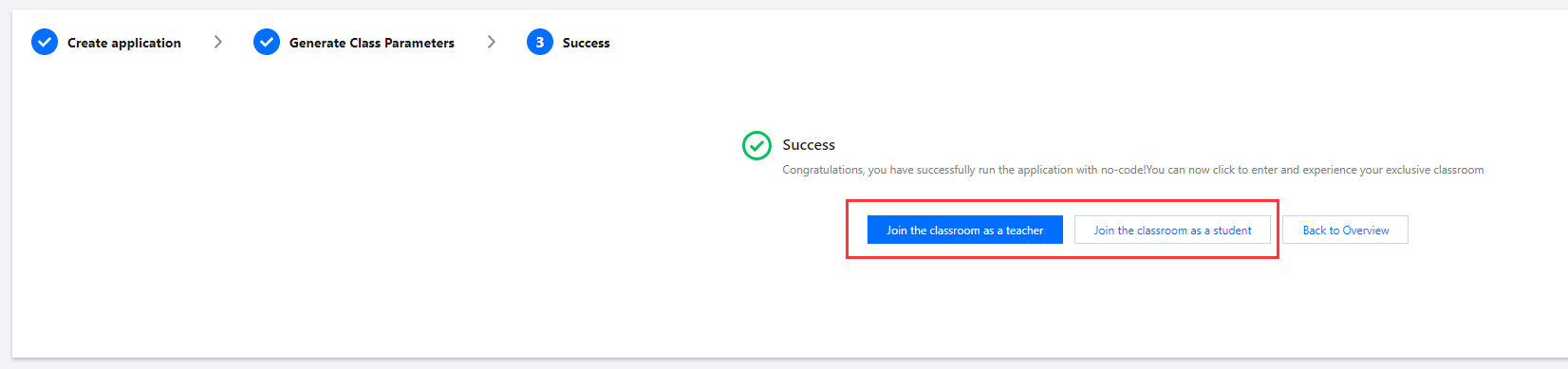
Step 3: Enter the Classroom
Click the button to Join the classroom as a teacher and Join the classroom as a student to jump into the experience classroom.
피드백