The local cluster has purchased CLB service. For details of the purchasing method, see Creating an Order.
TKE authorization is complete. In the Tencent Cloud console, choose Cloud Products > TKE, go to the TKE console, and follow the prompts on the page to authorize TKE. (If you have already authorized TKE, skip this step.)
Operation Steps
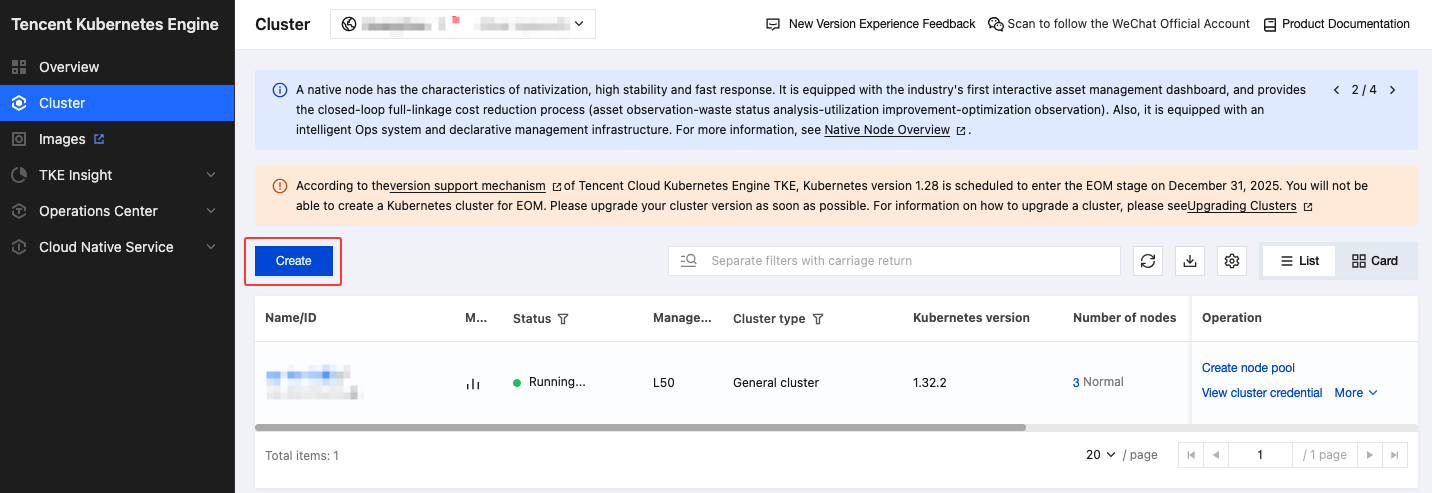
1. Log in to the TKE console, select the target region in the cluster list, and click Create.
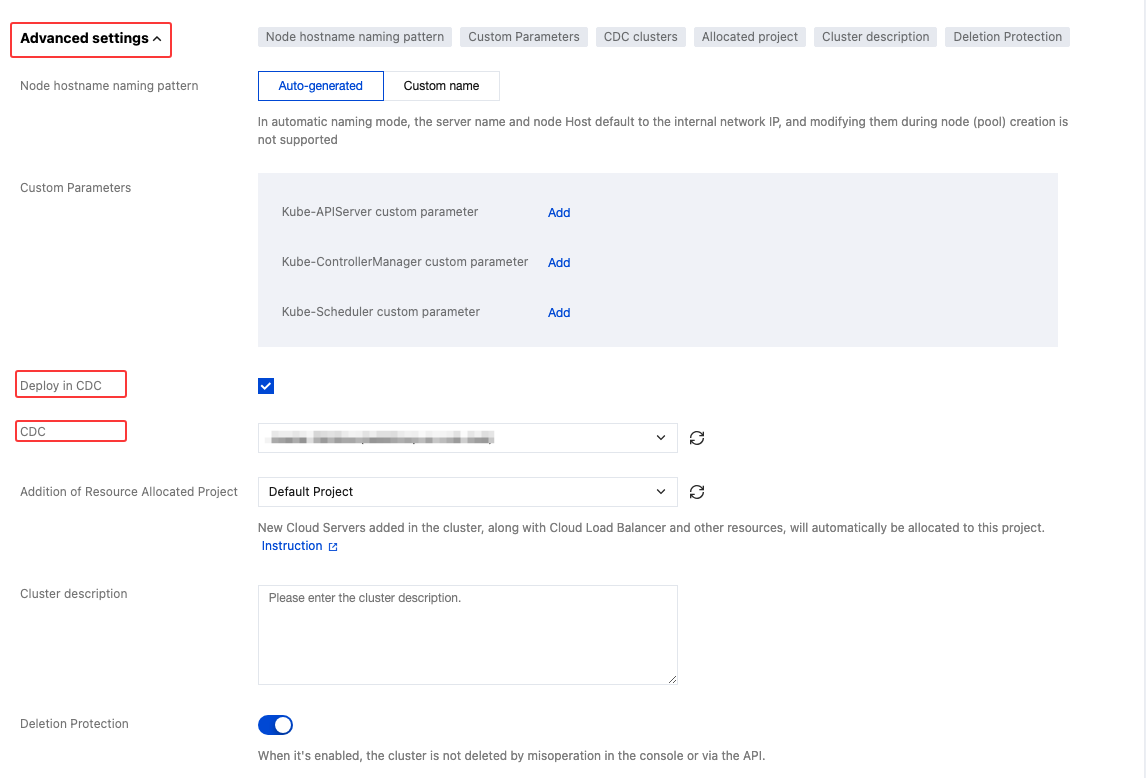
2. On the cluster creation page, follow the instructions to complete cluster information configuration, network configuration, and component configuration. Among which, in the cluster information step, click Advanced Settings, select Deploy in CDC, and choose the Tencent Cloud CDC cluster to deploy. Other configurations are consistent with creating a TKE cluster. For details, see Creating a Cluster.
Note:
The CDC deployment feature needs to be added to the allowlist. If the relevant configuration does not exist in your console, please contact online customer service for assistance.
3. In the information confirmation step, confirm your configuration information, read and select the TKE Service Level Agreement terms, and clickComplete to complete the deployment of the TKE service in the CDC cluster.
4. The cluster is ready for use after initialization completes. You can click the instance details to view the cluster initialization progress.