tencent cloud

Cloud Dedicated Cluster

Product Introduction
Overview
Strengths
Scenarios
CAM
Billing
Billing Overview
Purchase Method
Getting Started
Creating a Local IDC
Creating a Tencent Cloud CDC
Creating and Paying for Orders
User Guide
Cloud Service Categories
Cloud Virtual Machine(CVM)
Cloud Block Storage (CBS)
Cloud Object Storage (COS)
Virtual Private Cloud (VPC)
NAT Gateway
Local gateway
Elastic IP (EIP)
Cloud Load Balancer (CLB)
Tencent Kubernetes Engine(TKE)
TDMQ for CKafka
TencentDB for Redis®
TDSQL
Web Application Firewall (WAF)
Creating Virtual Connection
Creating IDC Channel
API Documentation
History
Introduction
API Category
Making API Requests
Cloud Dedicated Cluster (CDC) APIs
Data Types
Error Codes
FAQs
Contact Us
Data Processing And Security Agreement
Glossary

Creating CKafka

PDF
포커스 모드
폰트 크기
마지막 업데이트 시간: 2026-01-15 16:41:26
This article describes how to create the message queue CKafka in Tencent Cloud CDC.

Prerequisites

You have created a Tencent Cloud CDC. For specific operations, see create a dedicated cluster.
The local cluster has purchased the message queue CKafka. For the purchase method, see create and pay for an order.

Directions

2. In the left sidebar, click Dedicated Cluster to go to the Tencent Cloud CDC management page.
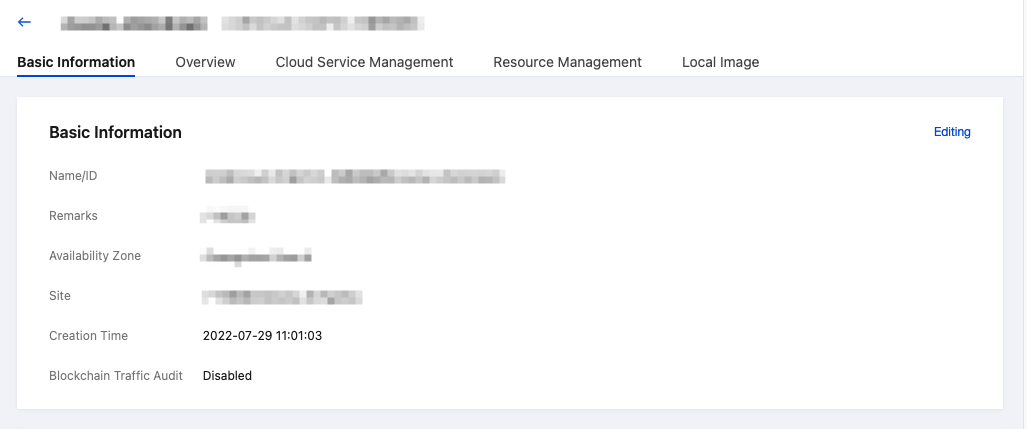
3. Click any cluster to go to the cluster basic information page.

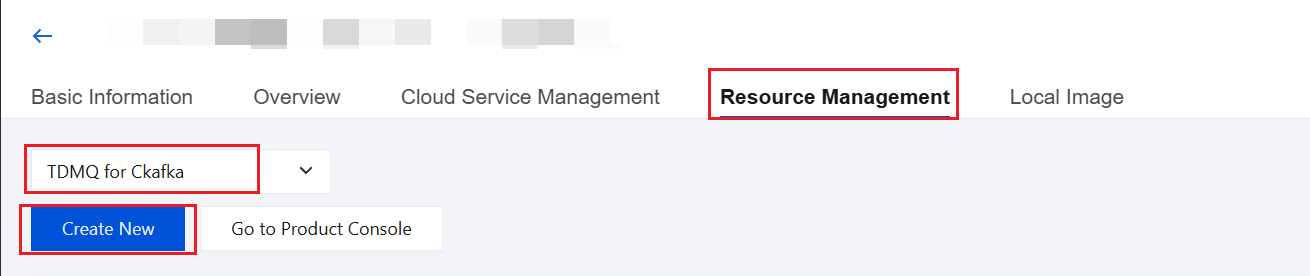
4. Click Resource Management, select the CKafka Tag, and click Create New to configure CKafka.

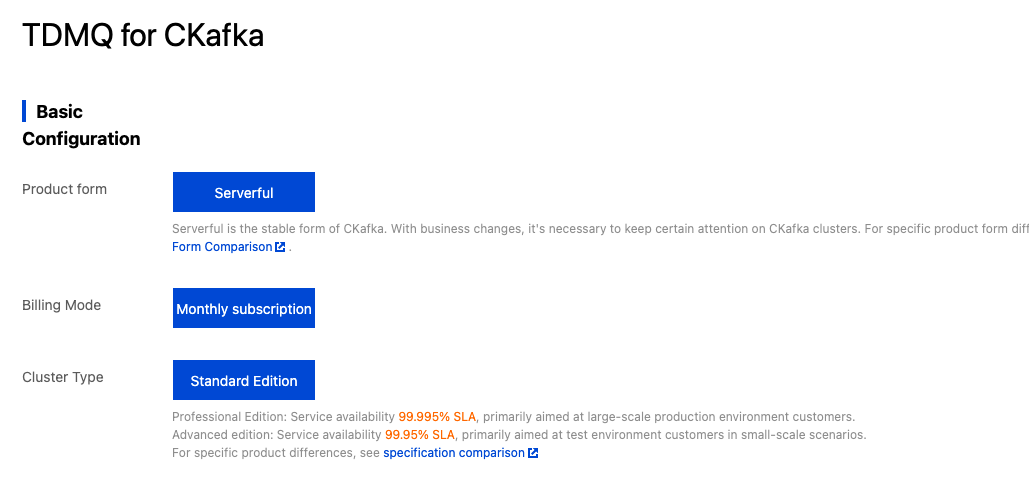
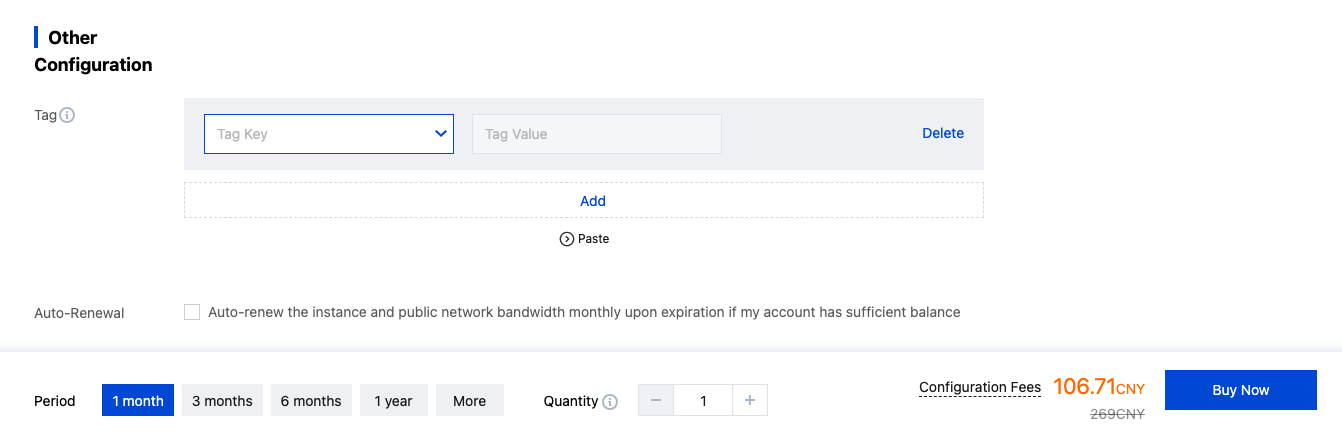
5. On the configuration page, configure according to your business requirements. After configuration, click Buy Now to complete the creation of CKafka.
도움말 및 지원

문제 해결에 도움이 되었나요?

피드백