Post-Call Tag (Created by Conversation Flow)
Download
포커스 모드
폰트 크기
Overview
Post-call tagging is a key feature in AI Agent that allows automatic tagging of calls based on their content. Configuring these tags in the conversation flow helps categorize calls, making it easier to manage customer segments, analyze data, and follow up more effectively.
Adding Post-Call Tags
First, on the AI Agent management page, find the target chat node, click + and select Post-Call Tag. Fill in the Tag Name (e.g., "Satisfaction Survey") and the corresponding Tag value (e.g., "Satisfied/Not satisfied"). The system will automatically record tags based on user responses (e.g., "Not Satisfied" if the response is "Not Satisfied"). After the call ends, you can view all tag data on the Details page. You can also add tags to multiple nodes for future analysis and follow-up.
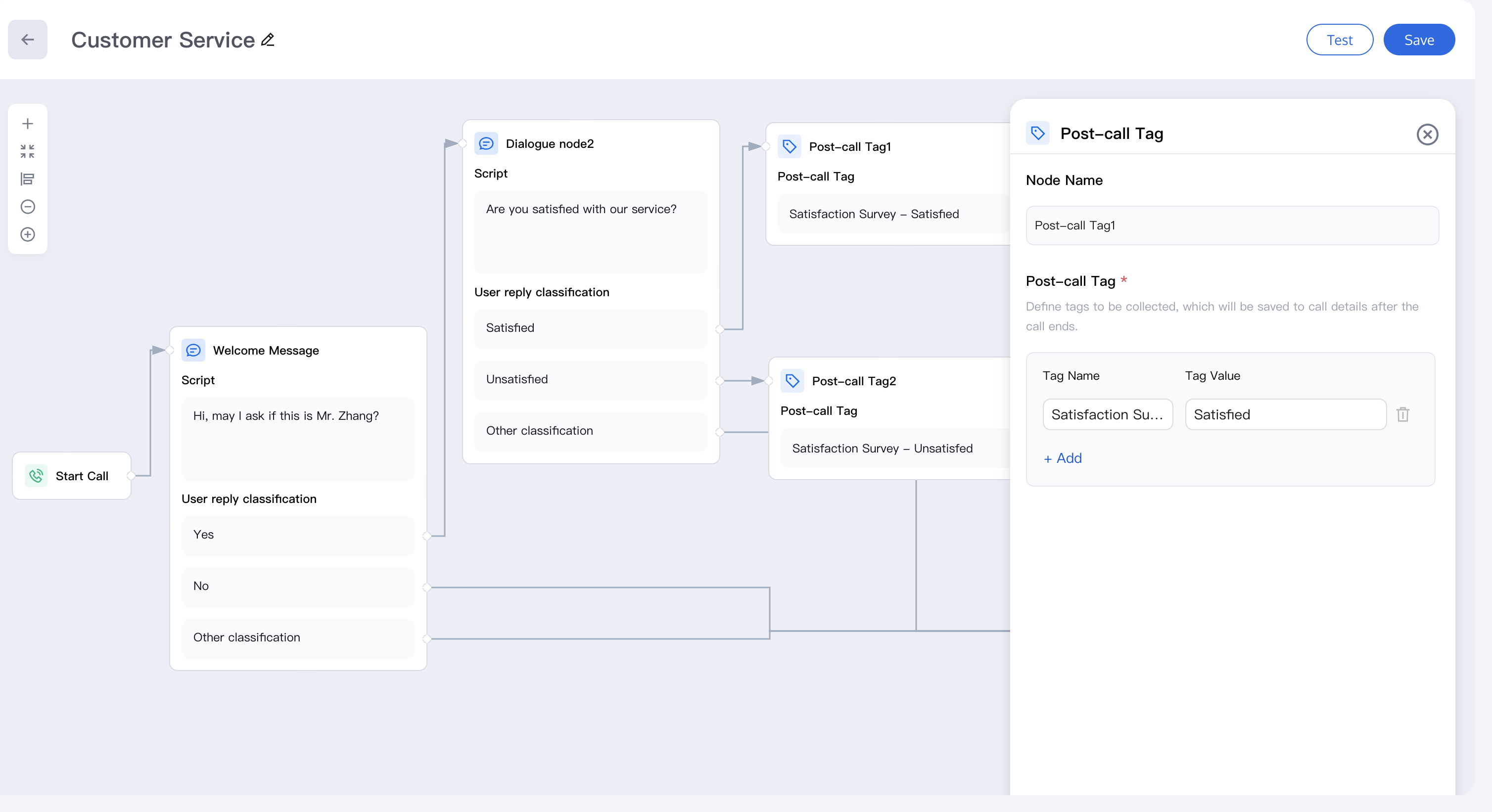
Post-Call Tag Collection
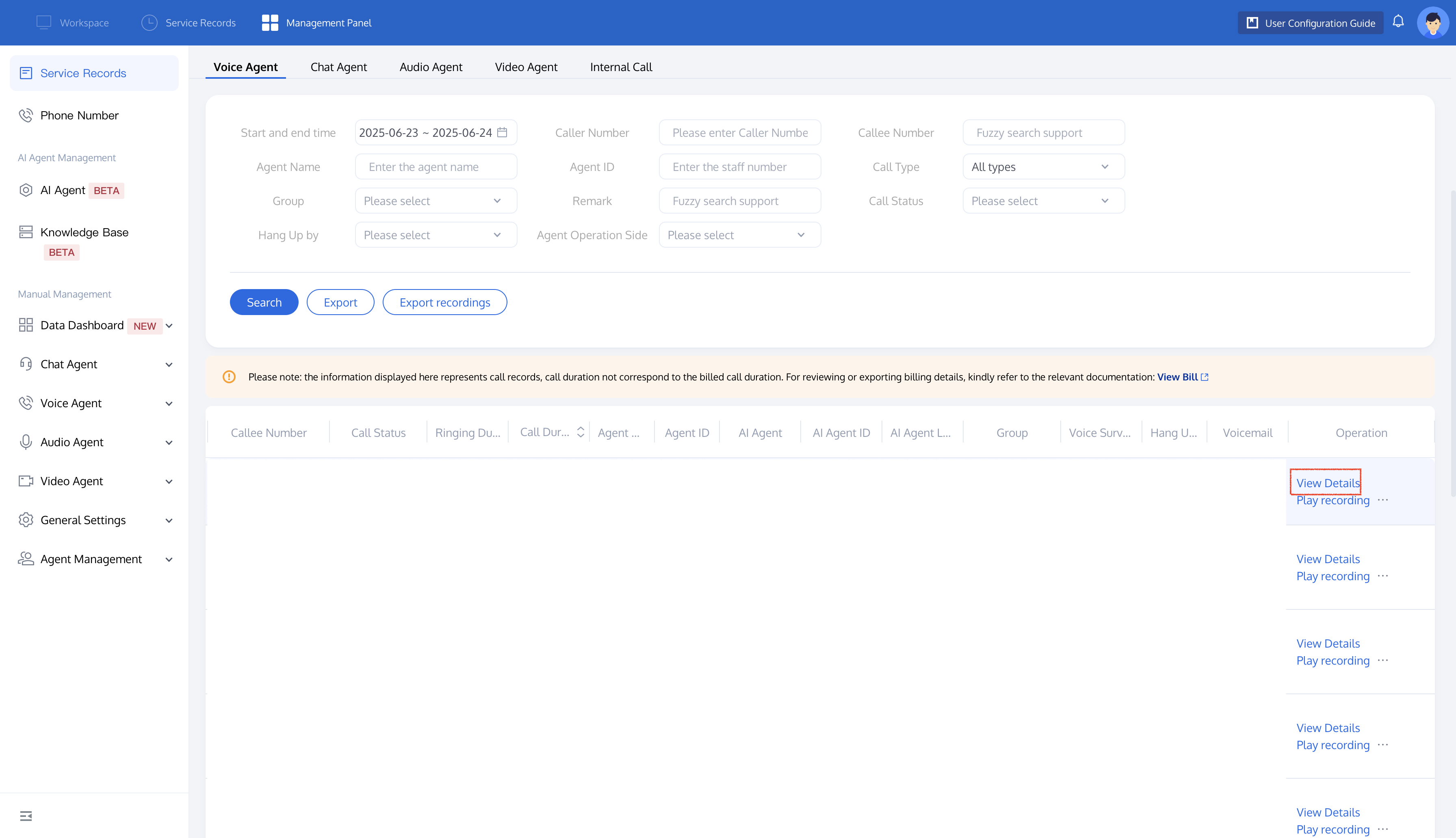
After the call ends, enter the service record page, select the relevant call record, and click View Detail.
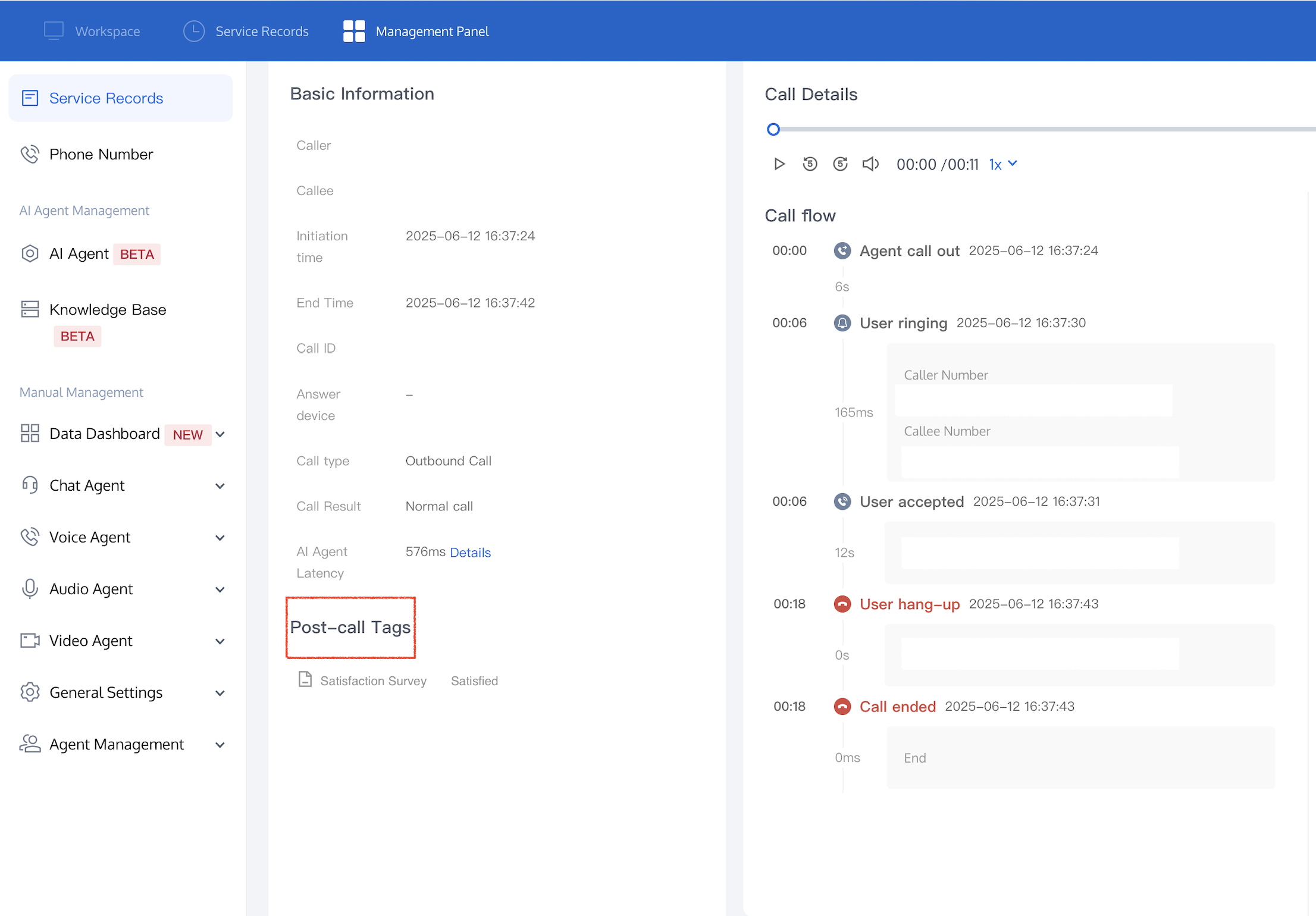
You can view all automatically recorded tag data on the service record's Details page. While post-call tags don't appear in the real-time call flow, they are categorized into the Post-Call Tags module after the call ends. For example, In the "Service Satisfaction Survey", when a user responds "Satisfied," the system will automatically tag Satisfaction Survey-Satisfied in the backend.
Obtaining Post-Call Tags Via API
Users can retrieve post-call tags via the API for data analysis and follow-up. For more information, refer to Create AI Agent Call.
피드백