GooseFSx console provides a monitoring information page where you can view GooseFSx's purchased capacity, free capacity, and read/write bandwidth data.
Setting Monitoring Alarms
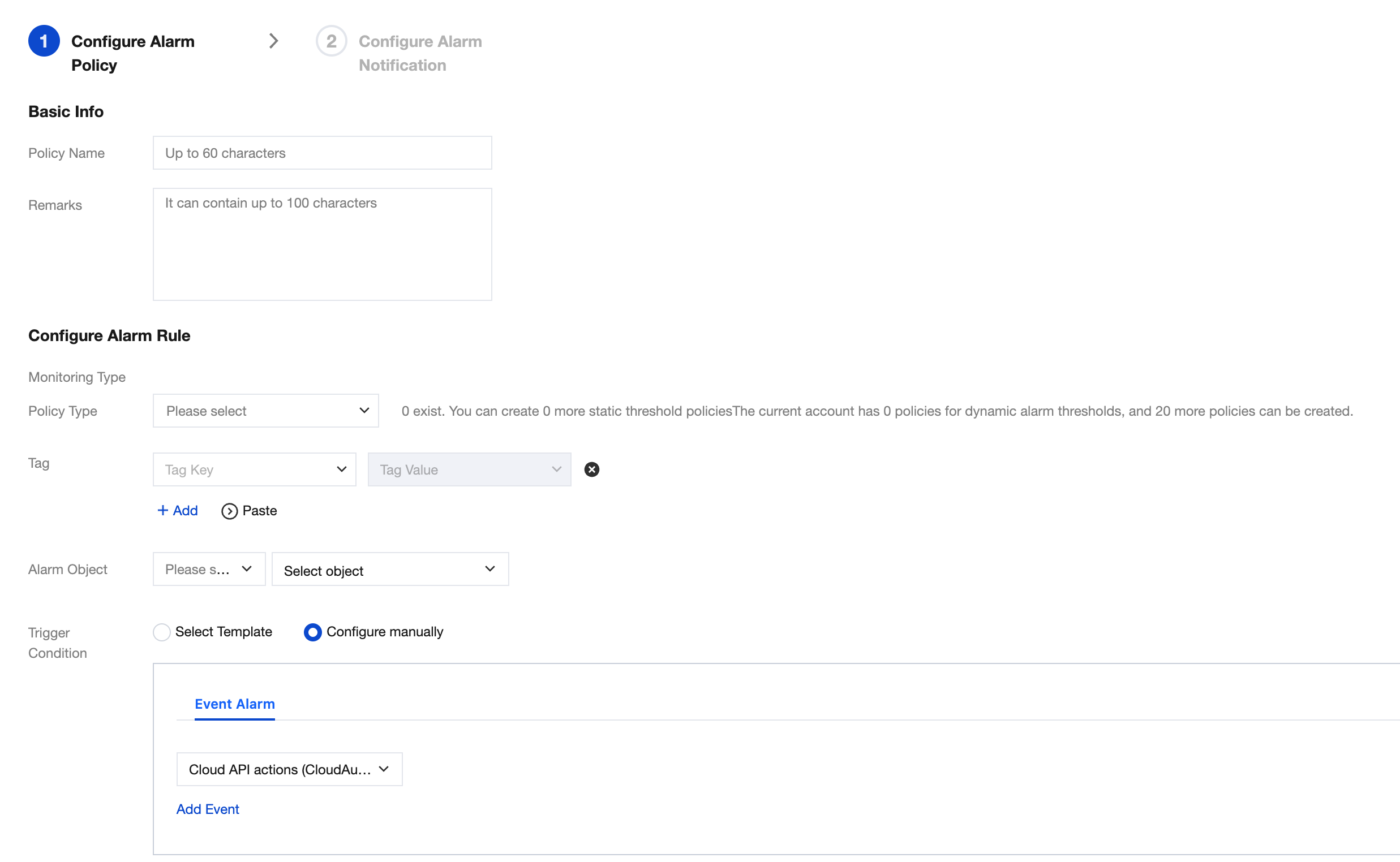
You can use the alarm policy of Tencent Cloud Observability Platform (TCOP) to set threshold alarms for GooseFSx monitoring metrics. Tencent Cloud Observability Platform is a service that provides real-time monitoring and alarms for cloud product resources. Users can set alarm rules, view alert history, and receive alarm notifications for GooseFSx monitoring metrics through TCOP. For more information about Tencent Cloud Observability Platform, please see Create Alarm Policy.
2. Click GooseFSx > Instance List, then click the GooseFSx instance name.
3. Click the Monitoring Information on the left to view each monitoring module. Click the icon
on the monitoring module to quickly jump to the alarm management page of the Tencent Cloud observability platform. For configuration instructions, please refer to the Create Alarm Policy on the Tencent Cloud observability platform. Examples of configured alarm policies are shown below: