Modifying the Instance Maintenance Time
Download
포커스 모드
폰트 크기
Scenarios
To ensure the stability of your TDSQL Boundless instance, the backend system performs maintenance operations on the instance periodically during the maintenance window.
It is recommended that you set an acceptable maintenance window for your business instance, typically during off-peak hours, to minimize the impact on your business.
It is recommended that operations involving data migration, such as instance specification adjustments, also be scheduled for execution during the maintenance window. Currently, primary instances, disaster recovery instances, and read-only analytical instances all support the configuration of a maintenance window.
Prerequisites
The instance is in the Running state.
Limitations
When maintenance operations such as instance failover are performed during the maintenance window, a brief, second-level database connection interruption may occur. Ensure that your application has a reconnection mechanism.
Steps
1. Log in to the TDSQL Boundless console. In the Instance List, click the Instance ID to go to the Instance Details page.
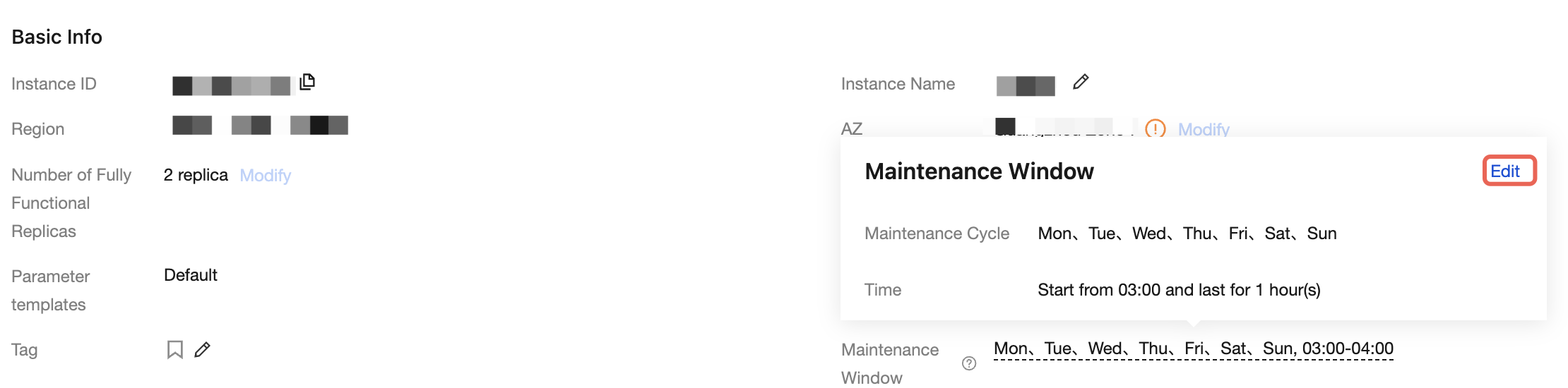
2. Navigate to the Instance Information tab. In the Basic Info section, locate the Maintenance Window and click Edit.
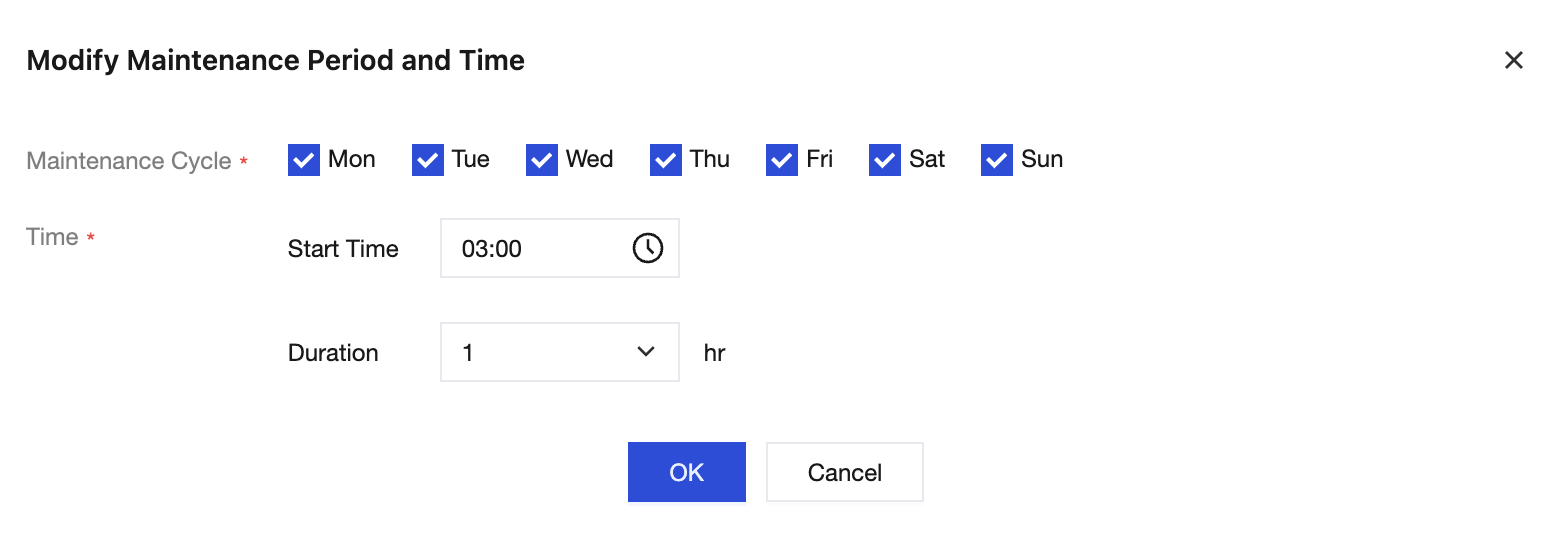
3. In the dialog box that appears, modify the maintenance cycle and maintenance time, and then click OK.
Maintenance Cycle: The days of the week when maintenance operations are allowed. You can select multiple days, but at least one day per week must be retained. By default, the system selects every day.
Time: The daily time window during which maintenance operations are allowed. The start time can be set to any minute of the day. The duration can be set to an integer value between 1 and 3 hours. The default value is 03:00 with a duration of 1 hour.
피드백