The Tencent Multiple Network Acceleration product supports two access gateway methods, which involve three parties: the vendor, the operator, and Tencent Cloud.
Access method
Role Relationship
Authentication Method
One-device-one-secret
The device manufacturer and the operator are the same role, and have the capability to write the DataKey into the device.
DataKey-based authentication
Vendor device SN
The device vendor and the operator are distinct roles (you can choose who pays).
The device vendor and the operator are the same role, but they lack the capability to write the DataKey to the device.
The device vendor and the operator are the same role, and they intend to manage devices by SN.
SN-based authentication
When the vendor and the operator are the same role and have the capability to write the DataKey into hardware devices, a unique key is assigned to each device (one key per device), and the device accesses the Tencent Cloud Multiple Network Acceleration gateway via the DataKey.
The following scenarios apply when a vendor intends to access the gateway by SN:
The vendor and the operator are distinct roles (for example: T-Box type devices), and either the vendor or the operator can pay independently.
The vendor and the operator are the same role, but they lack the capability to write the DataKey to the device.
The vendor and the operator are the same role and have the write capability, but they actively choose to access by SN.
In the above scenarios, a device can achieve the same effect as DataKey access by connecting to the Multiple Network Acceleration gateway via SN.
The following section describes how to register and activate vendor devices via SN in the Multiple Network Acceleration console.
Prerequisites:
The SN (Serial Number) of the vendor device has been obtained.
The Multiple Network Acceleration console account has been activated.
The vendor must register and file in advance.
The vendor device has our SDK pre-installed and is in a network-accessible state.
1. Creating a Device to Be Activated with a Vendor Tencent Cloud Account
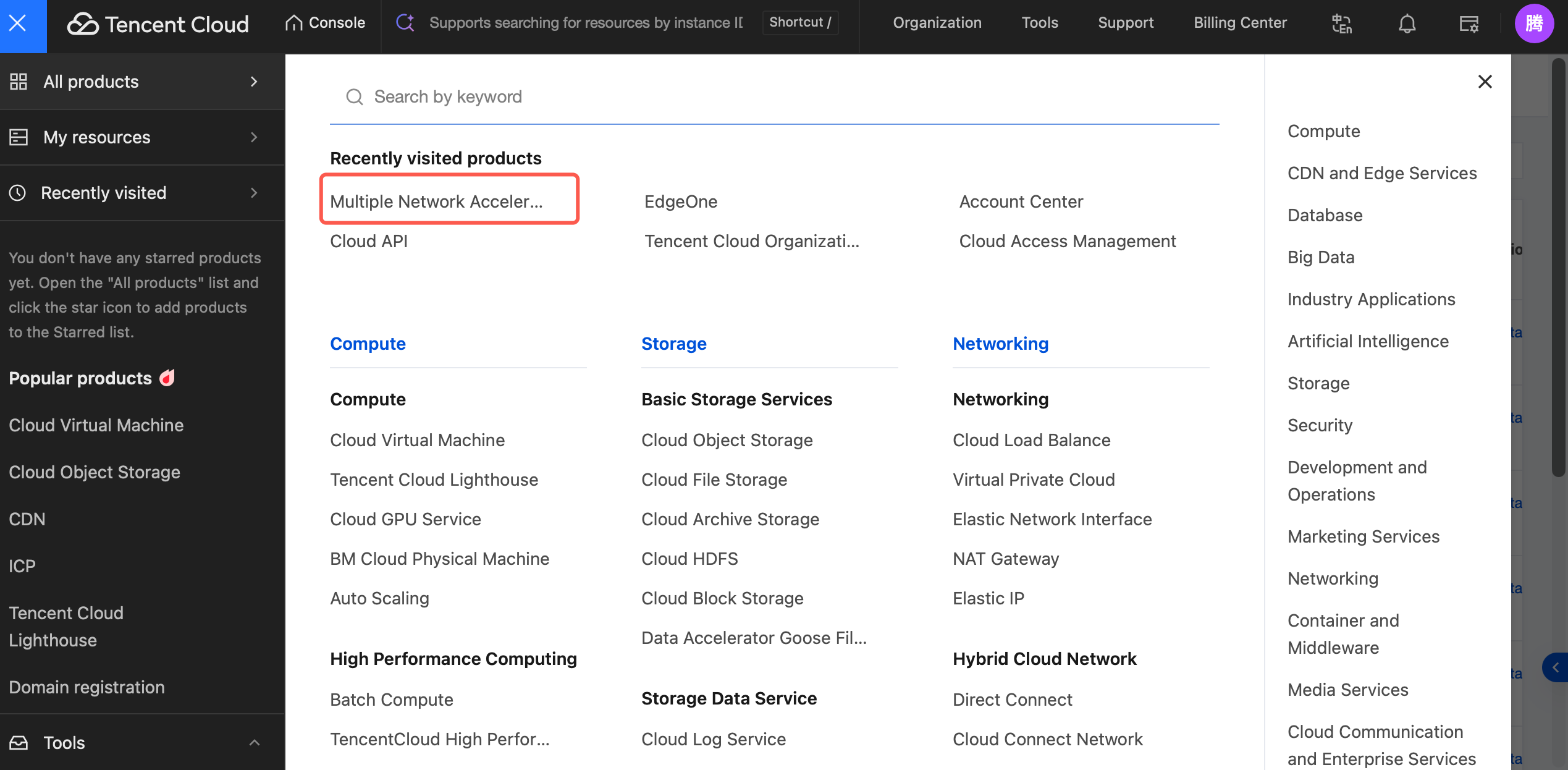
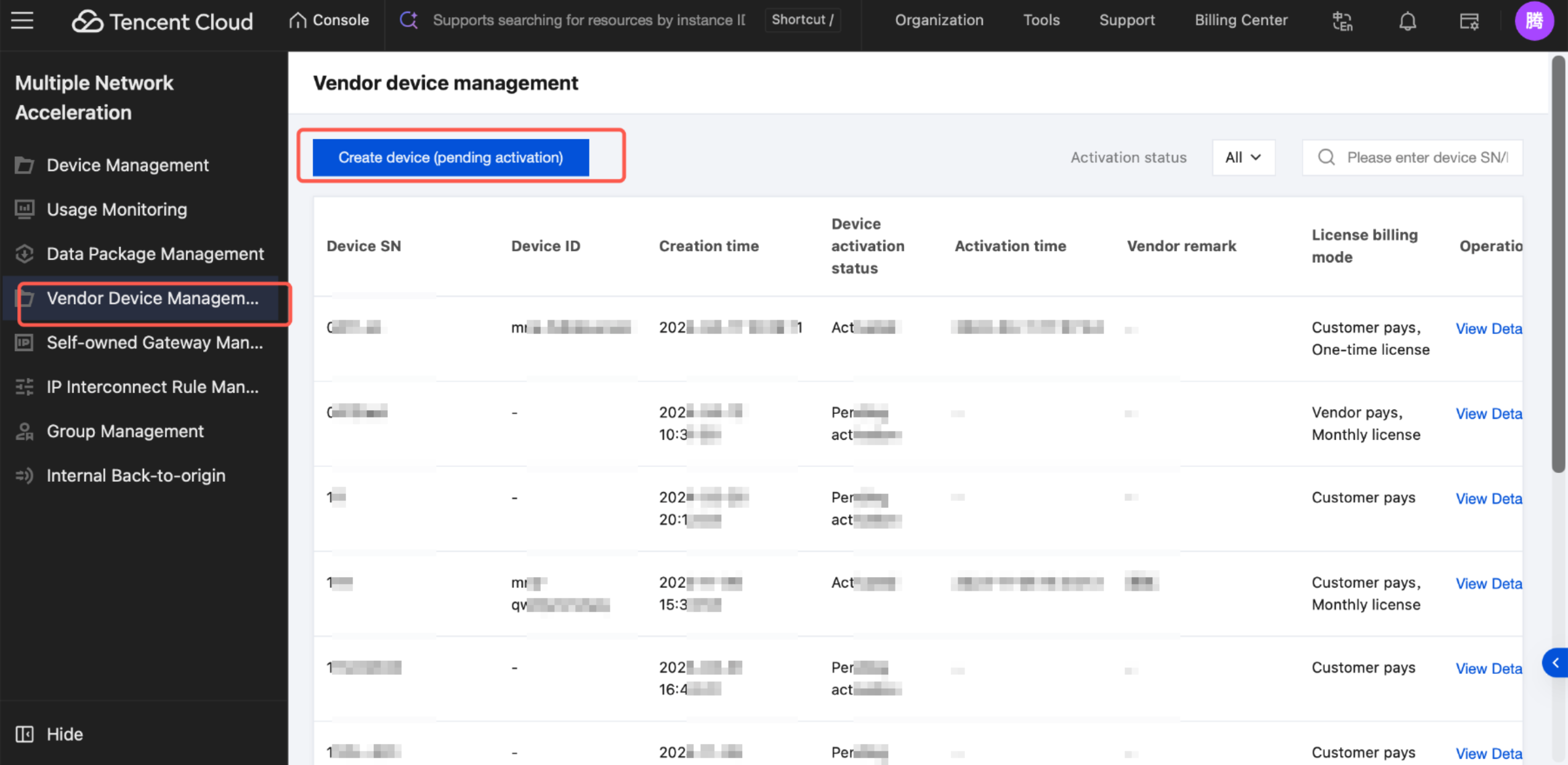
In the left sidebar, go to the Vendor Device Management module and click Create device (pending activation).
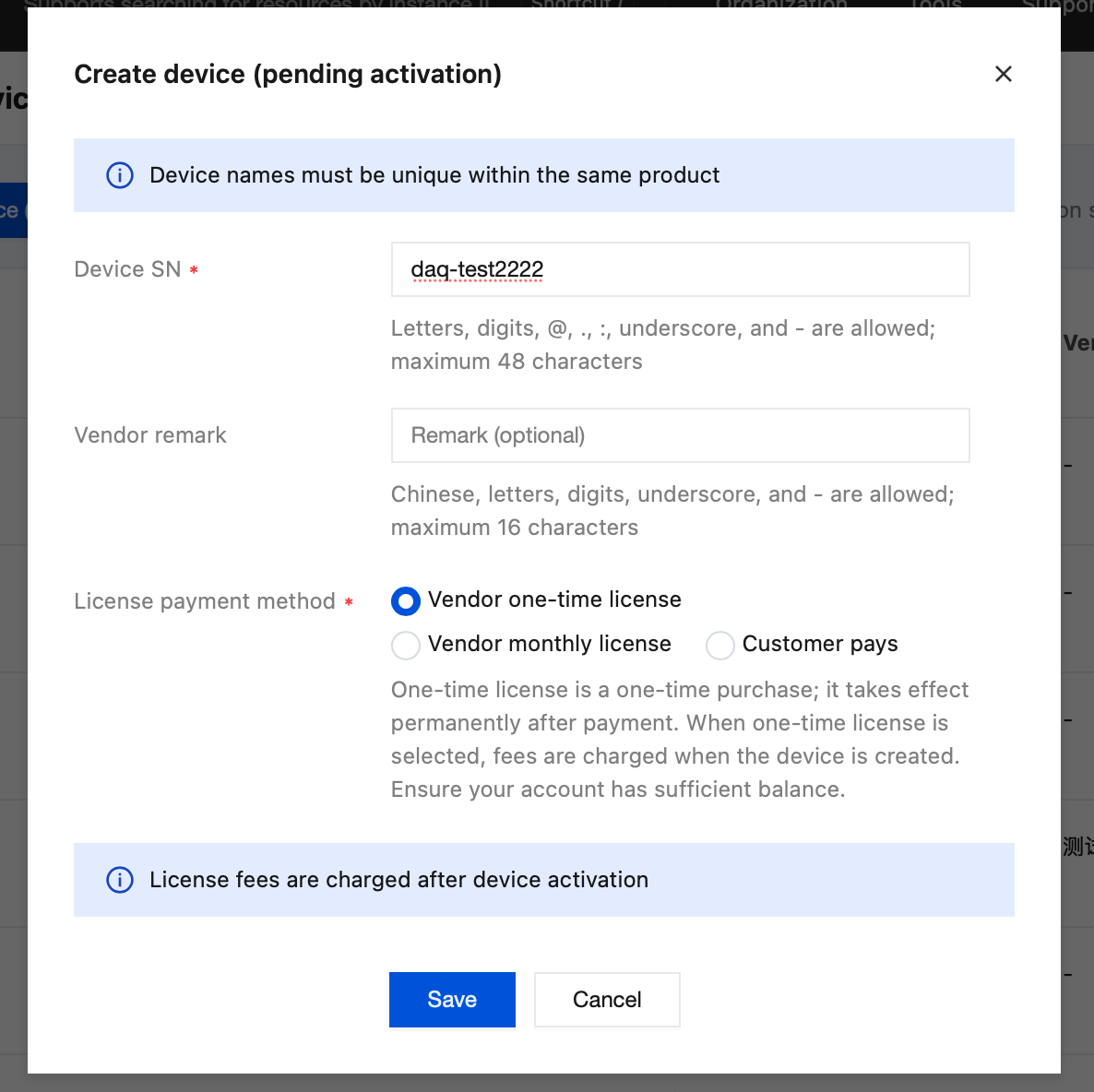
In the pop-up form, enter the following information (the figure is an example).
Note:
Each SN is globally unique and cannot be registered repeatedly.
Select a payment mode: If you choose the vendor's one-time authorization, the operator (customer) does not need to pay. If you choose the operator (customer) to pay, the vendor does not need to pay. The payment mode is determined by the vendor.
After confirming that the information is correct, click OK to submit. The device will enter the "Pending Activation" state.
2. Activating a Vendor Device with an Operator Tencent Cloud Account
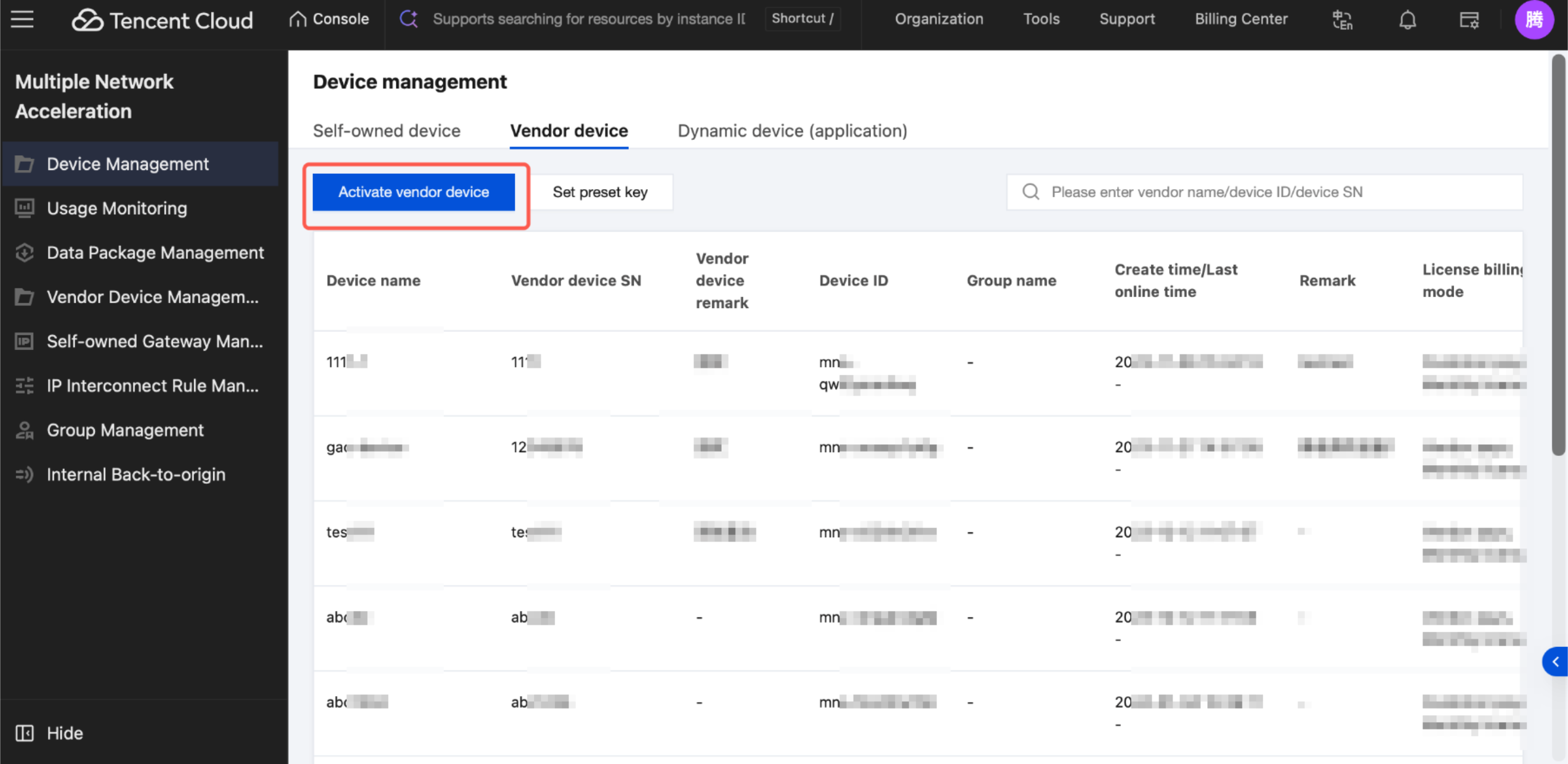
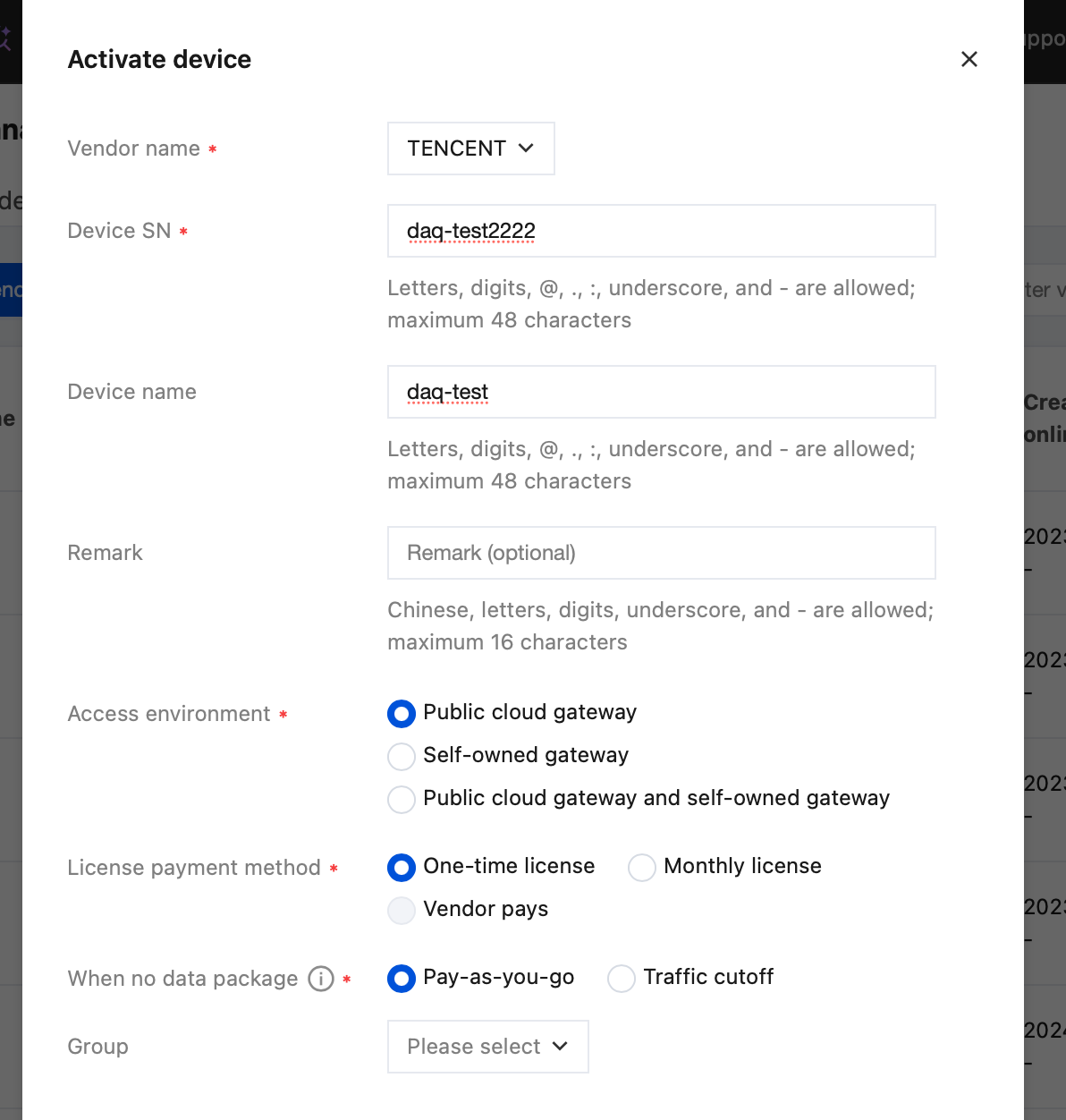
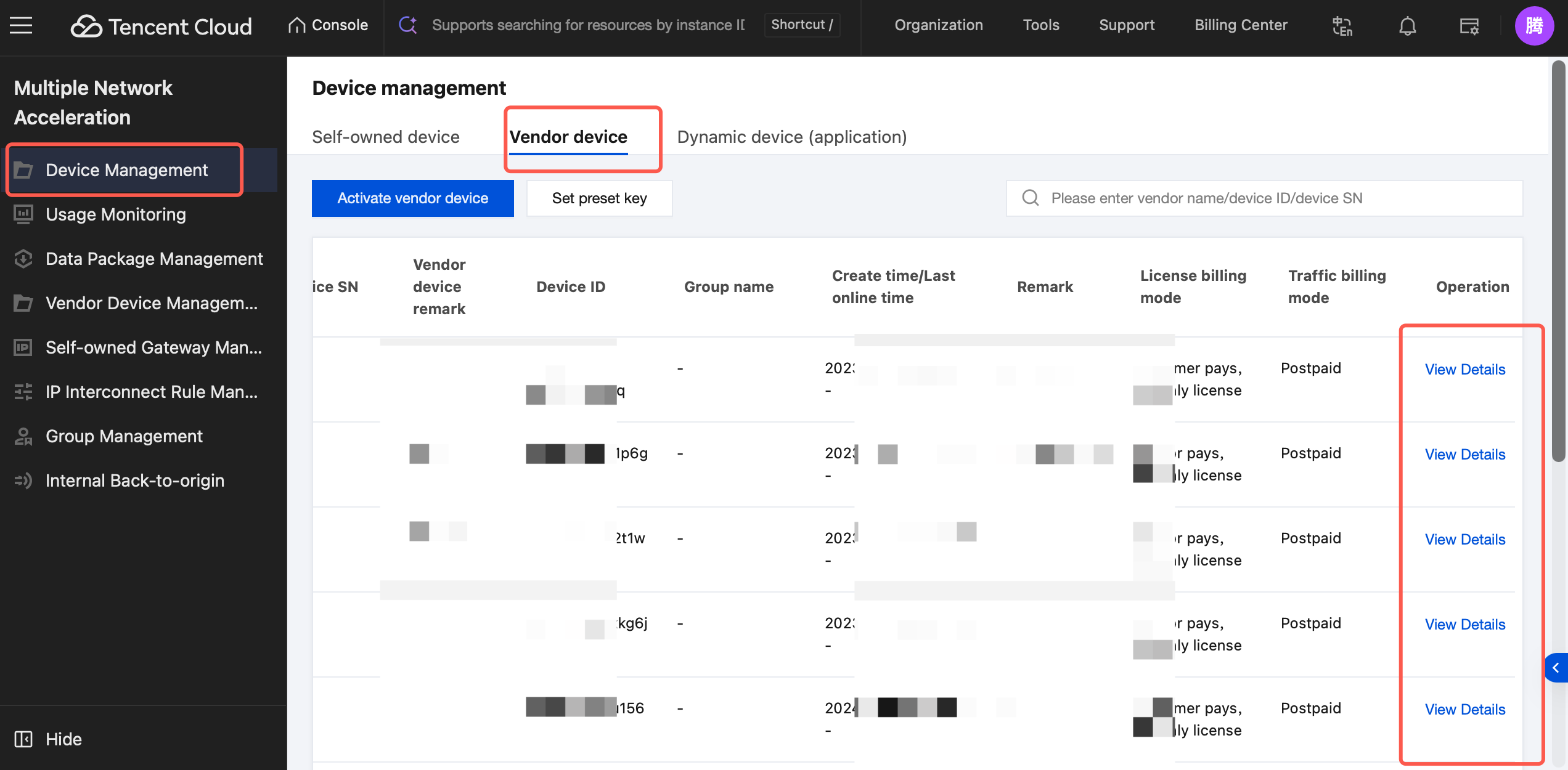
In the left sidebar of the console, go to Device Management > Vendor device and click Activate vendor device.
In the pop-up window, select the corresponding vendor name and enter the device SN. The system will automatically verify the SN's correctness. You can also name your device. After selecting all required fields (marked with an asterisk), click Save. The device is then successfully activated, and the vendor can see its status change to "Activated" in the console.
Note:
The device name you enter when activating a device must be unique and cannot duplicate the name of any already activated device.
Payment Mode: If the vendor selects customer payment when creating a device, you can only choose one-time authorization as the License payment method. If the vendor has already paid when creating the device, the operator can only choose vendor payment when selecting the License payment method.
After payment is successful, the device can normally connect to the Multiple Network Acceleration gateway via SN.
3. Querying Vendor Device Details
In Device Management > Vendor device, choose a device and click View Details to go to the details page of that device.
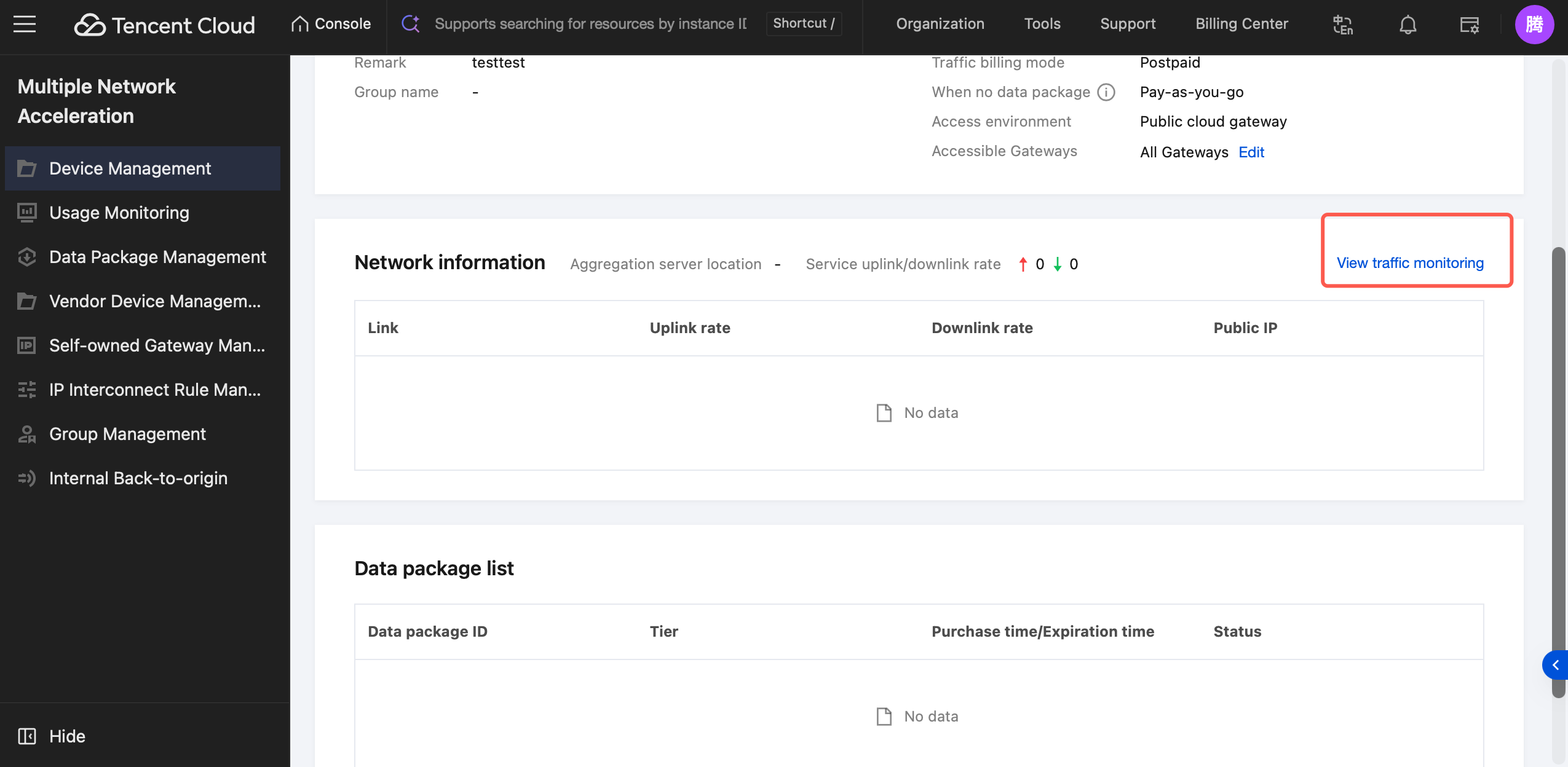
The details page displays device information, related network conditions, aggregated server nodes, uplink/downlink rate statistics, and the data package list.
Go to Device Management > Network Information and click View traffic monitoring. You will be redirected to the real-time traffic monitoring page for that device.
4. Modifying Vendor Device Information
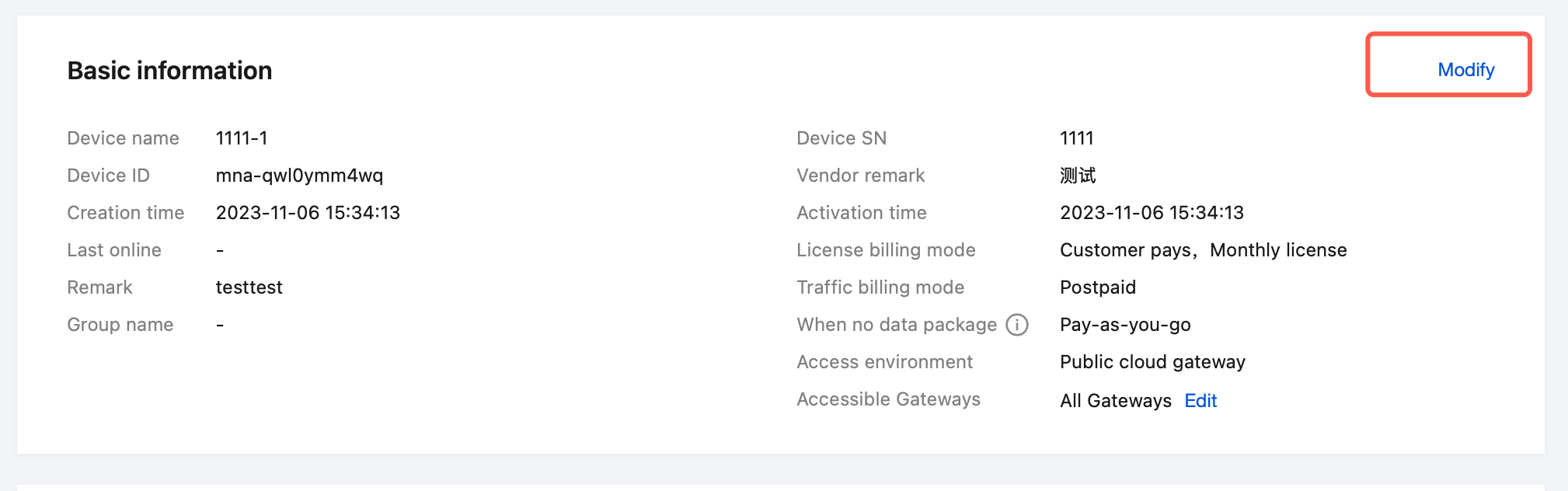
On the Basic Information card, click Modify to modify the device name and remarks fields.
5. Related SDK APIs
Linux SDK
Note:
For SDK downloads and detailed documentation, see the API Overview. This section only lists the specific APIs corresponding to the features described in this document.
Call the following interface to configure acceleration parameters (only configuration, no acceleration is started):
"vendor":"get vendor from tencent and replace it here",
"sn":"get sn from tencent and replace it here",
"interfaces": ["usb0","usb1","eth0"],
"registerEnv": 1,
"scheduleMode":"bonding"
}'
This API accepts a Client entity, which is defined as follows:
Name (name)
Type (type)
Description
vendor
string
Required. The vendor and model of the device.
sn
string
Required. The unique serial number of the device provided by the vendor.
interfaces
[string]
Required. The list of interfaces participating in multi-network aggregation. Supports specifying a priority, ranging from 0 to 255. A smaller value indicates a higher priority. The priority and the network interface are separated by a colon. If no priority is provided, it defaults to 64. Note: Priority cannot be specified in redundant mode. ["eth1:100", "eth2"].
scheduleMode
string
Required. The default acceleration mode is "bonding", "redundant", or "rtc".