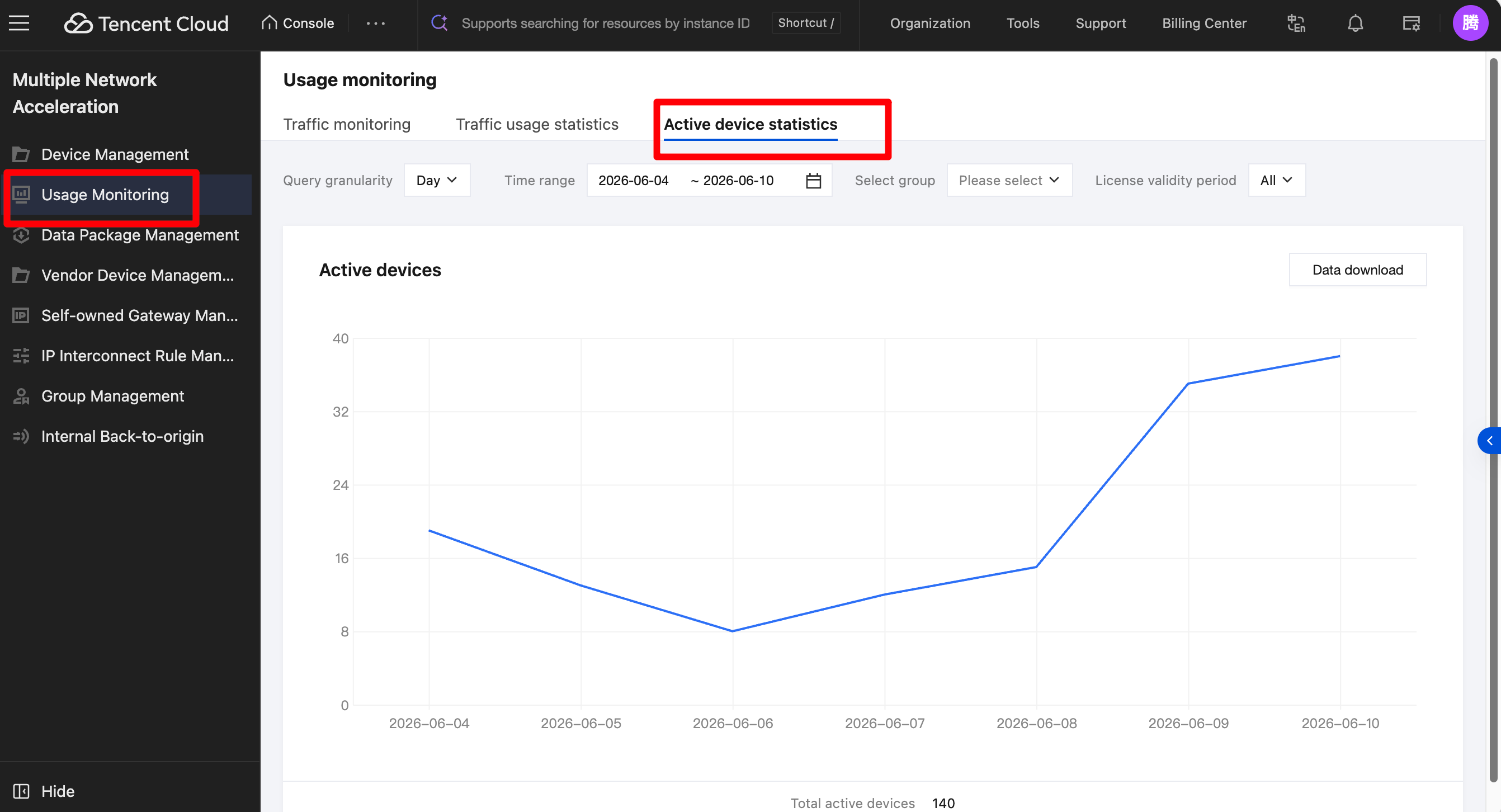
Go to the console. On the Usage Monitoring page, select Active device statistics. You can then select the devices you want to view by device or by region. Choose an appropriate time range and query granularity as needed to view a line chart of the number of active devices.
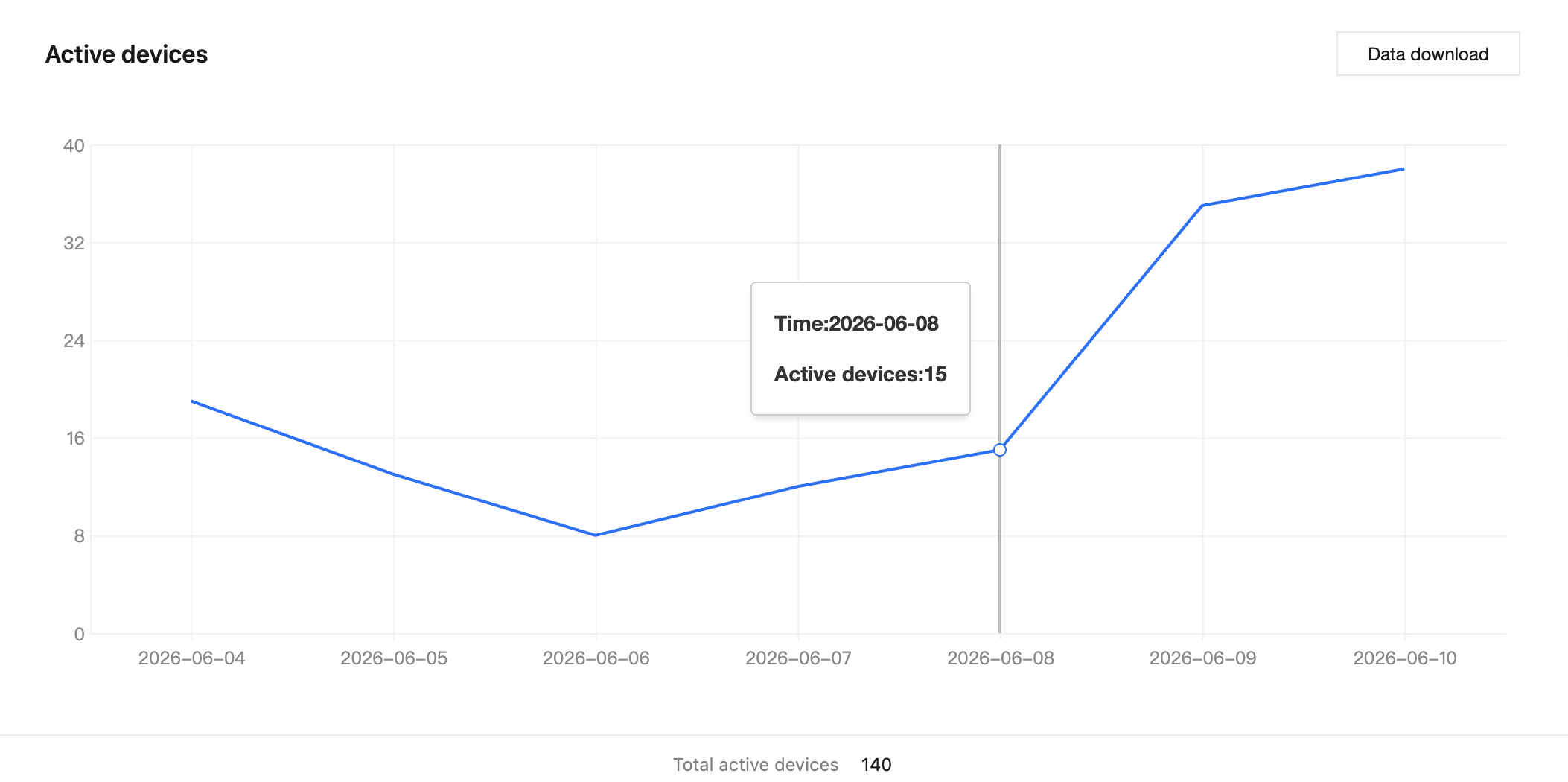
Hover your mouse over a specific point on the line chart to display the exact number of active devices at that time.