What May Cause GB28181 Protocol Device Registration Failures?
Device registration failures for GB28181 protocol devices may be caused by the following reasons:
Incorrect Device Network Configuration
IPC camera: Set the device network to obtain an IP address automatically. Log in to the device and go to Network > Basic Settings > TCP/IP > select automatic acquisition.
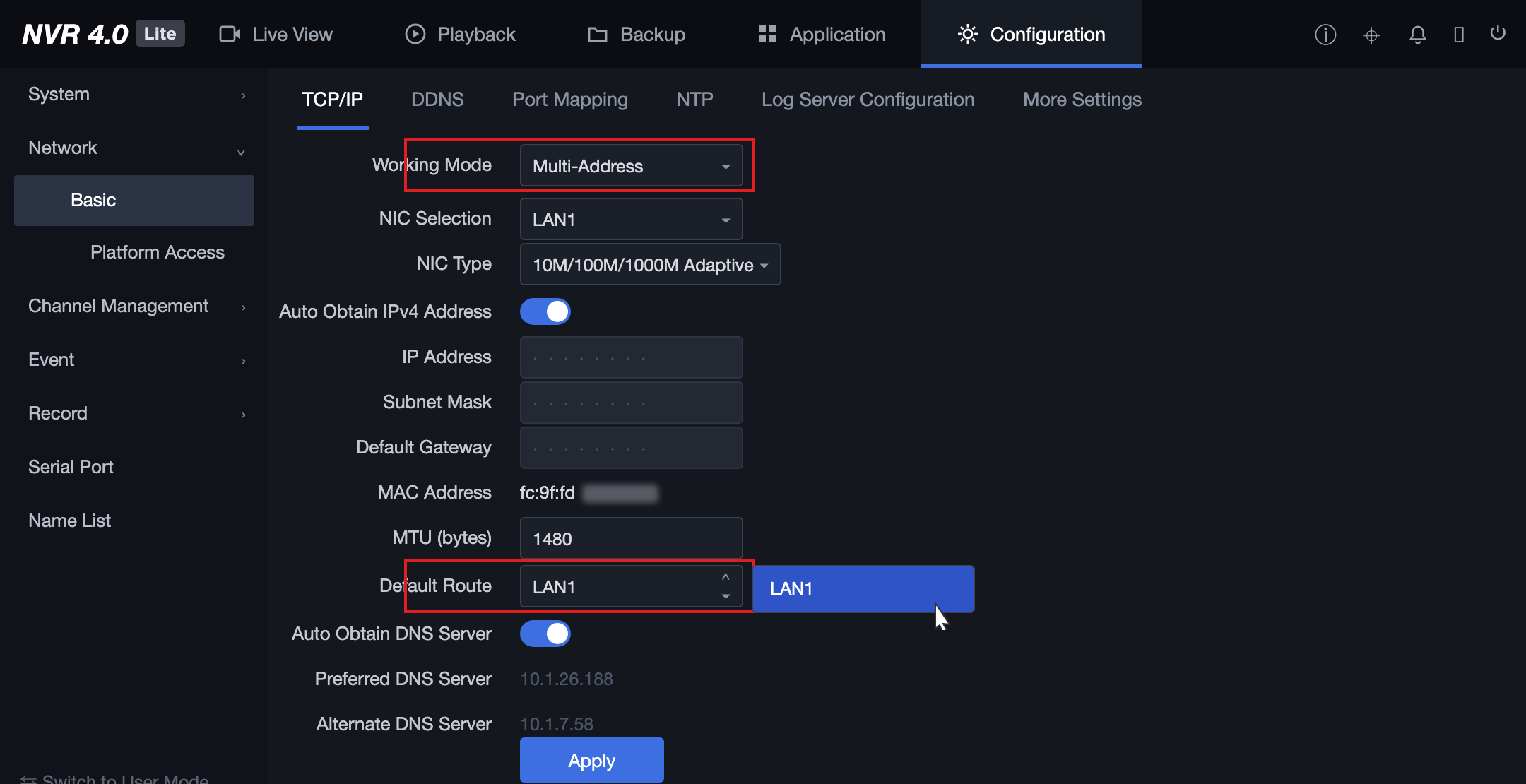
NVR: Take Hikvision NVR as an example. Log in to the device and go to Network Configuration > Basic Settings > TCP/IP. Change the Working Mode to "Multi-address Setting", select the LAN port connected to the Internet, and enable automatic IP address acquisition and automatic DNS server acquisition.
Note:
Multi-Address Setting mode means that the parameters of multiple NICs on the NVR are independent of each other and do not affect each other.
The default route refers to the route through which the device forwards data from the LAN port connected to the external network. Whichever LAN port is actually used to connect to the external network is selected as the default route.
The following figure shows an example of Hikvision NVR configuration:
Device Network Uses a Directional Data Plan
Most IoT devices use directional data plans, and carriers may block network data sent by the devices. Therefore, contact the carrier and request that they add the platform's IP address to their allowlist to allow communication between the devices and platform services.
Incorrect GB Configuration Information
1. The mapping of the 20-digit national standard code is entered incorrectly.
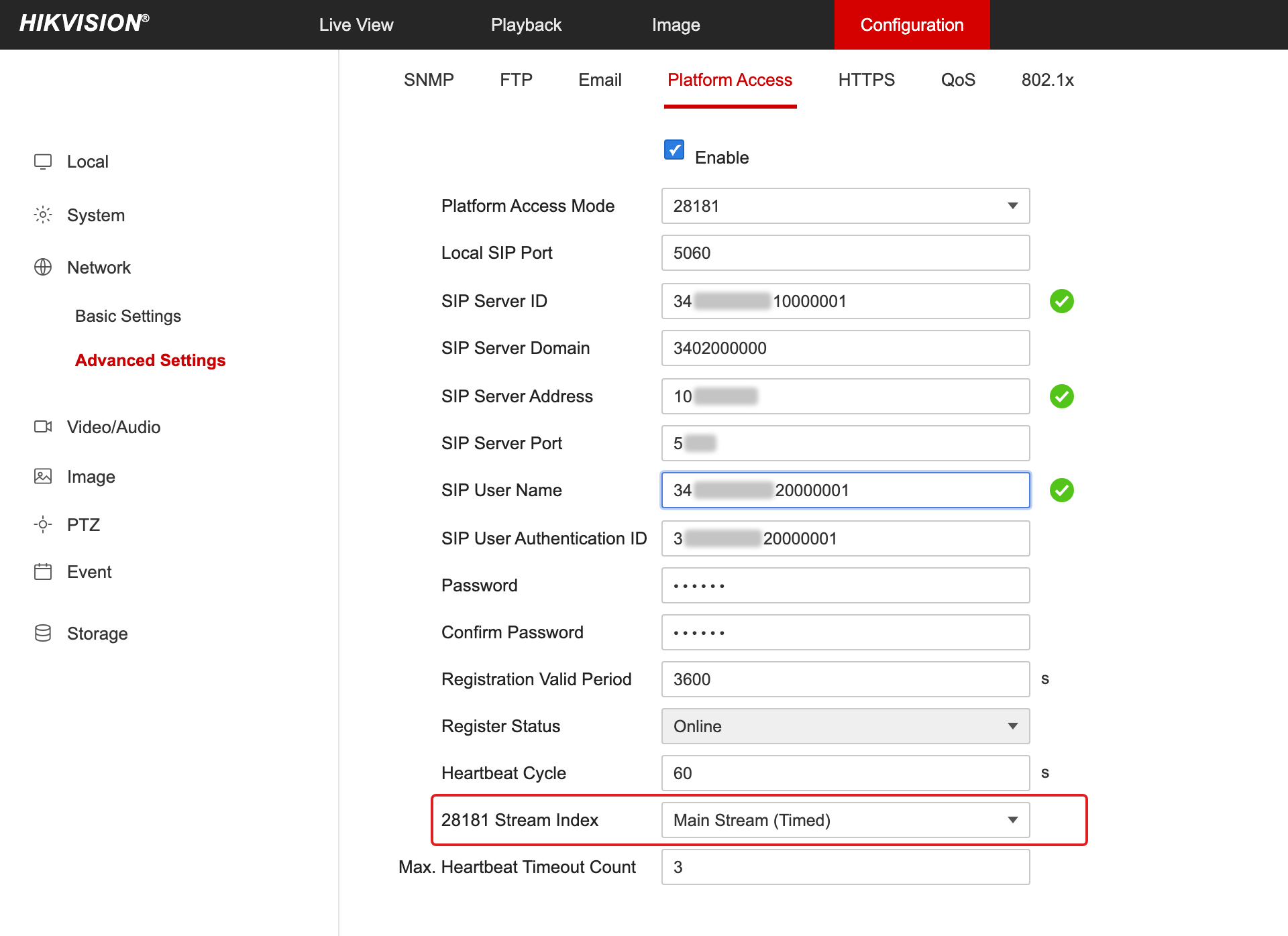
Hikvision devices: Both the SIP user name and SIP authentication ID must be set to the device ID generated by the platform, for example, 34020000001320000001.
Dahua devices: The device ID must be set to the device ID generated by the platform.
Uniview devices: Pay special attention to Uniview devices. The configuration information is different from that of other vendors. You still need to fill in the device ID generated by the platform in the GB/T 28181 Local Configuration field. For details, see GB/T 28181 Configuration Guide for Devices of Various Vendors.
2. Registration validity period: 3600s, heartbeat interval: 60s, maximum number of timeouts: 3 times.
Missing Video Channel ID
Devices do not automatically come with video channel IDs, which must be manually defined.
It is recommended to modify the device ID generated by the platform: change digits 11-13 to 131, and assign the last digit to each channel in ascending order without duplication, for example, 34020000001310000001, 34020000001310000002, and so on.
Note:
Ensure that the video channel ID here is not the same as the device ID. Otherwise, a "parameter error" will be prompted.
Having the same video channel ID as other devices does not constitute a conflict.
Incorrect Port Configuration
Local SIP port: Must be changed to another port number such as 5061 or 5062. (Do not use the default port number 5060 of the device, because it is highly likely to be blocked by the router.)
Transport protocol: refers to the signaling transport protocol. If this option is available on the device configuration page, you must select TCP. (In the GB/T 28181 protocol, signaling uses SIP, which is based on UDP at the underlying layer, and UDP traffic is subject to more restrictions in certain network environments.)
How to Select the Main/Sub Stream for Upload via the GB28181 Protocol?
Cameras typically have three streams (mainstream, substream, and third stream). For example, on Hikvision devices, you can choose the stream by navigating to Configuration > Network > Advanced Configuration > Platform Access > 28181 Stream Index.
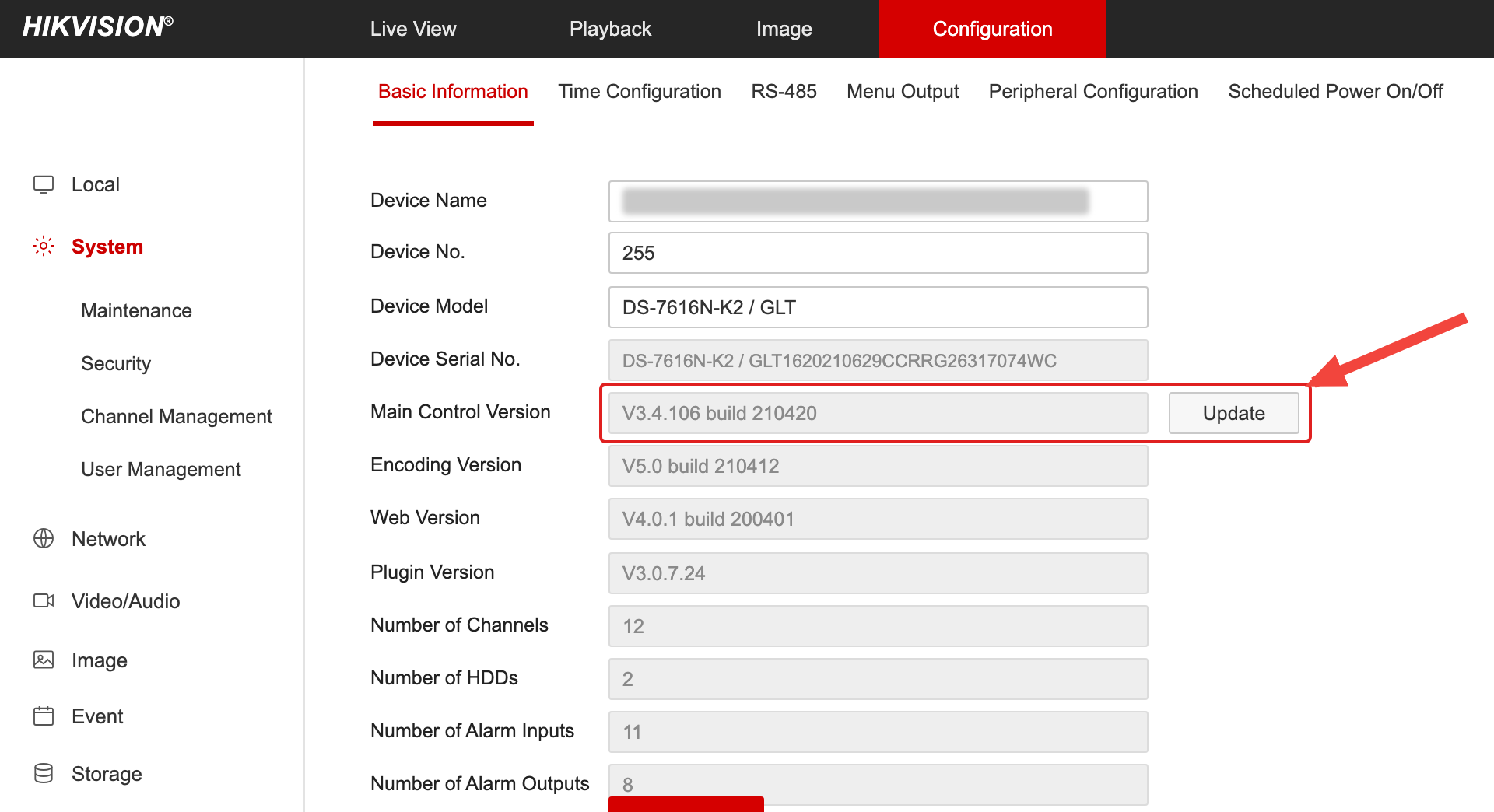
Note that some devices may not support this feature. It is recommended to upgrade to the latest firmware version first. If the issue persists, contact the manufacturer.
What Are the Criteria for the Platform to Determine a Device as Offline When the GB28181 Protocol Is Used?
Heartbeat interval (60 seconds) × maximum number of heartbeat timeouts (3) = offline detection time (180 seconds). If the platform does not receive heartbeat signaling within the offline detection time, it determines that the device is offline. Possible causes include device power-off or exceptions, network interruption, and severe packet loss due to poor network quality.
What Is the Difference Between the Customer-Provided ICP-Filed Domain and the Domain Used for API Calls?
The domain provided by the customer is used to generate playback stream URLs, which are only used for live preview, local recording playback, cloud recording playback, and so on. The domain used for API requests is the product service domain. For details, see Common Request Headers.
How to Choose Between Constant Bitrate (CBR) and Variable Bitrate (VBR) on the Device for Data Upload?
CBR (Constant Bit Rate) and VBR (Variable Bit Rate) are both bitrate control methods in video encoding, and the choice between them depends on different scenario requirements:
CBR: The amount of data transmitted per second is fixed, which means that the data transmission maintains the same bitrate even when the video content changes. It is suitable for scenarios where network bandwidth is limited while video quality must be guaranteed.
VBR: The bitrate can be automatically adjusted based on the complexity of the video content. Specifically, the bitrate is reduced when the video content is simple and increased when it is complex, thereby achieving optimal video quality. It is suitable for scenarios with sufficient network bandwidth.
Therefore, the choice between CBR and VBR depends on specific scenario requirements.
PTZ Control_Why Does the Image Stutter or Become Blurry While a Dome Camera Is Rotating, and Return to Normal After Rotation Stops?
When a PTZ camera rotates, the pixel changes in the image are more noticeable than in a static state, which generally causes the bitrate to increase. If the device's uplink bandwidth is limited, the instantaneous bitrate increase adds transmission pressure. When UDP is used to transmit the stream, packet loss may occur and cause screen artifacts. When TCP is used, stuttering may occur.
Why Does the Console Live Streaming Preview Only Support Four Split Screens?
The platform console supports 4/9/16 split-screen live streaming. However, because our player runs in a Web browser environment and is limited by decoding performance, we have imposed a restriction: when H.265 playback is detected or all video streams are H.265-encoded, a maximum of 4 split screens can play concurrently. If all video streams are H.264-encoded, no split-screen limit applies.
Can Video Download Be Accurate to the Second?
Recording downloads are supported in MP4 and TS formats, with a maximum duration of 1 hour per download. The console currently supports specifying the download time to the minute, while the API supports specifying it to the second.
What Is the Format of Our Dump, and Can the Duration Be Set?
The platform uniformly converts the encapsulation format of uploaded data to TS format (that is, generates .ts segment files). Streams are pulled and uploaded to the cloud through the recording plan feature, with a default segment duration of 20 seconds per segment, and stored in the COS bucket following the year/month/day/hour/minute path format.
What Is the Specific Path for Data Dump?
Streams are pulled and uploaded to the cloud through the recording plan feature, and then converted into TS segments and stored in the COS bucket in the following format: planid/channelid/year/mon/day/hour/starttime-endtime.ts
planid: The ID of the recording plan (generated by the platform).
channelid: The ID of the video channel (generated by the platform).
starttime-endtime: The start time and end time, which are utc timestamps accurate to the second.
For example, the path of a complete segment: f610fbb1xxxxxxxxxxd212359b928b/7f7a3f2b-fxx0-4xxae-821e-9b8xxxx6e7d816/2022/09/05/14/1662360473178-1662360473188.ts
Should TCP or UDP Be Selected as the Transport Protocol for Media Stream Upload?
Both are transport layer protocols in the OSI network model, and the differences are as follows:
TCP is connection-oriented. It establishes connections through a three-way handshake and releases them through a four-way handshake. It also ensures error-free, lossless, and in-order data delivery through mechanisms such as timeout retransmission and data validation.
UDP is connectionless, meaning that no connection needs to be established before data is sent. It transmits data at a higher speed but does not guarantee reliable delivery, which may result in issues such as packet loss and duplication.
Selection recommendation: If the device supports TCP for media stream transmission, prioritize TCP. Because the internet may be unstable during transmission, using UDP may cause packet loss, which can lead to video corruption. In practice, some devices are prone to suspended streams when using UDP for push streaming (the server has stopped receiving streams, but the device is still pushing streams), which causes invalid data to occupy uplink bandwidth and increases performance pressure on the device.
What Is the Difference Between Device ID and Device Code?
Device ID and device code are two different concepts:
Device ID: Also known as the device identifier, it is a unique string generated by the platform to identify a specific device. The field in the API is DeviceId (mostly used in API calls).
Device Code: A device serial number assigned by the platform based on the device type. For example, a GB/T 28181 protocol device has a 20-digit numeric code, while an RTMP device has a 10-character string code. The field in the API is Code (mainly displayed on the page).
Why Can the Product Console Play H.265-Encoded Videos, but Other Players Cannot?
The console player is a self-developed Web video player that supports playback of stream URLs under multiple protocols with H.265 video encoding. Other players need to be evaluated based on actual conditions. For example, the VLC player does not currently support playback of HTTP-FLV or RTMP stream URLs with H.265 video encoding, but it can play HLS stream URLs.