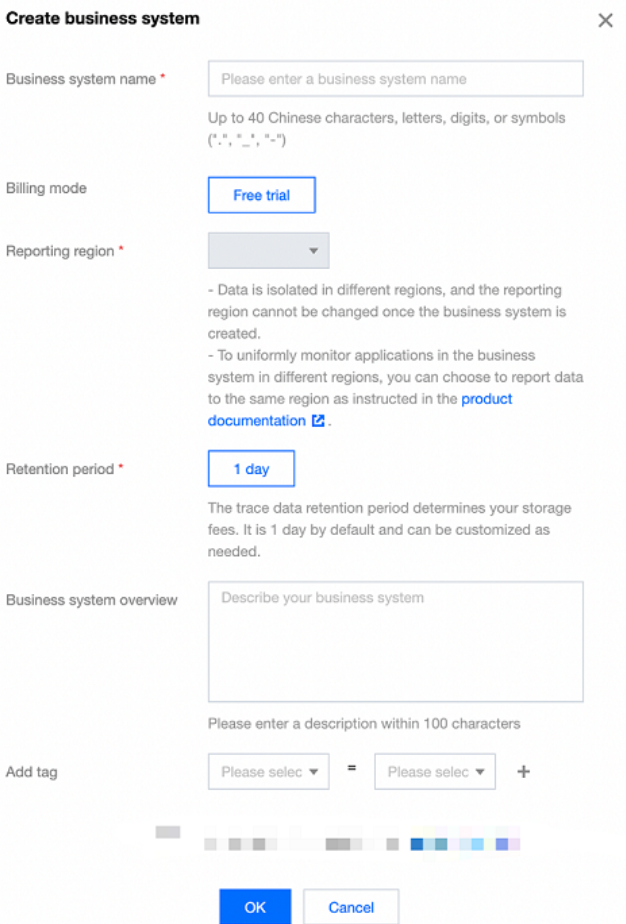
2. On the Resource management page, select the target region, click Create, enter the business name, and select the retention period (the longer the retention period, the higher the fees). Then, indicate your consent to the agreement and click OK.
Step 3. Access an application
1. On the application list management page, click Access application.
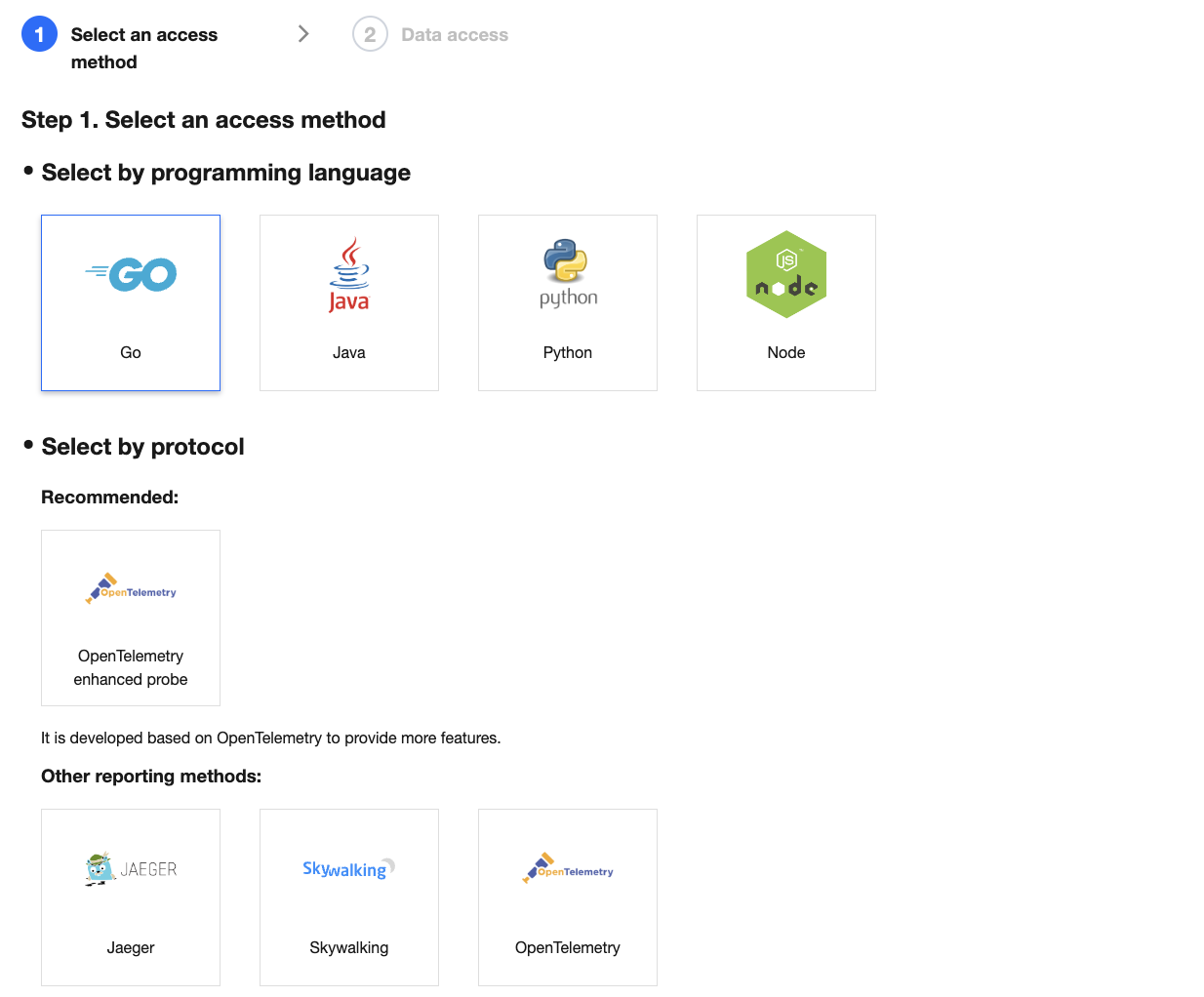
2. On the access guide page, select the programming language, access method, and reporting method and click Next.
3. Complete the access as prompted and click Complete.
Note:
APM supports multiple programming languages with different access methods. For more information, see Access Guide.
Step 4. View the system performance monitoring data
In APM, you can view various monitoring data, such as the service overview, database calls, API calls, and call traces. For more information, see Application List.